Timelapse Planner

Timelapse Planner

Download on App Store
Logo of Timelapse Planner

Timelapse Planner: Master Every Second of Your Cinematic Creations

The essential precision tool for photographers. Calculate perfect intervals and clip lengths instantly—no math, no data tracking, just professional results.

Download on App Store

Publisher

Batuhan Tufekci

Category

Photo & Video

Downloads

0

User Rating

1.0/5

Total Ratings

0

Locales

1

Precision at a Glance

Discover the interface used by 0 users.
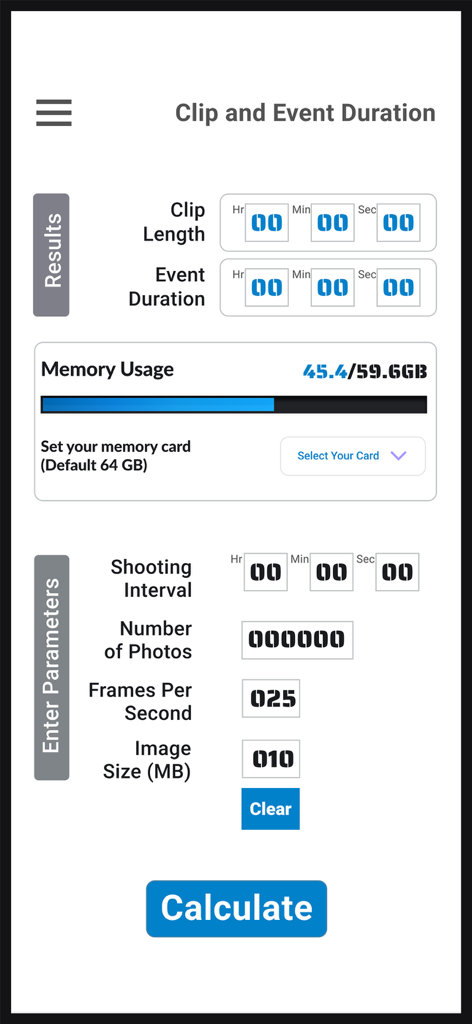
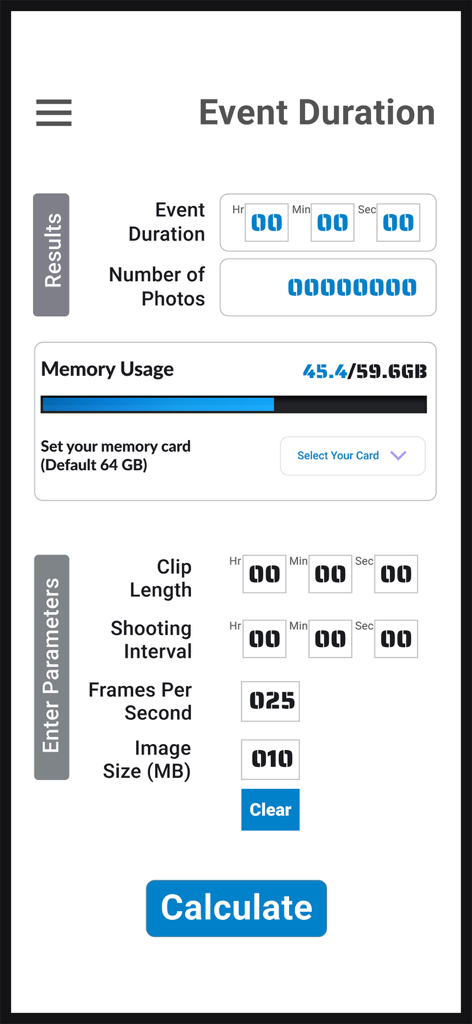
User interface of Timelapse Planner app showing clip and event duration calculations with memory usage tracking

User interface of Timelapse Planner app showing clip and event duration calculations with memory usage tracking

Timelapse Planner app screen showing event duration and memory usage calculation tools

Timelapse Planner app screen showing event duration and memory usage calculation tools

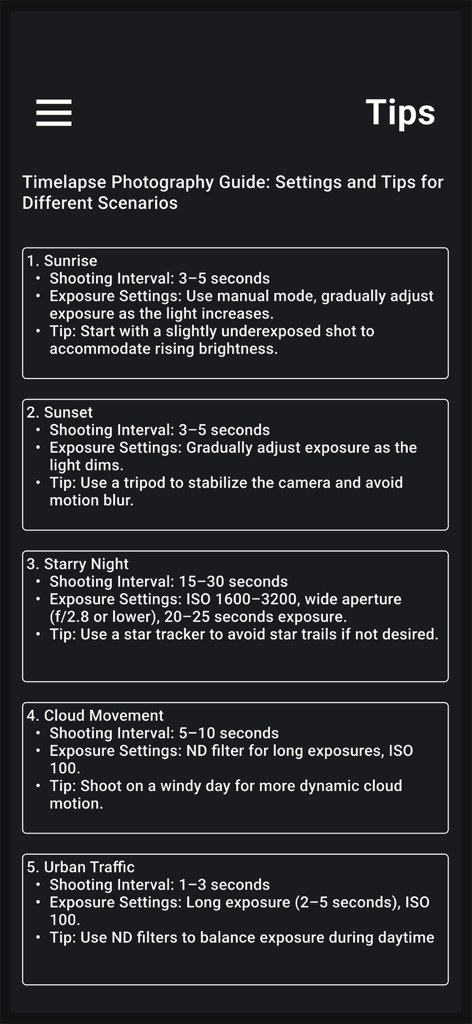
A photography guide screen listing recommended shooting intervals and exposure settings for sunrise sunset starry night cloud movement and urban traffic.

A photography guide screen listing recommended shooting intervals and exposure settings for sunrise sunset starry night cloud movement and urban traffic.

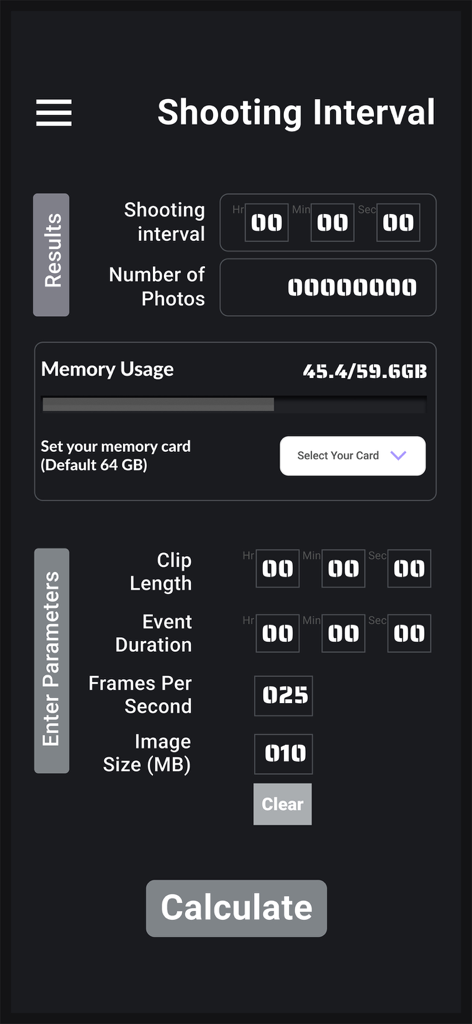
Screenshot of the Timelapse Planner app interface for calculating shooting intervals and memory usage.

Screenshot of the Timelapse Planner app interface for calculating shooting intervals and memory usage.

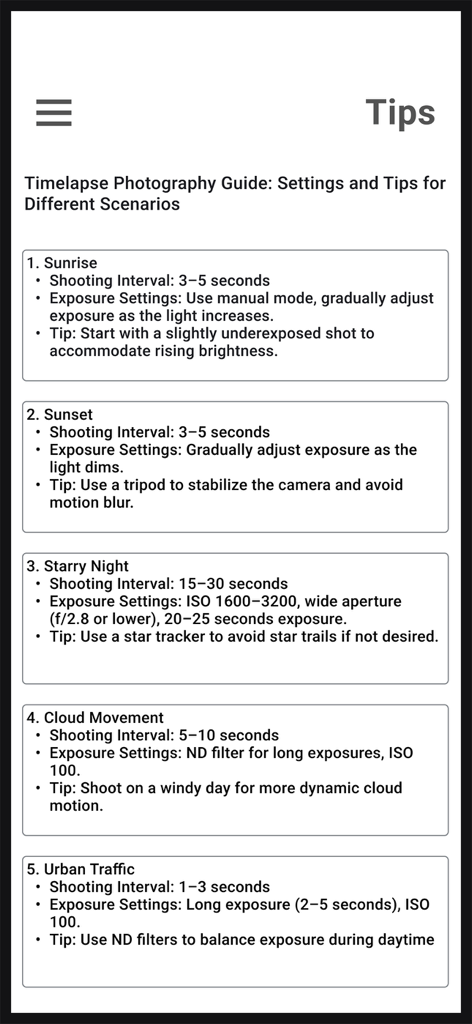
A guide screen listing shooting intervals and exposure settings for different timelapse scenarios

A guide screen listing shooting intervals and exposure settings for different timelapse scenarios

Precision Planning for Perfect Timelapses

The tools that make this app stand out, trusted by 0 users.

⏱️

Frame-Perfect Intervals

Instantly calculate the ideal gap between shots to ensure smooth, seamless transitions for any subject, from bustling cities to drifting clouds.

🎬

Exact Clip Lengths

Know your final video duration before you start shooting, allowing you to optimize SD card storage and battery life for remote sessions.

🔒

Privacy for the Field

Works 100% offline with zero data collection. Securely plan your shots in deep national parks or remote dark sky reserves without a connection.

About the app

Everything you need to know about Timelapse Planner.

Description

Timelapse Planner: Your Essential Companion for Timelapse Photography Take your timelapse photography to the next level with Timelapse Planner, the ultimate tool designed to simplify your creative process. Whether you’re capturing mesmerizing sunsets, bustling cityscapes, or dramatic star trails, our app helps you calculate all the critical parameters for perfect timelapse videos. Key Features: Shooting Intervals: Precisely calculate the ideal interval between shots for seamless transitions. Clip Lengths: Know exactly how long your final timelapse video will be before you start shooting. Event Durations: Plan your shoot around the duration of the event you’re capturing. Integrated Calculations: Combine clip lengths and event durations to ensure your setup aligns perfectly with your vision. With its unique and intuitive design, Timelapse Planner is built to meet the needs of both amateur enthusiasts and professional photographers. The app works seamlessly without requiring permissions or collecting private data, ensuring your privacy. All settings are stored locally on your device for your convenience. Why Choose Timelapse Planner? Timelapse photography is an art that requires precision, and Timelapse Planner empowers you to focus on creativity rather than calculations. Download it today and start planning your next breathtaking timelapse!

Latest Version

1.0.1

Size

32.7 MB

First Released

Jan 14, 2025

Eliminate the Guesswork from Your Next Shoot

Join precision-focused photographers who use Timelapse Planner to turn hours of waiting into seconds of cinematic perfection. No math, no data tracking—just perfect timing.

Download on App Store

App information, icons, screenshots, and descriptions displayed on this page are sourced from the Apple App Store and are the property of their respective developers. Download estimates and rankings are based on MWM's proprietary models and may not reflect actual figures. This page is provided for informational and analytical purposes only.

Believe this page infringes your intellectual property? File a dispute