ToyCAD: Easiest 3D Drawing App
Download on App Store

This page is not an official page of the app or its developer, but an independent editorial publication created for informational and commentary purposes. Unless expressly stated otherwise, neither the app nor its developer is affiliated with, endorsed by, sponsored by, authorized by, or otherwise officially connected with MWM, Apple, Google Play, the app publisher, or the app's developer, and nothing on this page implies that the app was developed using MWM's services. Any trademarks, logos, screenshots, and other content remain the property of their respective owners.

Logo of ToyCAD: Easiest 3D Drawing App
Download on App Store

ToyCAD: Easiest 3D Drawing App

Unleash your family’s creativity with the first 3D design app built for everyone. Transform simple drawings into articulated action figures and custom creations—no complex CAD experience required.

Key Figures

Downloads

800

User Rating

3.7/5

Total Ratings

0

Publisher

ToyCAD LLC

Category

Graphics & Design

Locales

1

Latest Version

2.1.1

Size

31.8 MB

First Released

Jan 24, 2025
Features

From Imagination to Reality in 3D

The most intuitive design tool for kids and makers. Turn simple sketches into printable toys without the steep learning curve of professional software.

Sketch-to-3D Magic

Draw from multiple angles and watch your 2D doodles instantly transform into detailed, freeform 3D models.

Print Your Own Toys

Export your designs to any 3D printer. Bridge the gap between screen time and physical play by bringing your ideas to life.

The following screenshots and description are sourced directly from the app's official store listing and are the property of the app developer.

App Store

Screenshots
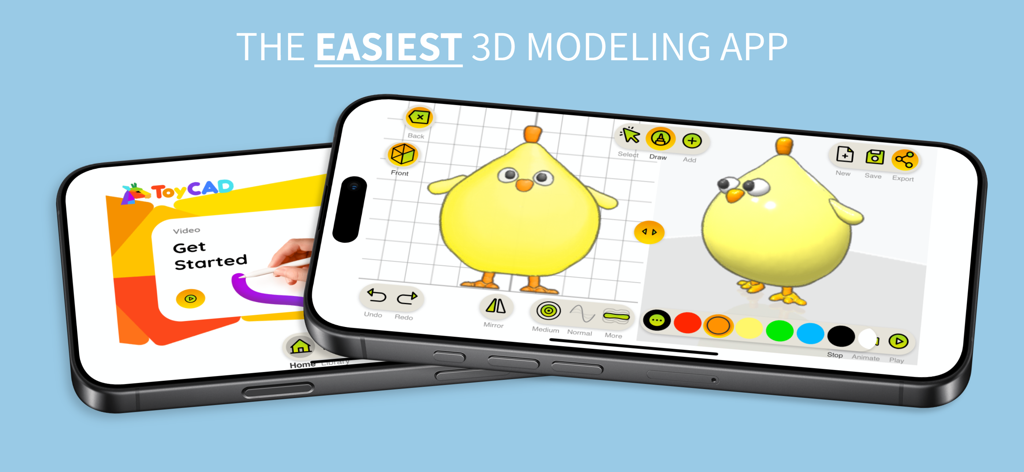
ToyCAD: Easiest 3D Drawing App - Two smartphones displaying the ToyCAD app interface with a 3D yellow chick model and a get started tutorial screen
Two smartphones displaying the ToyCAD app interface with a 3D yellow chick model and a get started tutorial screen

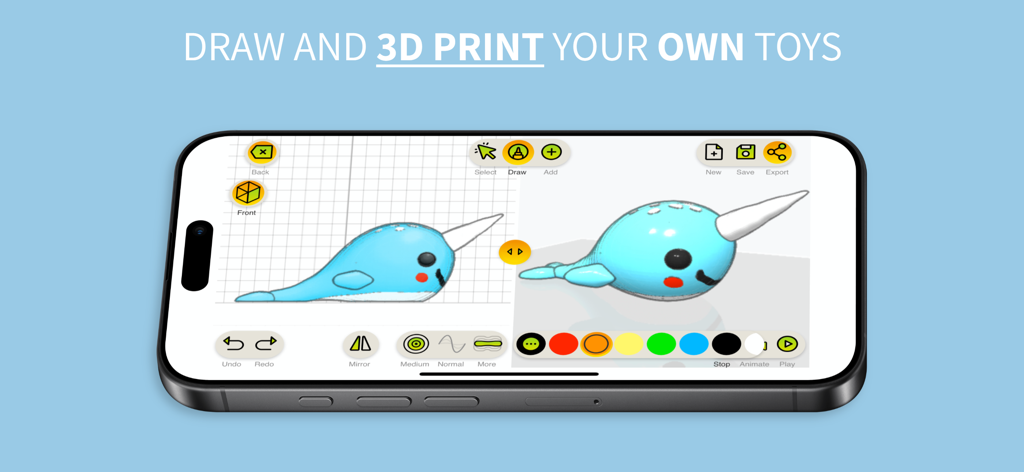
ToyCAD: Easiest 3D Drawing App - A smartphone screen showing the ToyCAD app interface with a 3D narwhal model and drawing tools
A smartphone screen showing the ToyCAD app interface with a 3D narwhal model and drawing tools

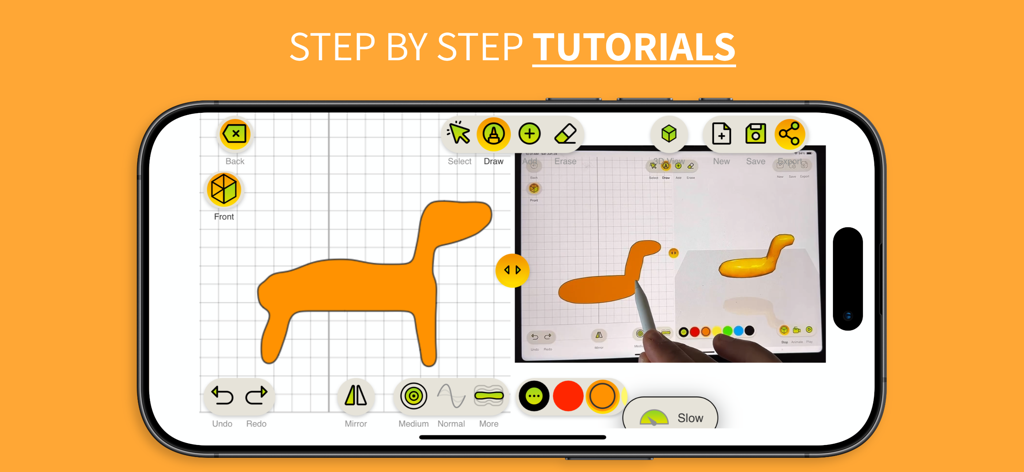
ToyCAD: Easiest 3D Drawing App - ToyCAD app interface showing a step by step 3D drawing tutorial on a tablet
ToyCAD app interface showing a step by step 3D drawing tutorial on a tablet

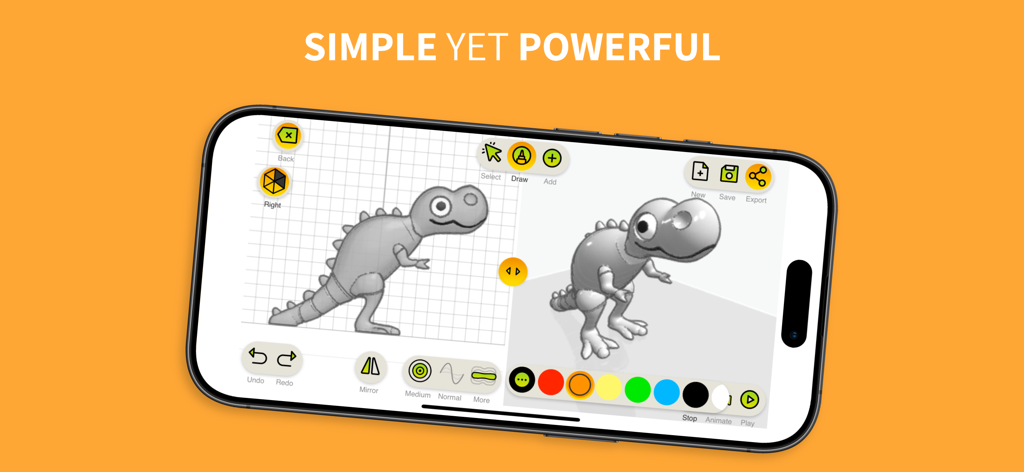
ToyCAD: Easiest 3D Drawing App - A split screen showing a 2D dinosaur sketch being converted into a 3D model on the ToyCAD app interface
A split screen showing a 2D dinosaur sketch being converted into a 3D model on the ToyCAD app interface

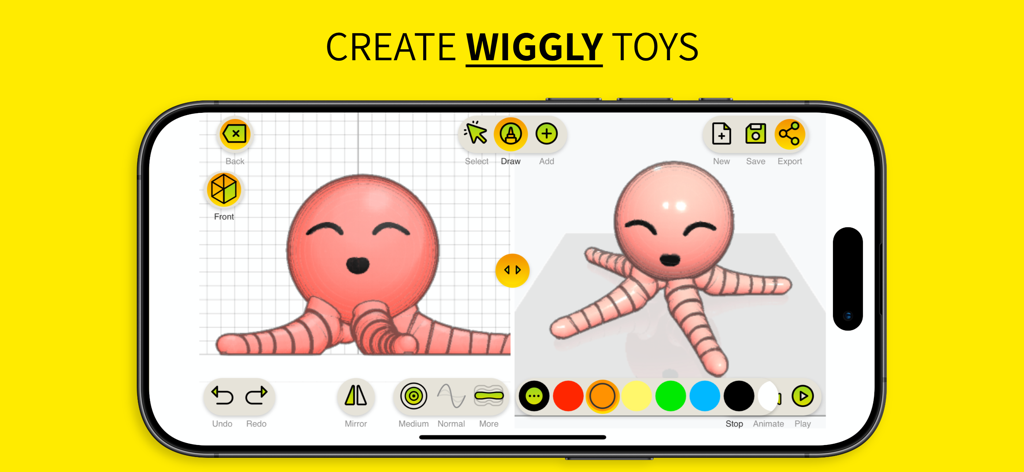
ToyCAD: Easiest 3D Drawing App - ToyCAD app interface showing the 3D creation of a pink wiggly octopus toy from a 2D sketch
ToyCAD app interface showing the 3D creation of a pink wiggly octopus toy from a 2D sketch

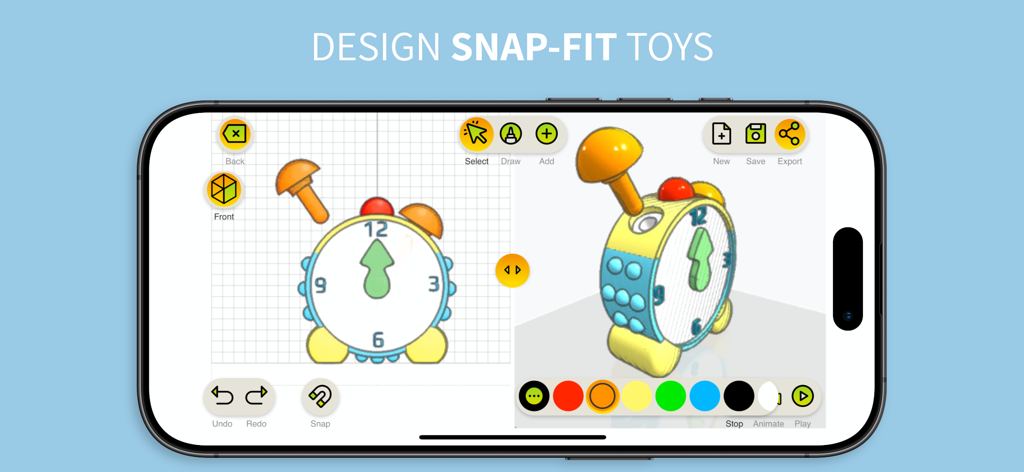
ToyCAD: Easiest 3D Drawing App - Interface of the ToyCAD app showing a 3D design of a snap-fit toy clock on a mobile device
Interface of the ToyCAD app showing a 3D design of a snap-fit toy clock on a mobile device

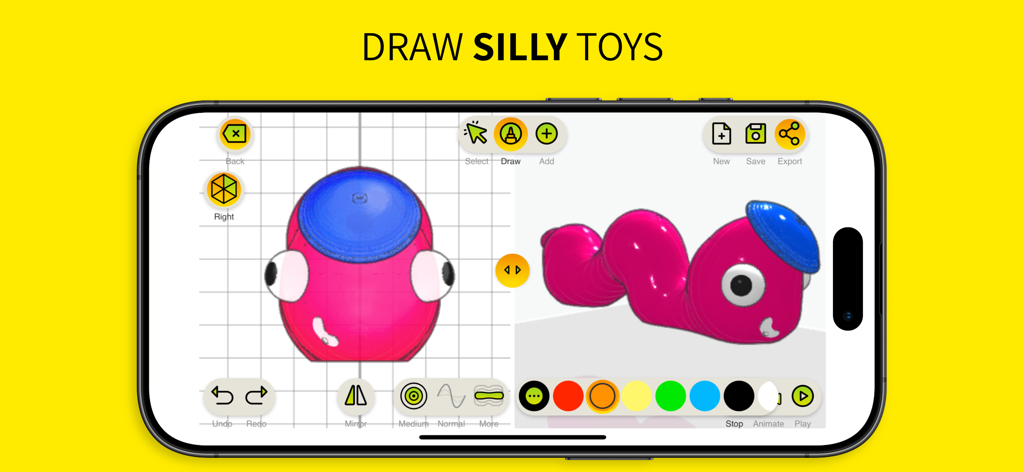
ToyCAD: Easiest 3D Drawing App - A smartphone screen showing the ToyCAD app interface with a 3D pink caterpillar toy design
A smartphone screen showing the ToyCAD app interface with a 3D pink caterpillar toy design

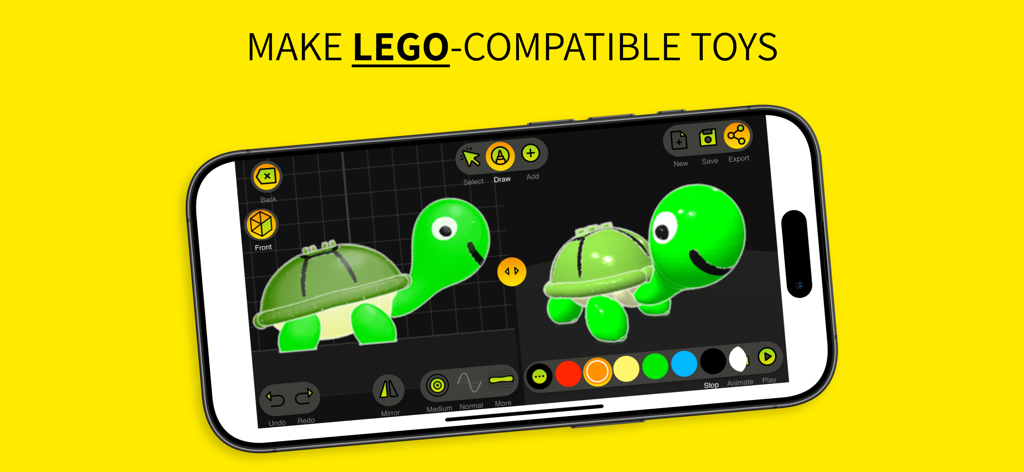
ToyCAD: Easiest 3D Drawing App - Smartphone screen showing the ToyCAD interface used to create a 3D turtle toy with LEGO-compatible studs on its shell.
Smartphone screen showing the ToyCAD interface used to create a 3D turtle toy with LEGO-compatible studs on its shell.

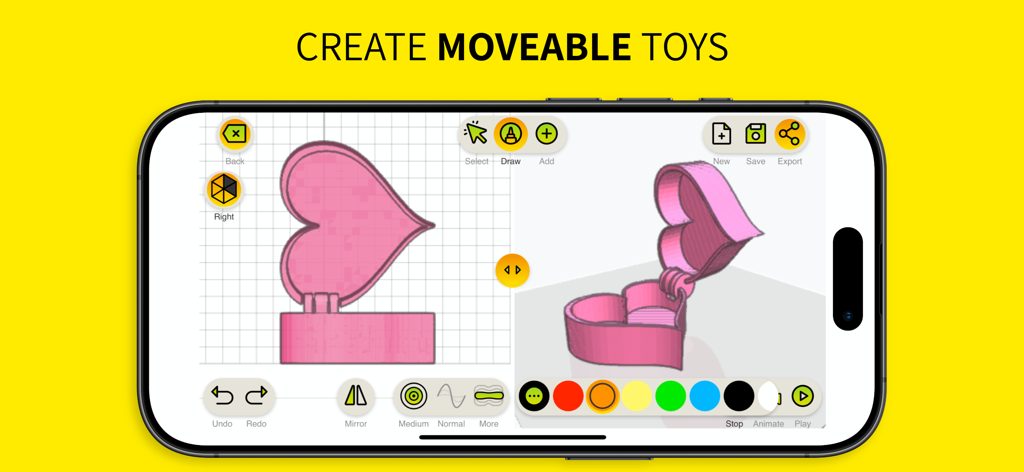
ToyCAD: Easiest 3D Drawing App - Interface of the ToyCAD app showing the 3D design of a moveable heart shaped box
Interface of the ToyCAD app showing the 3D design of a moveable heart shaped box

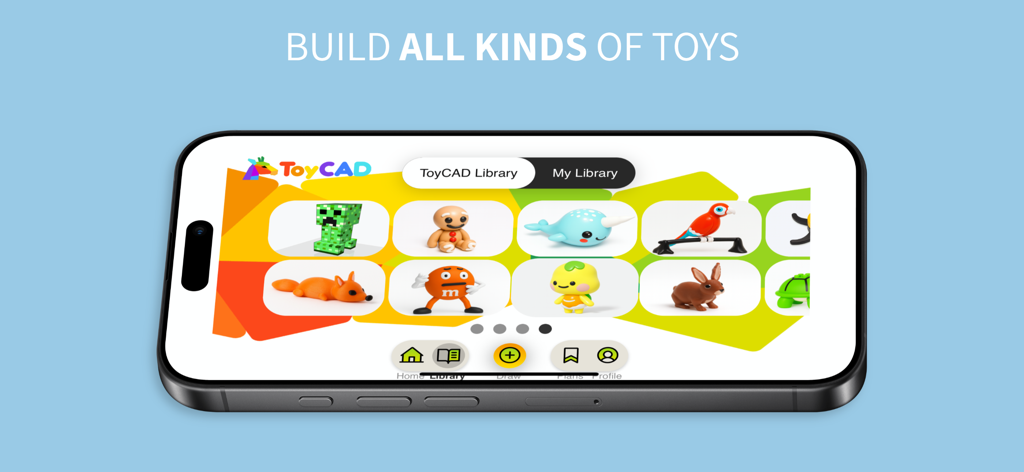
ToyCAD: Easiest 3D Drawing App - A smartphone screen showing the ToyCAD library with various 3D toy models like a fox, rabbit, and parrot.

A smartphone screen showing the ToyCAD library with various 3D toy models like a fox, rabbit, and parrot.

Description

ToyCAD is the ultimate tool for unleashing creativity and bringing your ideas to life in 3D. Designed for beginners of all ages—whether you're a curious kid, a parent, an educator, or a hobbyist—ToyCAD makes the complex world of 3D design and printing fun, accessible, and exciting. With ToyCAD, anyone can build intricate 3D toys from simple sketches. By drawing from multiple angles, you can create freeform shapes and turn imaginative ideas into tangible designs. The app is packed with user-friendly features like step-by-step tutorials, a vast and growing library of ready-to-print designs, and easy-to-use editing tools that make the process seamless, even for those new to 3D modeling. Key Features of ToyCAD: - Easy 3D Design: Transform your 2D sketches into detailed 3D models with an intuitive interface designed for simplicity and creativity. - Interactive Tutorials: Learn the basics of 3D design and printing through engaging, step-by-step guides. Perfect for beginners of any age. - 3D Printer Support: Export designs to work with any 3D printer. - Advanced Features for Complex Toys: - Interlocking parts that snap together seamlessly. - Articulated designs for movable action figures, robots, and more. - Replaceable parts for endless customization. Subscription Levels: ToyCAD offers flexible subscription options to suit your needs: - **Free Access**: Try ToyCAD for free to explore its features and try all the drawing tools. Then subscribe to save and download your creations, and to access tutorials and toys library. - **Monthly Subscription**: Perfect for short-term projects or trying out the app. - **Yearly Subscription**: Enjoy significant savings with an annual plan, along with all the benefits of subscription. - **Lifetime License**: A one-time payment gives you unlimited access to ToyCAD forever, with all subscription features included. Subscription Features: - Save and download your drawings to keep your creations secure and accessible. - Access an expanding collection of tutorials and a growing library of ready-to-print toys. A Shared Experience for Everyone: ToyCAD isn’t just a design tool—it’s a platform for connection and collaboration. Families can bond by designing and creating toys together. Educators can inspire their students to explore STEM concepts through hands-on learning. Friends can team up to build something amazing. ToyCAD encourages creativity, fosters problem-solving, and turns 3D design into an enjoyable group activity. Why ToyCAD? Traditional 3D design software can feel intimidating, especially for beginners. ToyCAD bridges this gap with an approachable, beginner-friendly interface that doesn’t compromise on capability. It’s the perfect starting point for anyone curious about 3D design and printing, empowering users to explore their imaginations without the steep learning curve of professional tools. Whether you’re designing your first toy or looking to dive deeper into the world of 3D printing, ToyCAD provides the tools, tutorials, and inspiration you need to succeed. Let your creativity take shape with ToyCAD—the easiest way to design and 3D print your own toys. Privacy Policy: https://toycad.app/privacyPolicy.html Terms of Use: https://toycad.app/appTerms.html

Download

Download on App Store

This page is not an official page of the app or its developer, but an independent editorial publication created for informational and commentary purposes. Unless expressly stated otherwise, neither the app nor its developer is affiliated with, endorsed by, sponsored by, authorized by, or otherwise officially connected with MWM, Apple, Google Play, the app publisher, or the app's developer, and nothing on this page implies that the app was developed using MWM's services. Any trademarks, logos, screenshots, and other content remain the property of their respective owners.







