
This page is not an official page of the app or its developer, but an independent editorial publication created for informational and commentary purposes. Unless expressly stated otherwise, neither the app nor its developer is affiliated with, endorsed by, sponsored by, authorized by, or otherwise officially connected with MWM, Apple, Google Play, the app publisher, or the app's developer, and nothing on this page implies that the app was developed using MWM's services. Any trademarks, logos, screenshots, and other content remain the property of their respective owners.

TracingMat
The ultimate tool for artists, crafters, and journalers to easily trace designs onto paper. Lock your screen, adjust brightness, and flip images for perfect precision every time.
Downloads
95K+User Rating
Total Ratings
0Publisher
Category
UtilitiesLocales
2Latest Version
1.15.1Size
4.6 MBFirst Released
Feb 6, 2020Your Digital Canvas, Now a Professional Light Box
Unlock your creative potential with specialized tools designed to transfer any digital design to paper, fabric, or canvas with total precision.
Touch-Proof Locking
Fix your image in place with one tap. Prevent accidental zooms or shifts so you can focus entirely on your linework without frustration.
Maximum Visibility
Boost your screen brightness beyond standard limits to easily see through thick watercolor paper, cardstock, or embroidery fabric.
The following screenshots and description are sourced directly from the app's official store listing and are the property of the app developer.
App Store
Screenshots
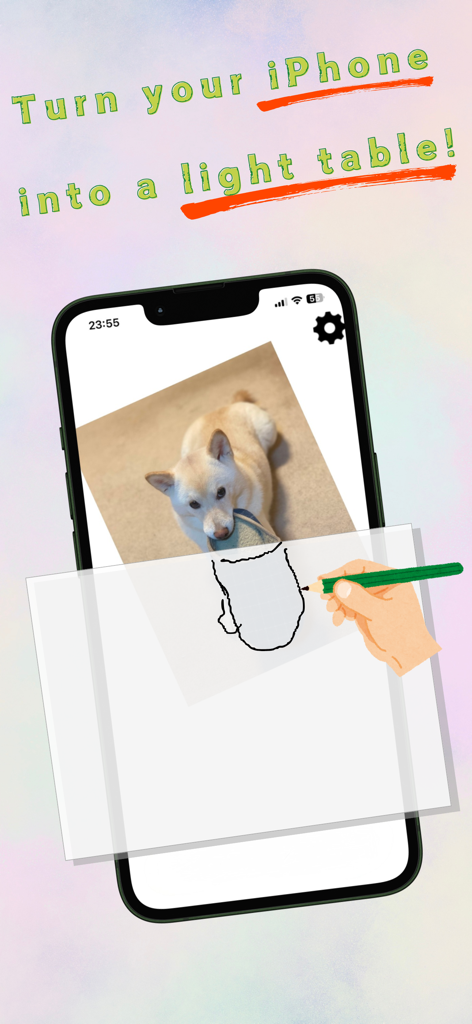
A hand tracing a dog image from an iPhone screen onto paper using the TracingMat app.
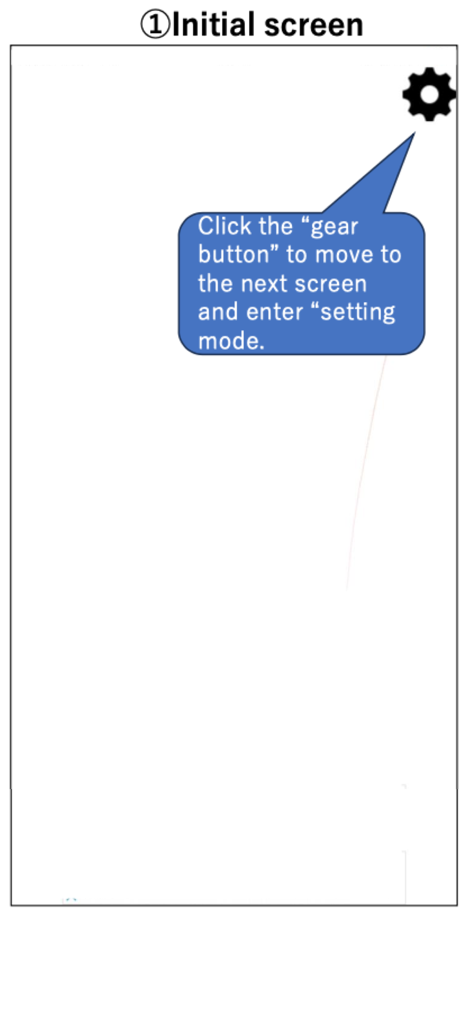
Initial screen of the TracingMat app showing a tutorial bubble pointing to the settings gear icon
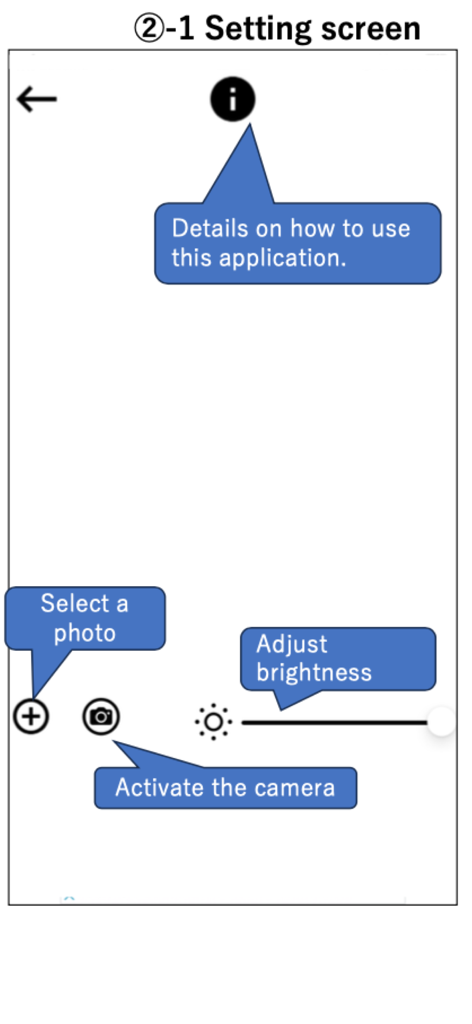
TracingMat app settings screen showing icons to select a photo, activate the camera, and adjust brightness.
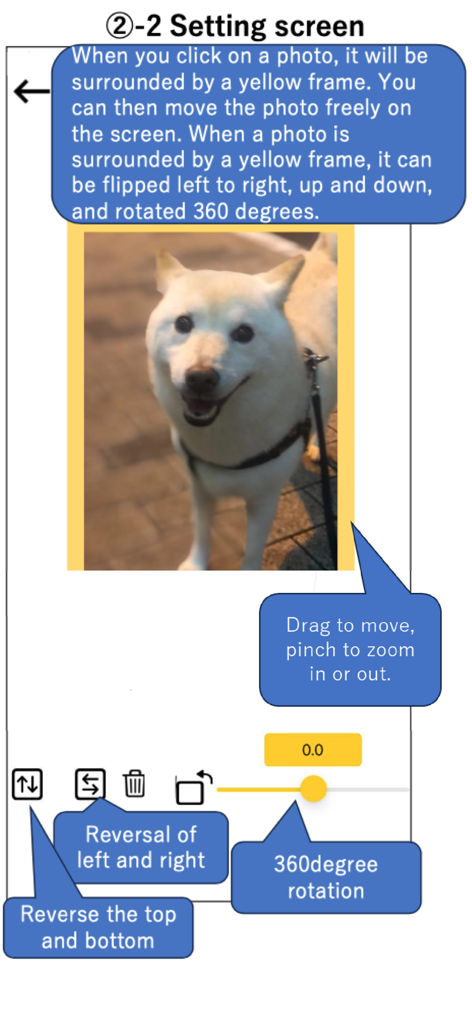
TracingMat app setting screen showing tools to flip rotate and zoom a photo for tracing
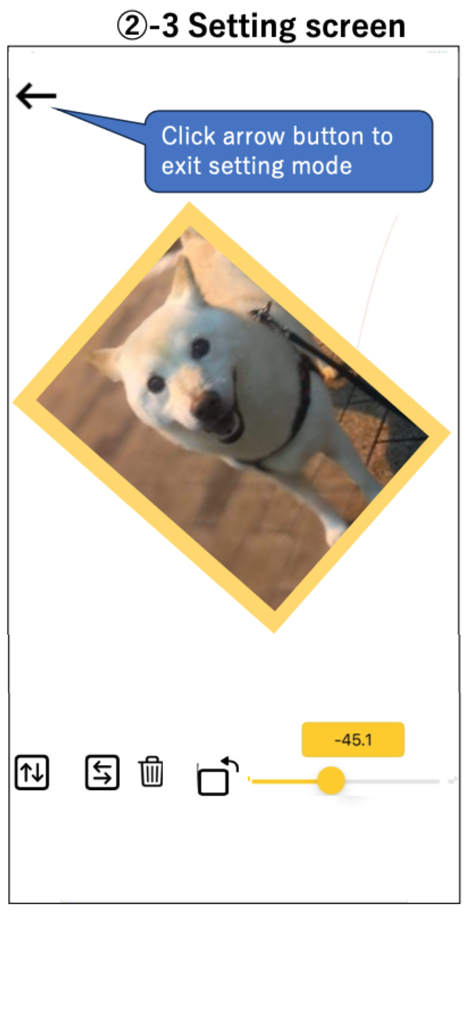
TracingMat app settings screen showing an image of a dog being rotated for tracing
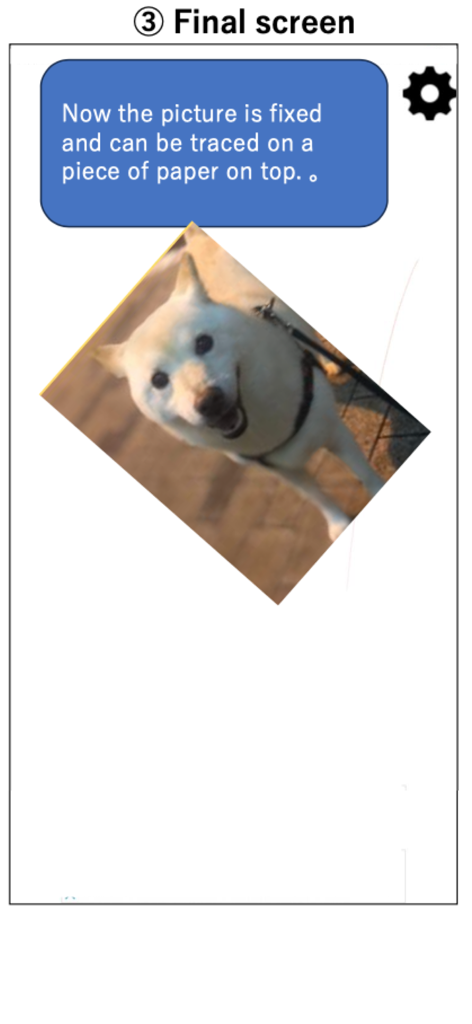
TracingMat app interface showing a fixed image of a dog ready for tracing on paper
Description
Download
More Like This
Apps with similar features and user experience

This page is not an official page of the app or its developer, but an independent editorial publication created for informational and commentary purposes. Unless expressly stated otherwise, neither the app nor its developer is affiliated with, endorsed by, sponsored by, authorized by, or otherwise officially connected with MWM, Apple, Google Play, the app publisher, or the app's developer, and nothing on this page implies that the app was developed using MWM's services. Any trademarks, logos, screenshots, and other content remain the property of their respective owners.