Trading Lab
Trading Lab
Download on App Store

This page is not an official page of the app or its developer, but an independent editorial publication created for informational and commentary purposes. Unless expressly stated otherwise, neither the app nor its developer is affiliated with, endorsed by, sponsored by, authorized by, or otherwise officially connected with MWM, Apple, Google Play, the app publisher, or the app's developer, and nothing on this page implies that the app was developed using MWM's services. Any trademarks, logos, screenshots, and other content remain the property of their respective owners.


Logo of Trading Lab
Download on App Store

Trading Lab

Turn years of historical data into your personal trading gym. Perfect your strategies with dynamic market replay and institutional-grade tools to build your edge before risking a single cent.

Key Figures

Downloads

53K+

User Rating

4.3/5

Total Ratings

100

Publisher

菁晶 王

Category

Finance

Locales

6

Latest Version

2.58

Size

2.9 GB

First Released

Oct 19, 2022
Features

Master the Markets with Zero Risk

Bridge the gap between theory and profit. Trading Lab provides a high-performance sandbox to master your strategies using real historical data and professional execution tools.

High-Fidelity Market Replay

Don't wait for the opening bell. Practice your setups anytime with adjustable playback speeds and full historical data across all timeframes, from 1-minute to yearly charts.

Institutional-Grade Tools

Build professional muscle memory using trailing stops, group orders, and one-click execution. Master complex trade management before you ever risk real capital.

The following screenshots and description are sourced directly from the app's official store listing and are the property of the app developer.

App Store

Screenshots
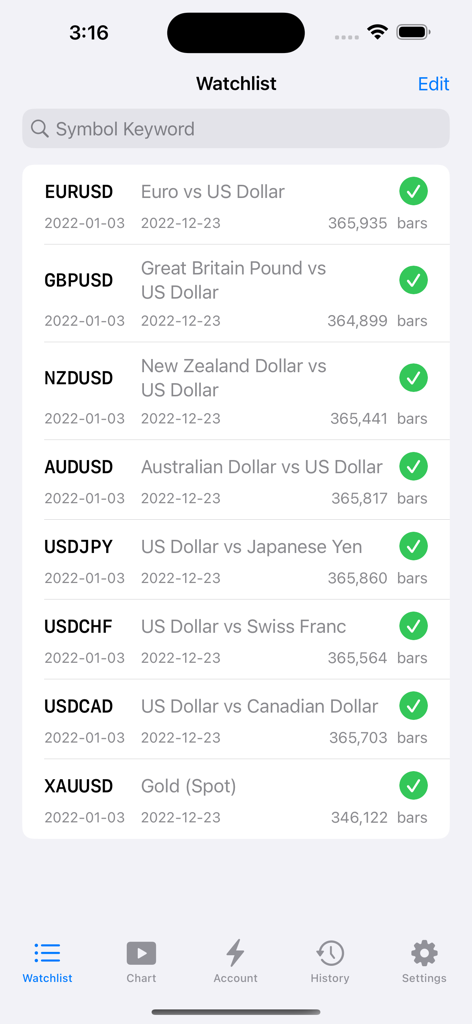
Trading Lab - Trading Lab app watchlist screen showing major currency pairs and gold for backtesting
Trading Lab app watchlist screen showing major currency pairs and gold for backtesting

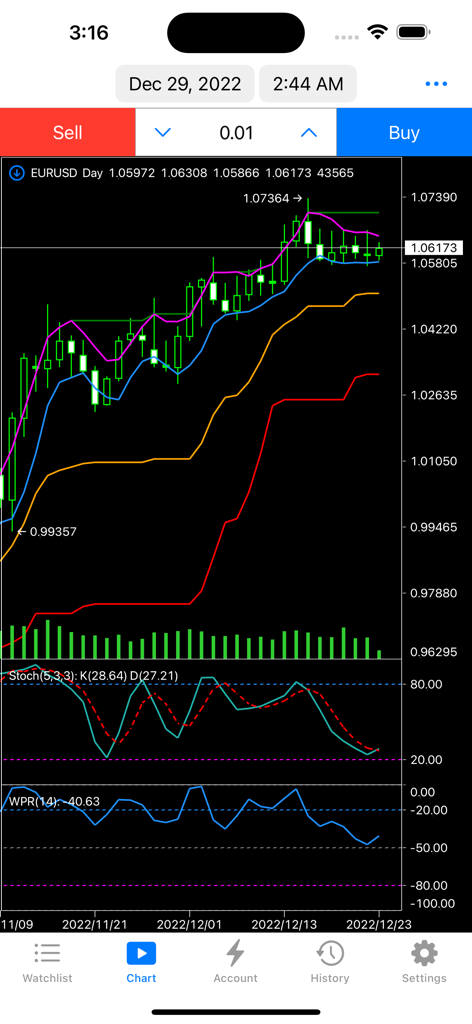
Trading Lab - A technical analysis chart on the Trading Lab app featuring various financial indicators
A technical analysis chart on the Trading Lab app featuring various financial indicators

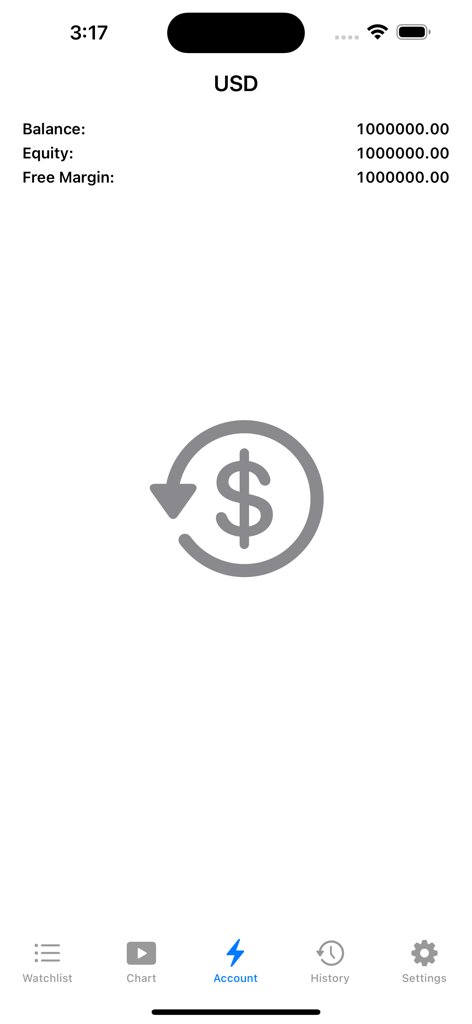
Trading Lab - Trading Lab app account summary showing simulated balance and equity levels
Trading Lab app account summary showing simulated balance and equity levels

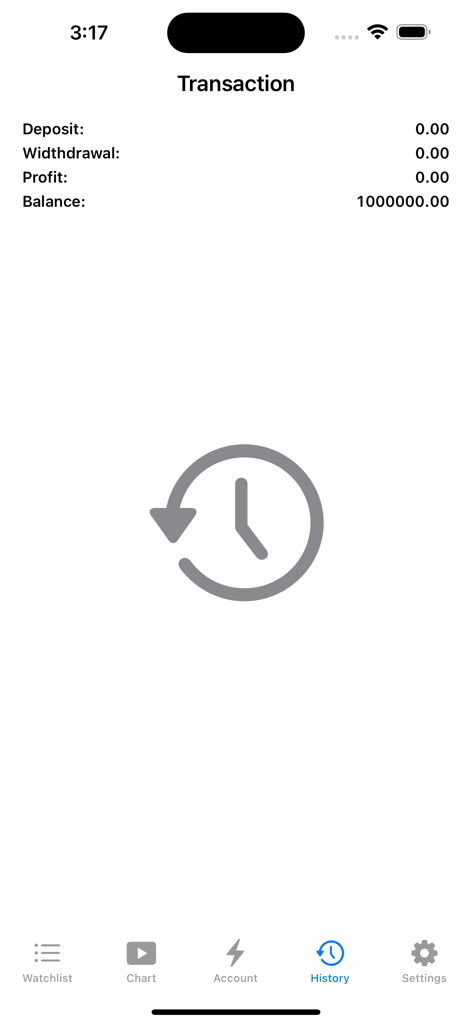
Trading Lab - Trading Lab app interface showing the transaction history section with financial summaries for deposit, withdrawal, profit, and balance.
Trading Lab app interface showing the transaction history section with financial summaries for deposit, withdrawal, profit, and balance.

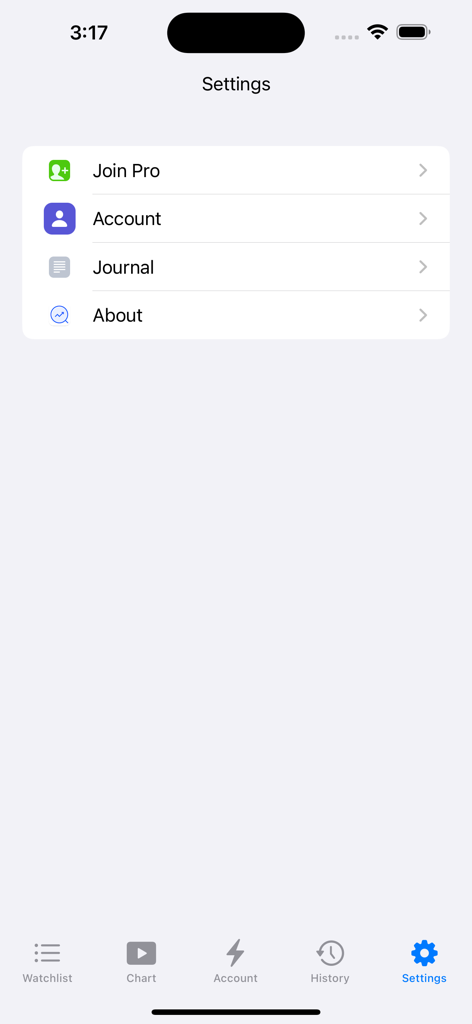
Trading Lab - Trading Lab app settings menu featuring Join Pro and account options

Trading Lab app settings menu featuring Join Pro and account options

Description

Now it supports iPhone, iPad and Mac. The trading lab is a trading review and training app designed to provide users with a trading training environment based on historical data playback. Main features: multi market symbols, high-quality historical data, full timeframes, high-performance indicators and charts, dynamic market playback, convenient and efficient trading tools. Function list: ◆ Multiple market symbols ◆ High quality historical data ◆ Full time timeframes All timeframes are supported, including 1 minute, 2 minutes, 3 minutes, 4 minutes, 5 minutes, 6 minutes, 10 minutes, 12 minutes, 15 minutes, 20 minutes, 30 minutes, 1 hour, 2 hours, 3 hours, 4 hours, 6 hours, 8 hours, 12 hours, day, week, month, quarter, half a year, and year. ◆ High performance indicators and charts ◆ Template function Tips: You can save indicator combination and color matching as templates to facilitate switching between different combination schemes ◆ Dynamic market replay 1. Support automatic playback and manual playback 2. Support setting playback speed 3. Support setting playback step 4. Support fast jump of date ◆ Convenient and efficient trading tools 1. Support market buy, market sell, buy limit, sell limit, buy stop, sell stop 2. Support one click market price order transaction 3. Support menu quick transaction 4. Support panel line drawing transaction 5. Support trailing stop Both the market order and the pending order support the setting of trailing stop. After the position is generated, the trailing stop is activated according to the trigger conditions. 6. Support group orders ------------------------------------------------------------------------------------------------------------------------------------------------------------ Subscription information • You can select two subscription options: Pro Monthly User and Pro Annual User. • The monthly user of Pro updates every 31 days, and the annual user of Pro updates every 12 months. During the subscription period, you can use various transaction varieties and tools without restriction. • Subscription costs $3.99 per month and $39.99 per year. • After the purchase is confirmed, the payment will be made to the iTunes account. • The subscription will be automatically renewed unless automatic renewal is turned off at least 24 hours before the end of the current period. • The account will be renewed within 24 hours before the end of the current period, and the cost of renewal will be determined. • Users can manage subscriptions, and automatically renew can be turned off by going to the user's account settings after purchase. • If any unused part of the free trial period is provided, it will be confiscated when the user purchases the subscription. • Users can manage subscriptions, go to their iTunes account settings after purchase, and turn off automatic renewal. • You can unsubscribe or free trial at any time through subscription settings through your iTunes account (go to Device Settings, and then click iTunes Account Apple ID>View Apple ID>Enter Password>Subscribe>Assembly>Unsubscribe button). At least 24 hours before the end of the free trial period or subscription period to avoid charges. Learn more: http://support.apple.com/kb/ht4098 Service Agreement: https://www.apple.com/legal/internet-services/itunes/dev/stdeula/ Privacy terms: http://xmacd.com/privacypolicy.html • Contact us Customer service email: tradingstarapp@hotmail.com

Download

Download on App Store

This page is not an official page of the app or its developer, but an independent editorial publication created for informational and commentary purposes. Unless expressly stated otherwise, neither the app nor its developer is affiliated with, endorsed by, sponsored by, authorized by, or otherwise officially connected with MWM, Apple, Google Play, the app publisher, or the app's developer, and nothing on this page implies that the app was developed using MWM's services. Any trademarks, logos, screenshots, and other content remain the property of their respective owners.








