
This page is not an official page of the app or its developer, but an independent editorial publication created for informational and commentary purposes. Unless expressly stated otherwise, neither the app nor its developer is affiliated with, endorsed by, sponsored by, authorized by, or otherwise officially connected with MWM, Apple, Google Play, the app publisher, or the app's developer, and nothing on this page implies that the app was developed using MWM's services. Any trademarks, logos, screenshots, and other content remain the property of their respective owners.

TripTrack: Days Abroad Counter
Stop counting days in spreadsheets. Automatically track your stays, monitor the Schengen 90/180 rule, and manage tax residency limits with 100% privacy and zero manual entry.
Downloads
100+User Rating
Total Ratings
0Publisher
Category
TravelLocales
12Latest Version
1.1.6Size
14.0 MBFirst Released
Oct 30, 2025Master Your Global Mobility Without the Stress
Automatically monitor stays, visa limits, and tax residency rules in the background. Stay compliant while keeping your travel data 100% private.
Set-and-Forget Tracking
Automatic GPS logging records your country entries and exits, eliminating manual spreadsheets and passport stamp counting.
Compliance at a Glance
Track the 90/180 Schengen rule and 183-day tax residency thresholds with real-time countdowns tailored to your status.
The following screenshots and description are sourced directly from the app's official store listing and are the property of the app developer.
App Store
Screenshots
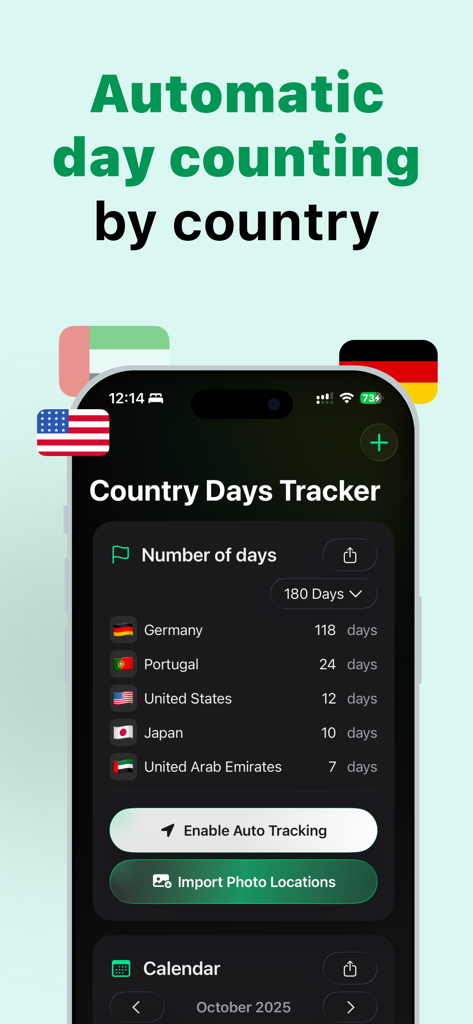
TripTrack mobile app screen showing automatic travel day counting by country.
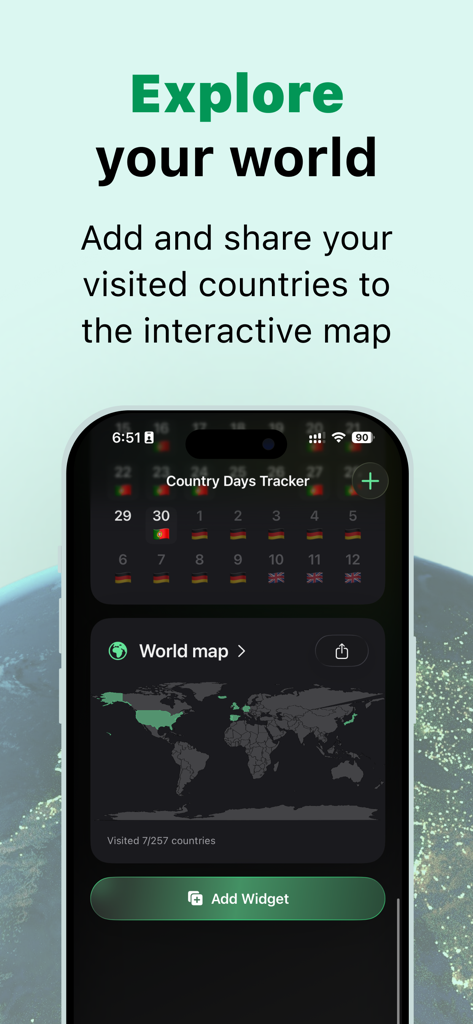
TripTrack app interface showing an interactive world map of visited countries and a daily country tracker calendar.
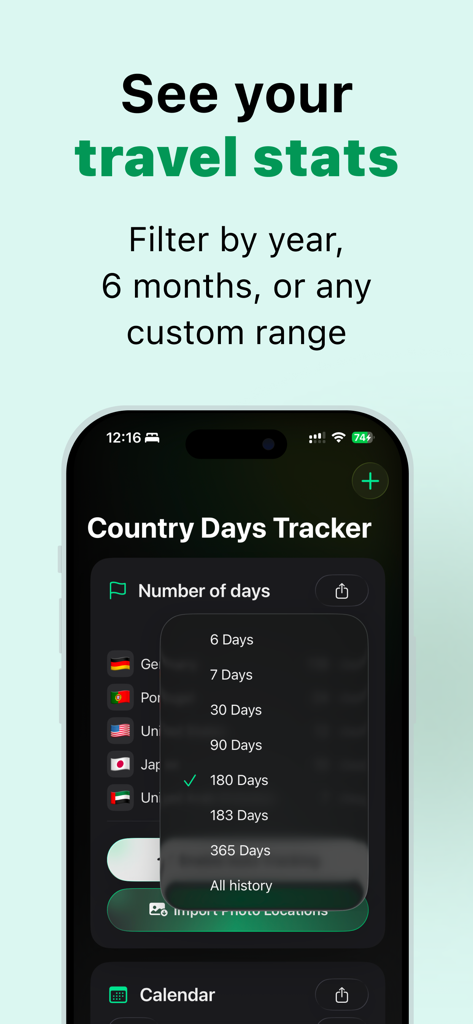
Screenshot of TripTrack app showing country day counts with a dropdown menu to filter by custom date ranges like 90 or 183 days

TripTrack mobile home screen widget showing travel days for Portugal, Spain, and Germany.
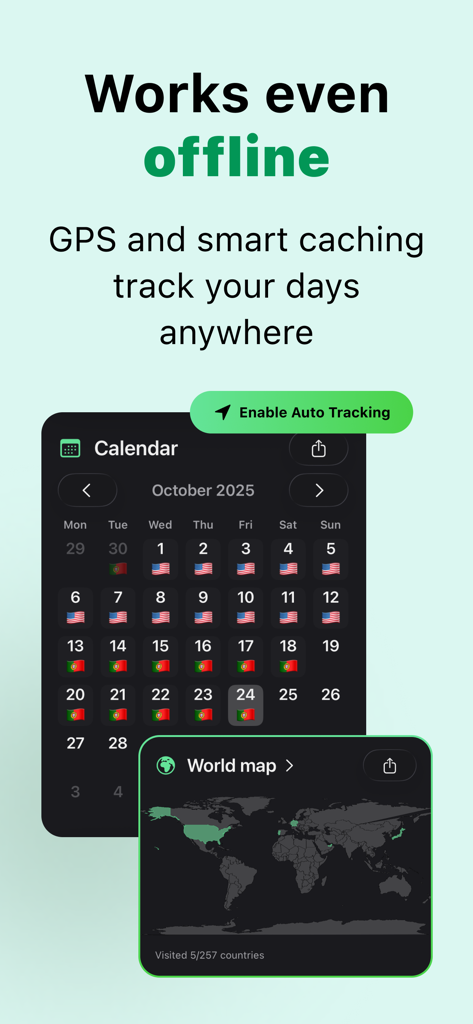
TripTrack app screenshot showing automated travel calendar with country flags and a world map widget highlighting visited locations
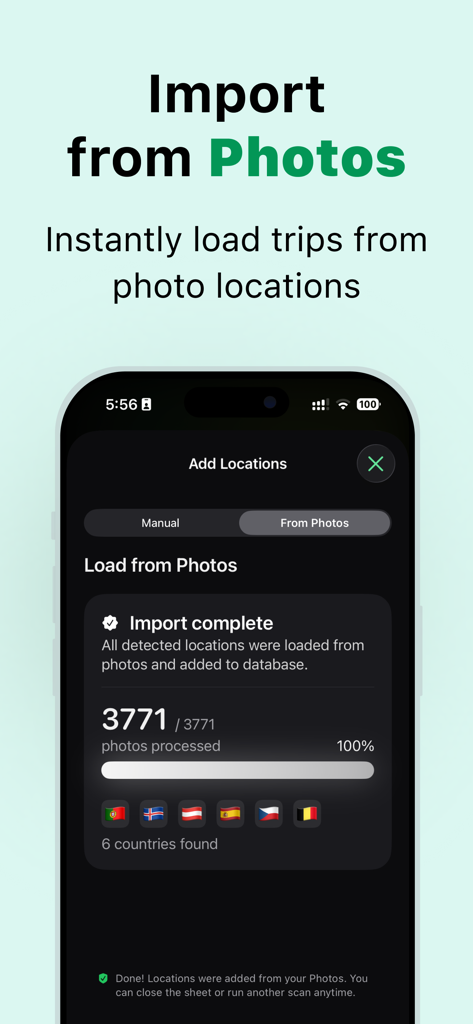
TripTrack mobile app screen showing automatic travel history import from photo location data
Description
Download
More Like This
Top-ranked apps in the same category

Uber - Request a ride
Uber Technologies, Inc.

铁路12306
ACADEMY OF RAILWAY SCIENCES CO., ltd.

Airbnb
Airbnb, Inc.

Grab: Taxi Ride, Food Delivery
GRABTAXI HOLDINGS PTE. LTD.

Booking.com: Hotels & Travel
Booking.com B.V.

DiDi China: Ride Hailing
Didi Chuxing (Beijing) Network Platform Technology Co., Ltd

Trip.com: Book Flights, Hotels
Trip.com Travel Singapore Pte. Ltd.

去哪儿旅行-订酒店机票火车票
Beijing Qunar Information Technology Company Limit

携程旅行-订酒店机票火车票
Shanghai Ctrip Commerce Co.,Ltd
This page is not an official page of the app or its developer, but an independent editorial publication created for informational and commentary purposes. Unless expressly stated otherwise, neither the app nor its developer is affiliated with, endorsed by, sponsored by, authorized by, or otherwise officially connected with MWM, Apple, Google Play, the app publisher, or the app's developer, and nothing on this page implies that the app was developed using MWM's services. Any trademarks, logos, screenshots, and other content remain the property of their respective owners.