TunerLab Audio Editor
Download on App Store

This page is not an official page of the app or its developer, but an independent editorial publication created for informational and commentary purposes. Unless expressly stated otherwise, neither the app nor its developer is affiliated with, endorsed by, sponsored by, authorized by, or otherwise officially connected with MWM, Apple, Google Play, the app publisher, or the app's developer, and nothing on this page implies that the app was developed using MWM's services. Any trademarks, logos, screenshots, and other content remain the property of their respective owners.

Logo of TunerLab Audio Editor
Download on App Store

TunerLab Audio Editor

Perfect your pitch with surgical note-based editing, extract vocals from any track, and create radio-ready remixes with professional multitrack precision.

Key Figures

Downloads

91K+

User Rating

4.8/5

Total Ratings

1K+

Publisher

妍 岳

Category

Music

Locales

33

Latest Version

2.0

Size

95.3 MB

First Released

Mar 22, 2023
Features

A Professional Recording Studio in Your Pocket

TunerLab empowers creators with pro-grade tools to refine every musical detail, from AI-powered vocal isolation to surgical pitch correction.

Precision Note-Based Tuning

Go beyond basic auto-tune. Take surgical control of your pitch, vibrato, and timing with note-based editing for radio-ready vocal performances.

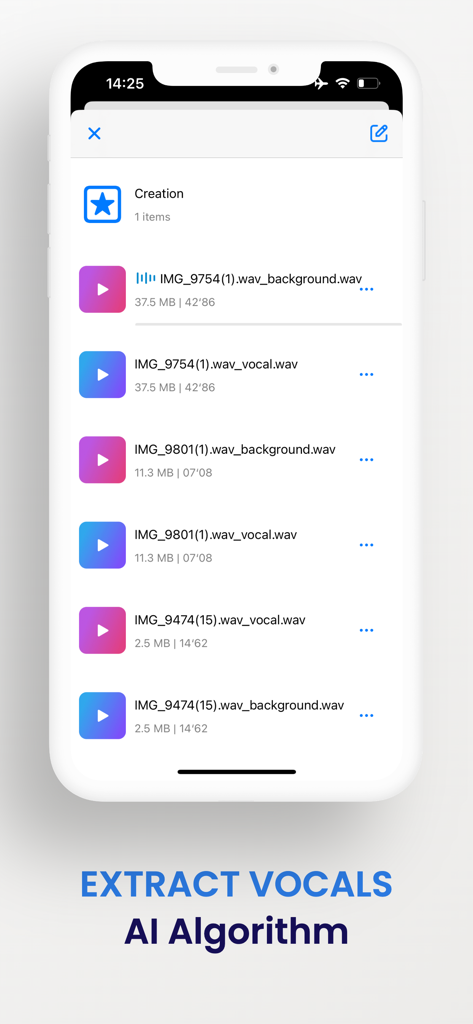
AI-Powered Vocal Extraction

Instantly isolate vocals from any song or video. Perfect for creating custom remixes, karaoke tracks, or unique samples for your next viral post.

The following screenshots and description are sourced directly from the app's official store listing and are the property of the app developer.

App Store

Screenshots
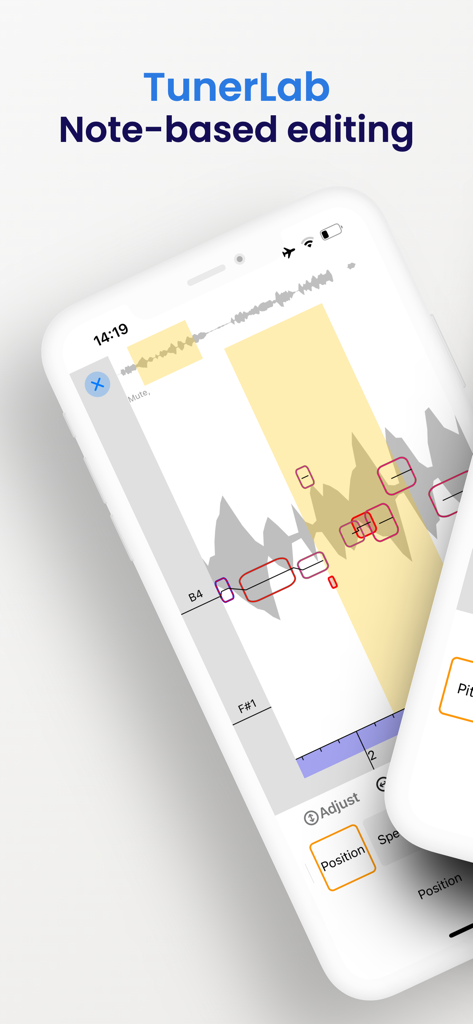
TunerLab Audio Editor - Screenshot of TunerLab mobile app demonstrating note-based vocal pitch editing and audio waveform manipulation.
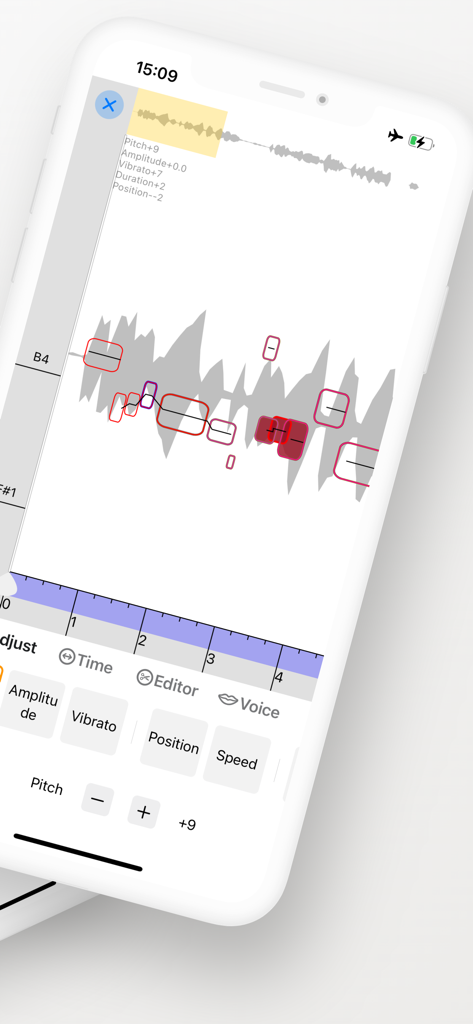
Screenshot of TunerLab mobile app demonstrating note-based vocal pitch editing and audio waveform manipulation.

TunerLab Audio Editor - TunerLab app interface showing note-based pitch correction and audio waveform editing controls
TunerLab app interface showing note-based pitch correction and audio waveform editing controls

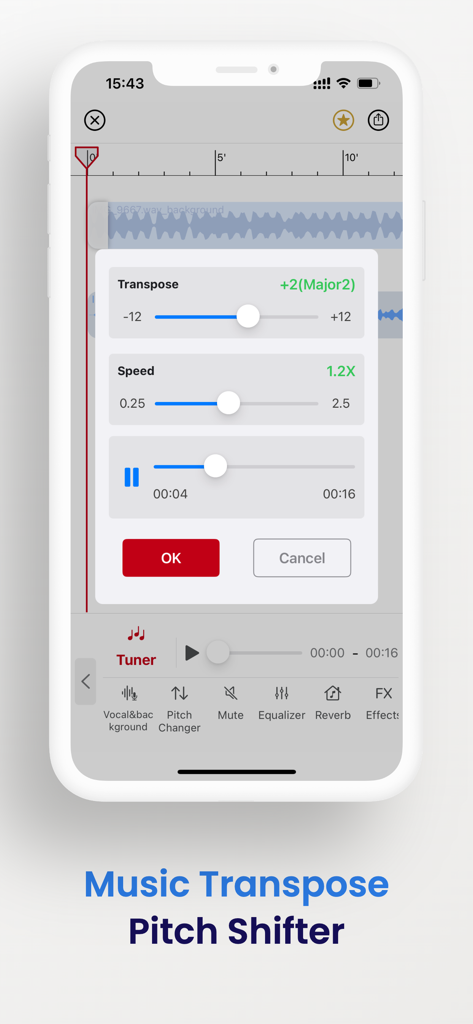
TunerLab Audio Editor - TunerLab app interface showing music transpose and pitch shifter adjustment sliders over an audio waveform
TunerLab app interface showing music transpose and pitch shifter adjustment sliders over an audio waveform

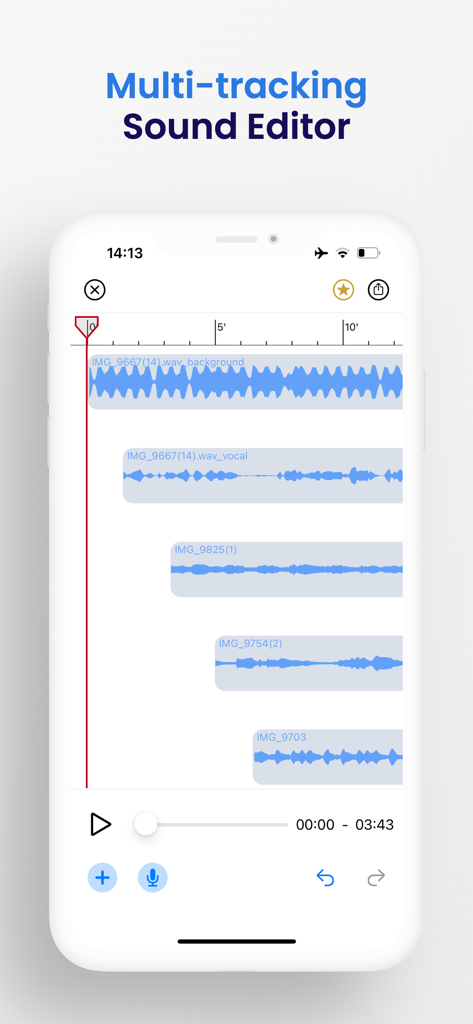
TunerLab Audio Editor - Mobile app interface of TunerLab showing multiple audio tracks and waveforms in a multi-tracking sound editor
Mobile app interface of TunerLab showing multiple audio tracks and waveforms in a multi-tracking sound editor

TunerLab Audio Editor - TunerLab app interface showing extracted vocal and background audio tracks using AI algorithm
TunerLab app interface showing extracted vocal and background audio tracks using AI algorithm

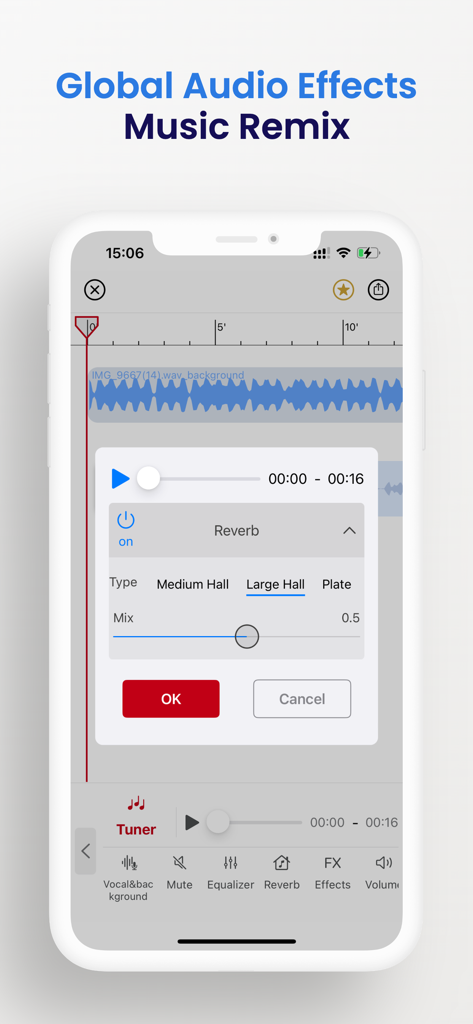
TunerLab Audio Editor - TunerLab Audio Editor interface showing global reverb settings and audio waveform for music remixing

TunerLab Audio Editor interface showing global reverb settings and audio waveform for music remixing

Description

TunerLab is a revolutionary app that simplifies vocal tuning like never before. It offers unparalleled access to all the musical details of your recordings and samples, allowing you to adjust the pitch and timing with ease. In addition, it enables you to edit all aspects of your recordings, including not just vocals but also polyphonic instruments such as piano and guitar. NOTE-BASED OPERATION Note-based operation, which allows you to identify individual notes within an audio file and understand their place in the overall musical context. With TunerLab, you can modify various aspects of your audio tracks such as pitch, vibrato, volume, sibilants, note length, and timing, making it an indispensable tool for quick vocal tuning, creating harmonies and re-voicing instruments. EXTRACT VOCALS Separate vocals from existing songs with vocal remover and create something incredible. Import a song, separate the vocals with vocal remover, select an effect, and you have an instantly memorable remix. You can even separate and edit vocals from music videos or try using TunerLab as a karaoke app by separating vocals with our vocal remover. AUDIO EDITING The editor allows you to add multiple tracks, adjust clip positions, and apply sound effects. It also supports multitrack audio editing and mixing with professional jitter quantization and anti-interference filters, ensuring high-quality output and smooth cut boundaries. Additionally, you can crop a clip from a music file, apply various sound effects to change the tone, and easily export the finalized audio. More Features: - 「Setting as ringtone」: Easily set your chosen audio as your phone's ringtone. - 「Audio import」: App offers 6 free convenient ways to import audio, including video extract, WiFi, UTI, other app share, file, and clipboard. -「Global effects」: Apply real-time global effects to your mixing output, including chorus, reverb, and tempo changer (keep pitch). - 「Export」: Easily export your audio in a variety of formats, including M4A, AAC, ALAC, MP3, FLAC, and WAV. - 「Built-in audio extractor」: Extract audio tracks from video files with ease using the built-in audio extractor. -「Auto-draft」: Save time and work more efficiently with the auto-draft feature that automatically saves your draft for easy re-editing. -「Undo/Redo」: Support unlimited times of undo and redo - 「Splicing and sound mixing」: One-key switching; support free drag, easy to operate - 「 Recording 」: Support wired or wireless (AirPods and Pro) earphones and in-ear monitor; support accompaniment play; With so many powerful features, it's no wonder why TunerLab is used by countless users around the world every day. [Contact us] Email: globalfadeback@163.com Your suggestion is very important to me, you can contact me using the feedback in the app. Automatic renewal statement: 1. Payment: "Continuous monthly / year" products are auto-renewable products. After confirming the purchase, you will be charged from your Apple iTunes account; 2. Renewal: 24 hours before the expiration of your subscription period, Apple will automatically deduct the charge from your ITunes account, and the validity period of "Remove ads" will be automatically extended after success; 3. If you need to cancel the automatic renewal, please turn off the automatic renewal manually in the Apple ID account settings at least 24 hours before the subscription period expires. No charge will be made after closing. Terms of Service: https://vl2d7p74tu.feishu.cn/docx/HcHHdXlnvoV6sOxKl4ccErZYnr4 Privacy Policy: https://vl2d7p74tu.feishu.cn/docx/Ma7xdszymo8gpDxBJbGcV0YCnab

Download

Download on App Store

This page is not an official page of the app or its developer, but an independent editorial publication created for informational and commentary purposes. Unless expressly stated otherwise, neither the app nor its developer is affiliated with, endorsed by, sponsored by, authorized by, or otherwise officially connected with MWM, Apple, Google Play, the app publisher, or the app's developer, and nothing on this page implies that the app was developed using MWM's services. Any trademarks, logos, screenshots, and other content remain the property of their respective owners.







