
This page is not an official page of the app or its developer, but an independent editorial publication created for informational and commentary purposes. Unless expressly stated otherwise, neither the app nor its developer is affiliated with, endorsed by, sponsored by, authorized by, or otherwise officially connected with MWM, Apple, Google Play, the app publisher, or the app's developer, and nothing on this page implies that the app was developed using MWM's services. Any trademarks, logos, screenshots, and other content remain the property of their respective owners.


TwistedWave Audio Editor
The fastest, most reliable way to record and edit professional audio on the go. Experience lightning-fast performance, ZTX time stretching, and unlimited undo history designed for voiceover artists and podcasters.
Downloads
346K+User Rating
Total Ratings
2K+Publisher
Category
MusicLocales
2Latest Version
1.91Size
32.6 MBFirst Released
Nov 9, 2010Professional Power, Mobile Freedom
The most fluid and reliable audio workstation for mobile. Record, edit, and master with the precision of a desktop DAW, anywhere your work takes you.
Lightning-Fast Performance
Edit massive files without lag. Our optimized engine handles hours of audio smoothly, with unlimited undo/redo that happens instantly.
Studio-Grade Precision
Capture 24-bit/96kHz audio and process with industry-standard ZTX time stretching, AUv3 extensions, and a suite of professional effects.
The following screenshots and description are sourced directly from the app's official store listing and are the property of the app developer.
App Store
Screenshots
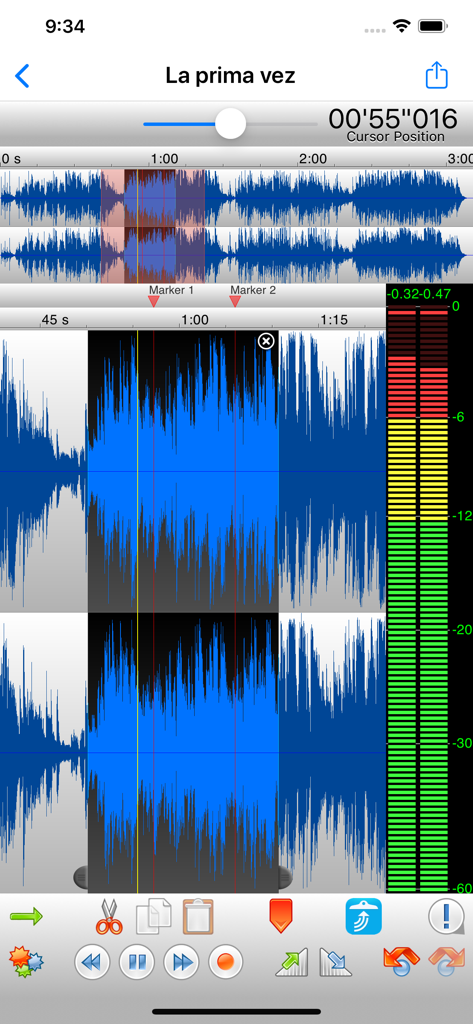
Interface of TwistedWave Audio Editor showing a stereo waveform selection with a vertical level meter and editing tools.
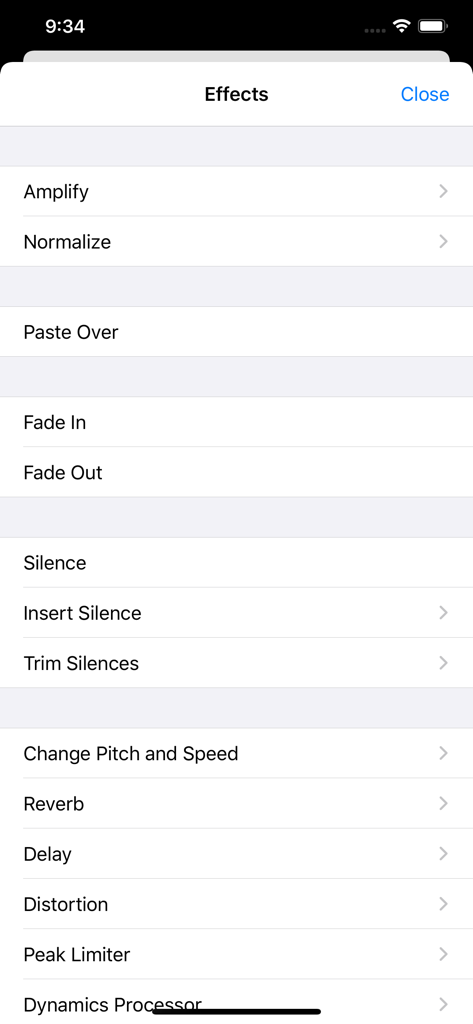
A list of professional audio effects options in the TwistedWave Audio Editor app menu including amplify normalize and reverb
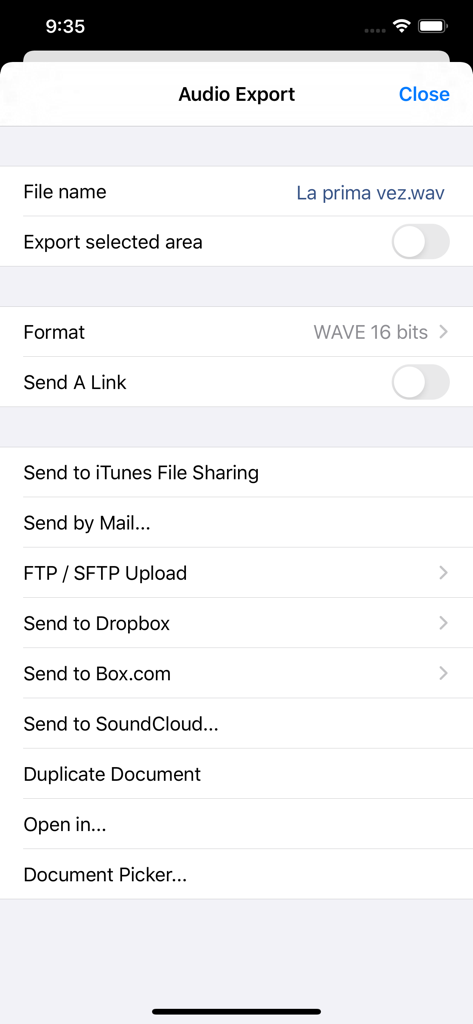
TwistedWave Audio Editor export menu showing various file sharing and cloud storage options
Description
Download
More Like This
Top-ranked apps in the same category

Spotify: Music and Podcasts
Spotify

YouTube Music
Google LLC

Shazam: Find Music & Concerts
Apple Inc.

SoundCloud: The Music You Love
SoundCloud Global Limited & Co KG

Suno - AI Songs & Music
Suno Inc.

QQ音乐 - 听我想听
Tencent Technology (Shenzhen) Company Limited

Audiomack - Play Music Offline
Audiomack, Inc.

GuitarTuna: Tune & Play Guitar
Yousician Ltd

BandLab – Music Maker & Beats
BandLab Singapore Pte Ltd
This page is not an official page of the app or its developer, but an independent editorial publication created for informational and commentary purposes. Unless expressly stated otherwise, neither the app nor its developer is affiliated with, endorsed by, sponsored by, authorized by, or otherwise officially connected with MWM, Apple, Google Play, the app publisher, or the app's developer, and nothing on this page implies that the app was developed using MWM's services. Any trademarks, logos, screenshots, and other content remain the property of their respective owners.