
This page is not an official page of the app or its developer, but an independent editorial publication created for informational and commentary purposes. Unless expressly stated otherwise, neither the app nor its developer is affiliated with, endorsed by, sponsored by, authorized by, or otherwise officially connected with MWM, Apple, Google Play, the app publisher, or the app's developer, and nothing on this page implies that the app was developed using MWM's services. Any trademarks, logos, screenshots, and other content remain the property of their respective owners.

TXT Official Light Stick Ver.2
Be part of the magic. Connect your light stick to join the synchronized concert ocean and customize your colors for a personalized fan experience at home or on stage.
Downloads
256K+User Rating
Total Ratings
100Publisher
Category
EntertainmentLocales
13Latest Version
1.5Size
47.9 MBFirst Released
Feb 6, 2024Experience the Magic of TXT
From the front row of the world tour to the comfort of your room, unlock the full potential of your Official Light Stick Ver.2.
Seamless Concert Sync
Join the legendary 'Light Stick Ocean.' Pair your seat info to sync with the music and effects for an immersive live experience.
Your Signature Colors
Express your style in Self Mode. Choose any color from the spectrum to transform your space or create the perfect social media backdrop.
Frequently Asked Questions
Everything you need to know about TXT Official Light Stick Ver.2
How do I connect the TXT Official Light Stick Ver.2 to my smartphone via Bluetooth?
To connect the TXT Official Light Stick Ver.2, turn it off, then press its middle and bottom buttons simultaneously for two seconds until it blinks blue. Activate your smartphone's Bluetooth and pair it with the Light Stick.
What is the function of 'Concert Mode' in the TXT Official Light Stick Ver.2 app?
'Concert Mode' in the TXT Official Light Stick Ver.2 app enables pairing with concert ticket information. This feature synchronizes the Light Stick with stage effects, enhancing the concert experience. This mode activates days before a concert.
When is the recommended time to pair the TXT Official Light Stick Ver.2 for a concert?
Users should pair their TXT Official Light Stick Ver.2 for a concert approximately one or two days prior. This allows for firmware updates and pairing completion, avoiding potential delays or failures due to on-site congestion.
Can I customize the color and lighting effects of my TXT Official Light Stick Ver.2?
Yes, users can customize the TXT Official Light Stick Ver.2. Using 'Self Mode' within the app, connected via Bluetooth, users can adjust its color, brightness, and blinking effect directly from their smartphone.
What type of batteries does the TXT Official Light Stick Ver.2 require?
The TXT Official Light Stick Ver.2 requires three AAA alkaline batteries. It is essential to replace old batteries with new ones before use to ensure optimal performance and prevent issues like dimming or unexpected shutdowns during concerts.
What permissions are necessary for the TXT Official Light Stick Ver.2 app to operate?
The TXT Official Light Stick Ver.2 app requires NFC permission to check ticket information and Bluetooth permission to connect with the Light Stick. These permissions are mandatory for the app's core functionalities.
The following screenshots and description are sourced directly from the app's official store listing and are the property of the app developer.
App Store
Screenshots
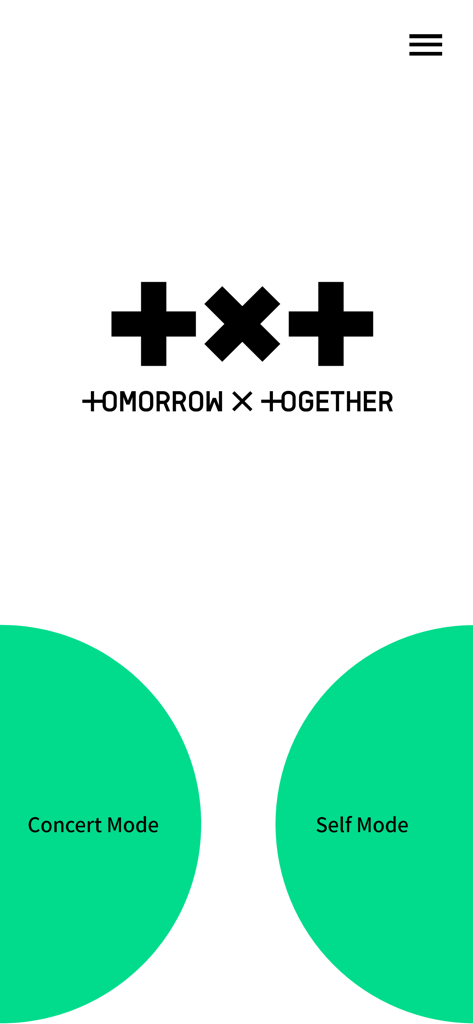
TXT Official Light Stick app home screen featuring Concert Mode and Self Mode selection buttons
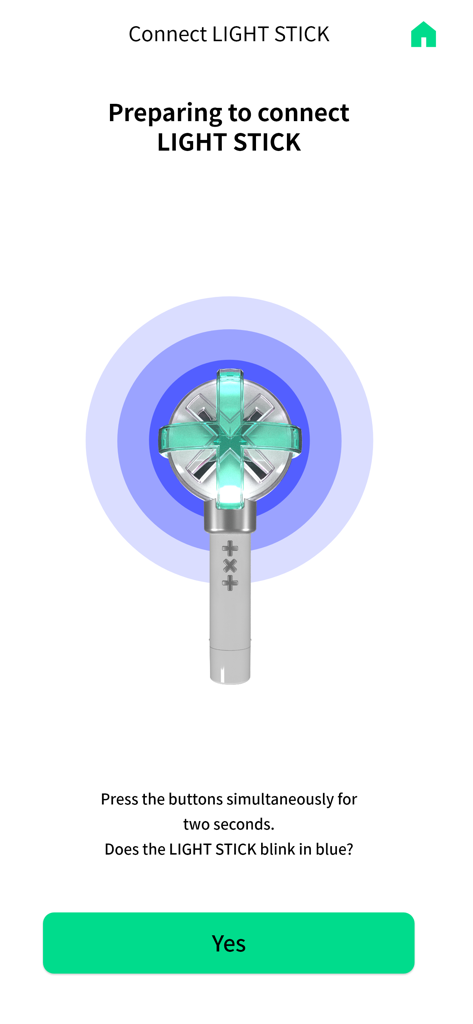
Smartphone app screen showing instructions for pairing the TXT official light stick via bluetooth
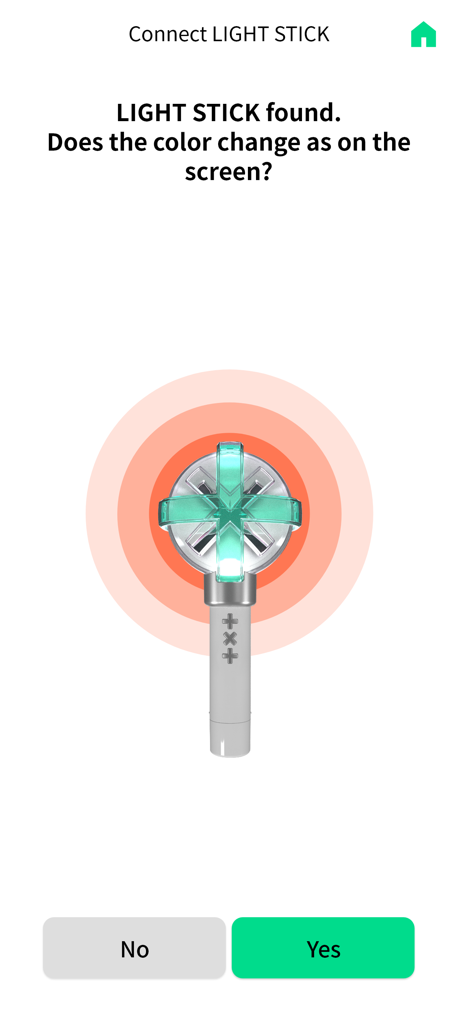
Bluetooth connection screen for TXT Official Light Stick Ver.2 asking to confirm the light color change
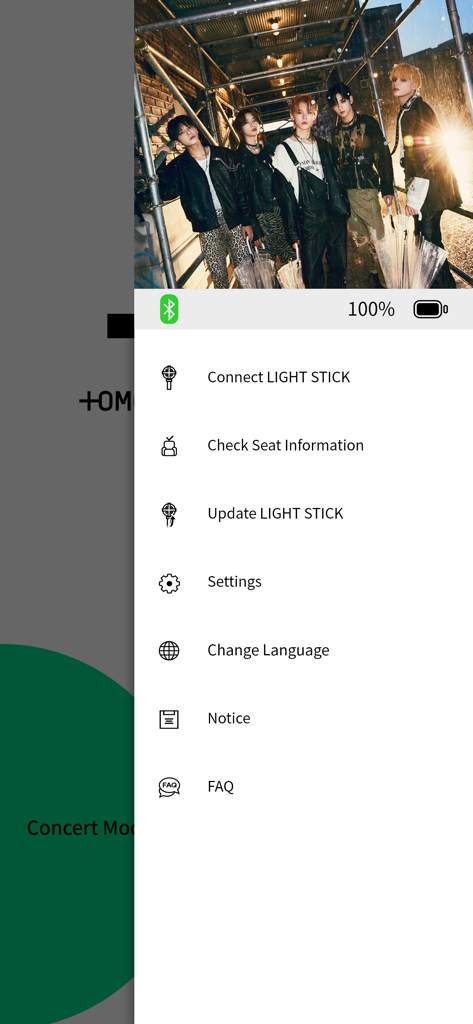
TXT Official Light Stick Ver.2 app menu showing settings and light stick connection options
Description
Download
More Like This
Apps with similar features and user experience

wePix arena
FREDERIC GIRY
Stadium FX
CUE Audio, LLC

CrowdFX
Jamie Severns

Top Hat - Better Learning
TopHatMonocle Corp

Poll Everywhere
Poll Everywhere, Inc.

&TEAM Official Light Stick V1
HYBE Co., Ltd

iClicker Student
HPHLP

PointSolutions
Turning Technologies, LLC
Budweiser Sports App
Fandom Connect Operating Pty Ltd
This page is not an official page of the app or its developer, but an independent editorial publication created for informational and commentary purposes. Unless expressly stated otherwise, neither the app nor its developer is affiliated with, endorsed by, sponsored by, authorized by, or otherwise officially connected with MWM, Apple, Google Play, the app publisher, or the app's developer, and nothing on this page implies that the app was developed using MWM's services. Any trademarks, logos, screenshots, and other content remain the property of their respective owners.