
This page is not an official page of the app or its developer, but an independent editorial publication created for informational and commentary purposes. Unless expressly stated otherwise, neither the app nor its developer is affiliated with, endorsed by, sponsored by, authorized by, or otherwise officially connected with MWM, Apple, Google Play, the app publisher, or the app's developer, and nothing on this page implies that the app was developed using MWM's services. Any trademarks, logos, screenshots, and other content remain the property of their respective owners.


Tynker: Coding for Kids
This app turns screen time into skill-building, empowering kids to architect digital worlds.
Downloads
1M+User Rating
Total Ratings
18.9KPublisher
Category
EducationLocales
2Latest Version
4.6.1120Size
152.6 MBFirst Released
Mar 5, 2014An evaluation of the application's core offerings and their educational impact on young learners.
Key Feature Analysis: Tynker: Coding for Kids
Engaging Minecraft Modding
It allows users to create custom skins, mobs, and blocks for Minecraft, build structures with code, and deploy their mods directly into the game, leveraging a highly popular platform for creative coding.
Robotics and Physical Computing Integration
The app allows users to program physical devices such as LEGO WeDo and micro:bit, bridging virtual coding concepts with tangible, real-world applications and promoting hands-on STEM learning.
Branded Learning Experiences
The app offers exclusive coding paths featuring popular franchises like Barbie™, LEGO®, and Minecraft, significantly increasing engagement and relatability for children through familiar and beloved brands.
Progressive Coding Curriculum
The app provides a structured learning path, allowing users to start with intuitive visual block-based coding and seamlessly transition to text-based languages including Python, Swift, JavaScript, and Java.
Competitive Coding Challenges
It features "Code-to-Win" battles in Crystal Clash arenas, where users write scripts to cast spells, avoid obstacles, and outsmart opponents in real-time, fostering problem-solving and strategic thinking through gamification.
Introduction to AI and Machine Learning
This tool features foundational lessons in Artificial Intelligence and Machine Learning, preparing young learners for future technological trends and advanced computational concepts.
Extensive Interactive Tutorials
The app provides over 200 interactive coding tutorials, puzzles, and games to teach core programming concepts such as logic, sequencing, loops, variables, and functions, including the ability to create Augmented Reality (AR) apps.
Cross-Platform Accessibility
This tool ensures that a single subscription provides full access across iPad, iPhone, and Web platforms, offering maximum flexibility and convenience for users to learn anywhere.
Frequently Asked Questions
Everything you need to know about Tynker: Coding for Kids
What is Tynker: Coding for Kids?
Tynker is a leading platform that empowers children to learn coding through fun, interactive courses. It uses intuitive visual blocks and advances to languages like JavaScript, HTML, and Python, fostering logic and problem-solving skills.
How many children and schools use Tynker?
Over 100 million children and more than 150,000 schools worldwide use Tynker for coding education. It is recognized as a leading platform in the field, making coding enjoyable for kids of all ages.
Does Tynker offer coding activities for Minecraft?
Yes, Tynker offers Minecraft coding, allowing users to design skins, items, mobs, and blocks, and to program mob behaviors and build instant structures within Minecraft.
Can kids learn to program robots with Tynker?
Yes, children can learn to program robots with Tynker. The platform supports coding for drones, mini-drones, LEGO® WeDo, and micro:bit, including programming flight paths and stunts.
What are the subscription options for Tynker: Coding for Kids?
Tynker offers two auto-renewing subscriptions: a Monthly Plan at $24.99 per month and a Quarterly Plan at $59.99 per quarter. Prices are in USD and may vary by location.
How do I cancel my Tynker subscription?
To cancel a Tynker subscription, disable auto-renewal in your iTunes settings at least 24 hours before the current period ends. Refunds are not available for unused portions per iTunes policy.
What programming languages can children learn with Tynker?
Tynker enables children to learn coding starting with visual blocks and progressing to languages such as JavaScript, HTML, and Python. It also teaches essential skills like sequencing and pattern recognition.
Has Tynker: Coding for Kids received any awards?
Yes, Tynker has received numerous awards including the Parents’ Choice Gold Award, Academics' Choice Award, and Editor's Choice. Common Sense Media rated Tynker 5 stars for engagement.
Does Tynker integrate with Apple's Schoolwork app?
Yes, Tynker integrates with Apple’s Schoolwork app. This feature supports community coding education and classroom management, making it suitable for use in schools.
What kind of creative activities does Tynker offer beyond coding games?
Beyond coding games, Tynker provides activities like composing music, animating characters, and creating custom games. It also features 'Learning With BARBIE™' for career exploration.
Is Tynker: Coding for Kids a safe learning platform for children?
Yes, Tynker is a safe learning platform for children. It is KidSAFE listed and adheres to privacy policies and terms of use, which are available on its website.
The following screenshots and description are sourced directly from the app's official store listing and are the property of the app developer.
App Store
Screenshots

The app provides a clear navigation structure with 'Projects' and 'Community' hubs, featuring engaging adventure icons for easy exploration.
Coding Journey Begins

Users learn foundational programming with intuitive visual blocks like 'on start' and 'walk', controlling characters within dynamic game environments such as a jungle puzzle.
Interactive Code Blocks
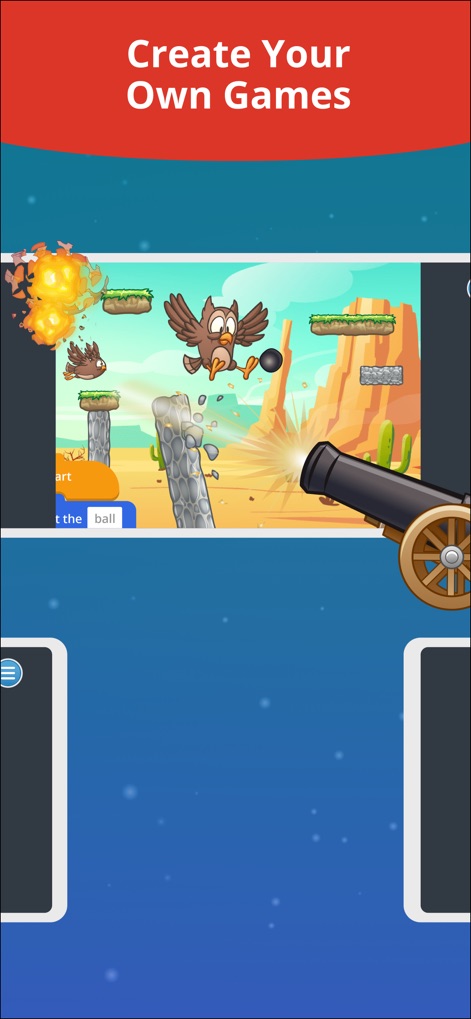
This tool enables children to design custom games, featuring elements like cannon projectiles and flying characters in various adventurous settings.
Game Creation Canvas
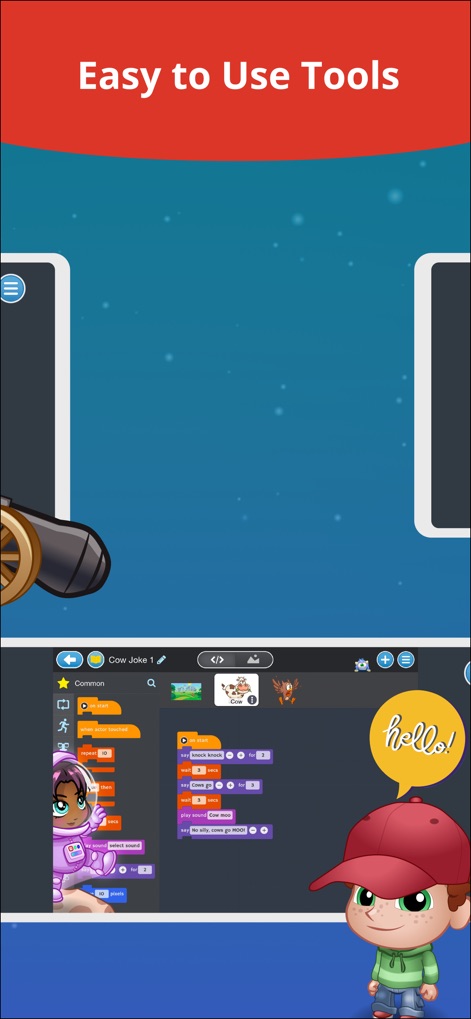
The app presents a user-friendly coding interface with organized block categories (e.g., 'Common' actions) and expressive characters that interact with code, like the boy displaying 'hello!'.
Intuitive Coding Tools
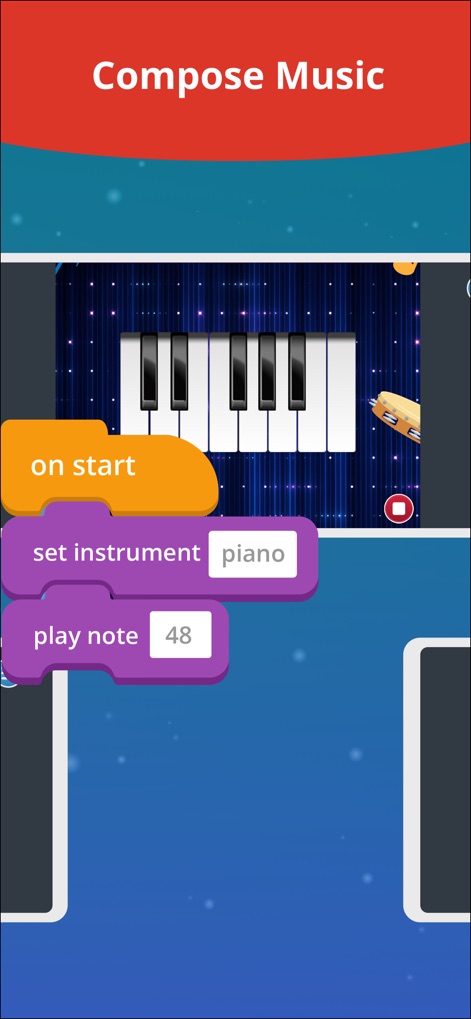
Users can explore music creation by coding sequences using blocks like 'set instrument piano' and 'play note 48', interacting directly with a virtual piano keyboard.
Creative Music Coding

The platform offers a robust animation studio, allowing children to draw and animate characters with various art tools and manage movement using a clear timeline.
Character Animation Studio
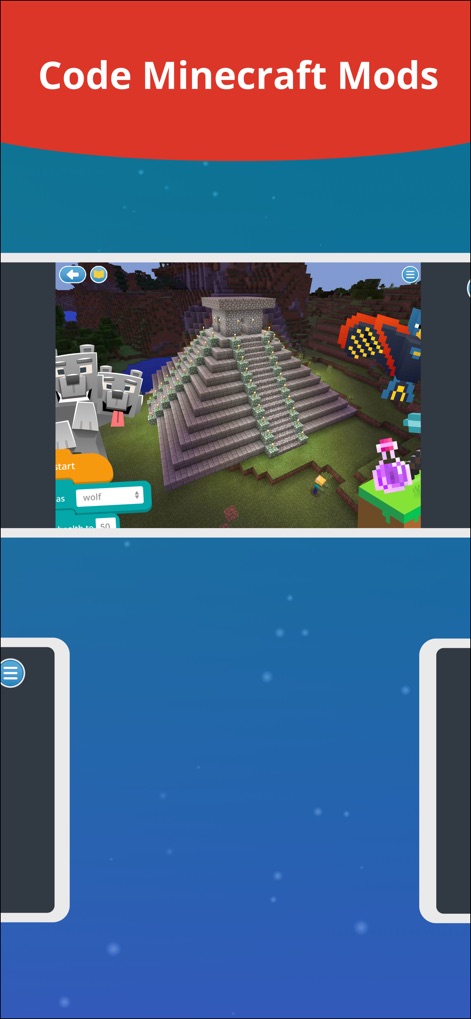
The app integrates seamlessly with Minecraft, enabling users to code intricate structures like a pyramid and control in-game elements such as wolf characters through visual blocks.
Minecraft Modding Mastery
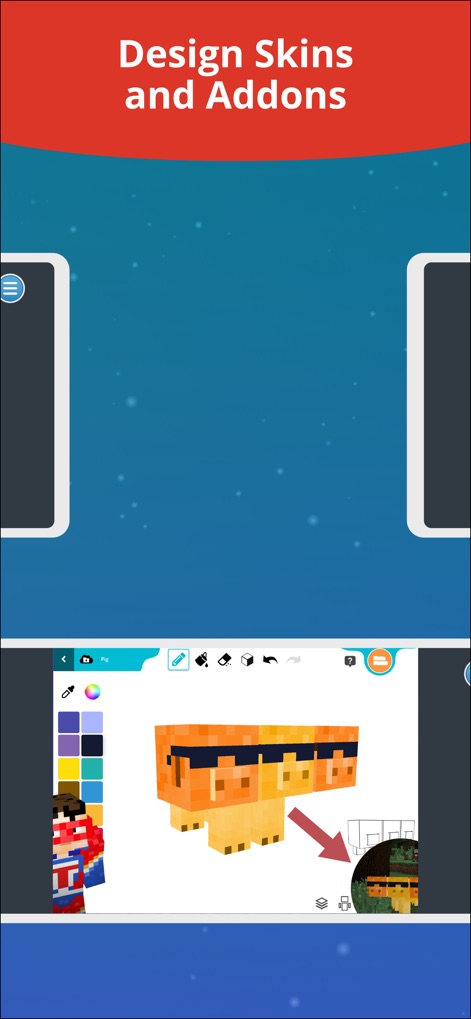
Children can unleash creativity by designing custom Minecraft skins and addons using a dedicated 3D editor, complete with a color palette and various design tools.
Custom Skin Designer
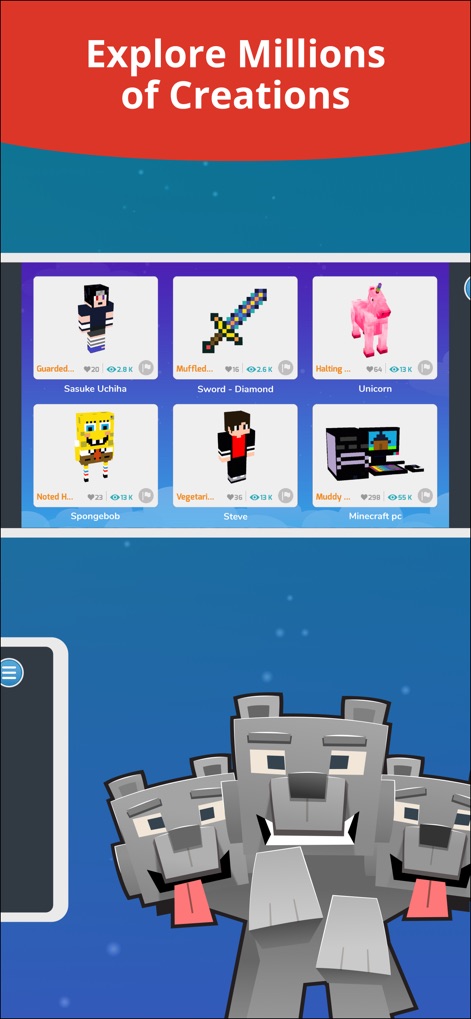
The app features an extensive gallery where users can explore millions of creations, including custom skins and items, showcasing the diverse output of the community.
Community Creation Showcase
Description
Download
More Like This
Apps with similar features and user experience
Code Land: Kids Coding Games
Learny Land S.L.
Kodable Basics
SurfScore, Inc

Coding For Kids: Learn To Code
KidloLand Kids & Toddler Games

编程猫在线-随时随地学编程
Guangdong TanYue Online Non disciplinary Training School Company Limited
Tynker Junior: Coding for Kids
Neuron Fuel, Inc.

Code Kingdom: Treasure
MORE CHINESE EDUCATION & TECHNOLOGY CO.,LIMITED
Scratch Tutorial - Coding Game
海涛 赵

Move the Turtle: Learn to Code
Krzysztof Haft-Szatynski

ScratchJr
Scratch Foundation, Inc.
This page is not an official page of the app or its developer, but an independent editorial publication created for informational and commentary purposes. Unless expressly stated otherwise, neither the app nor its developer is affiliated with, endorsed by, sponsored by, authorized by, or otherwise officially connected with MWM, Apple, Google Play, the app publisher, or the app's developer, and nothing on this page implies that the app was developed using MWM's services. Any trademarks, logos, screenshots, and other content remain the property of their respective owners.