
This page is not an official page of the app or its developer, but an independent editorial publication created for informational and commentary purposes. Unless expressly stated otherwise, neither the app nor its developer is affiliated with, endorsed by, sponsored by, authorized by, or otherwise officially connected with MWM, Apple, Google Play, the app publisher, or the app's developer, and nothing on this page implies that the app was developed using MWM's services. Any trademarks, logos, screenshots, and other content remain the property of their respective owners.


Udio: AI Music Maker & Studio
No excuses left. Udio hands you the keys to hit-making, no talent required.
Downloads
500k+User Rating
Total Ratings
4.3KPublisher
Category
MusicLocales
1Latest Version
0.16.0Size
81.6 MBFirst Released
May 21, 2025An Analytical Review of Core Capabilities for Modern Music Creators
Key Features of Udio: AI Music Maker & Studio
AI-Powered Text-to-Music Generation
This core functionality allows users to transform textual prompts into complete songs, including vocals and instrumentals, making music creation accessible without traditional instruments or training.
Free Tier Access with Full Generation
The platform offers a free tier that allows instant registration, no credit card required, and provides 10 daily creation credits for full song generation and audio/video exports, making it highly accessible.
Seamless Song Extension Capability
This feature enables users to expand short musical clips into full-length tracks by adding intros, outros, or entirely new sections, facilitating creative development and song structuring.
Integrated AI Lyric Editor & Timing
It features a comprehensive lyric editor that supports writing, AI-assisted generation, and precise timing of phrases to match the musical rhythm, streamlining vocal composition.
Universal Cross-Device Sync
This tool ensures that all user-created music is seamlessly synchronized across mobile and desktop platforms, offering convenient access and workflow continuity from any device.
Advanced AI Model Customization
For more discerning users, this tool provides granular control over sound clarity, quality, song length, and the AI model itself, enabling precise sonic shaping.
Audio Clip Upload and Remixing
The app allows users to import their own voice memos, samples, or loops, providing the capability to remix, extend, and integrate personal audio elements into their AI-generated tracks.
Organized Music Library & Sharing Controls
The app offers robust organizational tools like private folders and playlists, allowing users to categorize their creations by project or theme and manage sharing permissions.
Community Song Discovery Feed
It provides an interactive song feed where users can discover, like, and save music created by other community members, fostering inspiration and engagement.
AI-Powered Album Art Creation
To enhance visual presentation, the tool includes an AI-driven generator for creating custom album art or allows users to upload their own images.
Frequently Asked Questions
Everything you need to know about Udio: AI Music Maker & Studio
What is Udio: AI Music Maker & Studio?
Udio is an AI-powered mobile music studio that allows users to create studio-quality songs from text descriptions. It generates complete tracks with vocals, instrumentals, and structure, transforming thoughts into music.
Can Udio: AI Music Maker & Studio generate full songs from text prompts?
Yes, Udio features a Text-to-Music Generator. Users describe their desired vibe, and Udio returns a complete song with vocals, instrumentals, and a full structure.
Does Udio: AI Music Maker & Studio offer a free plan for music creation?
Yes, Udio provides a Free Plan. This plan includes 10 daily creation credits, full song generation access, audio/video exports, and access to the Song Feed.
What is the monthly cost of the Udio Standard subscription?
The Udio Standard plan costs $10 per month. It includes all Free plan features, song editing, style reduction/negative prompting, and more monthly credits for creating multiple songs simultaneously.
Can users edit song lyrics within the Udio: AI Music Maker & Studio app?
Yes, Udio includes a Lyric Editor. Users can write, generate, or edit lyrics line-by-line, with AI assistance, and perfectly time each phrase to match the song's rhythm.
Can Udio: AI Music Maker & Studio generate album art for songs?
Yes, Udio features an AI Album Art Generator. Users can create custom cover art using AI or upload their own images to accompany their songs, making them look visually appealing.
Is it possible to upload personal audio clips to Udio: AI Music Maker & Studio?
Yes, Udio Pro allows users to upload audio clips such as voice memos, samples, or loops. These can then be remixed, extended, or transformed into tracks within the app.
Does Udio: AI Music Maker & Studio provide advanced controls for shaping music?
Yes, Udio Pro offers Advanced Controls. These allow users to precisely shape their sound by controlling clarity, quality, length, and the underlying AI model.
Can I extend short music clips into full songs using Udio: AI Music Maker & Studio?
Yes, Udio features Song Extensions. Users can add intros, outros, or new sections to evolve a short musical idea into a complete full-length track.
Is Udio: AI Music Maker & Studio available for use on desktop devices?
Yes, Udio offers Cross-Device Library Sync. All music created on mobile or desktop is synced and ready anywhere, indicating desktop availability for advanced editing.
The following screenshots and description are sourced directly from the app's official store listing and are the property of the app developer.
App Store
Screenshots
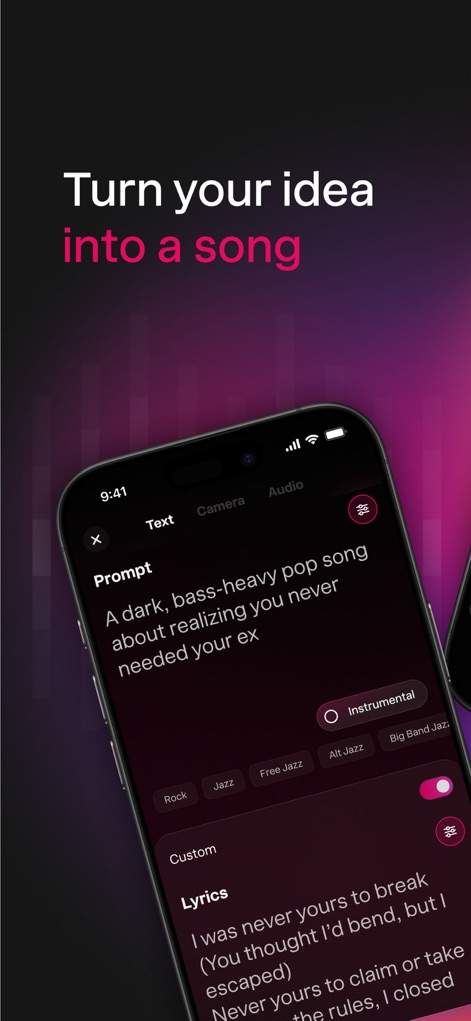
See how Udio transforms text prompts into complete songs, offering intuitive genre selection tags for precise creative direction.
Prompt-Powered Creation
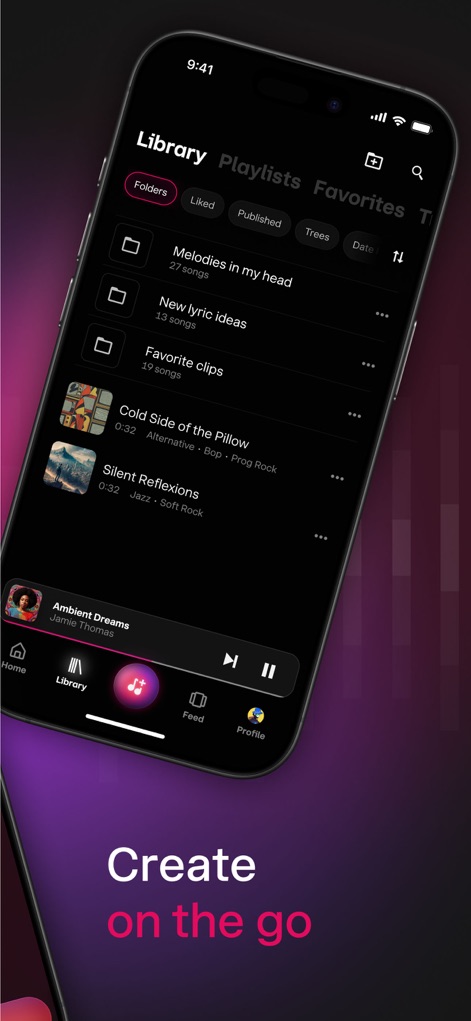
Explore the app's intuitive library interface, showcasing organized folders for projects and a seamless mobile navigation bar for easy access.
Your Music Library
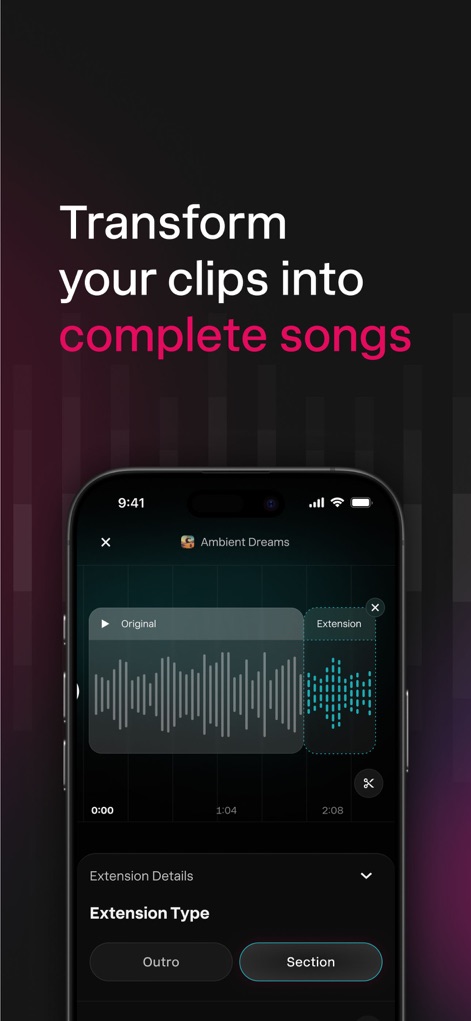
Witness how the app enables users to visually extend audio clips, offering options like 'Outro' and 'Section' to build out full-length tracks.
Audio Extension Tools
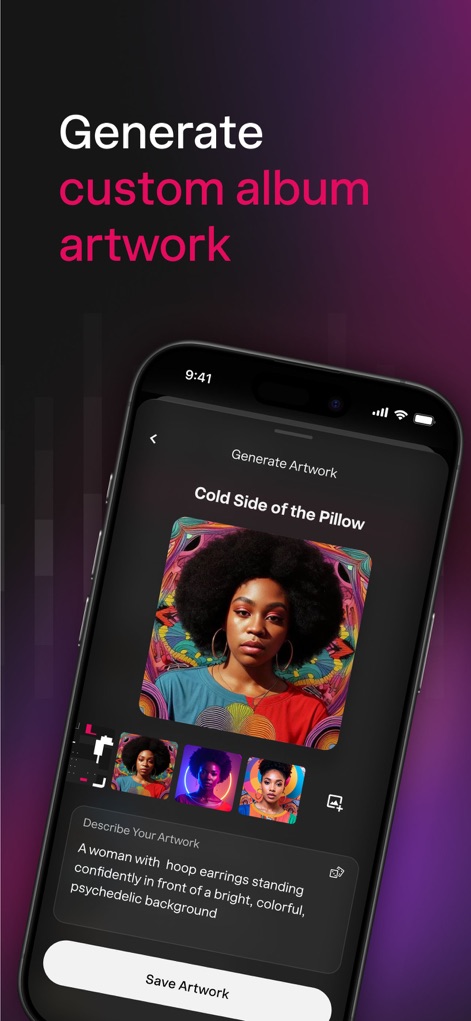
Discover the integrated AI album art generator, allowing users to describe their vision and produce diverse visual variations for their tracks.
AI Art Generation
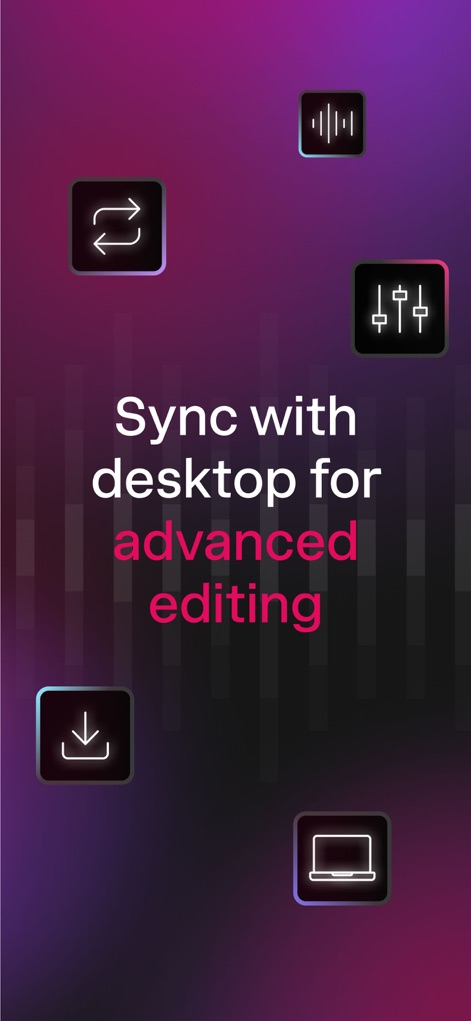
Understand the app's robust cross-device synchronization, ensuring a seamless workflow between mobile and desktop for advanced editing and production.
Seamless Workflow Sync
Description
Download
More Like This
Apps with similar features and user experience

Suno - AI Songs & Music
Suno Inc.

AI Song Maker - Soniva Music
Gotech Dijital Hizmetler Anonim Sirketi

AI Song Music Generator: Muzio
Scale Dreams LLC

Mureka - AI Music Generator
SKYWORK AI PTE LTD

Sonus AI Song Music Generator
MOBI AI LLC

快歌-音乐制作生成器
Shenzhen Kuaige Intelligent Co.,Ltd

Melod AI-AI作曲/AI写歌/歌曲创作/音乐生成器
智恺 赵

小元音乐圈
Shenzhen Xiaoyuan Intelligent Co.,Ltd

AIR Music - AI Song Generator
EXPLOREAPPS SP Z O O
This page is not an official page of the app or its developer, but an independent editorial publication created for informational and commentary purposes. Unless expressly stated otherwise, neither the app nor its developer is affiliated with, endorsed by, sponsored by, authorized by, or otherwise officially connected with MWM, Apple, Google Play, the app publisher, or the app's developer, and nothing on this page implies that the app was developed using MWM's services. Any trademarks, logos, screenshots, and other content remain the property of their respective owners.