@UKR.NET Mail App

@UKR.NET Mail App

Download on App Store
Logo of @UKR.NET Mail App

@UKR.NET Mail App: Stay Connected to Home with Ukraine’s Favorite Email

Securely manage all your accounts from the USA with 100GB file transfers, offline access, and a native-language interface designed for your life across borders.

Publisher

Ukrnet LLC

Category

Productivity

Downloads

698K+

User Rating

3.9/5

Total Ratings

1K+

Locales

2

A Glimpse Inside

Discover the interface used by 698K+ users.
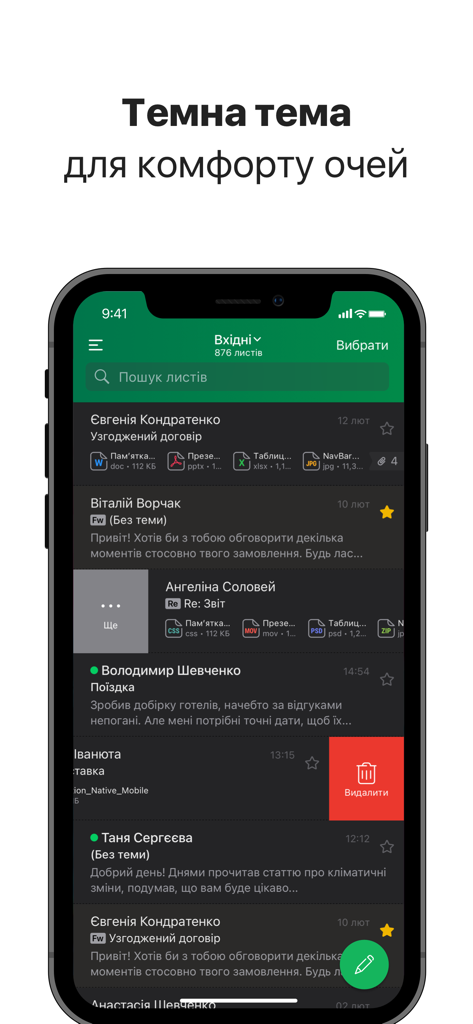
@UKR.NET Mail App inbox interface in dark mode on a mobile device

@UKR.NET Mail App inbox interface in dark mode on a mobile device

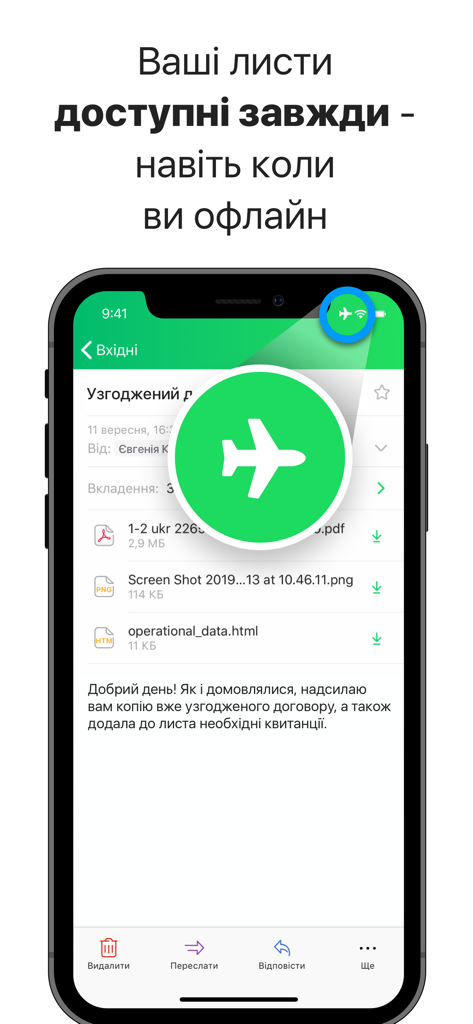
A smartphone screen displaying the UKR.NET mail app with a prominent airplane icon highlighting the offline mode feature

A smartphone screen displaying the UKR.NET mail app with a prominent airplane icon highlighting the offline mode feature

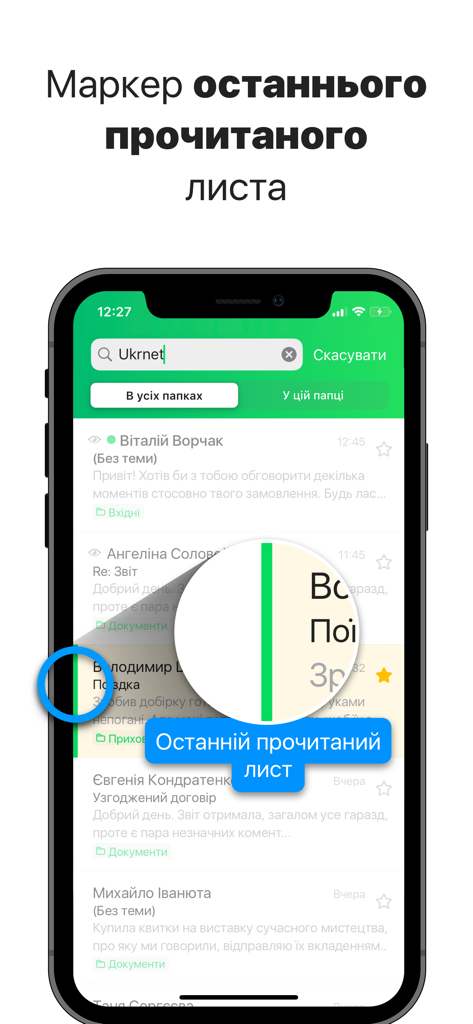
Screenshot of the UKR.NET mail app showing the green vertical line indicating the last read email in the inbox list.

Screenshot of the UKR.NET mail app showing the green vertical line indicating the last read email in the inbox list.

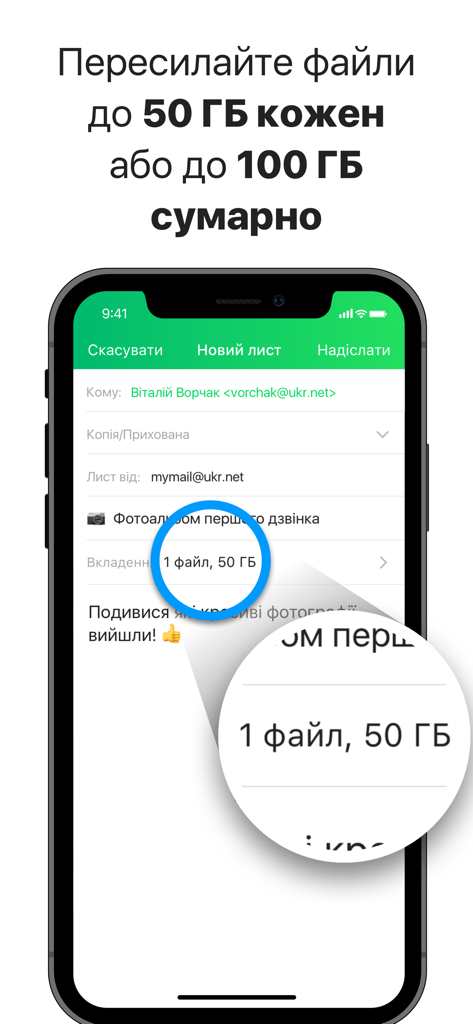
Screenshot of the UKR.NET Mail App showing a feature that allows sending files up to 50GB each and 100GB in total.

Screenshot of the UKR.NET Mail App showing a feature that allows sending files up to 50GB each and 100GB in total.

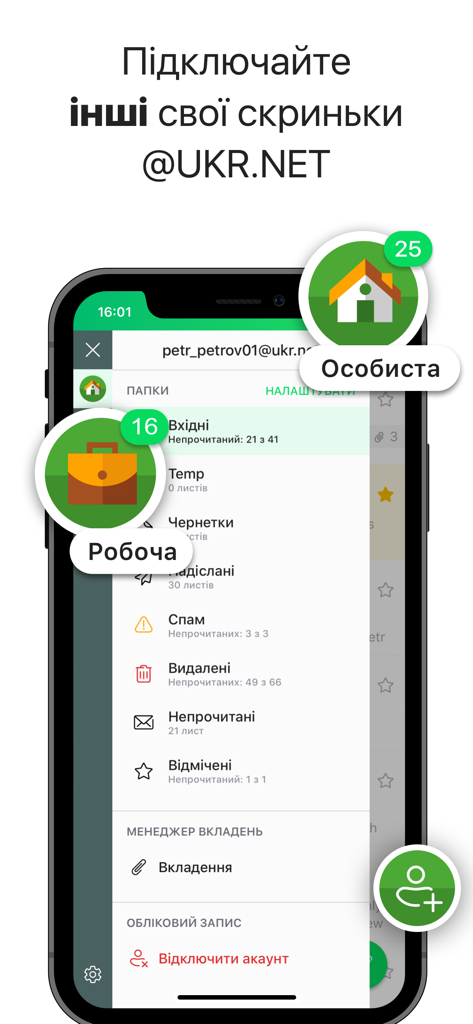
@UKR.NET Mail App on iPhone showing personal and work email account management

@UKR.NET Mail App on iPhone showing personal and work email account management

Built for Speed and Connection

The tools that make this app stand out, trusted by 698K+ users.

📦

Unrivaled File Limits

Break free from 25MB limits. Forward high-resolution family videos or heavy legal documents up to 100 GB directly from your inbox.

✈️

Full Offline Productivity

Read and draft replies during long-haul flights or in areas with poor signal. Your inbox syncs automatically as soon as you reconnect.

🔒

Privacy You Can Trust

Protect sensitive correspondence with Face ID and PIN codes. Securely sign out with the option to wipe all mail data from your device instantly.

About the app

Everything you need to know about @UKR.NET Mail App.

Description

The new official @UKR.NET Mail App. Add all your @UKR.NET accounts to the App. Read messages regardless the Internet and Wi-Fi connection. Forward files up to 100 GB from your other emails. The new official @UKR.NET Mail App designed for convenient work with all your @UKR.NET accounts. Receive and send messages, forward big attachments, work with your mailbox regardless the Internet and Wi-Fi connection, enable and set up push notifications. Instant performance. The application ensures infinite scrolling through message, file and folder lists, fast moving between screens and prompt opening of the heaviest messages. Simple and clear interface. Easy to use application. The interface is intuitive and not overloaded with design solutions. Manage your folder pane that appears on the Side Menu, by creating folders’ position hierarchy and hiding the folders, rarely used. Convenient work with your multiple @UKR.NET accounts. Add, manage and run your @UKR.NET accounts, both personal and work, from one App. There’s no need to sign out of one account to switch to another - see them all on the Side Menu and just flip between. Offline mode. Your mail is always at the fingertips - regardless of the speed and Internet/Wi-Fi connection itself. For example, while in the Flight mode, when you are offline, you can still read and work with your messages: mark them as important, move to other folders, compose replies - they will be sent as soon as the device connects to the network. Simultaneously, the latest changes will be applied to ensure the same account state on all devices, accessing it. Instant synchronization. @UKR.NET is constantly maintaining the same account state on different devices, you’re signed in on. Thus, you do not need to update the interface manually. Whether you add new folders, move messages between them, edit drafts or delete emails, all changes will be applied instantly on all devices, accessing your account. Important information. Find out vital information without opening a message: we display the attached file details and a short fragment of message body right on the list. Convenient work with attachments. Review the attached files in the App. Save files on your device to make them available for reviewing offline later on. You can also forward the file as an attachment to another message, share it in the messengers, copy or save to Files or online workspace. Forward files up to 100 GB. Forward big files up to 50 GB each or up to 100 GB in total from other @UKR.NET emails. Search. Find messages with Search, choosing either the whole mailbox, or the folder you are in. Protect your App. Select a Face/Touch ID and PIN-code to protect your App and set the Auto-Lock timing and actions. Disconnect account. To ensure a higher level of security and privacy, when signing out of your account from the App, you are granted to choose clearing all mail data from the device. This makes it impossible to restore your mailbox contents even with special tools. If you are sure, that unauthorized usage of your device is impossible, select to keep mail data. Economy. The application is designed for optimum mobile traffic consumption.

Latest Version

1.40.4

Size

16.3 MB

First Released

Oct 7, 2019

Stay Connected to Home with the Official @UKR.NET Mail App

Manage all your @UKR.NET accounts with ease, send files up to 100GB, and work offline—wherever your journey takes you. Download the most trusted Ukrainian mail client for iOS today.

Download on App Store
FAQ

Frequently Asked Questions

Everything you need to know about @UKR.NET Mail App

Can I read my emails offline with the @UKR.NET Mail App?

Yes, the @UKR.NET Mail App allows you to read, mark, move, and compose replies for your messages even without an internet connection. These actions sync upon reconnection.

How do I manage multiple @UKR.NET accounts in the @UKR.NET Mail App?

Users can add, manage, and switch between multiple personal and work @UKR.NET accounts directly from the Side Menu within the app. No sign-out is required to switch.

What is the maximum file size for forwarding attachments in the @UKR.NET Mail App?

The @UKR.NET Mail App allows forwarding individual files up to 50 GB each. The total size limit for forwarded files from other @UKR.NET emails is up to 100 GB.

Does the @UKR.NET Mail App have security features like Face ID or PIN-code?

Yes, the @UKR.NET Mail App supports Face ID, Touch ID, and PIN-code protection. Users can also configure Auto-Lock timing and specific actions for enhanced app security.

Can I clear my mail data from the device when I disconnect an @UKR.NET Mail App account?

Yes, when disconnecting an account, the @UKR.NET Mail App provides an option to clear all mail data from your device. This ensures a higher level of security and privacy.

Does the @UKR.NET Mail App support a dark theme for visual comfort?

Yes, the @UKR.NET Mail App includes a dark theme. This feature is designed to provide visual comfort for users, as illustrated in the app's interface.

How does the @UKR.NET Mail App optimize mobile data usage?

The @UKR.NET Mail App is specifically designed for optimum mobile traffic consumption. This ensures efficient use of your mobile data while operating the application.

App information, icons, screenshots, and descriptions displayed on this page are sourced from the Apple App Store and are the property of their respective developers. Download estimates and rankings are based on MWM's proprietary models and may not reflect actual figures. This page is provided for informational and analytical purposes only.

Believe this page infringes your intellectual property? File a dispute