
This page is not an official page of the app or its developer, but an independent editorial publication created for informational and commentary purposes. Unless expressly stated otherwise, neither the app nor its developer is affiliated with, endorsed by, sponsored by, authorized by, or otherwise officially connected with MWM, Apple, Google Play, the app publisher, or the app's developer, and nothing on this page implies that the app was developed using MWM's services. Any trademarks, logos, screenshots, and other content remain the property of their respective owners.


UniEase (Formerly UNV-Link)
Security surveillance often means tangled wires and complex setups. UniEase cuts through that, putting crystal-clear control directly in your pocket. It’s the smart eye for your business, simplified.
Downloads
750k+User Rating
Total Ratings
379Publisher
Category
BusinessLocales
29Latest Version
5.2601.90Size
344.9 MBFirst Released
Jul 4, 2018A comprehensive analysis of UniEase's core functionalities for small and medium-sized commercial security.
UniEase (Formerly UNV-Link) Software Evaluation
Remote Video Surveillance
The app provides comprehensive remote monitoring of commercial premises from any location.
Intuitive User Experience
This tool features a fresh visual design and simple interface, making it easy to operate and manage surveillance systems.
Reliable Security Operations
It allows users to maintain consistent and dependable surveillance for their business operations, ensuring robust security.
Streamlined Management
The app simplifies the overall management of security cameras and AI-powered surveillance systems, promoting efficiency.
Intelligent AIoT Capabilities
This tool leverages AI to provide advanced analytics and smarter monitoring capabilities for enhanced security detection.
Broad Commercial Applicability
It is versatile, catering to diverse commercial settings from retail stores and restaurants to offices, meeting varied business needs.
Frequently Asked Questions
Everything you need to know about UniEase (Formerly UNV-Link)
What is UniEase?
UniEase is a mobile application designed for small and medium-sized video AIoT solutions. It features a fresh visual design, a simple interface, and easy operations.
What types of businesses can use the UniEase app?
The UniEase app is suitable for various scenarios, including supermarkets, restaurants, and offices. It effectively serves the needs of small and medium-sized businesses for video AIoT solutions.
Does UniEase provide live video viewing?
Yes, UniEase provides a live view feature for real-time monitoring of video AIoT solutions. This functionality ensures users can continuously watch their connected devices and never miss a moment.
Can users review past recordings with UniEase?
Yes, UniEase offers a playback feature to review past recordings. Users can easily access historical video data by selecting specific dates and times through the intuitive interface.
Does the UniEase app support cloud storage for recordings?
Yes, UniEase supports cloud storage for video recordings. The app clearly displays the cloud storage status, including whether it is in use and its remaining expiration days for connected devices.
Does UniEase provide real-time alerts?
Yes, UniEase delivers real-time alerts. The app's message center categorizes alarms, showing notifications for events like motion detection and face matching, ensuring prompt awareness.
Can I share device access with other users using UniEase?
Yes, UniEase enables device access sharing. Users can grant specific permissions such as live view, playback, two-way audio, and PTZ control to other users, enhancing collaboration.
What functionalities are available during live viewing in UniEase?
During live viewing in UniEase, users can control volume, take snapshots, initiate video recording, utilize two-way audio, and manage PTZ functions for comprehensive monitoring.
Does UniEase have a two-way audio feature?
Yes, UniEase incorporates a two-way audio feature. This functionality is available during live view sessions and can also be included in shared device permissions for effective communication.
Can UniEase detect abnormal devices?
Yes, the UniEase app identifies abnormal devices. Its home screen includes a specific icon and section dedicated to displaying and managing any detected abnormal devices.
The following screenshots and description are sourced directly from the app's official store listing and are the property of the app developer.
App Store
Screenshots
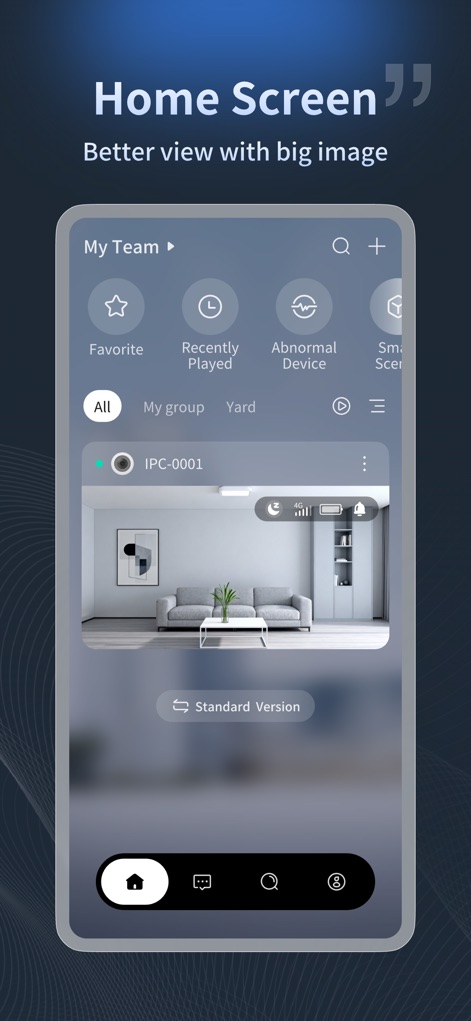
Users can efficiently monitor their premises with a clear dashboard featuring a 'My Team' section for device groups and an instant large image preview of their camera feeds.
Effortless Monitoring Hub
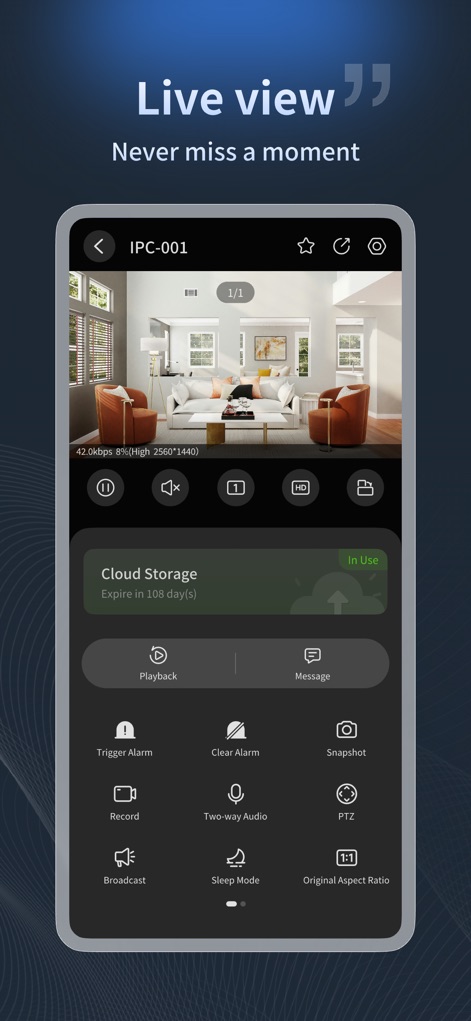
Experience continuous real-time monitoring through a dynamic live video feed, complemented by immediate controls for functions like 'Snapshot' and a visible 'Cloud Storage' status indicator.
Dynamic Live Feed
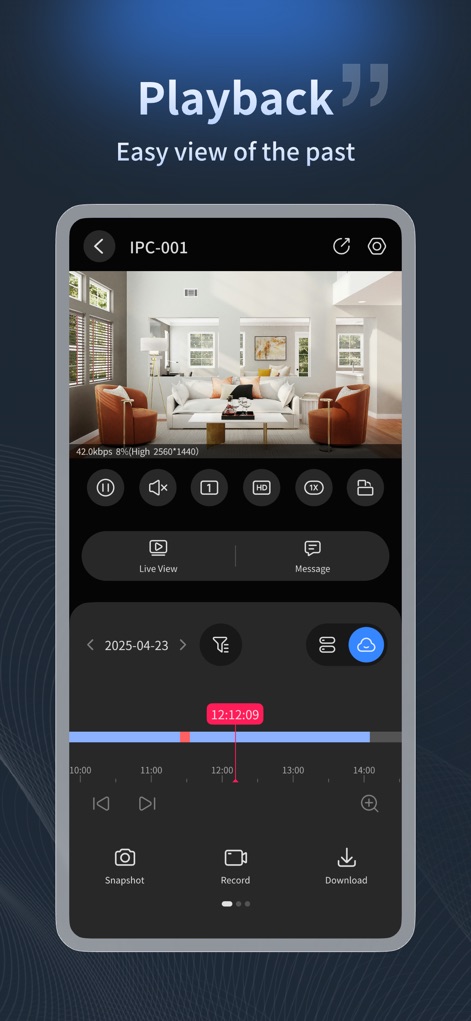
This tool simplifies reviewing past events with a detailed video playback interface, featuring a precise 'timeline scrubber' for navigating footage and clear 'Snapshot' and 'Download' options.
Event Review Simplified
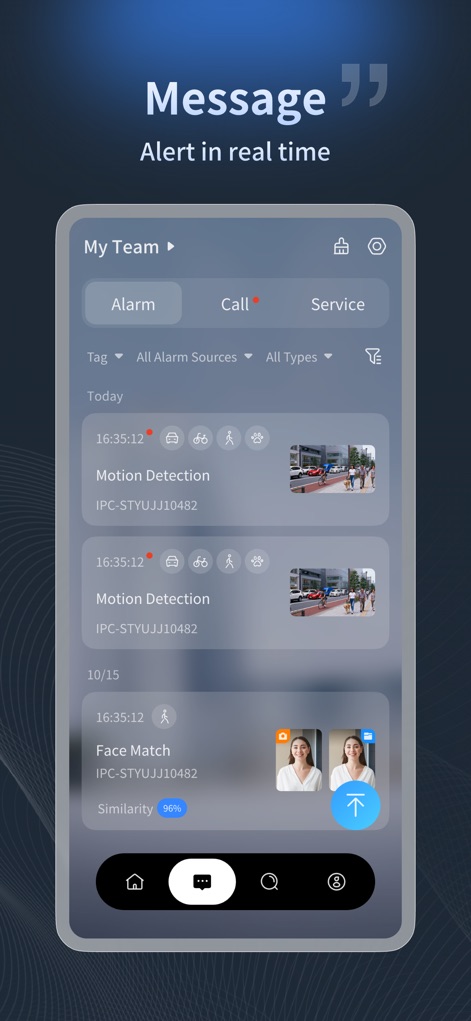
Stay informed with real-time incident notifications, clearly presented in an alert list detailing events like 'Motion Detection' and featuring comprehensive 'filtering options' for efficient alert management.
Proactive Notifications

The app enables secure and controlled sharing of device access, offering granular 'Sharing Permissions' for functions like 'Live View' and 'PTZ Control' to optimize team collaboration.
Secure Device Sharing
Description
Download
More Like This
Apps with similar features and user experience

TP-Link VIGI
TP-Link Systems Inc.
Intelbras ISIC Lite
Intelbras S.A. Ind. de Telecom. Elet. Brasileira

Intelbras Guardian
Intelbras S.A. Ind. de Telecom. Elet. Brasileira

Smart Security Camera App
On Hand Apps - FZCO

Guarding Vision
明军 顾
IPEYE CCTV
KONSTANTA, OOO Apps

BoifunCam
健 冯

Prama Online
PRAMA INDIA PRIVATE LIMITED

Annke Vision
Shenzhen Kean Digital Co. LTD.
This page is not an official page of the app or its developer, but an independent editorial publication created for informational and commentary purposes. Unless expressly stated otherwise, neither the app nor its developer is affiliated with, endorsed by, sponsored by, authorized by, or otherwise officially connected with MWM, Apple, Google Play, the app publisher, or the app's developer, and nothing on this page implies that the app was developed using MWM's services. Any trademarks, logos, screenshots, and other content remain the property of their respective owners.