
This page is not an official page of the app or its developer, but an independent editorial publication created for informational and commentary purposes. Unless expressly stated otherwise, neither the app nor its developer is affiliated with, endorsed by, sponsored by, authorized by, or otherwise officially connected with MWM, Apple, Google Play, the app publisher, or the app's developer, and nothing on this page implies that the app was developed using MWM's services. Any trademarks, logos, screenshots, and other content remain the property of their respective owners.

Unigy Mobile Client
Empower your trading with institutional-grade connectivity. Access private wires, intercoms, and up to 16 active speaker channels with full regulatory compliance and integrated voice recording.
Downloads
700User Rating
Total Ratings
0Publisher
Category
Social NetworkingLocales
1Latest Version
3.4.1Size
81.7 MBFirst Released
Jul 9, 2021Trading Floor Power, Now in Your Pocket
The Unigy Mobile Client brings your specialized trading turret tools to iOS, ensuring you never miss a market move while staying fully compliant with SEC and FINRA regulations.
Multi-Line Hoot & Speaker
Monitor up to 16 active calls and shout-down circuits simultaneously, providing the same situational awareness as your physical trading desk.
High-Velocity Connectivity
Access up to 600 speed dials and dedicated private wires for zero-latency execution with counterparties during high-volatility events.
The following screenshots and description are sourced directly from the app's official store listing and are the property of the app developer.
App Store
Screenshots
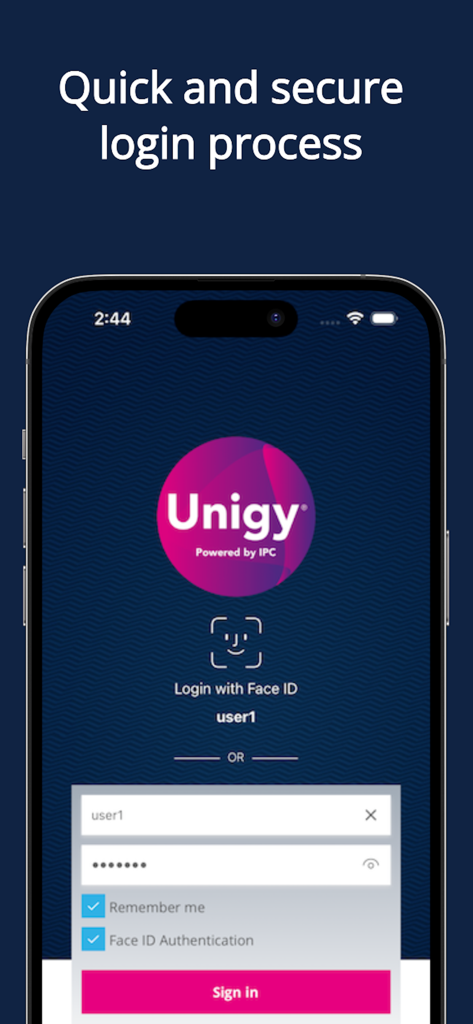
Unigy Mobile Client secure login screen with Face ID and manual sign in options
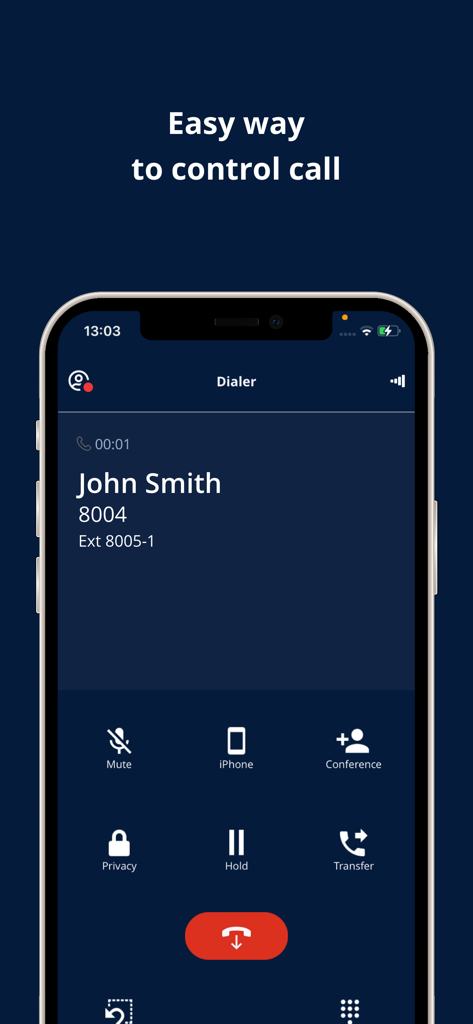
Active call interface on Unigy Mobile Client showing options for conferencing holding and transferring calls
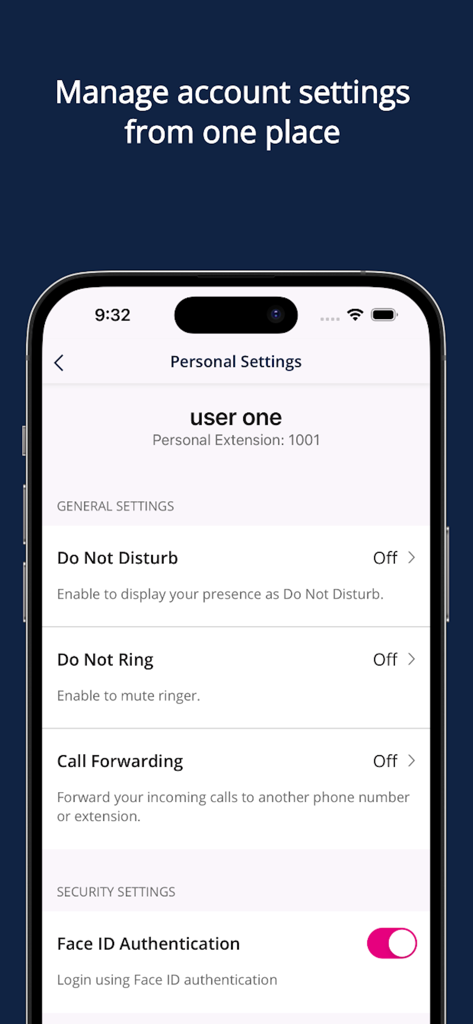
Personal settings screen in the Unigy Mobile Client app showing call management and Face ID authentication options.
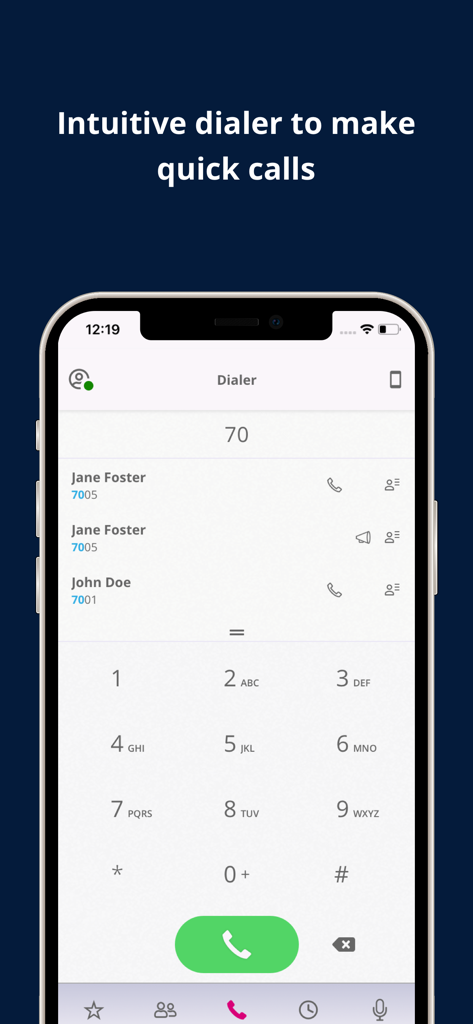
Unigy Mobile Client dialer interface with keypad and contacts for fast communication
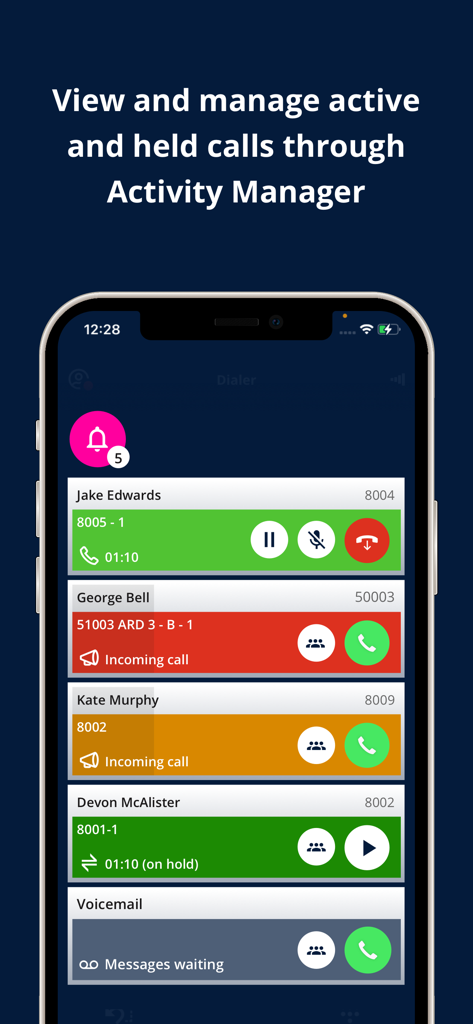
Unigy Mobile Client interface showing active and held calls in the activity manager
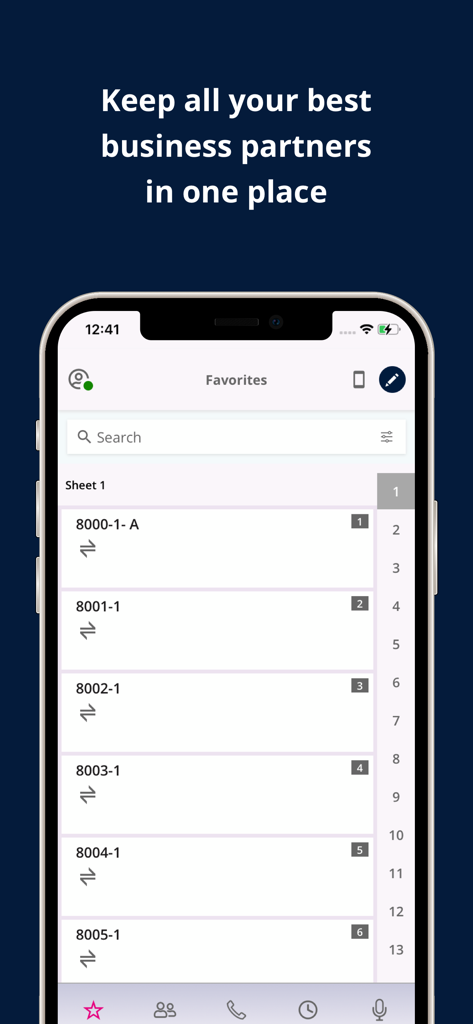
Unigy Mobile Client favorites screen with speed dial buttons for business partners
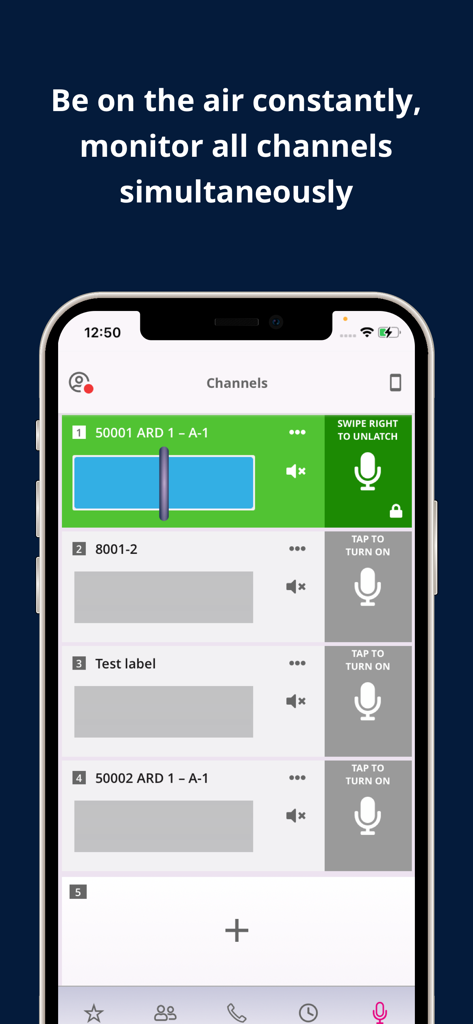
Unigy Mobile Client interface for monitoring multiple communication channels simultaneously
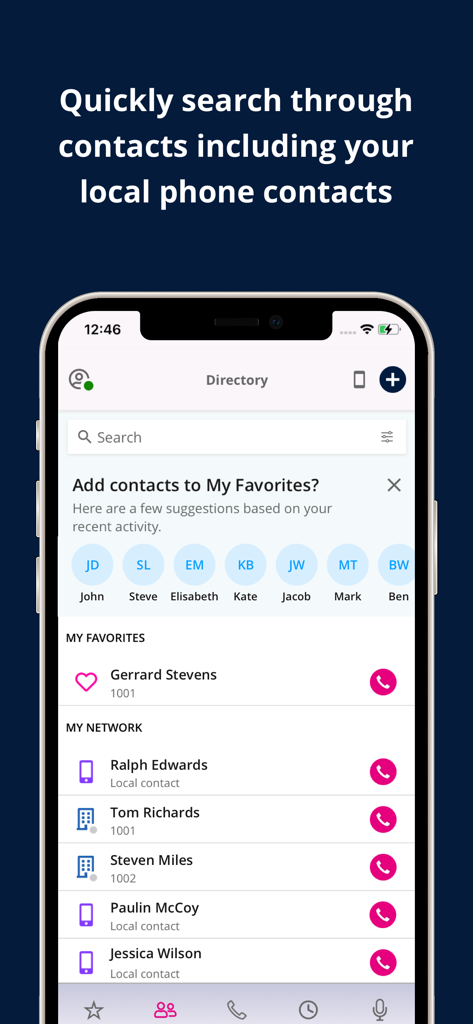
Unigy Mobile Client directory screen showing a searchable contact list with professional and local network contacts
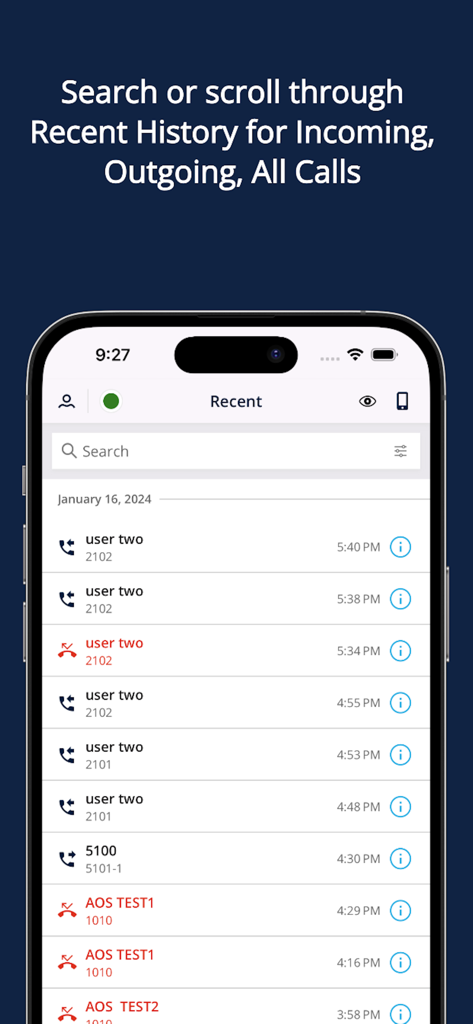
Unigy Mobile Client recent call history screen showing a log of incoming and outgoing calls with timestamps and contact names for financial traders
Description
Download
More Like This
Top-ranked apps in the same category

Threads
Instagram, Inc.

Telegram Messenger
Telegram FZ-LLC

WhatsApp Messenger
WhatsApp Inc.

Meta Platforms, Inc.

Messenger
Meta Platforms, Inc.
Google Meet
Google LLC

Discord - Talk, Play, Hang Out
Discord Inc.

rednote
Xingin Information Technology (Shanghai) Co., Ltd

Tencent Technology (Shenzhen) Company Limited
This page is not an official page of the app or its developer, but an independent editorial publication created for informational and commentary purposes. Unless expressly stated otherwise, neither the app nor its developer is affiliated with, endorsed by, sponsored by, authorized by, or otherwise officially connected with MWM, Apple, Google Play, the app publisher, or the app's developer, and nothing on this page implies that the app was developed using MWM's services. Any trademarks, logos, screenshots, and other content remain the property of their respective owners.