
This page is not an official page of the app or its developer, but an independent editorial publication created for informational and commentary purposes. Unless expressly stated otherwise, neither the app nor its developer is affiliated with, endorsed by, sponsored by, authorized by, or otherwise officially connected with MWM, Apple, Google Play, the app publisher, or the app's developer, and nothing on this page implies that the app was developed using MWM's services. Any trademarks, logos, screenshots, and other content remain the property of their respective owners.


UNIVERGE ST500
Seamlessly integrate your iPhone with your NEC phone system. Make professional calls using your business number, protect your privacy, and stay connected with enterprise-grade features on the go.
Downloads
134K+User Rating
Total Ratings
100Publisher
Category
Social NetworkingLocales
11Latest Version
9.0.18001Size
86.8 MBFirst Released
Sep 4, 2018Your Office Extension, Anywhere
Turn your iPhone into a professional communication hub with NEC’s enterprise softphone, designed for the modern hybrid workforce.
Professional Identity & Privacy
Maintain your corporate image by using your business number for all calls, keeping your personal mobile number private from clients.
Full Desk Phone Functionality
Never miss a beat with advanced features like call transfer, park, and hunt groups—all accessible directly from your mobile device.
Frequently Asked Questions
Everything you need to know about UNIVERGE ST500
What is the UNIVERGE ST500 app?
The UNIVERGE ST500 is an NEC softphone application for iPhone that enables employees to make and receive calls from anywhere. It functions as if users are at their desk, supporting calls via Wi-Fi or mobile data.
How does UNIVERGE ST500 help reduce business call costs?
The UNIVERGE ST500 reduces costs by enabling free internal and inexpensive local calls from the softphone. It also eliminates employee call-forwarding expenses from desk phones to mobiles.
Can I make video calls using the UNIVERGE ST500 app?
Yes, the UNIVERGE ST500 app supports video calls. This feature is integrated, allowing users to initiate or manage video calls directly from the application interface.
Is the UNIVERGE ST500 app free to use?
The UNIVERGE ST500 is free to use on specific NEC Phone systems (SL2100, SV9100, SV9300, SV9500). It requires an activation code from an NEC representative and may need spare license capacity.
What NEC phone systems are compatible with UNIVERGE ST500?
The UNIVERGE ST500 is compatible with NEC Phone systems including SL2100, SV9100, SV9300, and SV9500. It requires an activation code for use with these systems.
Does UNIVERGE ST500 support call transfer functionality?
Yes, the UNIVERGE ST500 supports call transfer. Users can hold a call and then transfer it to another contact or extension using the in-app dialpad.
Can I use the UNIVERGE ST500 app outside my corporate Wi-Fi network?
Yes, you can use the UNIVERGE ST500 outside corporate Wi-Fi. This requires a VPN connection or a Session Border Controller to function properly.
How does the UNIVERGE ST500 app ensure communication security?
The UNIVERGE ST500 ensures communication security through encryption. It utilizes TLS and SRTP protocols to secure calls, protecting sensitive business conversations.
Does UNIVERGE ST500 integrate with iOS contacts?
Yes, the UNIVERGE ST500 integrates with iOS phone contacts. This allows users to access their existing contacts directly within the softphone application.
What call management features does UNIVERGE ST500 offer during a call?
During a call, UNIVERGE ST500 offers features like speaker, mute, keypad access, video toggle, and hold/transfer. These options appear on the active call screen.
The following screenshots and description are sourced directly from the app's official store listing and are the property of the app developer.
App Store
Screenshots
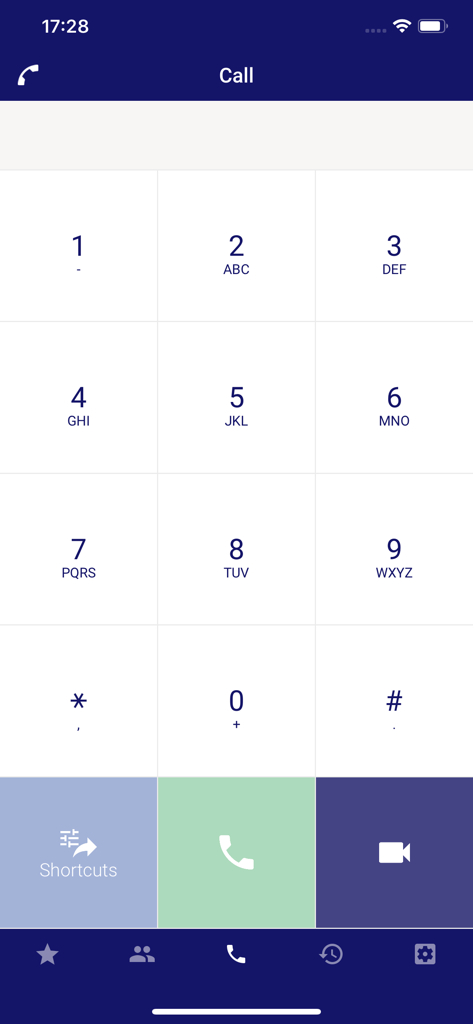
UNIVERGE ST500 softphone dial pad interface for making business calls
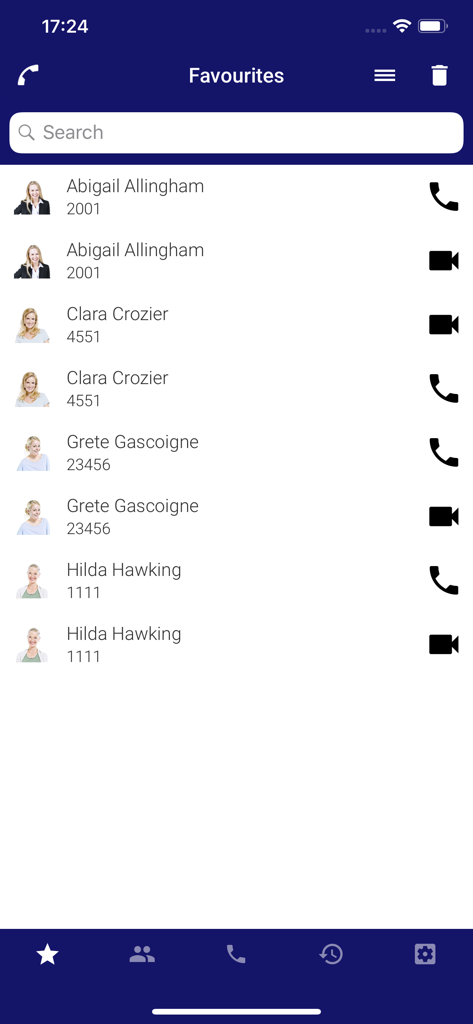
UNIVERGE ST500 mobile app favorites screen showing a list of business contacts with extension numbers and call buttons
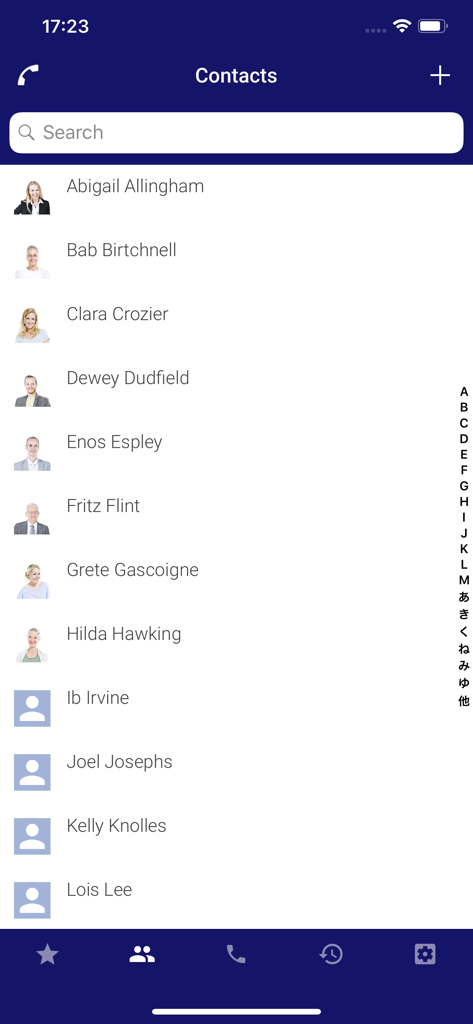
The contact list interface of the UNIVERGE ST500 softphone app showing a list of names and profile pictures
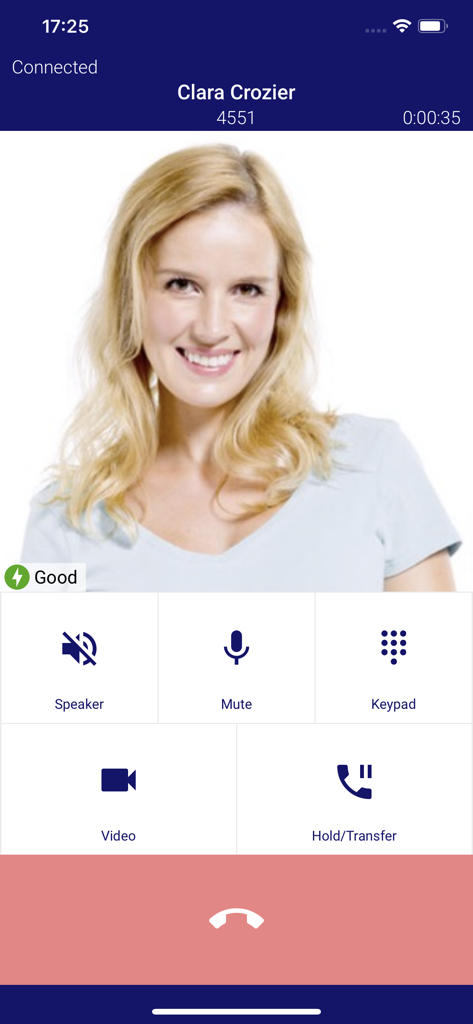
Active call screen on the UNIVERGE ST500 mobile app showing call management controls like mute speaker and transfer
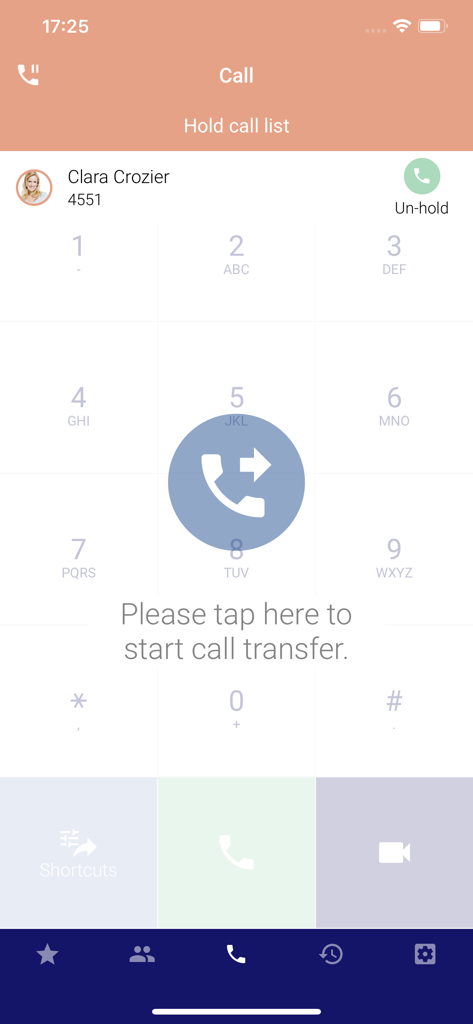
UNIVERGE ST500 business softphone call transfer screen with dial pad and contact on hold
Description
Download
More Like This
Top-ranked apps in the same category

Threads
Instagram, Inc.

Telegram Messenger
Telegram FZ-LLC

WhatsApp Messenger
WhatsApp Inc.

Meta Platforms, Inc.

Discord - Talk, Play, Hang Out
Discord Inc.

Messenger
Meta Platforms, Inc.

Google Meet
Google LLC

rednote
Xingin Information Technology (Shanghai) Co., Ltd

Tencent Technology (Shenzhen) Company Limited
This page is not an official page of the app or its developer, but an independent editorial publication created for informational and commentary purposes. Unless expressly stated otherwise, neither the app nor its developer is affiliated with, endorsed by, sponsored by, authorized by, or otherwise officially connected with MWM, Apple, Google Play, the app publisher, or the app's developer, and nothing on this page implies that the app was developed using MWM's services. Any trademarks, logos, screenshots, and other content remain the property of their respective owners.