Universal Remote TV Control ·

Universal Remote TV Control ·

Download on App Store
Logo of Universal Remote TV Control ·

Universal Remote TV Control ·: Your iPhone is Now the Only Remote You Need

Stop searching for lost remotes and struggling with clunky on-screen keyboards. Control your Samsung, Roku, LG, and more with one tap, search via voice, and cast your favorite content instantly.

Publisher

BEGAMOB GLOBAL LIMITED

Category

Utilities

Downloads

11M+

User Rating

4.7/5

Total Ratings

162K+

Locales

28

Control at a Glance

Discover the interface used by 11M+ users.
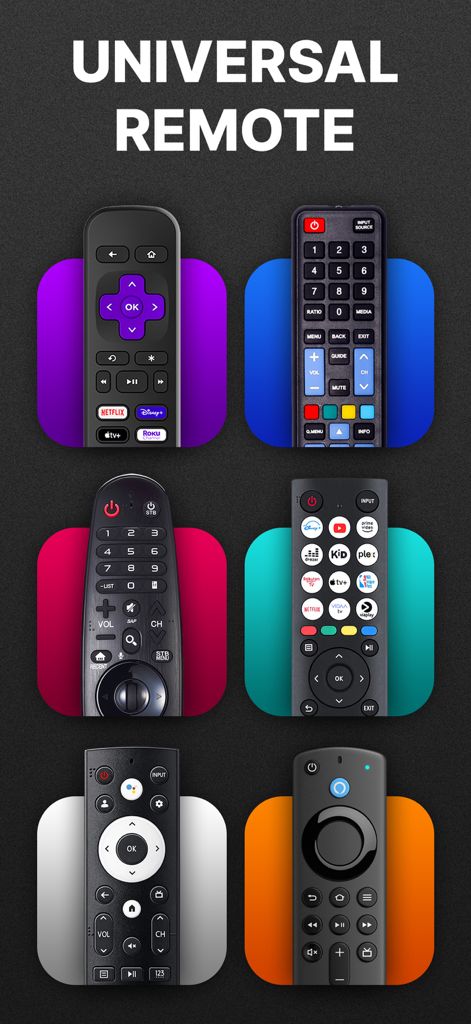
A collection of different physical TV remotes illustrating universal compatibility for smart TVs

A collection of different physical TV remotes illustrating universal compatibility for smart TVs

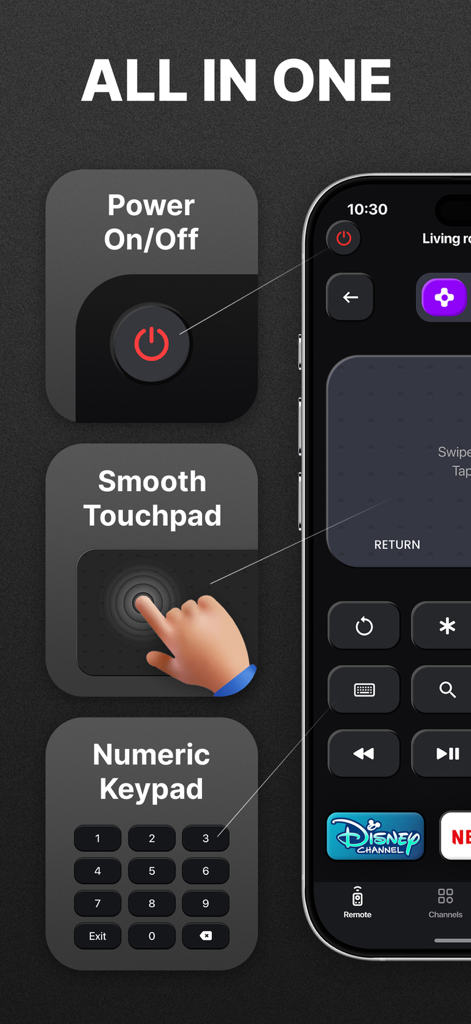
Universal TV remote app interface showing power control, touchpad navigation, and numeric keypad.

Universal TV remote app interface showing power control, touchpad navigation, and numeric keypad.

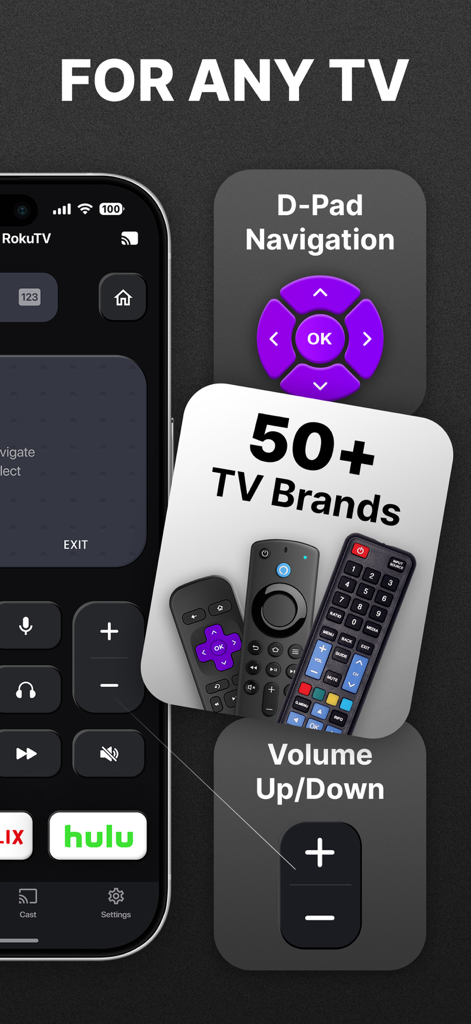
Universal remote app interface showing navigation controls and support for fifty plus TV brands

Universal remote app interface showing navigation controls and support for fifty plus TV brands

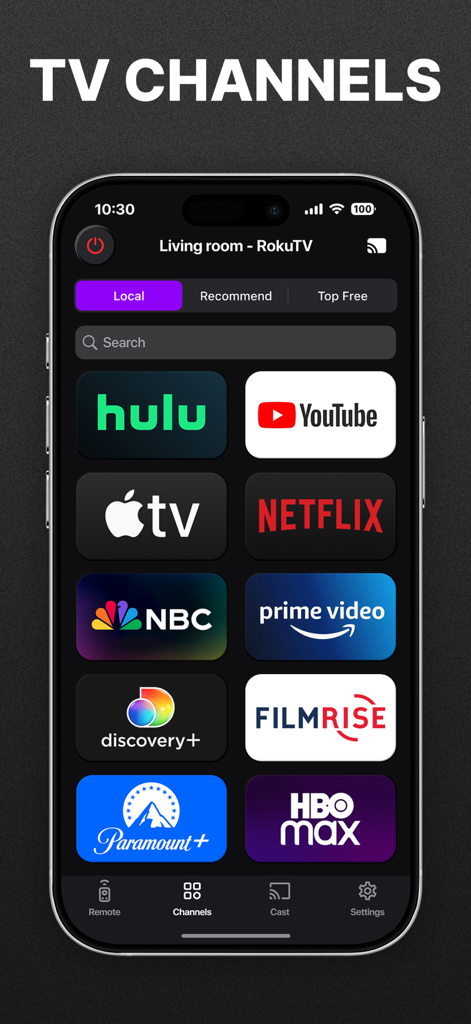
Universal TV remote app screen showing streaming service icons including Netflix and YouTube

Universal TV remote app screen showing streaming service icons including Netflix and YouTube

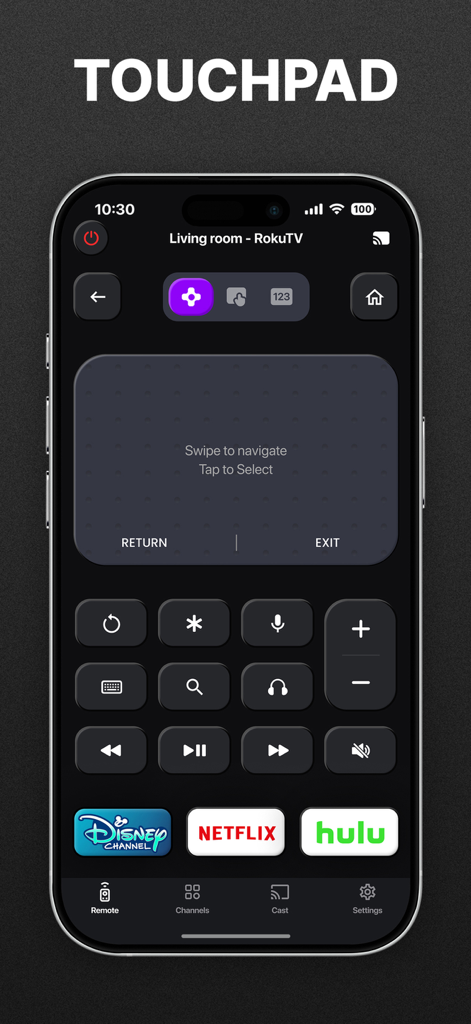
Universal TV remote app interface showing a digital touchpad and streaming shortcuts for Disney Netflix and Hulu

Universal TV remote app interface showing a digital touchpad and streaming shortcuts for Disney Netflix and Hulu

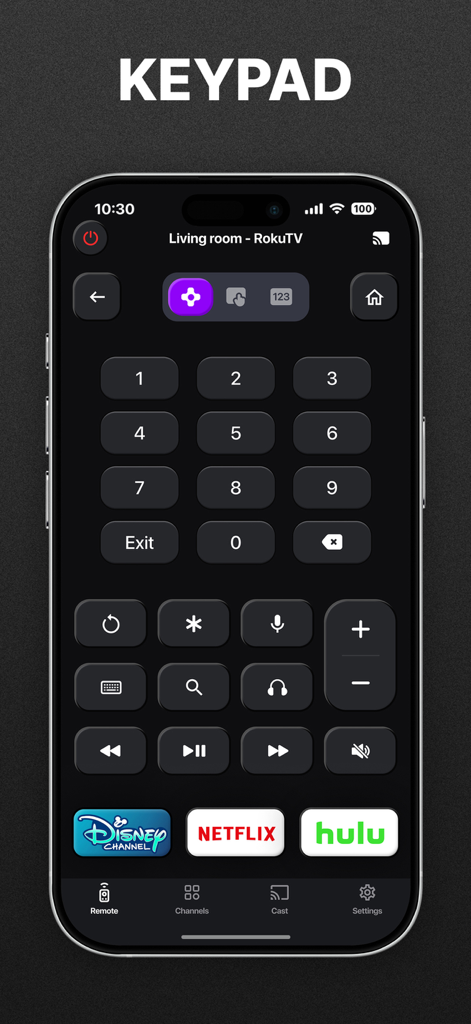
iPhone screen showing the numeric keypad and streaming shortcuts of the Universal Remote TV app

iPhone screen showing the numeric keypad and streaming shortcuts of the Universal Remote TV app

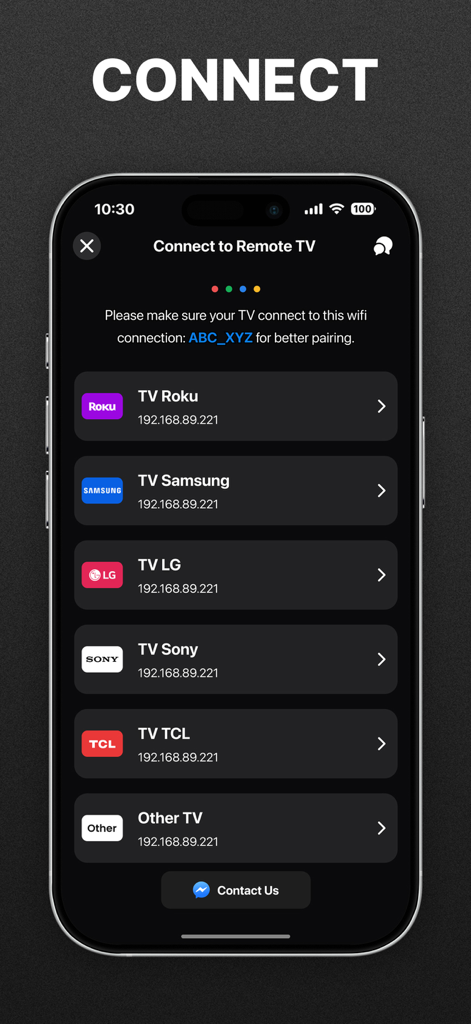
Universal Remote TV Control app screen showing a list of connectable smart TV brands like Roku Samsung LG and Sony

Universal Remote TV Control app screen showing a list of connectable smart TV brands like Roku Samsung LG and Sony

Take Full Control of Your Entertainment

The tools that make this app stand out, trusted by 11M+ users.

📱

One Remote for Every Room

Effortlessly control Samsung, LG, Roku, and more from a single app. No more juggling multiple remotes across your house.

⌨️

Faster Typing & Voice Search

Stop clicking through on-screen alphabets. Use your phone's keyboard or voice to find your favorite shows in seconds.

Zero-Stress Instant Setup

Our auto-detect technology connects to your TV over Wi-Fi instantly. No codes, no pairing, just pure convenience.

Review Analysis

Insights from user reviews.

Sentiment Score

19%
Negative

Summary

User reviews for this mobile app are largely negative, primarily criticizing its deceptive pricing model and expensive subscription fees. Many users report being charged unexpectedly despite promises of free trials, leading to widespread complaints of being scammed and demands for refunds. While some positive feedback acknowledges the app's ease of use and reliable performance for those who successfully connect, a considerable number of users experience connectivity issues and find the app's value proposition poor compared to purchasing a physical remote. Intrusive advertisements are also a recurring complaint for non-subscribers.

Common Themes

Misleading Free Trial/Charging(15)
App Performance/Reliability(14)
Subscription Cost(12)
Connection Issues(8)
Value Proposition(4)
Intrusive Advertisements(2)

About the app

Everything you need to know about Universal Remote TV Control ·.

Description

Cannot find your remote right before your favorite show? With Universal Remote TV Control・, your iPhone or iPad becomes the only remote you’ll ever need. TRUSTED BY MILLIONS: • Top 50 in Utilities Category • 10M+ Downloads • 4.8 Rating & 50K+ Reviews -------------------------------------------- WHY YOU'LL LOVE IT: One Remote for Everything – Control your Smart TV, streaming box, or media player in one app. Instant Navigation – Switch channels, adjust volume, or launch Netflix, YouTube, Hulu, and more with one tap. Faster Search – Type or speak to find movies in seconds. Cast Anything – Share photos, play videos, or stream music to your TV instantly. Simple Setup – Connect your phone and TV to the same Wi-Fi and you’re ready in under a minute. TV BRANDS THAT OUR APP SUPPORTS: - Roku - TCL - Sony - LG Smart TV - Samsung - AndroidTV - Hisense - FireTV - Philips - Vizio OUR UNIQUE FEATURES: Total Control in One App: Turn your iPhone or iPad into a smart remote. Switch channels, adjust volume, or launch Netflix, YouTube, Hulu, and more — all with a single tap. Faster Search, Less Hassle: Skip the clunky on-screen typing. Use your phone’s keyboard or voice search to find what you want in seconds. Cast & Share Instantly: Show photos, play videos, or stream music on your TV straight from your phone. Perfect for family nights, parties, or just setting the mood. One-Minute Setup: Connect to the same Wi-Fi, and the app will auto-detect your TV. No codes, no pairing, no stress. DISCLAIMER: Universal Remote TV Control・ is not affiliated with or endorsed by any relevant brands. IN-APP PURCHASE INFORMATION: Upgrade to Premium to remove ads and unlock all features. Subscription is $6.99 weekly. – Payment will be charged to iTunes Account at confirmation of purchase (After free trial period if offered). – Subscription automatically renews unless auto-renew is turned off at least 24-hours before the end of the current period. – Account will be charged for renewal within 24-hours prior to the end of the current period, and identify the cost of the renewal. – Subscriptions may be managed by the user and auto-renewal may be turned off by going to the user’s Account Settings after purchase. – Any unused portion of a free trial period, if offered, will be forfeited when the user purchases a subscription to that publication, where applicable. If you need any support, feel free to contact us at: feedback@begamob.com Privacy Policy: https://begamob.com/policy.html Term of use: https://begamob.com/termofuse.html

Latest Version

4.8.7

Size

207.5 MB

First Released

Aug 30, 2021

Never Search for Your Remote Again

Join over 10 million users who have upgraded to the ultimate home control experience. Set up in under a minute to manage every TV in your house, type faster with your iPhone keyboard, and cast your favorite media instantly.

Download on App Store
FAQ

Frequently Asked Questions

Everything you need to know about Universal Remote TV Control ·

What is Universal Remote TV Control・?

Universal Remote TV Control・ transforms your iPhone or iPad into a smart remote, controlling Smart TVs, streaming boxes, and media players. It offers channel switching, volume adjustment, app launching, and media casting.

Which TV brands does Universal Remote TV Control・ support?

Universal Remote TV Control・ supports popular TV brands including Roku, TCL, Sony, LG Smart TV, Samsung, AndroidTV, Hisense, FireTV, Philips, and Vizio. The app states support for "50+ TV Brands".

How do I set up Universal Remote TV Control・ with my TV?

Yes, setting up Universal Remote TV Control・ is simple. Connect your iPhone or iPad and your TV to the same Wi-Fi network. The app automatically detects your TV in under a minute.

Can Universal Remote TV Control・ launch streaming apps like Netflix or YouTube?

Yes, Universal Remote TV Control・ can launch streaming apps. Users can switch channels, adjust volume, or launch Netflix, YouTube, Hulu, and more with a single tap directly from the app interface.

Does Universal Remote TV Control・ have a search function?

Yes, Universal Remote TV Control・ includes a faster search function. Users can type or speak to find movies and shows in seconds, bypassing clunky on-screen typing.

Can I cast photos and videos using Universal Remote TV Control・?

Yes, Universal Remote TV Control・ enables users to cast and share instantly. You can show photos, play videos, or stream music to your TV directly from your phone.

What features are included with the Universal Remote TV Control・ Premium subscription?

The Universal Remote TV Control・ Premium subscription removes ads and unlocks all app features. Payment is charged weekly at $6.99 to your iTunes Account upon purchase confirmation.

Is Universal Remote TV Control・ affiliated with TV brands?

No, Universal Remote TV Control・ is not affiliated with or endorsed by any of the relevant TV brands. This is stated clearly within the app's disclaimer.

What navigation options does Universal Remote TV Control・ offer?

Universal Remote TV Control・ offers multiple navigation options, including a smooth touchpad for swiping, D-Pad navigation for directional control, and a numeric keypad for direct input.

How much does Universal Remote TV Control・ Premium cost?

Universal Remote TV Control・ Premium costs $6.99 per week. This subscription removes ads and unlocks all features, with payment charged to your iTunes Account.

App information, icons, screenshots, and descriptions displayed on this page are sourced from the Apple App Store and are the property of their respective developers. Download estimates and rankings are based on MWM's proprietary models and may not reflect actual figures. This page is provided for informational and analytical purposes only.

Believe this page infringes your intellectual property? File a dispute