Universal TV Remote™ Control

Universal TV Remote™ Control

Download on App Store
Logo of Universal TV Remote™ Control

Universal TV Remote™ Control: Your All-in-One Command Center

Stop hunting for lost remotes and dead batteries. Effortlessly control your Roku, Samsung, LG, and Fire TV with instant Wi-Fi setup, keyboard typing, and voice search.

Publisher

SEAMOBI TECH PTE LTD

Category

Entertainment

Downloads

1M+

User Rating

4.7/5

Total Ratings

24K+

Locales

5

The Ultimate Command Center

Discover the interface used by 1M+ users.
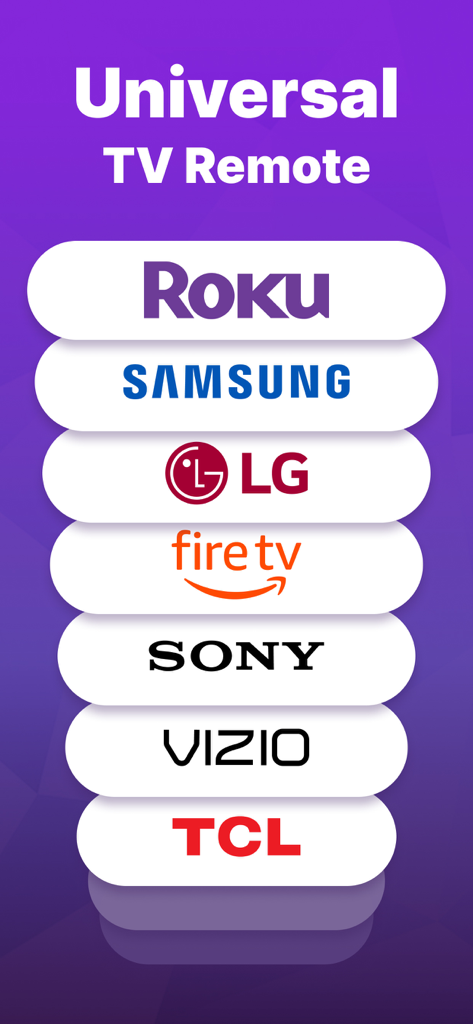
Graphic showing Universal TV Remote app compatibility with Roku Samsung LG Fire TV Sony Vizio and TCL

Graphic showing Universal TV Remote app compatibility with Roku Samsung LG Fire TV Sony Vizio and TCL

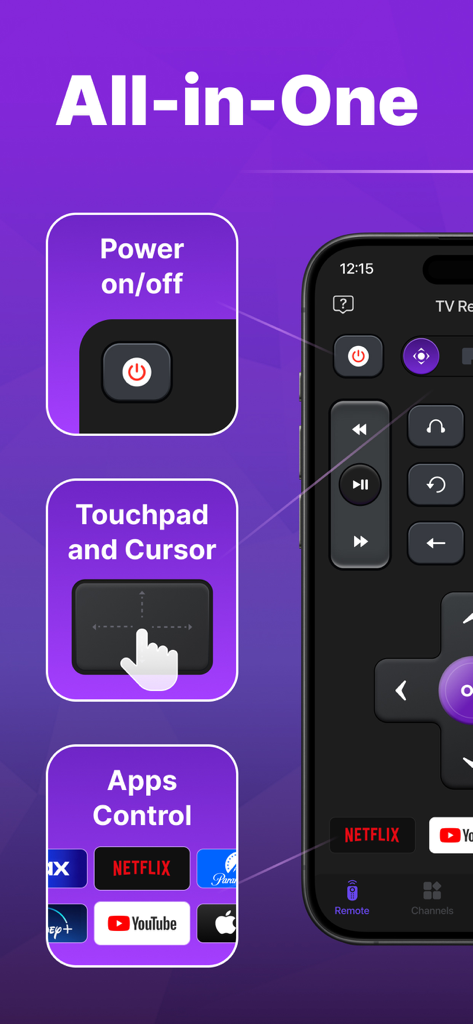
Universal TV remote app interface showing power control touchpad and app shortcuts for streaming services

Universal TV remote app interface showing power control touchpad and app shortcuts for streaming services

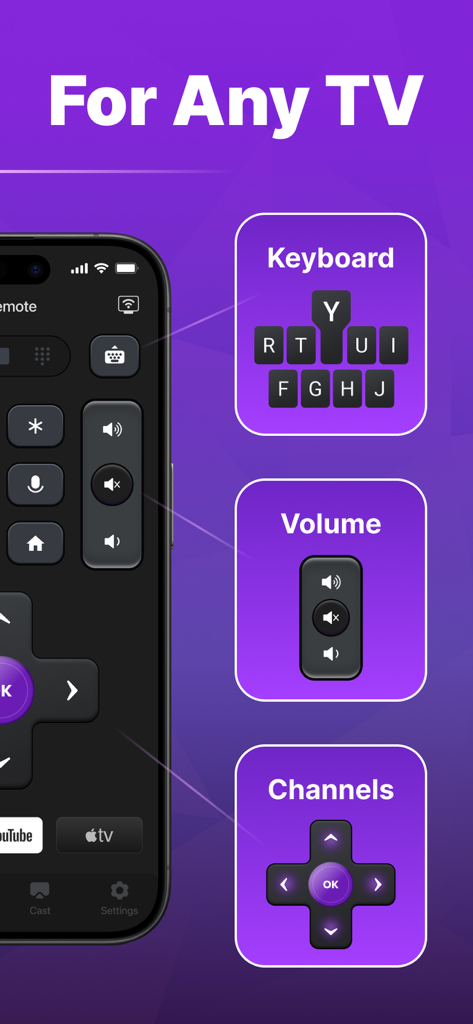
Universal TV remote app interface showing keyboard volume and channel controls

Universal TV remote app interface showing keyboard volume and channel controls

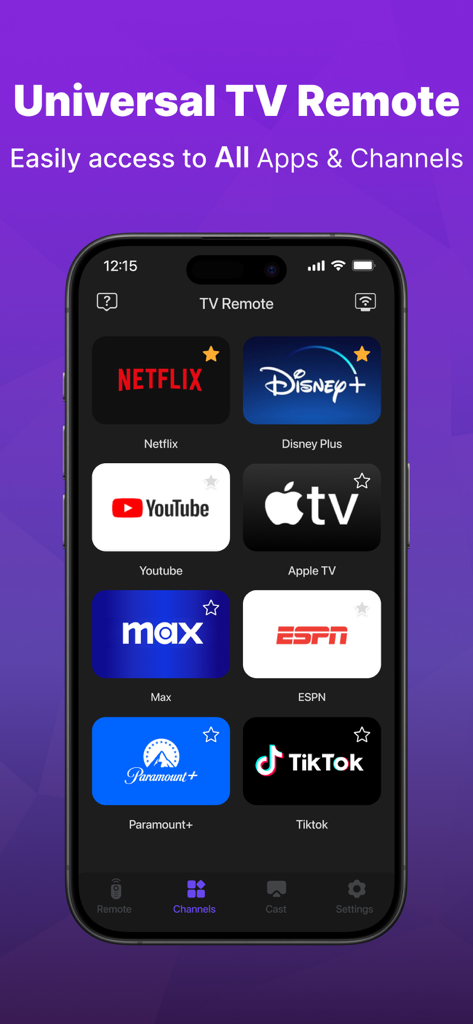
Universal TV Remote app interface showing a grid of popular streaming service icons including Netflix Disney Plus and Youtube

Universal TV Remote app interface showing a grid of popular streaming service icons including Netflix Disney Plus and Youtube

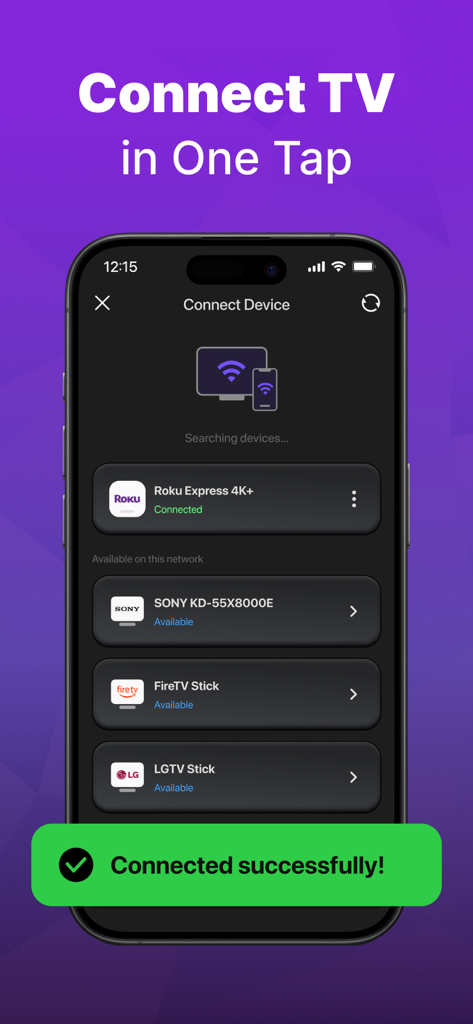
App interface showing smart TV devices connected to the universal remote control

App interface showing smart TV devices connected to the universal remote control

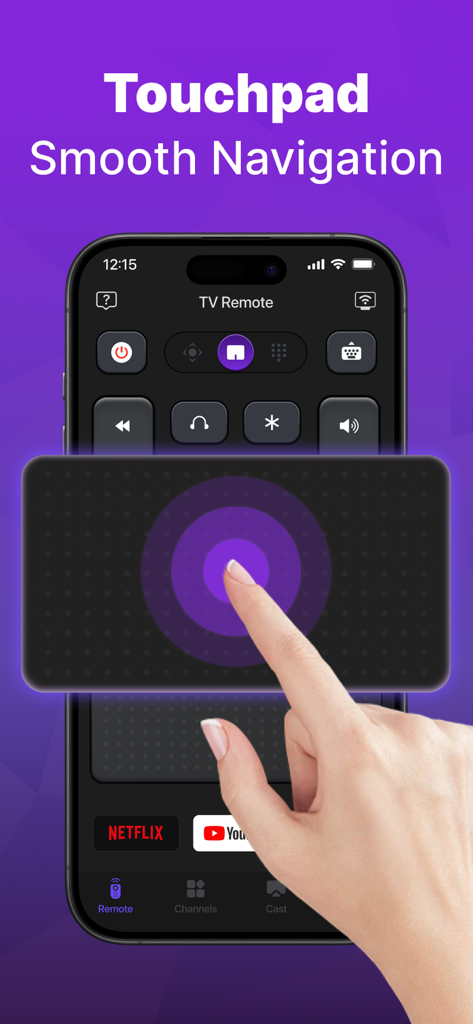
A hand using the touchpad feature on an iPhone for smooth TV navigation in the Universal TV Remote app.

A hand using the touchpad feature on an iPhone for smooth TV navigation in the Universal TV Remote app.

Simplify Your Home Entertainment

The tools that make this app stand out, trusted by 1M+ users.

🌐

Universal Compatibility

Seamlessly connect to Roku, Samsung, LG, Vizio, and Fire TV without any complex setup or pairing codes.

⌨️

Type and Search Instantly

Ditch the frustrating on-screen 'hunt-and-peck' typing. Use your phone’s keyboard to find your favorite shows in seconds.

Instant Wi-Fi Discovery

Setup is a breeze. Our smart detection technology automatically finds every TV on your Wi-Fi network for immediate control.

About the app

Everything you need to know about Universal TV Remote™ Control.

Description

Are you tired of looking for your TV remote for your TV? Try the easy TV Remote Control app! It support all the mainstream TV brands including Roku TV and Roku Sticks, LG, Vizio, Samsung, Fire TV and Firestick, Hisense, TCL and more. Just connect this Universal TV remote control app to your TV in the same Wi-Fi. And you can turn your TV on or off, change volume, find shows, and pick channels — just like a normal TV remote and more. Make your TV watching easy with this simple universal TV remote control app! Main Features of Universal TV Remote Control: Easy find: This TV remote control app finds all TVs on your Wi-Fi, making setup easy. Fast TV remote control: Our simple TV remote gives you quick TV control. Voice and on/off are in this TV remote app. Easy use for TV remote: Use the touch pad for easy TV control in simple universal TV remote control Keyboard: Type and search for shows fast in Roku remote control app Turn on/off your TV from your phone, enjoy easy TV use in TV remote control app Use your voice to find shows in our Universal TV remote app and use voice search. How to use TV Remote for Roku TV & Smart TV: Download the Roku Remote Control app. Pick a TV brand like Fire TV, Samsung, Roku, TCL, LG, Vizio, Hisense, etc. on the same Wi-Fi as the TV remote control. Tap to connect your TV to this Roku remote control app. Done! Your TV remote control app is ready. Control your TV easily with these steps using this Roku remote control app! TV remote easy control - For all TV brands ▸ TV Remote control for Roku TV ▸ Vizio Smart TV Remote - Vizio TV Remote ▸ Cast to TV, screen mirroring for TV ▸ Fire TV remote control & remote control for FireStick ▸ TV Remote control for Vizio ▸ TV Remote control for LG and Samsung ▸ TV Remote control for TV including TCL, LG, Hisense Universal TV remote stops typical remote problems like losing it or dead batteries, turning your phone into a simple, all-in-one universal TV remote control. Troubleshooting: - The Universal remote control app must be on the same Wi-Fi network as your smart TV. - If you experience connection issues with TV device, try reinstalling the Universal remote app and restarting your TV to fix common problems. Note on TV Remote: This TV remote control for all Smart TV app is NOT linked to any TV brand. Privacy Policy: https://sites.google.com/view/tv-remote-ios-privacy-policy Terms of Use: https://sites.google.com/view/tv-remote-ios-terms-of-use

Latest Version

1.2.2

Size

113.3 MB

First Released

Aug 8, 2024

Never Lose Your Remote Again

Stop searching under the cushions. Join over 1 million users and turn your iPhone into the ultimate universal control for Roku, Samsung, Fire TV, and more.

Download on App Store
FAQ

Frequently Asked Questions

Everything you need to know about Universal TV Remote™ Control

Does the Universal TV Remote™ Control app support all TV brands?

Yes, the Universal TV Remote™ Control app supports mainstream TV brands, including Roku TV, LG, Vizio, Samsung, Fire TV, Firestick, Hisense, and TCL.

How do I connect the Universal TV Remote™ Control app to my TV?

To connect the Universal TV Remote™ Control app, ensure your phone and TV are on the same Wi-Fi network. The app finds TVs automatically, then tap to connect.

What features does the Universal TV Remote™ Control app offer?

The Universal TV Remote™ Control app offers power on/off, volume control, channel selection, touchpad navigation, a keyboard for typing, and voice search for shows.

Can I use voice commands with the Universal TV Remote™ Control app?

Yes, the Universal TV Remote™ Control app includes voice search functionality. You can use your voice to find shows and control your TV directly through the app.

Is the Universal TV Remote™ Control app officially affiliated with any TV brand?

No, the Universal TV Remote™ Control app is not officially linked to any specific TV brand. It operates as an independent universal remote control application.

Does the Universal TV Remote™ Control app have a touchpad for navigation?

Yes, the Universal TV Remote™ Control app includes a touchpad feature. This allows for easy and smooth navigation within your TV's interface, enhancing user control.

App information, icons, screenshots, and descriptions displayed on this page are sourced from the Apple App Store and are the property of their respective developers. Download estimates and rankings are based on MWM's proprietary models and may not reflect actual figures. This page is provided for informational and analytical purposes only.

Believe this page infringes your intellectual property? File a dispute