V4M — Visuals for Music
Download on App Store

This page is not an official page of the app or its developer, but an independent editorial publication created for informational and commentary purposes. Unless expressly stated otherwise, neither the app nor its developer is affiliated with, endorsed by, sponsored by, authorized by, or otherwise officially connected with MWM, Apple, Google Play, the app publisher, or the app's developer, and nothing on this page implies that the app was developed using MWM's services. Any trademarks, logos, screenshots, and other content remain the property of their respective owners.


Logo of V4M — Visuals for Music
Download on App Store

V4M — Visuals for Music

Transform your DJ sets and live streams with real-time, music-reactive visuals. From bedroom studios to festival screens, mix layers and effects like a pro directly from your iPhone or iPad.

Key Figures

Downloads

0

User Rating

1.0/5

Total Ratings

0

Publisher

Ieva Voskane

Category

Entertainment

Locales

1

Latest Version

1.11

Size

9.1 MB

First Released

Sep 3, 2024
Features

Elevate Your Live Performance

The ultimate mobile VJ tool for DJs and streamers. Create stunning, beat-responsive visuals on your iPhone or iPad and cast them to any screen instantly.

Dynamic Live Mixing

Layer video, images, and text with intuitive sliders and 20+ special effects that react to your music's energy in real-time.

Pro-Level Casting

Transform any venue by connecting to club LED walls, festival projectors, or home TVs via HDMI adapter or wireless AirPlay sync.

The following screenshots and description are sourced directly from the app's official store listing and are the property of the app developer.

App Store

Screenshots
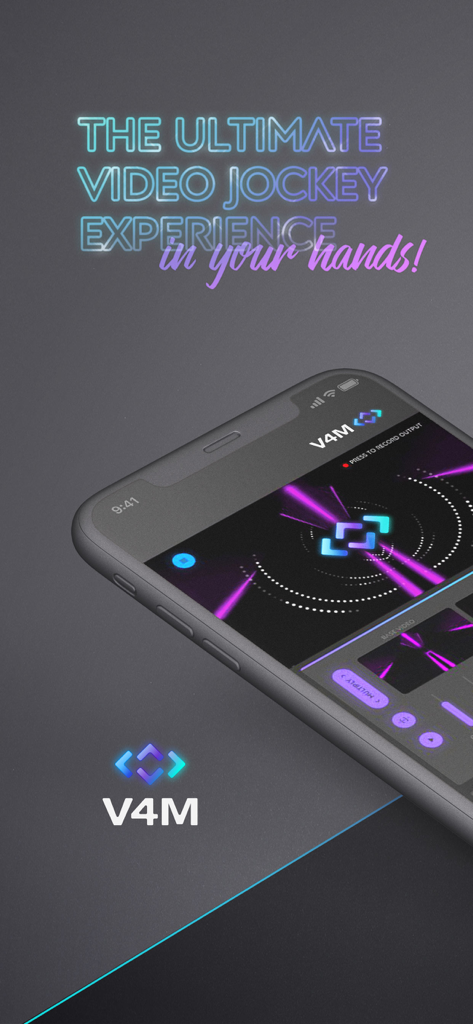
V4M — Visuals for Music - Smartphone screen showing the V4M app interface with neon reactive visuals and the slogan the ultimate video jockey experience in your hands
Smartphone screen showing the V4M app interface with neon reactive visuals and the slogan the ultimate video jockey experience in your hands

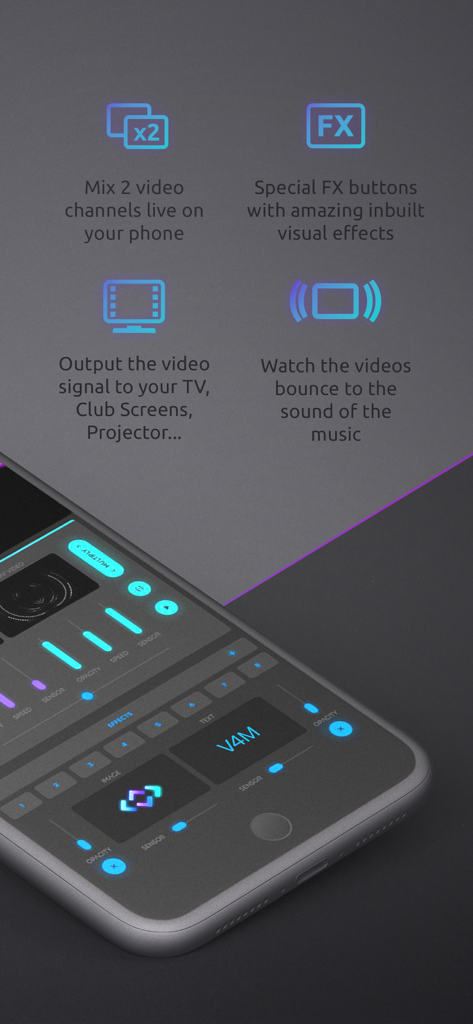
V4M — Visuals for Music - Smartphone displaying V4M app interface with live video mixing and sound reactive effects controls

Smartphone displaying V4M app interface with live video mixing and sound reactive effects controls
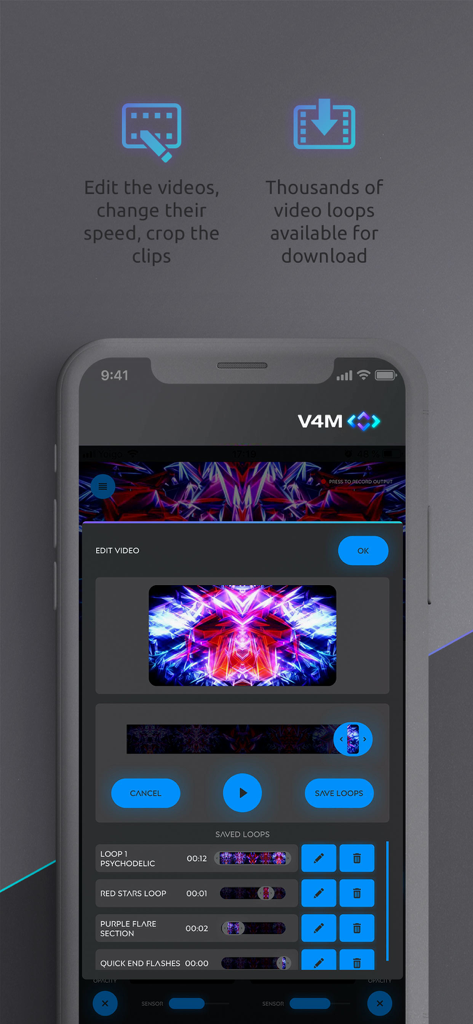
V4M — Visuals for Music - Interface of the V4M app showing video loop editing tools and a list of saved psychedelic visuals

Interface of the V4M app showing video loop editing tools and a list of saved psychedelic visuals
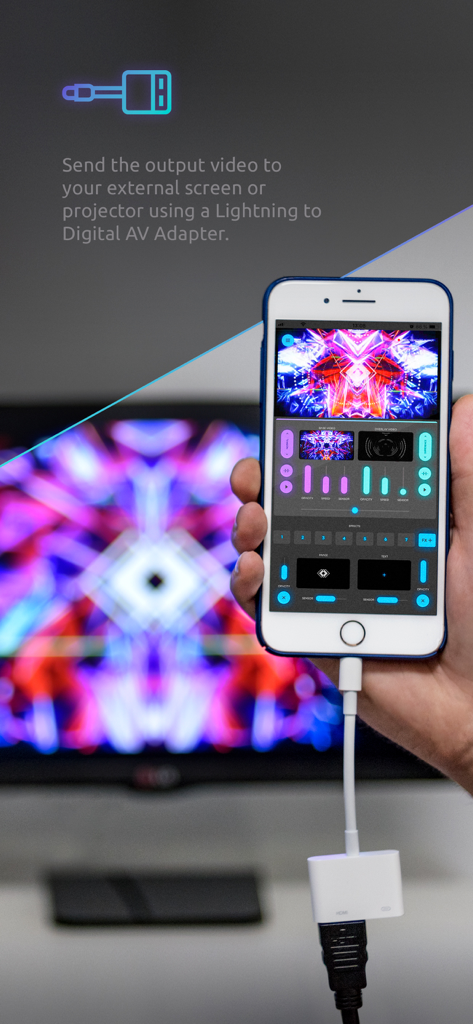
V4M — Visuals for Music - iPhone using the V4M app connected to an external monitor with a Lightning to Digital AV Adapter

iPhone using the V4M app connected to an external monitor with a Lightning to Digital AV Adapter

Description

Mix visuals live like a professional VJ on your iPhone or iPad with “V4M: Visuals for Music”, the VJ app that pushes your device to the limit. With a Lightning Digital AV Adapter or via wireless Apple TV sync you can even cast your live output video to your TV, club projectors or festival LED walls! V4M is the only visual mixing VJ app on the App Store that has been used to mix professional visuals at ALL of these locations (and we can prove it—because it was filmed in action at all of them!): — Prestigious Clubs’ LED walls — Multiple Pubs and Bars — Giant Festival Projector Screens — Live Streaming backdrop on real Radio Shows and DJ Sets Especially ideal for DJs that film and stream their live sets from home or from their studio and want to have some dynamic visuals in the background, bouncing and reacting to the music they’re playing, but don't want to buy all the expensive VJ kit and visual mixers! Just connect the V4M mix to a TV screen or projector in the background to turn the stream into an epic set! V4M is suitable to deliver a semi-professional VJ mix for any live event or concert, but at the same time it is so easy to use that any amateur can turn their house party into a truly memorable gig. ######################### NEW FEATURE ADDED! for all *V4M PRO* users: ######################### MIX YOUR OWN CONTENT from your device’s gallery! Subscribe to V4M PRO and import your own videos, images & logos into the mix!!! ######################### If you’d like to dive into the app’s controls and features, then let’s get technical... Your interface includes up to five mixable layers that blend into the final output: two video channels, one image layer, one text layer, and a special effects button-pad. What can you do in each mixing channel? — 2 VIDEO MIXING CHANNELS — Each video channel has intuitive sliders to control speed, opacity, and sensitivity. You can also assign blend modes and layer styles to shape your visuals exactly the way you want. The app includes over 30 exclusive video loops for free, and a Video Shop where you can browse and purchase additional Video Loop Packages from an ever-expanding library. This allows you to build a custom collection that matches your unique style. With the latest update, users with a PRO subscription can also import their own video content—unlocking endless creative possibilities with a library made entirely by you. — 1 IMAGE CHANNEL — The image layer includes six free image packages (over 100 images) that can be mixed into your output video. You can adjust the size, opacity, and sensitivity of your chosen image, which appears above the video layers. For themed events, visit the Image Shop to discover more packs. And if you’d like to use your own logos or custom graphics, subscribe to V4M PRO. — 1 TEXT CHANNEL — Display any custom text directly on your screens. You can edit the size, color, and font style from a curated selection of modern typographies, and control the layer’s sensor and opacity sliders for dynamic, real-time effects. — 1 SPECIAL EFFECTS BUTTON-PAD — V4M comes with 20 free special effects that make live mixing even more exciting. The button-pad on the main screen features seven effect buttons, and you can choose which effects to assign from the FX+ selection window. Simply drag your chosen effects to the buttons, save your setup, and perform. The effects are applied live to your full visual output. If, despite all these possibilities, you still feel you’re missing a game-changing feature for your visual sets, contact the Visuals 4 Music team and share your ideas. You might just see your suggestion appear in a future update! Legal notice: when downloading the V4M app, you confirm that you understand and accept our Privacy Policy (https://visuals4music.com/privacy-policy/) and our Terms of Use (https://www.apple.com/legal/internet-services/itunes/dev/stdeula/). Happy mixing!

Download

Download on App Store

This page is not an official page of the app or its developer, but an independent editorial publication created for informational and commentary purposes. Unless expressly stated otherwise, neither the app nor its developer is affiliated with, endorsed by, sponsored by, authorized by, or otherwise officially connected with MWM, Apple, Google Play, the app publisher, or the app's developer, and nothing on this page implies that the app was developed using MWM's services. Any trademarks, logos, screenshots, and other content remain the property of their respective owners.