
This page is not an official page of the app or its developer, but an independent editorial publication created for informational and commentary purposes. Unless expressly stated otherwise, neither the app nor its developer is affiliated with, endorsed by, sponsored by, authorized by, or otherwise officially connected with MWM, Apple, Google Play, the app publisher, or the app's developer, and nothing on this page implies that the app was developed using MWM's services. Any trademarks, logos, screenshots, and other content remain the property of their respective owners.


Valley Metro
Skip the heat and the traffic. Track your bus or light rail in real time, plan seamless trips, and automatically get the best price with Smart Fare technology.
Downloads
439K+User Rating
Total Ratings
10K+Publisher
Category
TravelLocales
2Latest Version
3.2.3Size
89.9 MBFirst Released
Jul 1, 2021Your Smarter Way Around the Valley
From real-time tracking to automatic fare savings, we have built the ultimate tool for navigating the Phoenix metro area with confidence and ease.
Pay Less with Smart Fare
Never overpay again. Our system automatically caps your spending so you never pay more than a daily or monthly pass, rewarding your frequent rides.
Real-Time Tracking
Beat the Arizona heat by timing your walk perfectly. Use live GPS maps to see exactly where your bus or light rail is in real time.
Frequently Asked Questions
Everything you need to know about Valley Metro
What is Smart Fare in the Valley Metro app?
The Valley Metro app's Smart Fare automatically applies daily, weekly, and monthly fare caps. Users never pay more than these maximums, ensuring savings the more they ride.
How do I add money to my Valley Metro app account?
Yes, users add money to their Valley Metro app account through various amounts like $5, $10, up to $100. The app supports Apple Pay and also allows cash loading at select retail locations.
How do I use the Valley Metro app to pay for transit?
Users pay for transit by scanning the QR code from the Valley Metro app at a purple fare reader. This process registers the ride and applies Smart Fare benefits.
Does the Valley Metro app offer trip planning?
Yes, the Valley Metro app provides step-by-step trip planning. It offers navigation details, estimated travel times, and displays real-time locations for buses and light rail.
Can I track my bus or train with the Valley Metro app?
Yes, the Valley Metro app allows users to track their bus or train in real time. This feature helps users monitor their vehicle's location and estimated arrival times.
What kind of notifications does the Valley Metro app provide?
The Valley Metro app provides service alerts and account notifications, including updates on account changes, balance warnings, and marketing communications. Users can manage notification preferences for SMS, email, and push.
The following screenshots and description are sourced directly from the app's official store listing and are the property of the app developer.
App Store
Screenshots
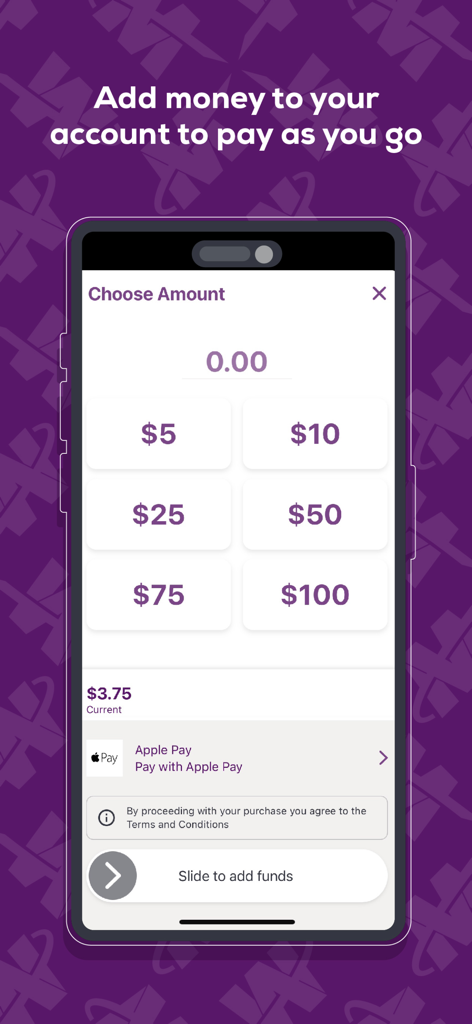
Valley Metro app interface showing options to add money to a transit account with payment options like Apple Pay
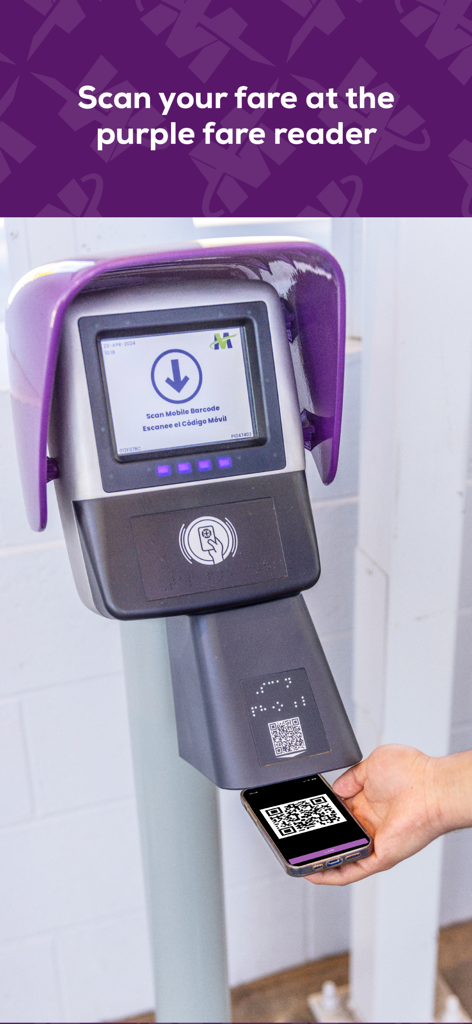
A person scanning a mobile QR code at a purple Valley Metro fare reader
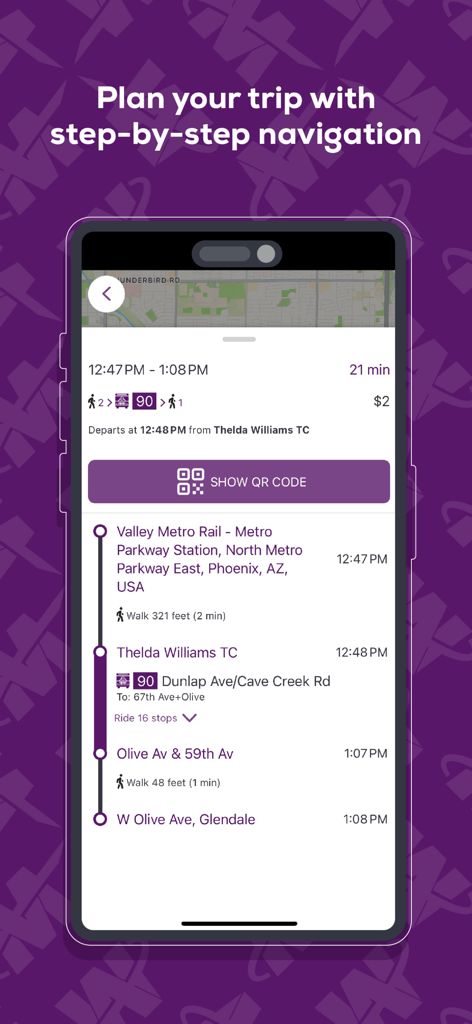
Valley Metro mobile app screen showing step by step navigation for a transit trip in Phoenix
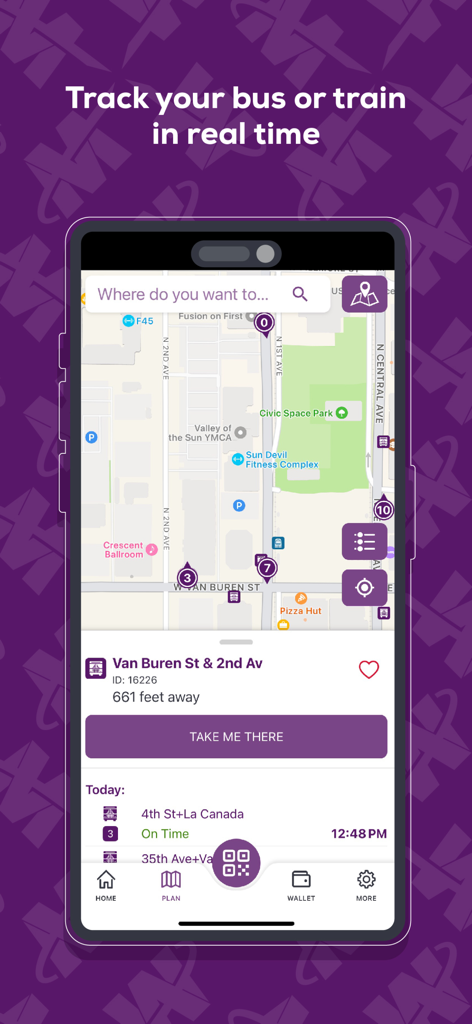
Valley Metro app interface showing real time bus and train tracking on a city map in Phoenix
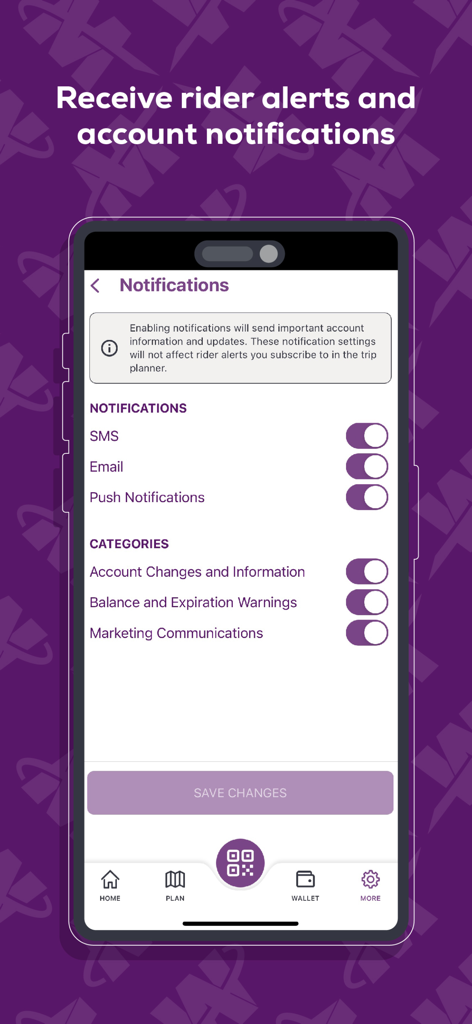
Screenshot of the Valley Metro app showing the notification settings for SMS, email, and push notifications including rider alerts and account updates.
Description
Download
More Like This
Apps with similar features and user experience

GoPass
Dallas Area Rapid Transit

rejsekort
Rejsekort AS
UTS
Centre for Railway Information Systems

Opal Travel
Transport for NSW

AT Mobile
Auckland Transport

Pronto - San Diego
San Diego Metropolitan Transit System

e-komobil
Kocaeli Buyuksehir Belediyesi

HopOn Rav-Pass הופאון רב-פס
HopOn Mobility LTD

Trafi
INTELLIGENT COMMUNICATIONS UAB
This page is not an official page of the app or its developer, but an independent editorial publication created for informational and commentary purposes. Unless expressly stated otherwise, neither the app nor its developer is affiliated with, endorsed by, sponsored by, authorized by, or otherwise officially connected with MWM, Apple, Google Play, the app publisher, or the app's developer, and nothing on this page implies that the app was developed using MWM's services. Any trademarks, logos, screenshots, and other content remain the property of their respective owners.