
This page is not an official page of the app or its developer, but an independent editorial publication created for informational and commentary purposes. Unless expressly stated otherwise, neither the app nor its developer is affiliated with, endorsed by, sponsored by, authorized by, or otherwise officially connected with MWM, Apple, Google Play, the app publisher, or the app's developer, and nothing on this page implies that the app was developed using MWM's services. Any trademarks, logos, screenshots, and other content remain the property of their respective owners.


Pronto - San Diego
Experience seamless travel across the MTS and NCTD networks with automatic fare capping, real-time arrivals, and effortless trip planning—all in one app.
Downloads
1M+User Rating
Total Ratings
33K+Publisher
Category
TravelLocales
2Latest Version
4.100Size
105.3 MBFirst Released
Aug 15, 2021The Smarter Way to Ride San Diego
Experience the ultimate convenience with real-time transit data and a flexible pay-as-you-go system designed for the modern San Diegan.
Always Get the Best Fare
Stop worrying about buying passes upfront. Our smart fare capping ensures you never pay more than a Day or Month pass, automatically.
Real-Time Transit Updates
Eliminate wait anxiety with live arrival times and service alerts for every bus, Trolley, SPRINTER, and COASTER station.
Frequently Asked Questions
Everything you need to know about Pronto - San Diego
What is the PRONTO app?
The PRONTO app makes buying transit fares for MTS and NCTD easier. Users add money, scan their phone at validators, and utilize a pay-as-you-go function to ensure the best fare.
How do I use the PRONTO app to pay for transit?
To pay, add money to your PRONTO app, then scan your phone at the validator during each trip. Hold your phone 5 to 6 inches below the validator for scanning.
Can I use the PRONTO app without a physical card?
Yes, the PRONTO app allows users to scan and pay for transit using their phone. No physical PRONTO card is needed to pay.
How does the PRONTO app ensure I get the best fare?
The PRONTO app features a pay-as-you-go system. It automatically caps daily charges at a Day Pass price and monthly charges at a Month Pass price, ensuring you never pay more than the best fare.
What are the daily and monthly fare caps for the PRONTO app?
The daily fare cap is $6 for adults and $3 for reduced fare. The monthly fare cap is $72 for adults and $23 for reduced fare, regardless of the number of trips.
Can I use pay-as-you-go for COASTER services with PRONTO?
No, the pay-as-you-go feature is not available for COASTER services. Users must prepay for a Day or Month Pass when using PRONTO for COASTER.
How do I load money onto my PRONTO account?
You can load money onto your PRONTO account using a credit or debit card through the app. Options for various reload amounts, including $5, $10, and $20, are available.
Does the PRONTO app offer autoload for balances?
Yes, the PRONTO app allows users to set up autoload. This feature automatically tops off your card balance when it gets low, ensuring continuous service.
What information can I track about my PRONTO card in the app?
You can track your balance, current fare, earned passes, recent scans, transfer times, and payment history. The app also shows progress toward Day or Month Passes.
Can I plan trips using the PRONTO app?
Yes, the PRONTO app includes a trip planning feature. Users can plan trips using landmarks or addresses, view full itineraries with fare information, and see actual walking distances.
How do I find real-time departure information with the PRONTO app?
The PRONTO app provides real-time departure information under the 'Next Departures' section. You can find departures using stop numbers, addresses, or landmarks, and view service statuses.
Can I manage multiple PRONTO cards with one app?
Yes, the PRONTO app allows users to manage multiple PRONTO cards. This feature is useful for families or groups, streamlining transit fare management.
How do I block a lost or stolen PRONTO card in the app?
The PRONTO app allows users to block or unblock a lost or stolen card. This feature helps protect your balance and prevent unauthorized use.
Does the PRONTO app show my progress towards a monthly pass?
Yes, the PRONTO app's 'Earn As You Go' feature tracks your spending towards earning day and month passes. It shows the remaining amount until you ride free.
The following screenshots and description are sourced directly from the app's official store listing and are the property of the app developer.
App Store
Screenshots
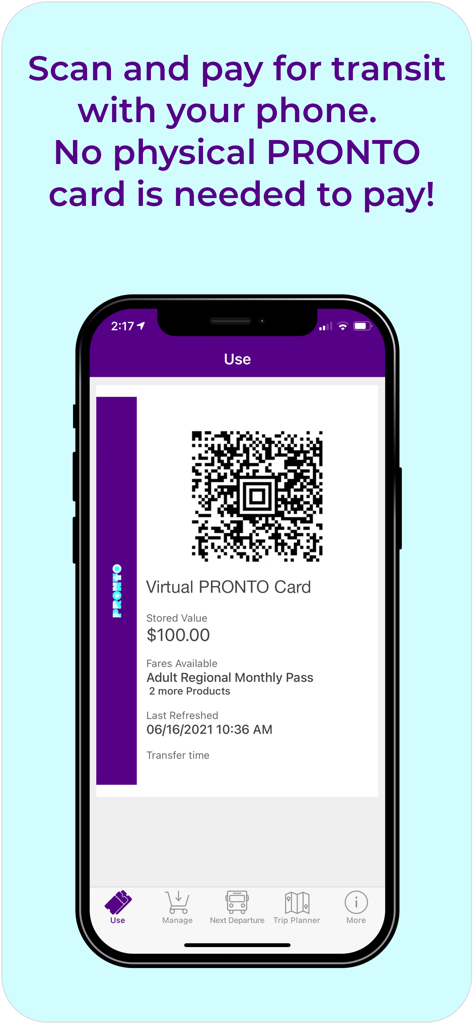
Smartphone showing the Pronto San Diego app virtual card and QR code for scanning and paying transit fares
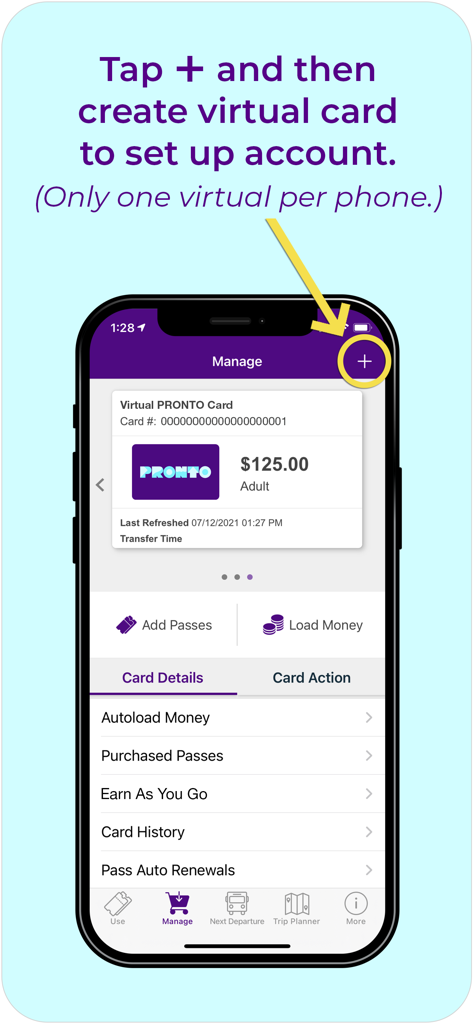
Interface of the Pronto San Diego app showing how to set up a virtual transit card
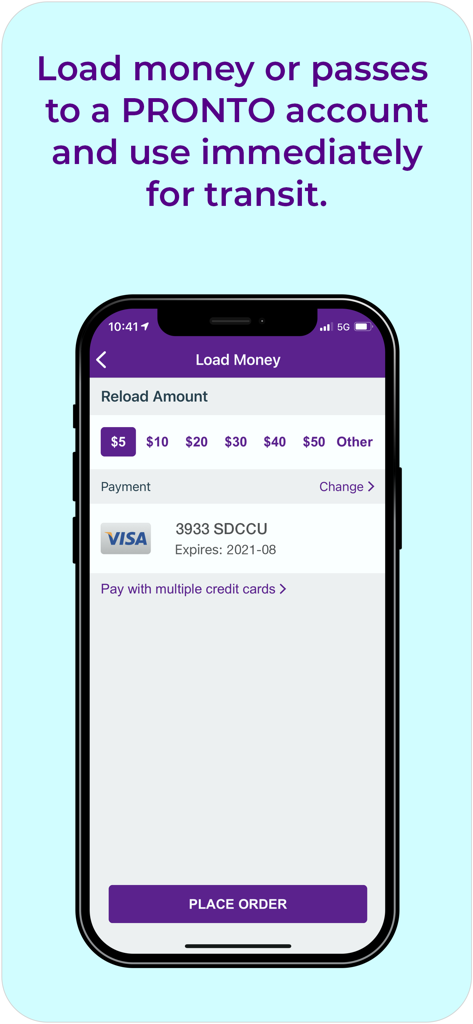
Interface for adding funds to a Pronto San Diego transit account
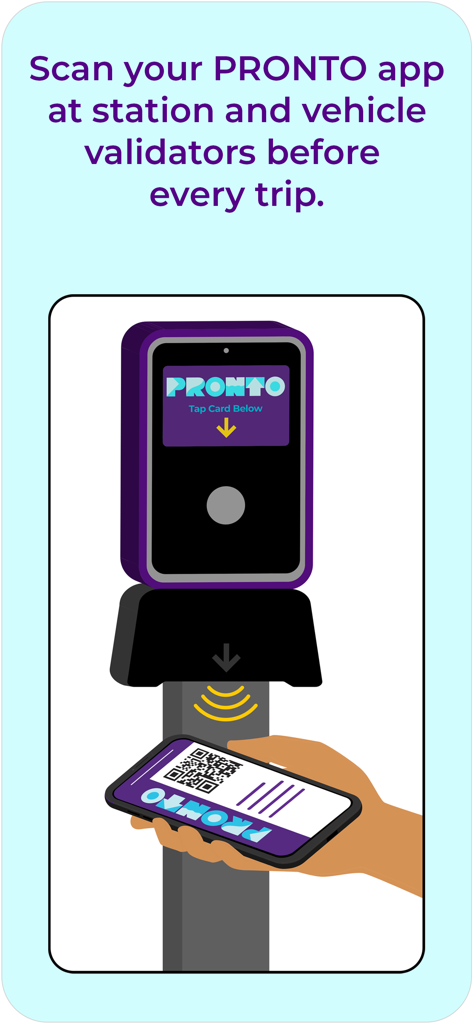
Scanning the Pronto app QR code on a transit validator
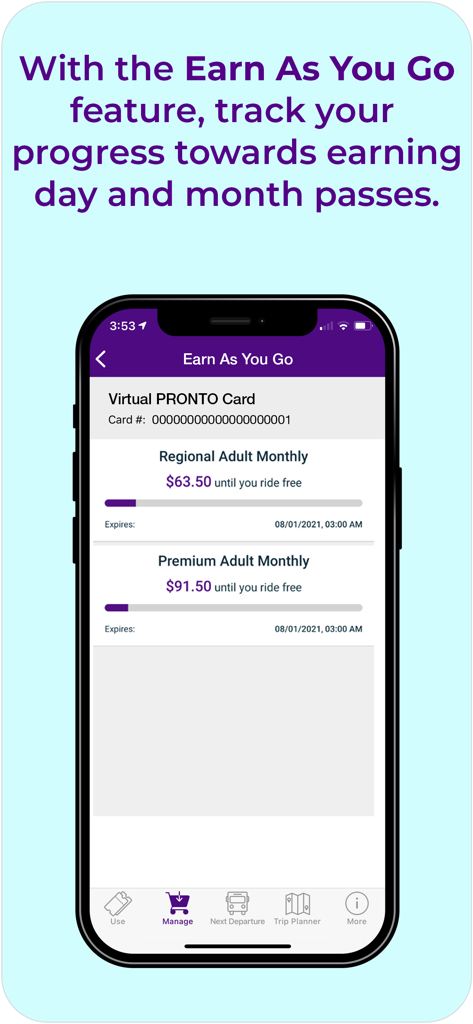
Mobile app screen showing the Earn As You Go feature with progress bars for monthly transit passes in San Diego
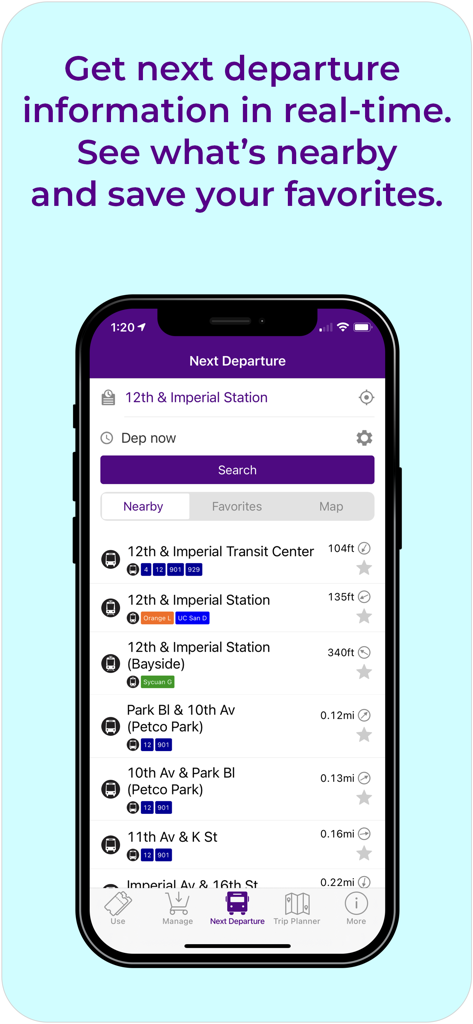
Next departure screen in the Pronto app showing real-time transit information and nearby stops in San Diego
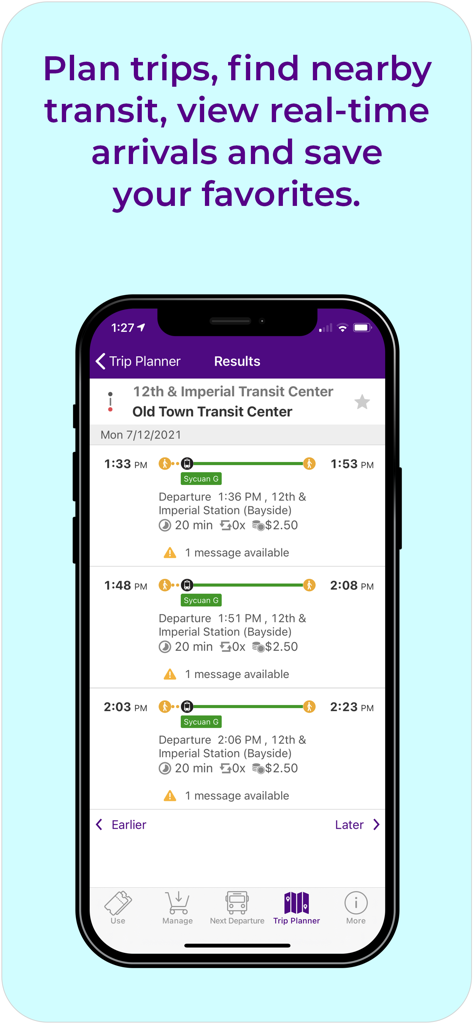
A smartphone display of the Pronto San Diego app trip planner results showing transit routes and real-time arrival times between stations.
Description
Download
More Like This
Apps with similar features and user experience

GoPass
Dallas Area Rapid Transit

rejsekort
Rejsekort AS

UTS
Centre for Railway Information Systems

Opal Travel
Transport for NSW

AT Mobile
Auckland Transport

Valley Metro
REGIONAL PUBLIC TRANSPORTATION AUTHORITY

e-komobil
Kocaeli Buyuksehir Belediyesi

HopOn Rav-Pass הופאון רב-פס
HopOn Mobility LTD

Trafi
INTELLIGENT COMMUNICATIONS UAB
This page is not an official page of the app or its developer, but an independent editorial publication created for informational and commentary purposes. Unless expressly stated otherwise, neither the app nor its developer is affiliated with, endorsed by, sponsored by, authorized by, or otherwise officially connected with MWM, Apple, Google Play, the app publisher, or the app's developer, and nothing on this page implies that the app was developed using MWM's services. Any trademarks, logos, screenshots, and other content remain the property of their respective owners.