Vermeer's Lens: AR Drawing
Download on App Store

This page is not an official page of the app or its developer, but an independent editorial publication created for informational and commentary purposes. Unless expressly stated otherwise, neither the app nor its developer is affiliated with, endorsed by, sponsored by, authorized by, or otherwise officially connected with MWM, Apple, Google Play, the app publisher, or the app's developer, and nothing on this page implies that the app was developed using MWM's services. Any trademarks, logos, screenshots, and other content remain the property of their respective owners.

Logo of Vermeer's Lens: AR Drawing
Download on App Store

Vermeer's Lens: AR Drawing

Skip the frustration of construction lines and jump straight to the joy of sketching. Project any photo onto paper to trace perfect proportions and capture lifelike tones for professional results at home.

Key Figures

Downloads

93K+

User Rating

2.6/5

Total Ratings

0

Publisher

zhiyang law

Category

Graphics & Design

Locales

1

Latest Version

1.3

Size

14.3 MB

First Released

Mar 9, 2016
Features

Master Realistic Drawing with AR

Stop struggling with proportions and start creating art you’re proud of. Vermeer’s Lens turns your phone into a powerful light-box projector for physical paper sketching.

Precision AR Projection

Overlay any photo onto your paper to trace perfect proportions effortlessly, even on older devices without ARKit.

Dynamic Perspective

Draw at any angle. Our smart algorithms transform the image to perfectly align with your sketchpad’s position and tilt.

The following screenshots and description are sourced directly from the app's official store listing and are the property of the app developer.

App Store

Screenshots
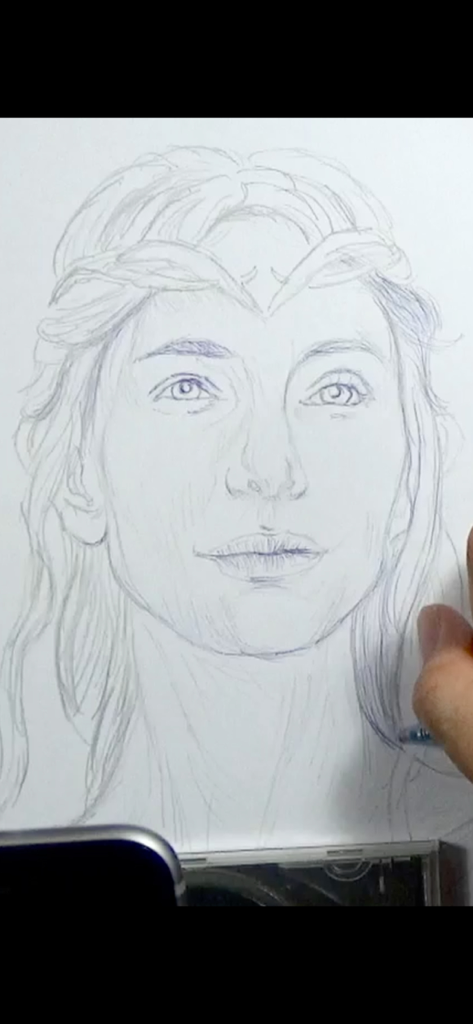
Vermeer's Lens: AR Drawing - A hand sketching a realistic portrait on paper using the Vermeer's Lens AR drawing app.
A hand sketching a realistic portrait on paper using the Vermeer's Lens AR drawing app.

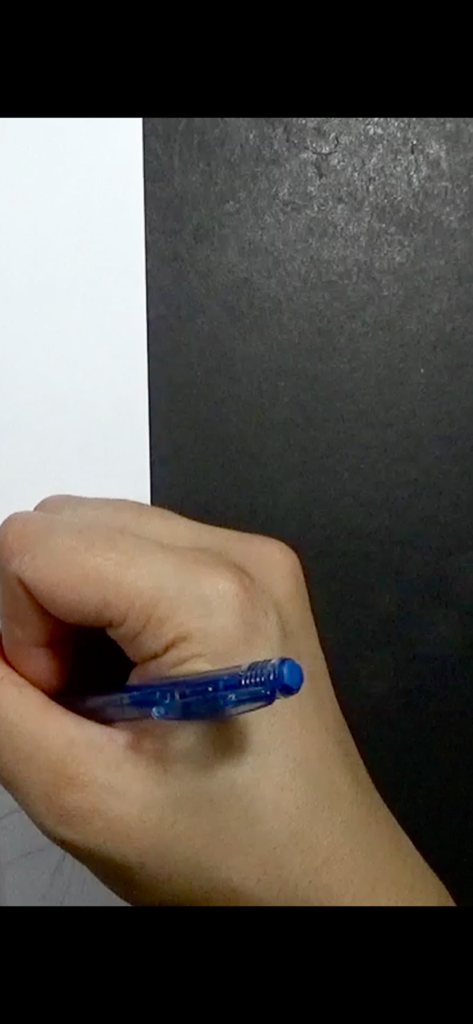
Vermeer's Lens: AR Drawing - Close-up of a hand holding a blue pen to draw on white paper
Close-up of a hand holding a blue pen to draw on white paper

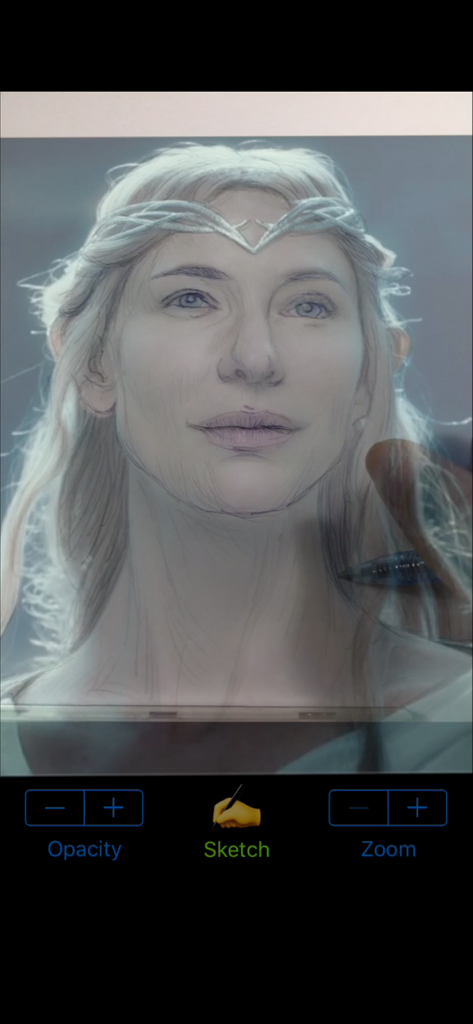
Vermeer's Lens: AR Drawing - A user sketching a portrait of Galadriel onto paper using the Vermeer's Lens AR drawing app overlay
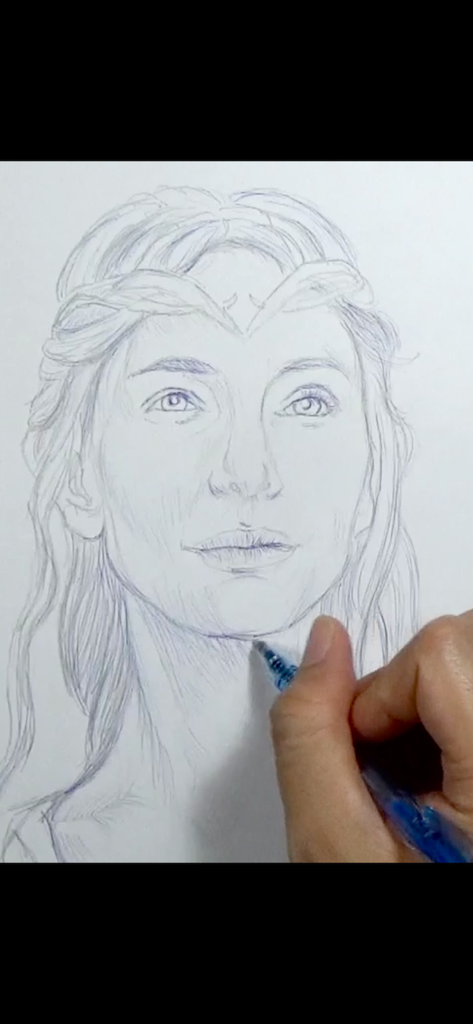
A user sketching a portrait of Galadriel onto paper using the Vermeer's Lens AR drawing app overlay

Vermeer's Lens: AR Drawing - Hand drawing a detailed portrait on paper using the Vermeer's Lens app
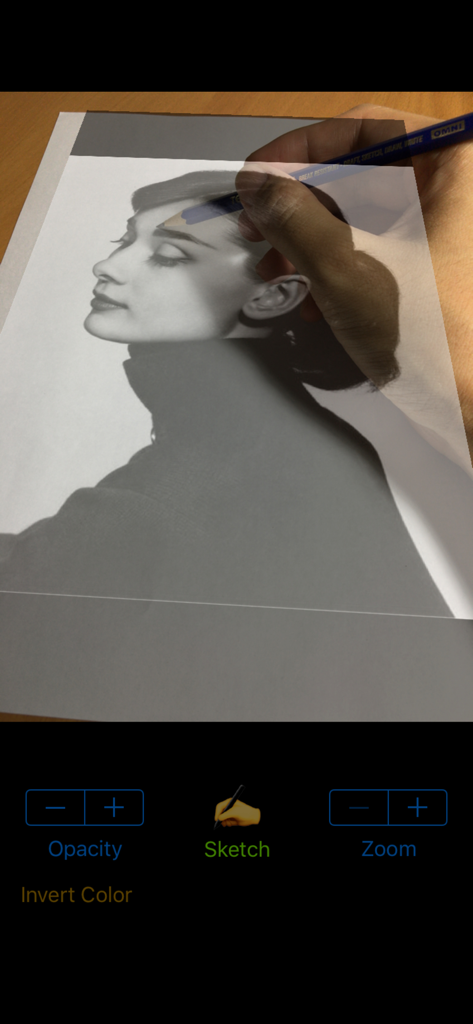
Hand drawing a detailed portrait on paper using the Vermeer's Lens app

Vermeer's Lens: AR Drawing - A person using the Vermeers Lens AR app to trace a portrait photo onto physical paper with a pencil
A person using the Vermeers Lens AR app to trace a portrait photo onto physical paper with a pencil

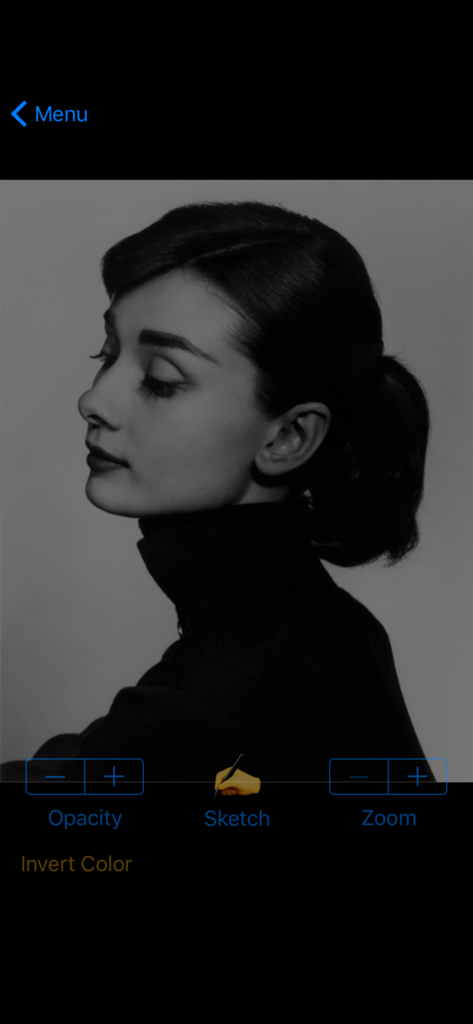
Vermeer's Lens: AR Drawing - Interface of Vermeer's Lens app showing a black and white portrait with sketch and opacity controls
Interface of Vermeer's Lens app showing a black and white portrait with sketch and opacity controls

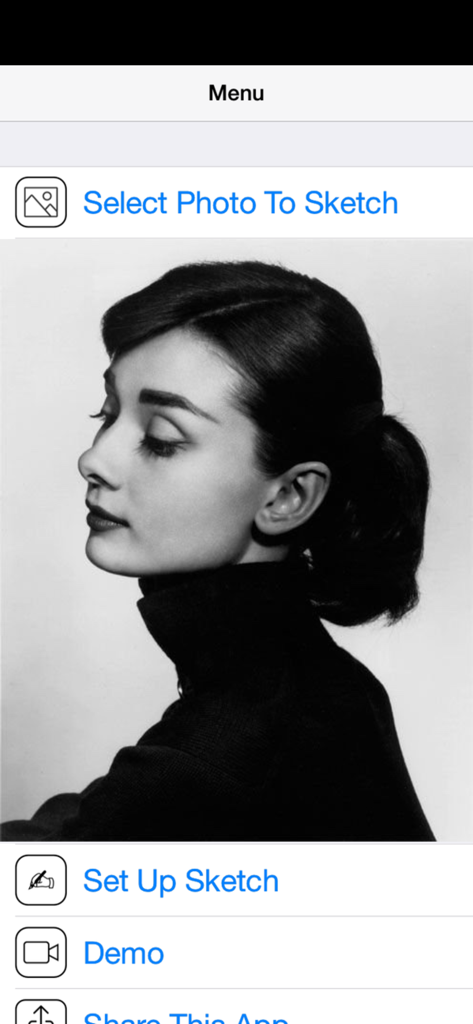
Vermeer's Lens: AR Drawing - Main menu of Vermeer's Lens AR drawing app showing a black and white portrait and options to select a photo to sketch.

Main menu of Vermeer's Lens AR drawing app showing a black and white portrait and options to select a photo to sketch.

Description

* A quick sketch of Galadriel (played by Cate Blanchett) from "The Lord Of The Rings" film series; done using Vermeer's Lens, a 2B pencil and blue ballpoint pen on an A4 printer paper. ◉ Vermeer's Lens is no ordinary drawing app. It is a drawing app that helps you make real sketches on paper. ◉ Vermeer's Lens is an augmented reality drawing app that works like an AR projector. It projects any photo you've selected from your photo library on any paper or sketch books you prefer drawing on. ◉ Vermeer's Lens allows you to trace out the images you want to draw before shading. But it is more than a tracing tool, as it also allows you to capture areas of different tones and highlights - achieving a more lifelike picture.  ◉ Vermeer's Lens is a great tool for portrait drawing. ◉ Vermeer's Lens can also be used in short drawing/sketching practices for beginners. ◉ Vermeer's Lens enables even beginners to make stunning drawings. ◉ Through its precise algorithms, what is traditionally difficult, such as portraits, can now be done without the need of construction lines. ◉ This app works on most phones without using Apple's ARKit which can only run on newer high performance chips. It's a simple effective tool for a simple hobby. *** See "Developer's website" below for a video demo *** A Youtube channel (see "Developer's website") is set up to provide you with examples of Vermeer's Lens in action. Content will be regularly uploaded so long as there are people interested in this app. *** This app works on most phones without using Apple's ARKit which can only run on newer high performance chips. It is simple, reliable and stable. ________________________________________________________ How it works : > a photo is chosen from your photo library and “projected” over the paper to draw on. > This projection is achieved by imaging the paper on the phone screen, and overlaying the translucent photo onto it. > With the phone held in a phone-holder, you can use its screen as a lens, through which you trace out the photo onto the paper. > Phone can be tilted and rotated to the angle most comfortable to you, while Vermeer’s Lens transforms the photo to match the perspective of the paper. > Not just the outlines, even the different subtle tones and contours of a face could be captured, to get that 3-D effect. > Opacity of the overlaying photo could be adjusted to allow close comparison between your drawing and the photo. > The overlaying photo responds to on-screen gesture: you could move, scale and rotate the photo during sketching. > A zoom option allows you to zoom in on your drawing for delicate pencil work. in addition : > A Vermeer’s Lens channel is also created on youtube to provide our users with additional "instructions & tutorials"on the use of this app to create art (videos updated regularly). This is linked directly to the app via the “Demo” button. > You can email us for support/feedback directly via the “Contact Us” button on the main menu of the app. Or leave a message (go to the “about” tab) on our youtube channel (see “Developer’s website” below). For more info and demo: > See “Developer’s website” below

Download

Download on App Store

This page is not an official page of the app or its developer, but an independent editorial publication created for informational and commentary purposes. Unless expressly stated otherwise, neither the app nor its developer is affiliated with, endorsed by, sponsored by, authorized by, or otherwise officially connected with MWM, Apple, Google Play, the app publisher, or the app's developer, and nothing on this page implies that the app was developed using MWM's services. Any trademarks, logos, screenshots, and other content remain the property of their respective owners.







