
This page is not an official page of the app or its developer, but an independent editorial publication created for informational and commentary purposes. Unless expressly stated otherwise, neither the app nor its developer is affiliated with, endorsed by, sponsored by, authorized by, or otherwise officially connected with MWM, Apple, Google Play, the app publisher, or the app's developer, and nothing on this page implies that the app was developed using MWM's services. Any trademarks, logos, screenshots, and other content remain the property of their respective owners.


VibeCall - Ringtone Maker
Generic alert sounds are dead. This app hands users the power to truly own their device's voice.
Downloads
25k+User Rating
Total Ratings
0Publisher
Category
MusicLocales
14Latest Version
1.0.7Size
62.5 MBFirst Released
Dec 1, 2025An analytical overview of VibeCall's core functionalities designed for dynamic mobile personalization.
Key Features of VibeCall - Ringtone Maker
Video to Custom Ringtone Conversion
The app enables users to transform any video on their device into a personalized ringtone, perfect for reflecting current trends and individual style.
Precise Audio Trimming & Cutting
It provides tools to precisely trim and cut audio clips from videos, ensuring users can select the exact segment for their custom ringtones or alerts.
Custom Assignment for Alerts
This tool allows users to assign their custom-made sounds to specific calls, notifications, and other alerts, enhancing device personalization across the board.
Diverse Video Source Compatibility
The app supports a wide range of video sources, including TikTok clips, personal recordings, and music library videos, catering to diverse content preferences.
Audio Fade-in/Fade-out Effects
It features options to add smooth fade-in and fade-out effects, allowing for more polished and professional-sounding custom audio clips.
Guided Export & Setup
The tool offers clear, step-by-step guidance on exporting and setting new ringtones, specifically tailored for iPhone users to ensure a hassle-free setup.
The following screenshots and description are sourced directly from the app's official store listing and are the property of the app developer.
App Store
Screenshots
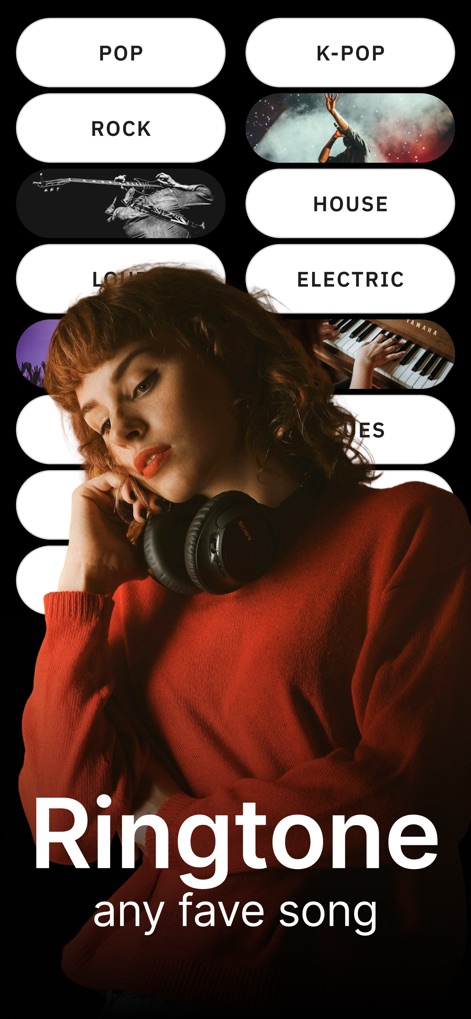
VibeCall empowers users to explore endless customization by offering diverse music genre buttons and promoting the creation of custom sounds from "any fave song."
Personalized Ringtone Picks
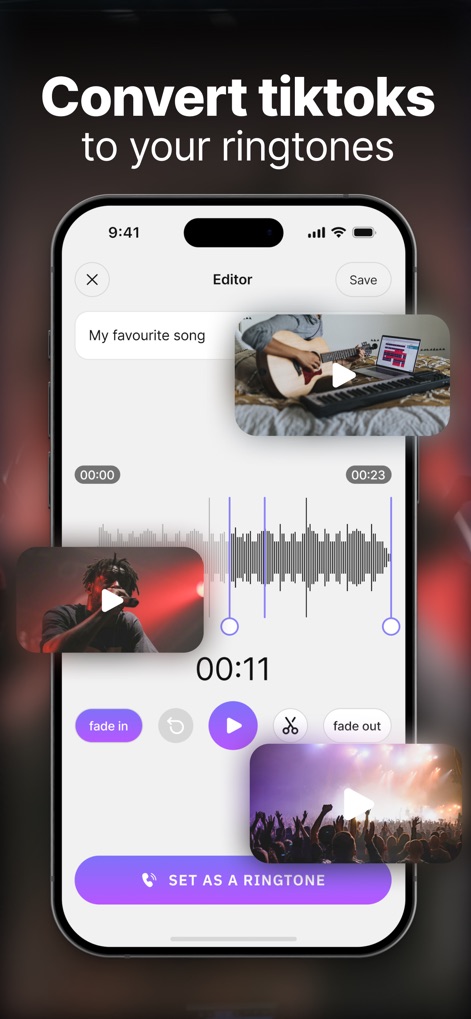
This tool highlights its intuitive editor, allowing users to precisely trim audio using the visual waveform display and refine selections with dedicated "fade in" and "fade out" controls.
Precision Editing Suite
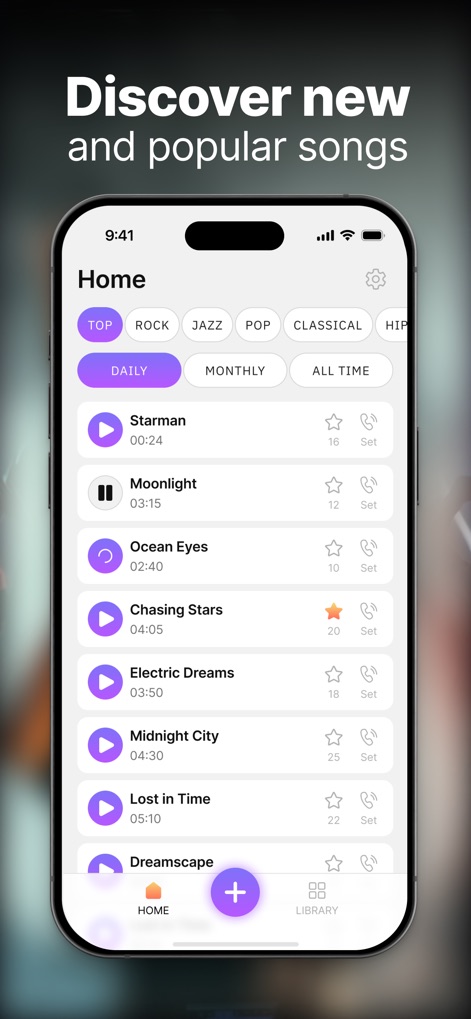
The app showcases a vibrant discovery section where users can browse popular songs, categorized by dynamic genre and timeframe tabs, to find their next favorite sound.
Trending Ringtone Hub

Users can effortlessly navigate a visually appealing grid of music genre buttons, like the highlighted "HIP-HOP" section, to quickly pinpoint ringtones aligning with their personal vibe.
Genre Discovery Grid
Description
Download
More Like This
Top-ranked apps in the same category

Spotify: Music and Podcasts
Spotify

YouTube Music
Google LLC

Shazam: Find Music & Concerts
Apple Inc.

SoundCloud: The Music You Love
SoundCloud Global Limited & Co KG

Suno - AI Songs & Music
Suno Inc.

QQ音乐 - 听我想听
Tencent Technology (Shenzhen) Company Limited

Audiomack - Play Music Offline
Audiomack, Inc.

GuitarTuna: Tune & Play Guitar
Yousician Ltd

BandLab – Music Maker & Beats
BandLab Singapore Pte Ltd
This page is not an official page of the app or its developer, but an independent editorial publication created for informational and commentary purposes. Unless expressly stated otherwise, neither the app nor its developer is affiliated with, endorsed by, sponsored by, authorized by, or otherwise officially connected with MWM, Apple, Google Play, the app publisher, or the app's developer, and nothing on this page implies that the app was developed using MWM's services. Any trademarks, logos, screenshots, and other content remain the property of their respective owners.