
This page is not an official page of the app or its developer, but an independent editorial publication created for informational and commentary purposes. Unless expressly stated otherwise, neither the app nor its developer is affiliated with, endorsed by, sponsored by, authorized by, or otherwise officially connected with MWM, Apple, Google Play, the app publisher, or the app's developer, and nothing on this page implies that the app was developed using MWM's services. Any trademarks, logos, screenshots, and other content remain the property of their respective owners.


Video Downloader - All in One
Download videos from any site, compress files to save storage, and create viral-ready clips with powerful editing tools in one seamless experience.
Downloads
222K+User Rating
Total Ratings
6K+Publisher
Category
Photo & VideoLocales
1Latest Version
1.4Size
38.8 MBFirst Released
Aug 28, 2025The Ultimate Video Toolkit
Download, edit, and optimize your favorite content for social media and offline viewing—all in one fast, private app.
Smart Private Downloader
Browse and save videos from your favorite platforms securely and privately without leaving a digital footprint.
Instant Video Compression
Shrink file sizes to save precious iPhone storage and share high-quality clips via text without hitting limits.
Frequently Asked Questions
Everything you need to know about Video Downloader - All in One
What is Video Downloader - All in One?
"Video Downloader - All in One" is an application for browsing the web and editing videos. It offers tools for compression, reversing, muting, and applying slow-motion effects.
Does Video Downloader - All in One have a built-in browser?
Yes, "Video Downloader - All in One" includes a built-in browser. This browser provides fast and private web browsing capabilities for users.
Can I compress videos using Video Downloader - All in One?
Yes, "Video Downloader - All in One" features a Video Compress tool. This allows users to reduce video file sizes to save storage without compromising quality.
How do I reverse a video with Video Downloader - All in One?
"Video Downloader - All in One" provides a Video Reverse tool. Users select a video and apply the reverse effect to play it backward for creative or fun purposes.
Does Video Downloader - All in One support slow-motion effects?
Yes, "Video Downloader - All in One" supports slow-motion effects. Users can apply smooth slow-motion to their videos using the dedicated Slow Motion editing tool within the app.
Can I mute the audio of a video using Video Downloader - All in One?
Yes, "Video Downloader - All in One" includes a Video Mute tool. This feature allows users to instantly remove audio from any video within the application.
How does the Video Downloader - All in One app handle privacy?
The "Video Downloader - All in One" app provides a Privacy Policy. Users can review the full policy details at https://subhdowm.blogspot.com/2025/08/privacy-policy.html.
Can I download videos from social media platforms with Video Downloader - All in One?
Yes, "Video Downloader - All in One" supports downloading from various social media platforms. The app shows icons for YouTube, Instagram, Facebook, TikTok, Pinterest, WhatsApp, Twitter, and LinkedIn.
Does Video Downloader - All in One allow organizing downloaded videos?
Yes, "Video Downloader - All in One" allows users to organize downloaded videos. The app provides options to "Add To Your Collection" by creating and saving videos into folders.
The following screenshots and description are sourced directly from the app's official store listing and are the property of the app developer.
App Store
Screenshots

Promotional graphic for Video Downloader app showing a No.1 status and a 4.8 rating
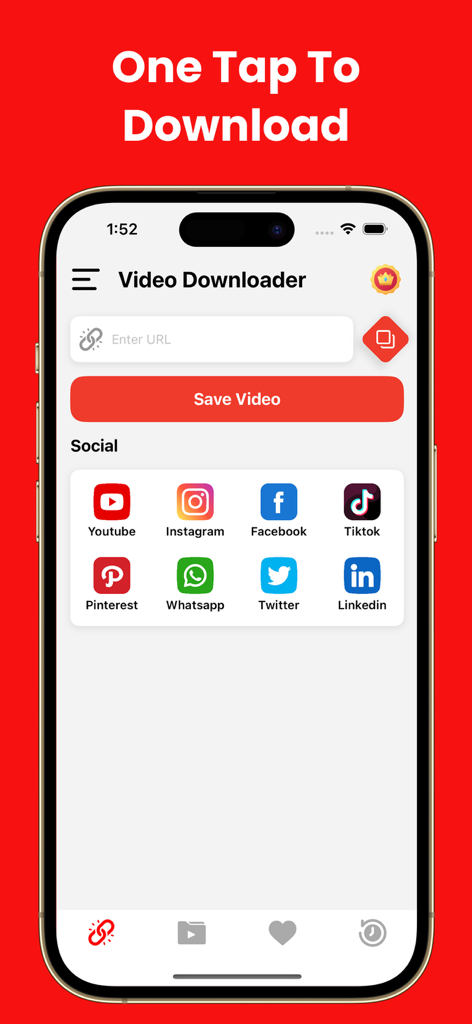
Main screen of the Video Downloader All in One app showing social media shortcuts and a URL input for easy video saving.
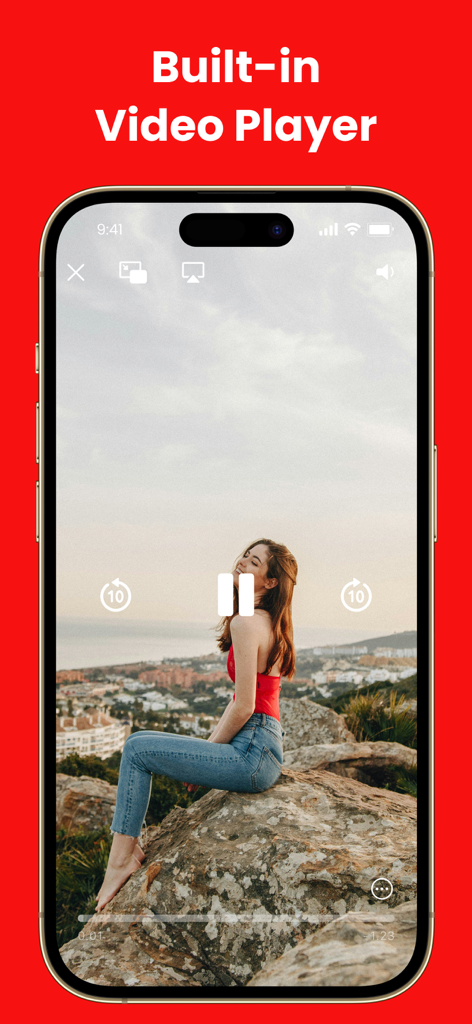
Interface of the built-in video player showing a woman sitting on a scenic rock
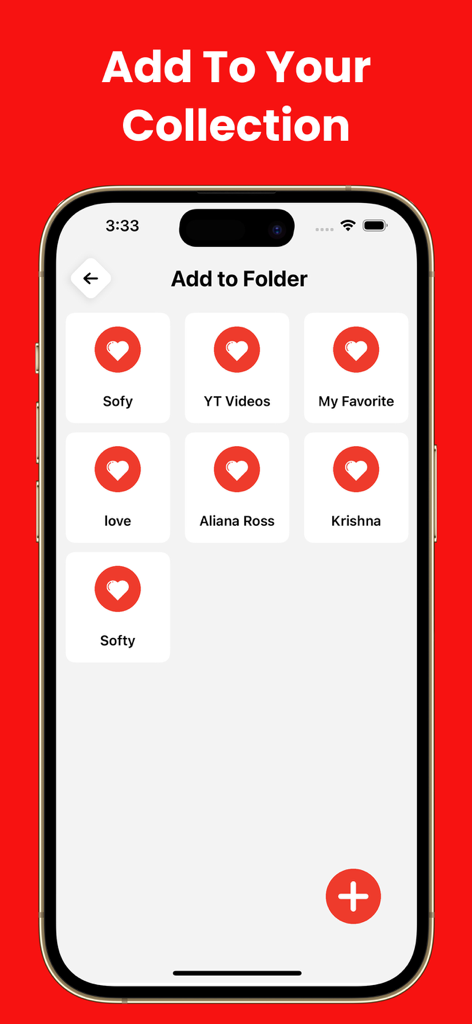
Interface of the app showing options to add videos to custom folders for better organization.
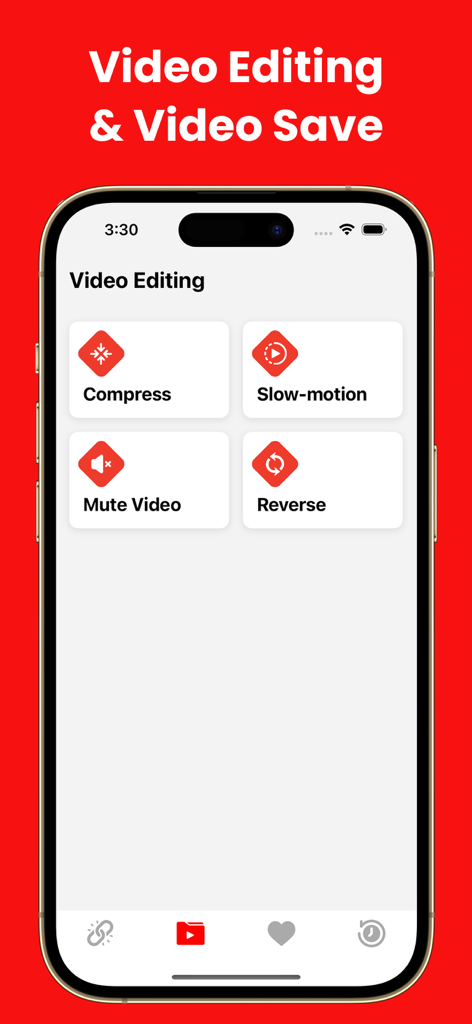
Mobile app screen showing video editing features including compress, slow-motion, mute video, and reverse.
Description
Download
More Like This
Apps with similar features and user experience



This page is not an official page of the app or its developer, but an independent editorial publication created for informational and commentary purposes. Unless expressly stated otherwise, neither the app nor its developer is affiliated with, endorsed by, sponsored by, authorized by, or otherwise officially connected with MWM, Apple, Google Play, the app publisher, or the app's developer, and nothing on this page implies that the app was developed using MWM's services. Any trademarks, logos, screenshots, and other content remain the property of their respective owners.