Video Merger - Video Combiner

Video Merger - Video Combiner


Download on App Store
Logo of Video Merger - Video Combiner

Video Merger - Video Combiner: The Simplest Way to Join and Edit Your Clips

Transform multiple videos into one polished story in seconds. Add music, effects, and text with a few taps—perfect for social media, family memories, and quick sharing.

Download on App Store

Publisher

out thinking private limited

Category

Photo & Video

Downloads

518K+

User Rating

4.1/5

Total Ratings

44K+

Locales

31

Simplicity in Motion

Discover the interface used by 518K+ users.
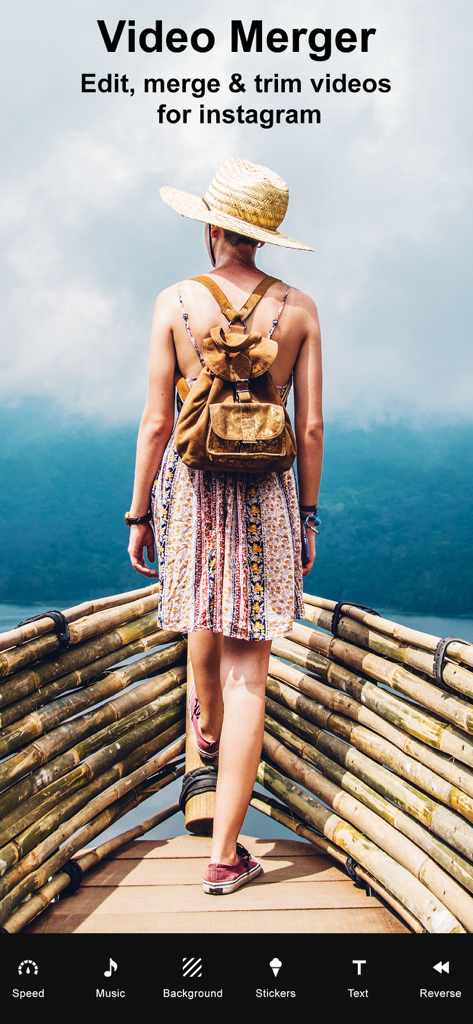
Video Merger app screen showing options to edit and merge videos for Instagram

Video Merger app screen showing options to edit and merge videos for Instagram

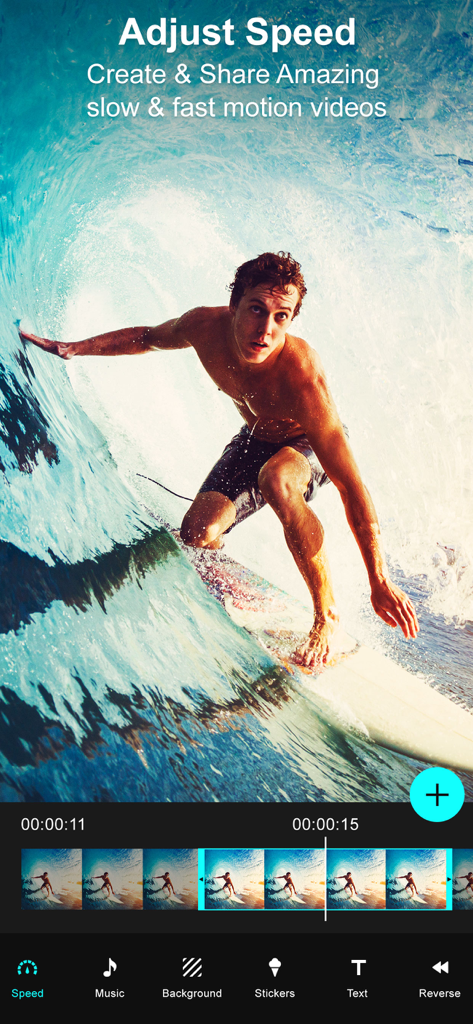
Video Merger app interface showing the speed adjustment feature with a surfer video

Video Merger app interface showing the speed adjustment feature with a surfer video

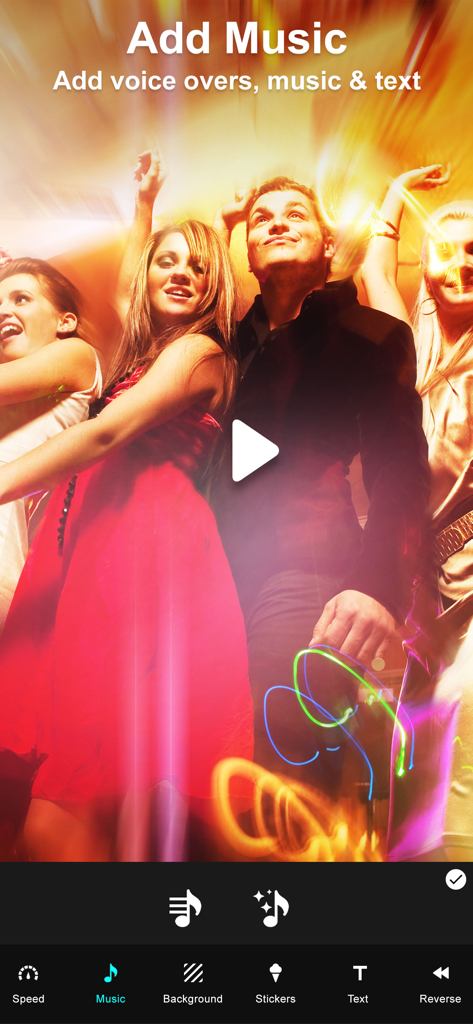
Interface of the Video Merger app showing options to add music voice overs and text to a video

Interface of the Video Merger app showing options to add music voice overs and text to a video

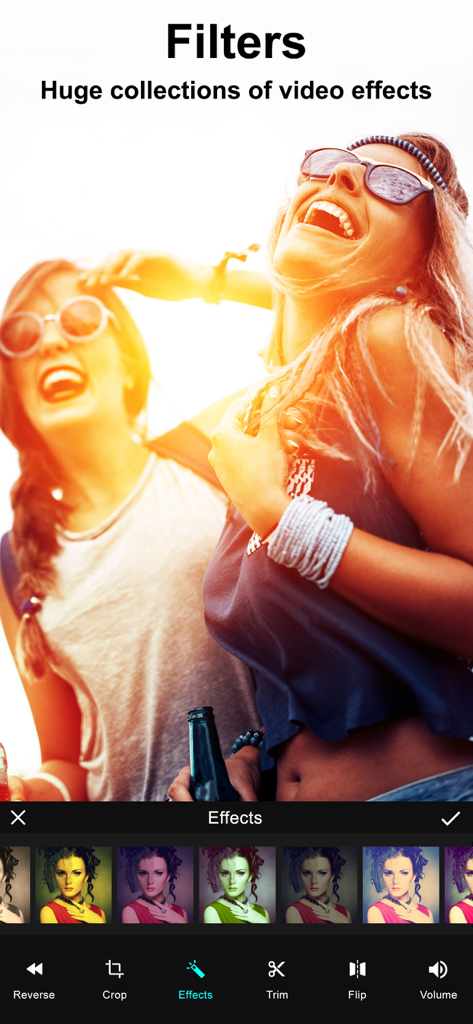
A video editing screen showing a collection of color filters and effects applied to a video clip

A video editing screen showing a collection of color filters and effects applied to a video clip

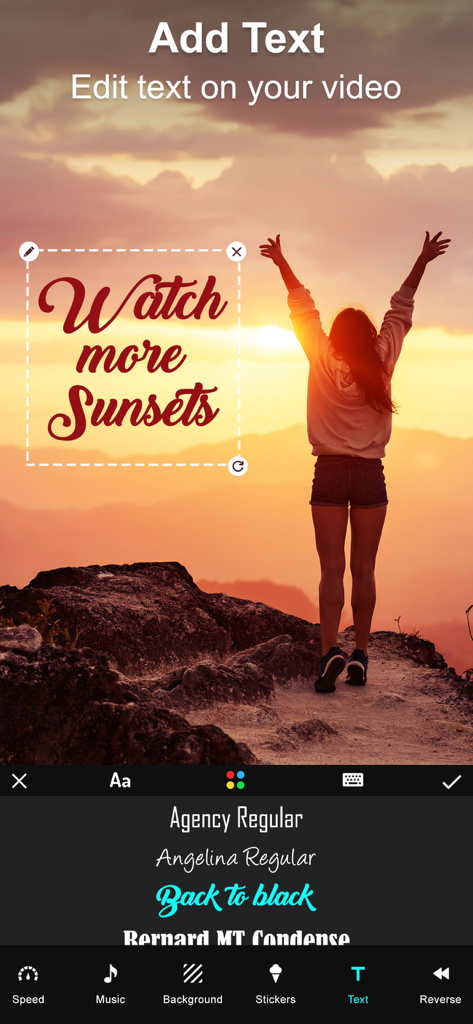
Text editing interface of the Video Merger app featuring a custom font overlay on a sunset video.

Text editing interface of the Video Merger app featuring a custom font overlay on a sunset video.

Video editing interface showing various colorful stickers applied to a video frame of two friends

Video editing interface showing various colorful stickers applied to a video frame of two friends

Transform Your Clips Into Stories

The tools that make this app stand out, trusted by 518K+ users.

🎞️

Seamless Video Merging

Select your favorite clips and join them instantly. Create beautiful sequences of family memories or fitness progress with just a few taps.

📱

Ready for Every Platform

Easily switch between Portrait, Landscape, or Square orientations to ensure your content looks perfect for Instagram, TikTok, or YouTube.

🎵

Custom Music & Effects

Bring your videos to life by adding your own soundtrack, stylish stickers, and text overlays to capture the perfect mood for your audience.

Review Analysis

Insights from user reviews.

Sentiment Score

11%
Negative

Summary

This app receives overwhelmingly negative feedback from users, primarily due to severe stability issues, with many reports of frequent crashes, freezing, and the app being entirely non-functional, sometimes even deleting user projects. A significant number of users also express strong dissatisfaction with the monetization model, citing unexpected charges, deceptive free trial practices, and essential features being locked behind paywalls, often after making purchases that still don't resolve issues. Furthermore, the app is criticized for limited core functionality, such as inability to merge multiple videos, poor output quality, and restrictive editing options. These issues have led many users to label the app as a scam, recommending others to avoid downloading it.

Common Themes

App Stability(25)
Monetization Practices(15)
Core Functionality(10)
Deceptive Claims(6)
Output Quality(2)
User Experience(2)

About the app

Everything you need to know about Video Merger - Video Combiner.

Description

Want to Merge Videos? then Download our Video Merger app to your iPhone, iPod or iPad, and easily merge videos on your device.You can use this app to combine multiple videos into one video. Key Features of our Video Merger App * Combine multiple videos right on your device * Easily add lot of different Effects to videos with our “Effects” option on this app * Very simple user interface, easy to understand * Supports Portrait, Landscape and Square orientation Video output * Add music to your video. * You can change the background color of the video * You can also add Patterns to your video * Save the combined video to your device or share it on any Social networking sites * Crop: Now we added crop option to our VideoMerger app. You can now crop your video easily. We also provided aspect ratio as well. * Add audio to a particular portion of a video. * Trim, cut, reverse and flip the video. * Add text, stickers to a selected portion of a video. * Set the video speed and adjust the volume of the video. Steps to Merge videos by adding effects with our Video Merger App: 1. Select orientation of your output video( Portrait , Landscape , Square) 2. Click on 'Add' button to select videos 3. Select your music from music library by clicking on 'Music' button 4. Select a video fit option for the video. 5. Set the speed and volume for the video. 6. Choose an audio for a selected portion of a video. 7. Trim, cut, reverse and flip the video. 8. Select stickers and add text to a selected portion of a video. 9. To watch the preview click on 'Play' button 10. Share your merged video by clicking on 'Share' button Merging video with video merger app is very easy, fast. This is the best app to combine multiple videos into single video or best app for joining videos together on your iPhone, iPod or iPad. Subscription Terms - Subscribe to get unlimited video collage app access to all features. - Upon confirmation of purchase, the payment will be charged to the iTunes account. - Until you turn off the auto-renew at least 24 hours before the end of the current. period it will be automatically renewed. - If you decide to turn off auto-renewal, you can turn it off maybe by going to account settings after purchase. -The renewal amount will be charged from the account within 24 hours before the end of the current period. -As per the policy, cancellation of the current subscription is not allowed during the active subscription period. Once purchased, refunds will not be returned for any unused portion of the subscription period. Terms of use - https://www.outthinkingindia.com/terms-of-use/ Privacy policy - https://www.outthinkingindia.com/privacy-policy/

Latest Version

3.71

Size

74.9 MB

First Released

Jun 11, 2014

Ready to Turn Your Clips Into One Perfect Story?

Join over 500,000 users who merge, edit, and share their favorite moments in seconds. Download the simplest video combiner for iPhone and iPad today.

Download on App Store
FAQ

Frequently Asked Questions

Everything you need to know about Video Merger - Video Combiner

What is the Video Merger - Video Combiner app?

The Video Merger - Video Combiner app allows users to combine multiple videos into a single video on iPhone, iPod, or iPad devices. It also provides various editing features like effects, music, text, and speed adjustments for video customization.

Can I merge multiple videos using the Video Merger app?

Yes, the Video Merger app allows users to combine multiple videos into one single video directly on their device. This is a primary function detailed in the app's key features.

Does Video Merger - Video Combiner support adding effects to videos?

Yes, the Video Merger - Video Combiner app allows users to add many different effects to their videos. The app provides a dedicated "Effects" option with a huge collection of video filters.

Can I add music to my videos in the Video Merger app?

Yes, the Video Merger app enables users to add music to their videos. Users can select music from their music library and add audio to a particular portion of a video.

What video orientations does Video Merger support for output?

The Video Merger app supports Portrait, Landscape, and Square orientation for video output. Users select the desired orientation as the first step when merging videos.

Can I crop and trim videos with Video Merger - Video Combiner?

Yes, the Video Merger - Video Combiner app includes options to crop and trim videos. It offers aspect ratio selection for cropping and features for trimming, cutting, reversing, and flipping video clips.

How do I adjust video speed in the Video Merger app?

The Video Merger app allows users to adjust the speed of their video. This feature is part of the video editing toolkit, enabling creation of slow or fast motion effects.

Can I add text and stickers to videos in Video Merger?

Yes, the Video Merger app allows users to add text and stickers to selected portions of a video. Dedicated interfaces for text and stickers are available within the app for creative enhancements.

How does the subscription work for Video Merger - Video Combiner?

The Video Merger - Video Combiner app offers a subscription for unlimited access to all features. Upon purchase confirmation, the payment is charged to the user's iTunes account.

How do I cancel my Video Merger app subscription?

Users can cancel their Video Merger app subscription by turning off auto-renewal through their account settings after purchase. This action must occur at least 24 hours before the current subscription period ends.

Are refunds available for the Video Merger app subscription?

No, the Video Merger app policy does not allow cancellation of the current subscription during its active period. Refunds are not provided for any unused portion of a purchased subscription period.

App information, icons, screenshots, and descriptions displayed on this page are sourced from the Apple App Store and are the property of their respective developers. Download estimates and rankings are based on MWM's proprietary models and may not reflect actual figures. This page is provided for informational and analytical purposes only.

Believe this page infringes your intellectual property? File a dispute