
This page is not an official page of the app or its developer, but an independent editorial publication created for informational and commentary purposes. Unless expressly stated otherwise, neither the app nor its developer is affiliated with, endorsed by, sponsored by, authorized by, or otherwise officially connected with MWM, Apple, Google Play, the app publisher, or the app's developer, and nothing on this page implies that the app was developed using MWM's services. Any trademarks, logos, screenshots, and other content remain the property of their respective owners.


Video Speed Controller.
Break free from slow-paced content and unoptimized players. Take total control of any web video on your iPhone, iPad, and Mac to watch at your own pace and boost your daily productivity.
Downloads
2K+User Rating
Total Ratings
0Publisher
Category
BusinessLocales
1Latest Version
5.6Size
1.0 MBFirst Released
Nov 13, 2024Optimize Your Viewing Experience
Stop wasting time on slow-paced videos. Our tools give you the precision and power to consume content at your own speed across the entire Apple ecosystem.
Granular Speed Precision
Go beyond basic settings. Fine-tune playback speed with high precision to find the perfect balance between comprehension and time-saving.
Maximize Learning Efficiency
Ideal for students and professionals. Power through long webinars, lectures, and tutorials in half the time without missing a detail.
Frequently Asked Questions
Everything you need to know about Video Speed Controller.
What is Video Speed Controller?
Video Speed Controller is an application designed to increase the playback speed of web videos. It transforms everyday videos into fascinating masterpieces and meets all video speed processing needs.
What does Video Speed Controller do?
Video Speed Controller enhances video projects by allowing users to increase the playback speed of web videos. It offers powerful features and an intuitive interface for efficient video speed processing.
Does Video Speed Controller work with web videos?
Yes, Video Speed Controller is specifically designed to increase the playback speed of web videos. It meets all video speed processing needs for online content.
What are the speed adjustment options available in Video Speed Controller?
Video Speed Controller provides speed adjustment options ranging from 0.1x up to 100x. Users can precisely control playback speed with an intuitive slider for web videos.
Can Video Speed Controller increase video playback speed?
Yes, Video Speed Controller is specifically designed to increase the playback speed of web videos. It allows users to adjust speeds from 0.1x to 100x.
What is the maximum speed provided by Video Speed Controller?
The maximum speed provided by Video Speed Controller is 100x. This allows for significant acceleration of web video playback, transforming video content.
What is the minimum speed provided by Video Speed Controller?
The minimum speed provided by Video Speed Controller is 0.1x. This allows for very slow motion playback of web videos, offering fine control over video speed.
The following screenshots and description are sourced directly from the app's official store listing and are the property of the app developer.
App Store
Screenshots
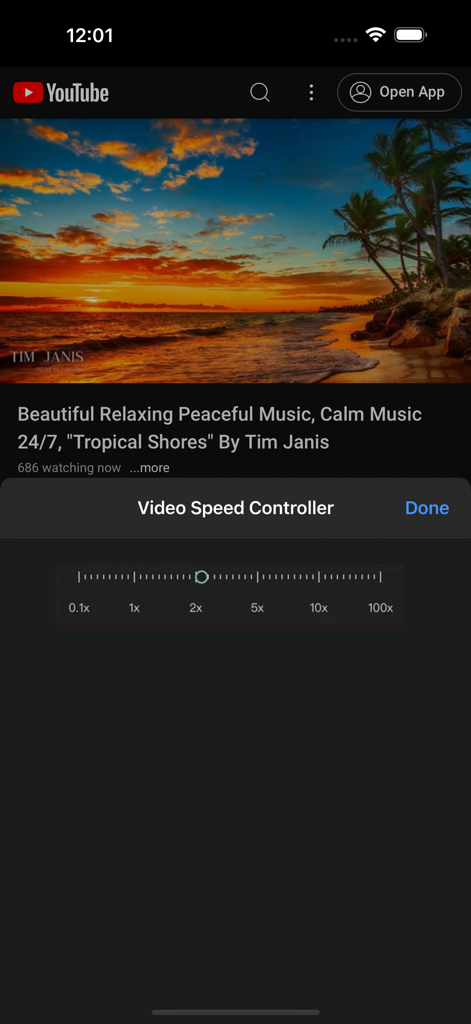
Interface of the Video Speed Controller app showing a playback speed slider over a YouTube video
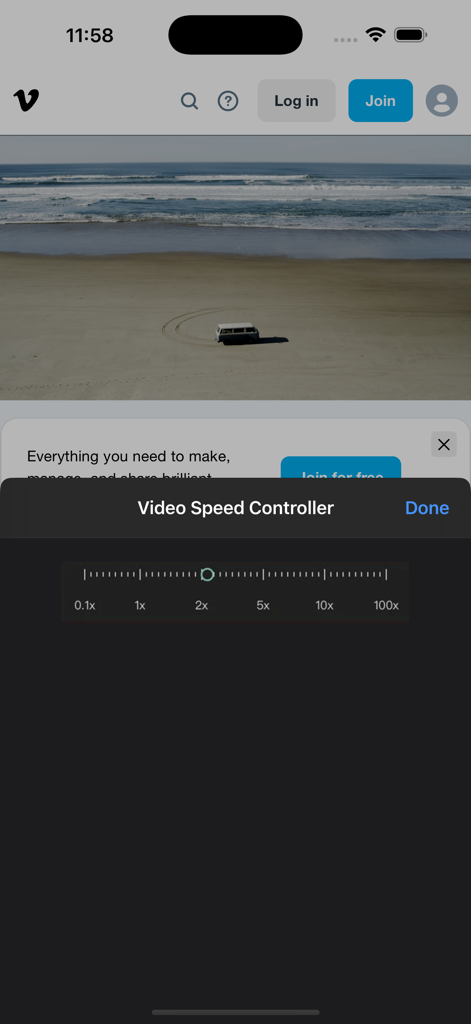
Video Speed Controller app interface with a speed adjustment slider ranging from 0.1x to 100x
Description
Download
More Like This
Top-ranked apps in the same category

Microsoft Teams
Microsoft Corporation

Zoom Workplace
Zoom Communications, Inc.

WhatsApp Business
WhatsApp Inc.

Indeed Job Search
Indeed Inc.

LinkedIn: Network & Job Finder
LinkedIn Corporation

Adobe Acrobat Reader: Sign PDF
Adobe Inc.

WeCom-Work Communication&Tools
Tencent Technology (Shenzhen) Company Limited

BOSS直聘-招聘求职找工作神器
Beijing China Product Bo Farce Network Technology Co., Ltd.

DingDing - Redefine Work in AI
DingTalk Technology Co., Ltd.
This page is not an official page of the app or its developer, but an independent editorial publication created for informational and commentary purposes. Unless expressly stated otherwise, neither the app nor its developer is affiliated with, endorsed by, sponsored by, authorized by, or otherwise officially connected with MWM, Apple, Google Play, the app publisher, or the app's developer, and nothing on this page implies that the app was developed using MWM's services. Any trademarks, logos, screenshots, and other content remain the property of their respective owners.