Video to Audio Converter ◌

Video to Audio Converter ◌

Download on App Store
Logo of Video to Audio Converter ◌

Video to Audio Converter ◌: Instant Sound Extraction for All Your Videos

Turn video clips into audio files in seconds. Save storage, batch-convert your library, and listen to your favorite speeches or music anywhere—no internet required.

Download on App Store

Publisher

Kartika Ardiani

Category

Photo & Video

Downloads

7K+

User Rating

4.6/5

Total Ratings

100

Locales

1

A Glimpse Inside

Discover the interface used by 7K+ users.
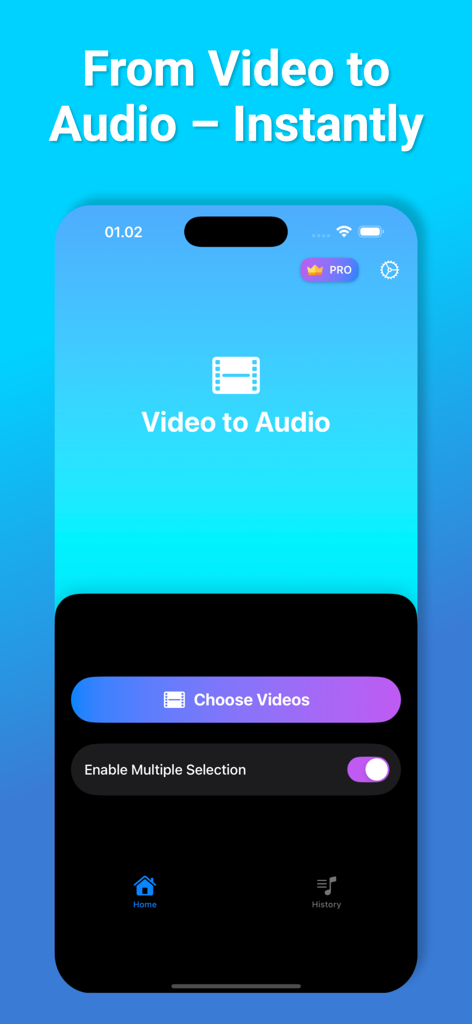
Video to Audio Converter app interface showing the Choose Videos button and multiple selection option

Video to Audio Converter app interface showing the Choose Videos button and multiple selection option

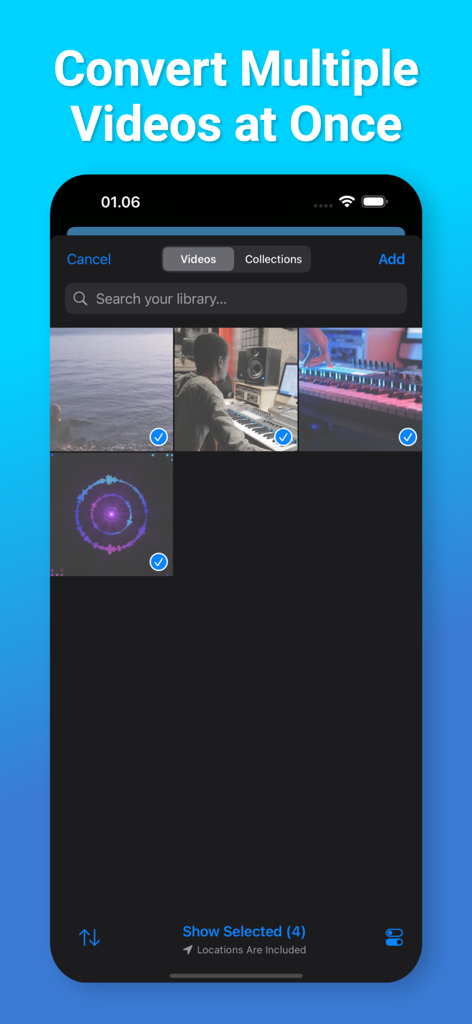
Interface of Video to Audio Converter app showing multiple videos selected for batch conversion

Interface of Video to Audio Converter app showing multiple videos selected for batch conversion

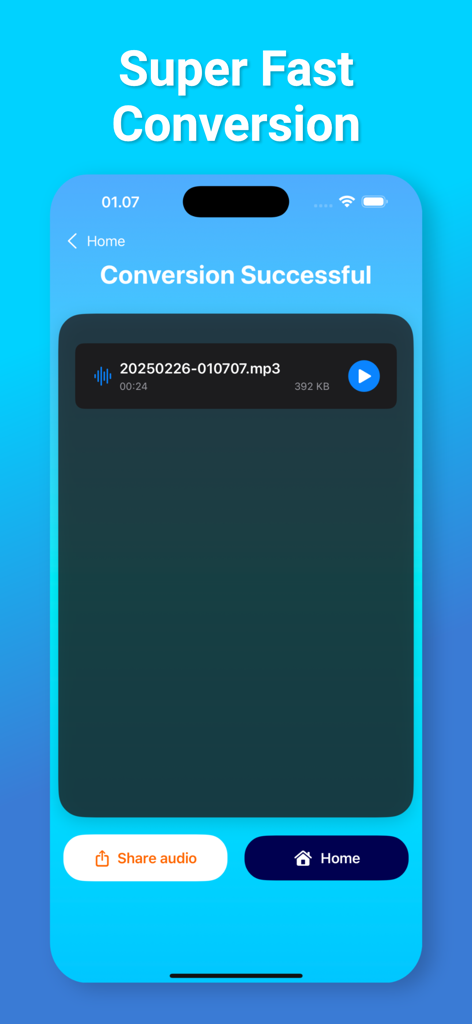
Smartphone screen showing a successful video to MP3 audio conversion

Smartphone screen showing a successful video to MP3 audio conversion

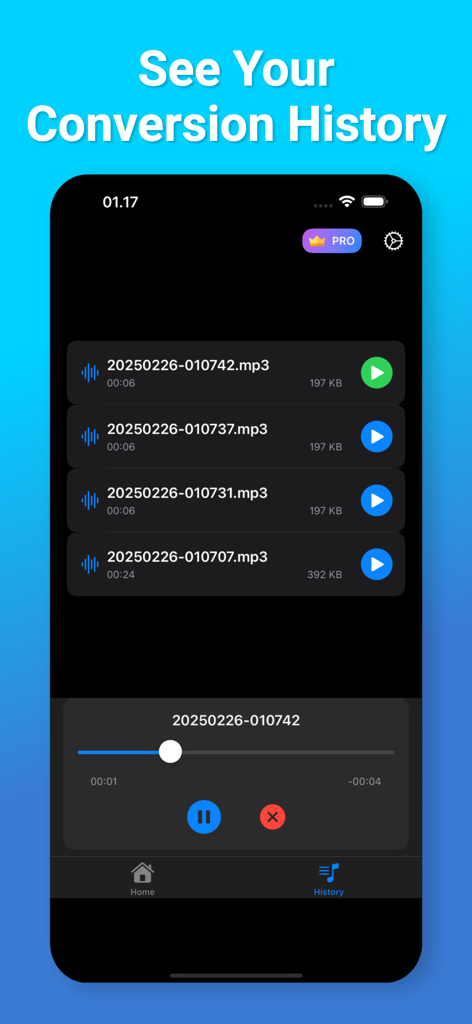
Screenshot of the Video to Audio Converter app history screen showing a list of extracted MP3 files and an audio player

Screenshot of the Video to Audio Converter app history screen showing a list of extracted MP3 files and an audio player

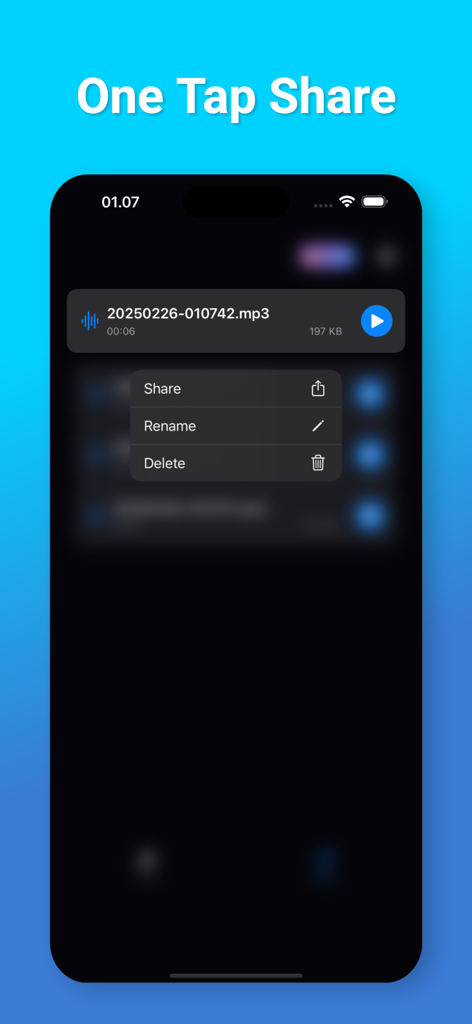
A mobile app screen showing a share menu for a converted mp3 audio file with options to share, rename, and delete.

A mobile app screen showing a share menu for a converted mp3 audio file with options to share, rename, and delete.

Effortless Video to Audio Extraction

The tools that make this app stand out, trusted by 7K+ users.

Lightning-Fast Conversion

No complex settings or waiting. Turn any video into a crisp audio file with just one tap, saving you time and effort.

📦

Powerful Batch Processing

Don't waste time on individual files. Select multiple videos at once and convert your entire library in a single session.

📂

Smart Storage & Sharing

Save space by keeping the sound without the heavy video file. Access files via the iOS Files app or share them instantly with friends.

About the app

Everything you need to know about Video to Audio Converter ◌.

Description

Need to turn a video into audio? With Video to Audio Extractor, it’s easy and fast! You can quickly change any video file into an audio file in just a few seconds. Whether it’s a song, a speech, or any video sound you want to keep, this app helps you get it with no hassle. Key Features: • Convert Video to Audio: Pick any video, and get the audio in seconds. • Convert Many Videos at Once: Choose many videos, and convert them all together to save time. • Save to Files: Keep your audio files safely in your phone storage. • Share Easily: Send your audio files to friends or apps with one tap. • History List: See all your past conversions and access your files anytime. • Fast and Simple: The app works in seconds, so you don’t have to wait. How to Use: 1. Open the app. 2. Select one or more videos from your phone. 3. Press Convert – your audio will be ready in seconds. 4. Save or share your audio with just one tap! No need to struggle with difficult tools. With Video to Audio Extractor, converting video to audio is quick and easy for everyone! Video to Audio Extractor app is free. You can use it forever, at no cost. However, Video to Audio Extractor does offer premium features for its subscribers. If you decide to purchase an upgrade, you will unlock additional features. Terms of Use: https://olivetapp.github.io/Video-to-Audio/term-of-use Privacy Policy: https://olivetapp.github.io/Video-to-Audio/privacy-policy

Latest Version

1.0

Size

31.3 MB

First Released

Feb 25, 2025

Ready to Listen Instead of Watch?

Join thousands of users converting videos to audio in seconds. Save storage, batch process your files, and take your sounds anywhere. Download for free today!

Download on App Store

App information, icons, screenshots, and descriptions displayed on this page are sourced from the Apple App Store and are the property of their respective developers. Download estimates and rankings are based on MWM's proprietary models and may not reflect actual figures. This page is provided for informational and analytical purposes only.

Believe this page infringes your intellectual property? File a dispute