
This page is not an official page of the app or its developer, but an independent editorial publication created for informational and commentary purposes. Unless expressly stated otherwise, neither the app nor its developer is affiliated with, endorsed by, sponsored by, authorized by, or otherwise officially connected with MWM, Apple, Google Play, the app publisher, or the app's developer, and nothing on this page implies that the app was developed using MWM's services. Any trademarks, logos, screenshots, and other content remain the property of their respective owners.


Viniou – Wine Cellar Manager
Replace clunky spreadsheets with a modern digital cellar. Track market value in real-time, predict peak drinking windows, and manage your collection with effortless label scanning.
Downloads
43K+User Rating
Total Ratings
600Publisher
Category
Food & DrinkLocales
1Latest Version
17.1.1Size
42.0 MBFirst Released
Sep 5, 2025Master Your Collection with Precision
Move beyond spreadsheets. Viniou provides the professional-grade tools you need to organize, track, and enjoy your cellar at its absolute peak.
Drink at the Perfect Peak
Never miss a drinking window again. Our maturity calculation tool tells you exactly when your bottles are ready to be enjoyed.
Track Your Liquid Assets
Stay informed on your cellar’s market value with monthly updates. Watch your investment grow as your collection matures.
Frequently Asked Questions
Everything you need to know about Viniou – Wine Cellar Manager
How does Viniou help manage a wine cellar?
Viniou is an intuitive and comprehensive app designed to transform wine cellar management. It helps users maintain a clear and precise view of their cellar, track inventory, and receive alerts for bottles ready to drink.
Can I add wine to Viniou by scanning the label?
Yes, Viniou offers label scanning functionality. Users can add a wine to their cellar simply by scanning its label, eliminating manual data entry.
Is the Viniou app available on multiple platforms?
Yes, Viniou is a multi-platform app. Users can access their wine cellar data from both their smartphone and their computer, with automatic data synchronization.
Does Viniou track the aging phases of wine?
Yes, Viniou tracks wine aging phases. The app provides a maturity calculation tool to discover the perfect time to drink bottles, ensuring optimal enjoyment.
Can Viniou track the market value of my wine collection?
Yes, Viniou tracks the market value of your wine collection. It updates monthly with real market data, allowing users to check the evolution of their cellar's value.
Does Viniou allow sharing a wine cellar account?
Yes, Viniou supports shared accounts. Users can manage their cellar with others by sharing access to their inventory.
What export options are available in Viniou?
Viniou allows users to export their cellar inventory with one click. Export options include PDF or CSV formats for printing, sharing, or saving.
How can I find specific bottles using Viniou?
Viniou includes a smart search engine. This multi-criteria search allows users to instantly find specific bottles within their cellar.
Can I add photos of my wine bottles in Viniou?
Yes, Viniou offers unlimited photo storage. Users can add their own photos of bottles, labels, or storage locations to maintain a visual record of their cellar.
What kind of personalized statistics does Viniou provide?
Viniou provides personalized statistics. Users can visualize their cellar by region, type, color, or format to understand buying and consumption habits better.
Does Viniou offer wine and food pairing suggestions?
Yes, Viniou provides wine and food pairing functionality. The app helps users match meals and wines both ways, enhancing their culinary experience.
Can Viniou help locate specific wine bottles in a cellar?
Yes, Viniou helps locate specific bottles. Users can find exactly where their bottles are with a detailed storage grid, indicating cellar, location, and stock.
The following screenshots and description are sourced directly from the app's official store listing and are the property of the app developer.
App Store
Screenshots
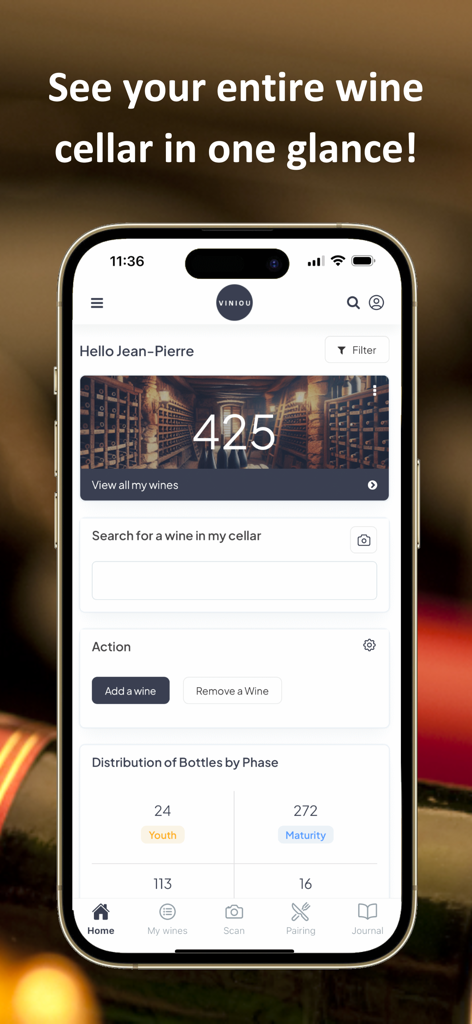
Viniou app home screen showing a wine cellar inventory overview with bottle counts and aging phases
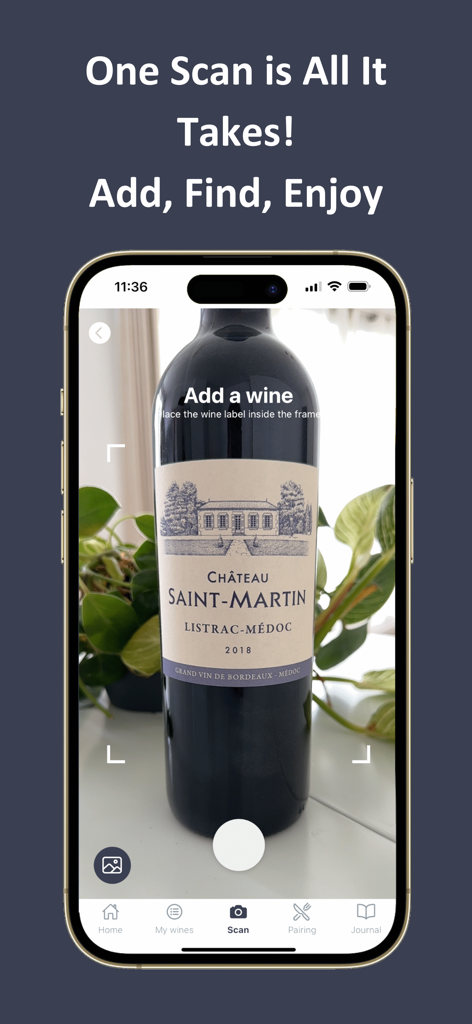
Viniou app label scanning feature for adding wine bottles to a digital cellar.
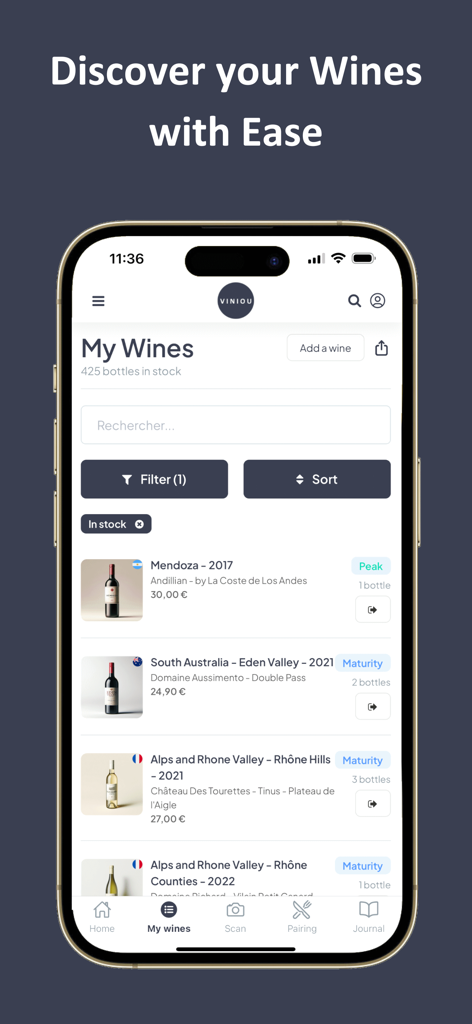
Viniou app interface showing wine collection with aging status and maturity levels
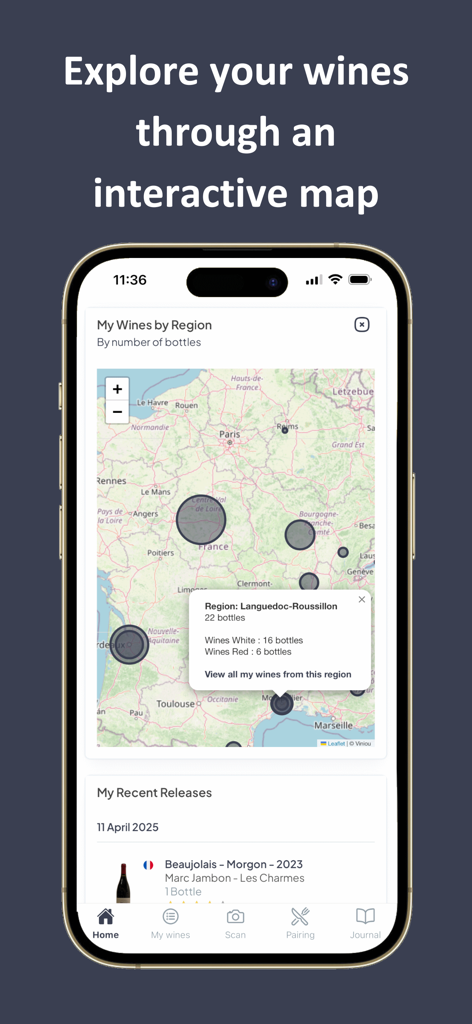
Interactive map in the Viniou app showing wine distribution by geographic region
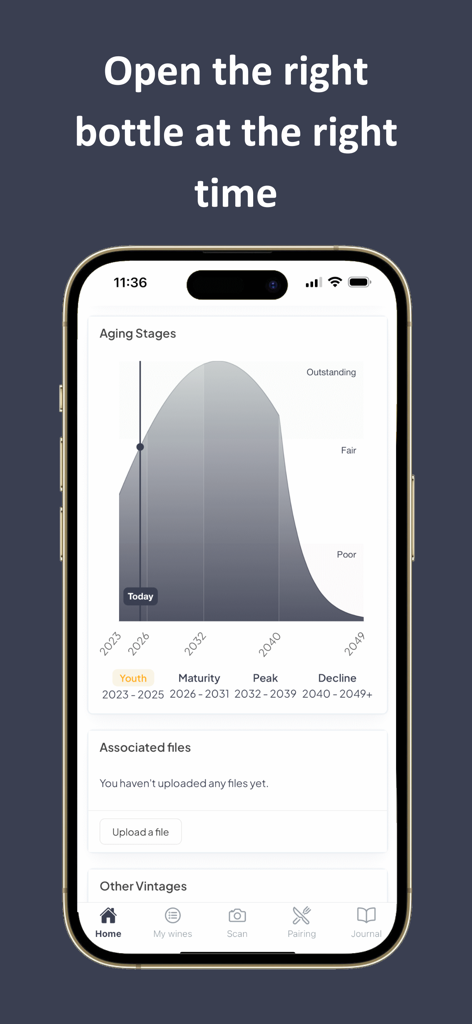
Graph showing wine aging stages and peak maturity in the Viniou app
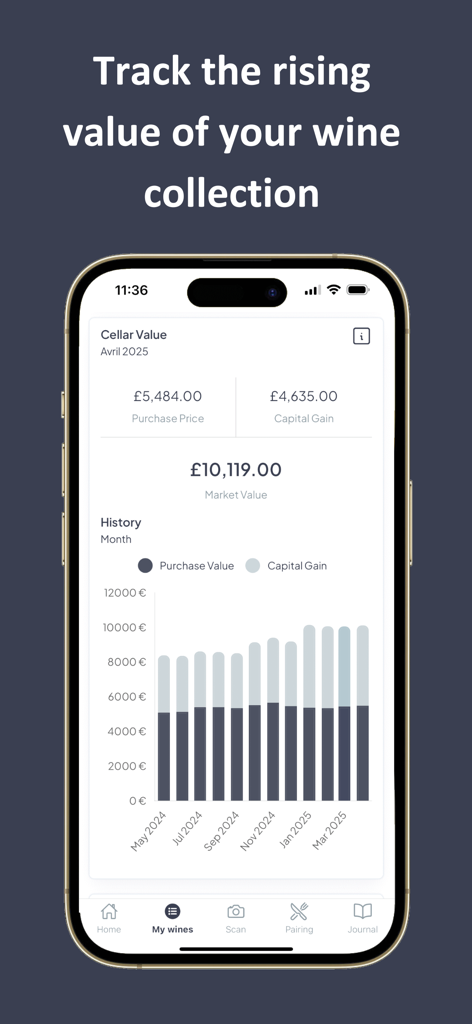
A mobile app screen showing the market value and capital gain history of a wine collection with a bar chart
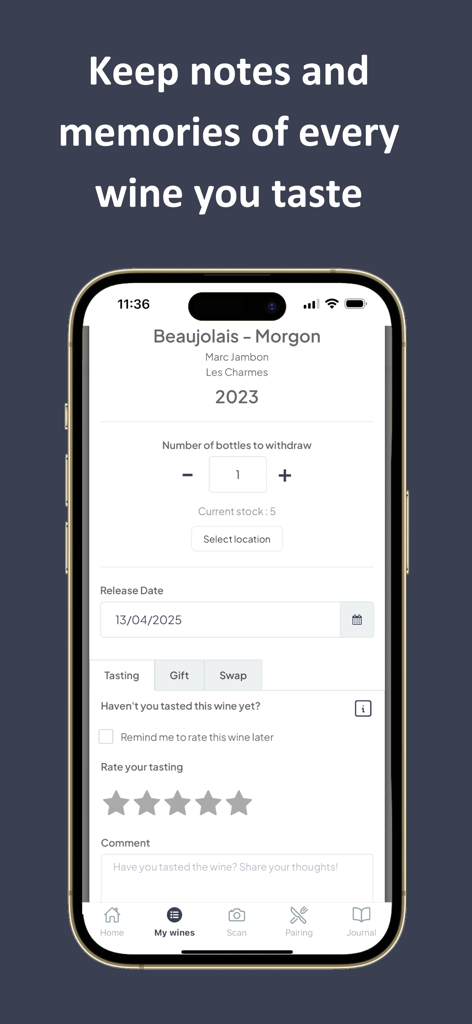
App interface for adding wine tasting notes and managing cellar inventory stocks.
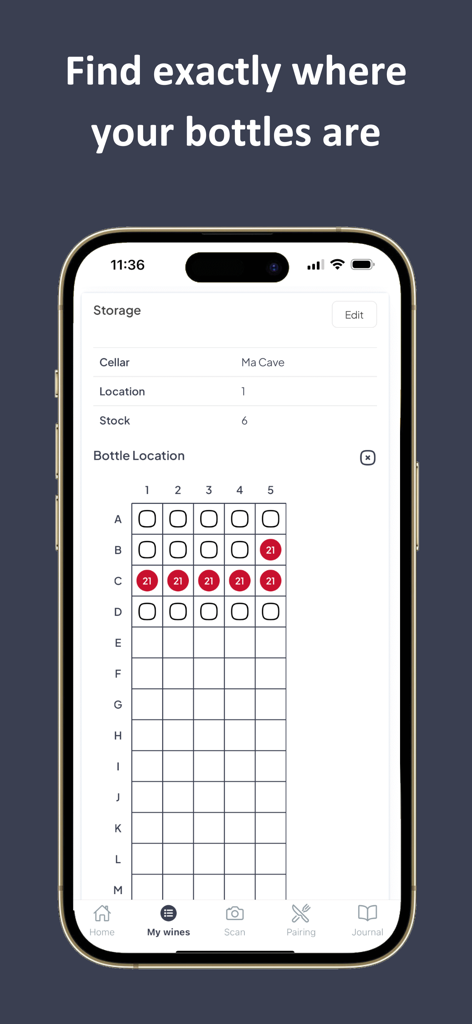
Smartphone screen showing a wine rack grid for tracking specific bottle locations in the Viniou app.
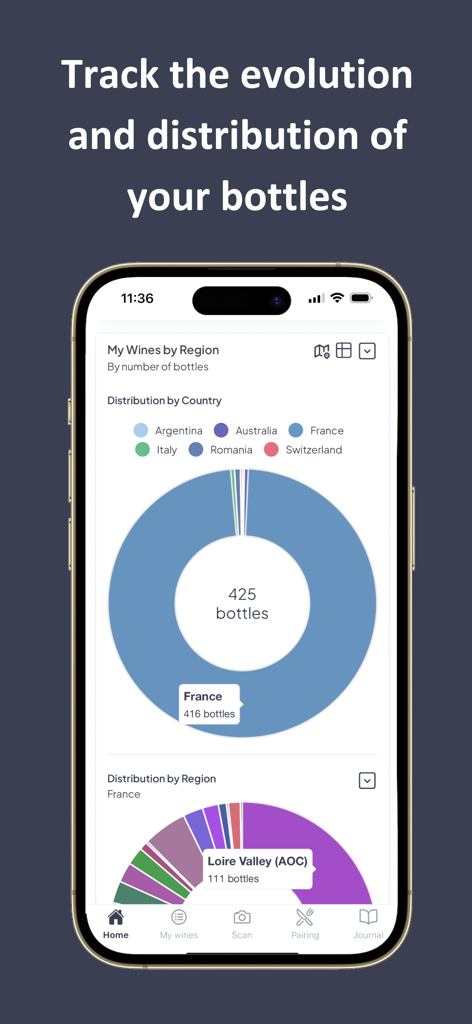
Viniou wine cellar manager interface displaying bottle distribution by country and region.
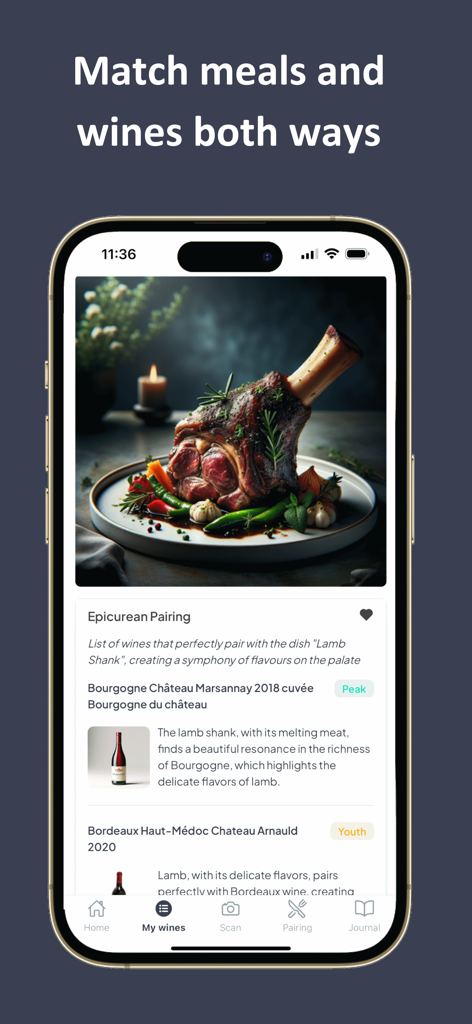
Viniou app interface showing wine pairing suggestions for a lamb shank dish
Description
Download
More Like This
Apps with similar features and user experience

Vivino: Drink The Right Wine
Vivino ApS

데일리샷 - 위스키·와인·맥주 주류 스마트오더 앱
Dailyshot, Inc.
CellarTracker: #1 Wine Tracker
CellarTracker LLC

Wine-Searcher
Wine-Searcher Limited

Saucey: Alcohol Delivery
Saucey, Inc.

Wine: Loja e Clube de Vinhos
W2W E COMMERCE DE VINHOS S A

OnlyDrams
OnlyDrams, LLC

Wine ID: AI Scanner & Tracker
Klimin Marketing SpA

Oeni: #1 Wine Cellar Manager
Oeni
This page is not an official page of the app or its developer, but an independent editorial publication created for informational and commentary purposes. Unless expressly stated otherwise, neither the app nor its developer is affiliated with, endorsed by, sponsored by, authorized by, or otherwise officially connected with MWM, Apple, Google Play, the app publisher, or the app's developer, and nothing on this page implies that the app was developed using MWM's services. Any trademarks, logos, screenshots, and other content remain the property of their respective owners.