
This page is not an official page of the app or its developer, but an independent editorial publication created for informational and commentary purposes. Unless expressly stated otherwise, neither the app nor its developer is affiliated with, endorsed by, sponsored by, authorized by, or otherwise officially connected with MWM, Apple, Google Play, the app publisher, or the app's developer, and nothing on this page implies that the app was developed using MWM's services. Any trademarks, logos, screenshots, and other content remain the property of their respective owners.

VisuDoc
Transform your smartphone into a powerful diagnostic suite. Capture high-definition anterior segment and meibomian gland images while managing patient records and diagnostic opinions seamlessly on the go.
Downloads
1K+User Rating
Total Ratings
0Publisher
Category
MedicalLocales
5Latest Version
2.0.2Size
101.9 MBFirst Released
Feb 18, 2022Precision Imaging, Simplified Management
Empower your clinical practice with a professional mobile suite designed for high-definition ophthalmic documentation and dry eye diagnosis.
Professional Imaging Anywhere
Transform your smartphone into a portable diagnostic powerhouse for high-resolution anterior segment and infrared meibomian gland imaging.
Streamlined Case Management
Securely organize patient information, pathology records, and diagnostic opinions in one centralized mobile-first platform.
Frequently Asked Questions
Everything you need to know about VisuDoc
What is VisuDoc?
VisuDoc is an ophthalmic case management app by VisuScience. It records ophthalmic pathology, patient information, and doctor's diagnostic opinions for disease management.
How does VisuDoc function for eye imaging?
VisuDoc works with the QuikVue smartphone eye imaging adaptor to capture anterior segment images. It also uses the MeiboVue camera for meibomian glands images for dry eye diagnosis reference.
What patient data does VisuDoc manage?
VisuDoc records ophthalmic pathology and patient information. It also stores doctor's diagnostic opinions, facilitating comprehensive disease management. Users can add new patients and search existing ones.
Can users perform a quick capture in VisuDoc?
Yes, VisuDoc allows users to perform a "Quick Capture." This feature is accessible directly from the login screen and the home screen.
Who is the developer of the VisuDoc app?
VisuDoc is developed by VisuScience. VisuScience Meditech is responsible for the app's copyright as indicated on the login screen.
What specific eye conditions does VisuDoc help diagnose?
VisuDoc assists in dry eye diagnosis by capturing meibomian glands images using the MeiboVue camera. It also captures anterior segment images with QuikVue for reference.
The following screenshots and description are sourced directly from the app's official store listing and are the property of the app developer.
App Store
Screenshots
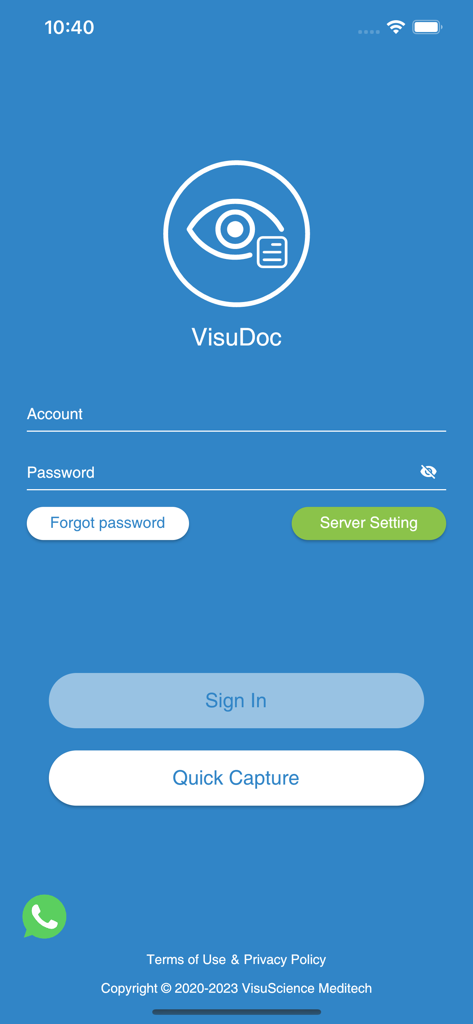
Login screen of the VisuDoc app for ophthalmic case management showing sign in and quick capture buttons.
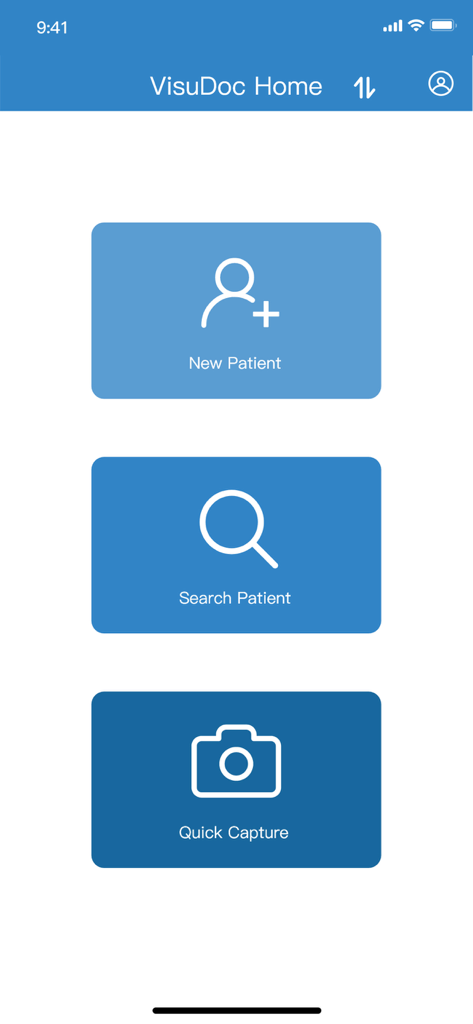
VisuDoc app home screen showing options for New Patient Search Patient and Quick Capture
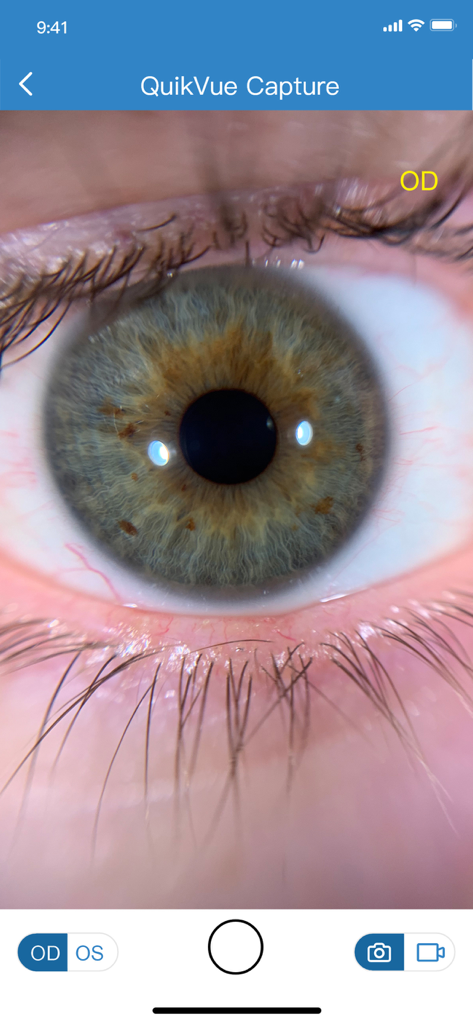
High definition close up image of a patient iris displayed on the VisuDoc app interface using the QuikVue capture tool
Description
Download
More Like This
Top-ranked apps in the same category

国家医保服务平台
National Healthcare Security Administration

MyChart
Epic Systems Corporation

Doctolib - Your health partner
Doctolib

Pregnancy + | Tracker App
Philips Digital UK Limited

CVS Health
CVS Pharmacy

江苏医保云
Jiangsu Healthcare Security Bureau

Meu SUS Digital
Servicos e Informacoes do Brasil

UnitedHealthcare
UNITED HEALTHCARE SERVICES, INC.

京东健康
BEIJING JINGDONG 360 DU E-COMMERCE LTD.
This page is not an official page of the app or its developer, but an independent editorial publication created for informational and commentary purposes. Unless expressly stated otherwise, neither the app nor its developer is affiliated with, endorsed by, sponsored by, authorized by, or otherwise officially connected with MWM, Apple, Google Play, the app publisher, or the app's developer, and nothing on this page implies that the app was developed using MWM's services. Any trademarks, logos, screenshots, and other content remain the property of their respective owners.