Voicepaper Text to Speech TTS

Voicepaper Text to Speech TTS


Download on App Store
Logo of Voicepaper Text to Speech TTS

Voicepaper: Transform Any Text Into Your Personal Audiobook

Maximize your productivity by turning textbooks, PDFs, and web articles into immersive audio. Scan physical pages, sync with the cloud, and listen on the go with 100+ natural voices.

Download on App Store

Publisher

Lemon LLC

Category

Magazines & Newspapers

Downloads

360K+

User Rating

4.3/5

Total Ratings

6K+

Locales

20

Your Library, Aloud

Discover the interface used by 360K+ users.
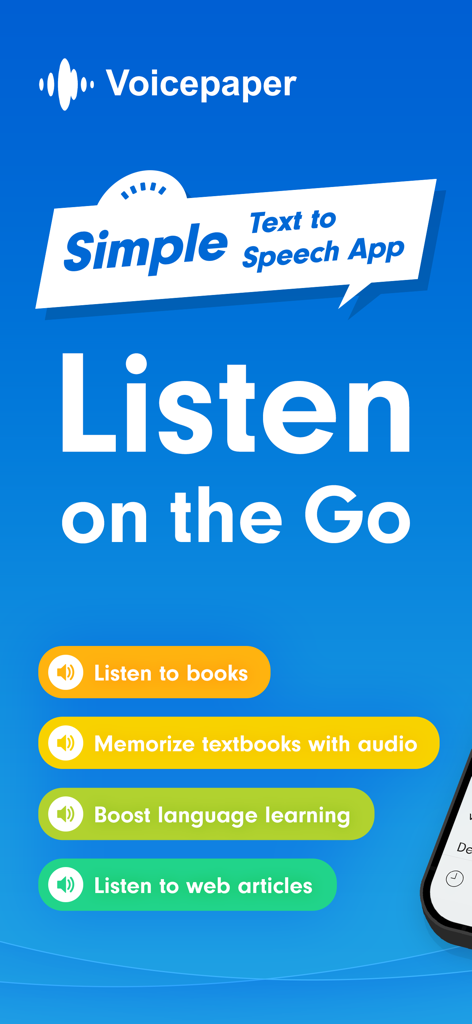
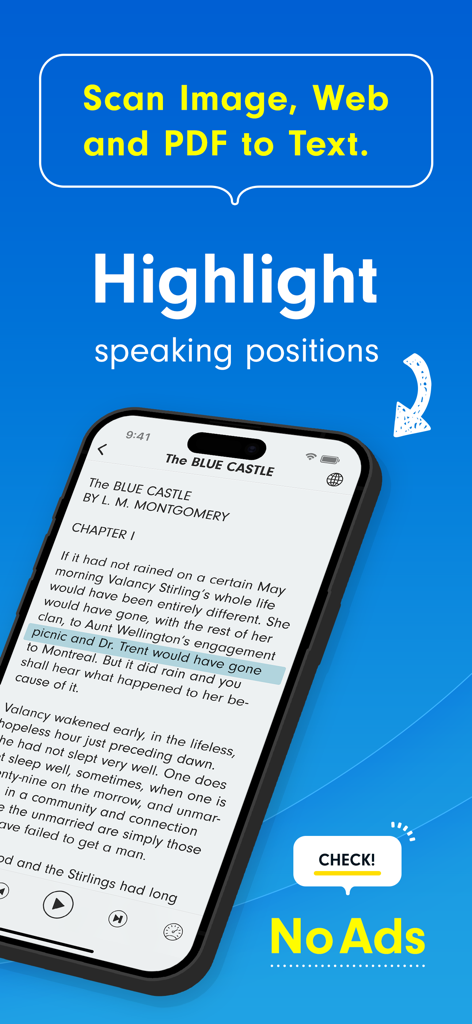
Voicepaper app introduction screen highlighting text to speech features for books textbooks and web articles

Voicepaper app introduction screen highlighting text to speech features for books textbooks and web articles

Voicepaper app interface displaying a digital book with text highlighting during audio playback and OCR features

Voicepaper app interface displaying a digital book with text highlighting during audio playback and OCR features

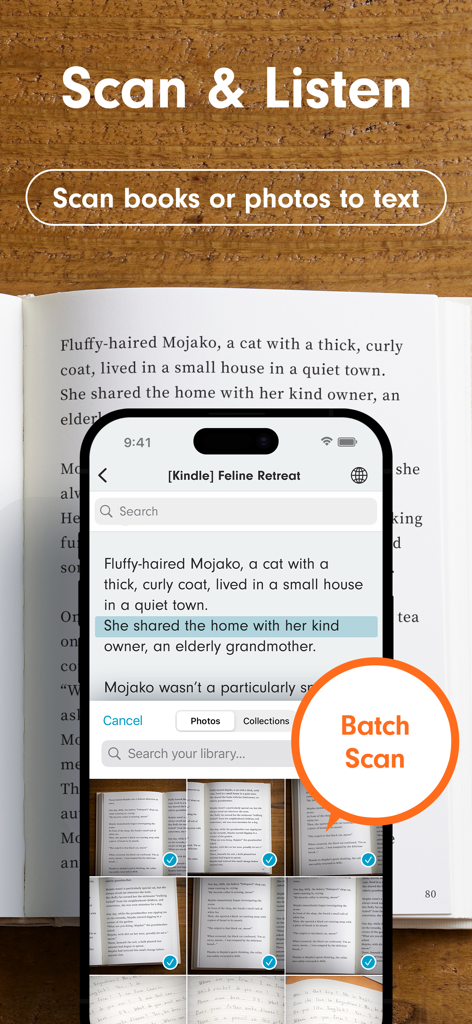
A smartphone screen showing the Voicepaper app batch scanning a physical book to convert text into speech.

A smartphone screen showing the Voicepaper app batch scanning a physical book to convert text into speech.

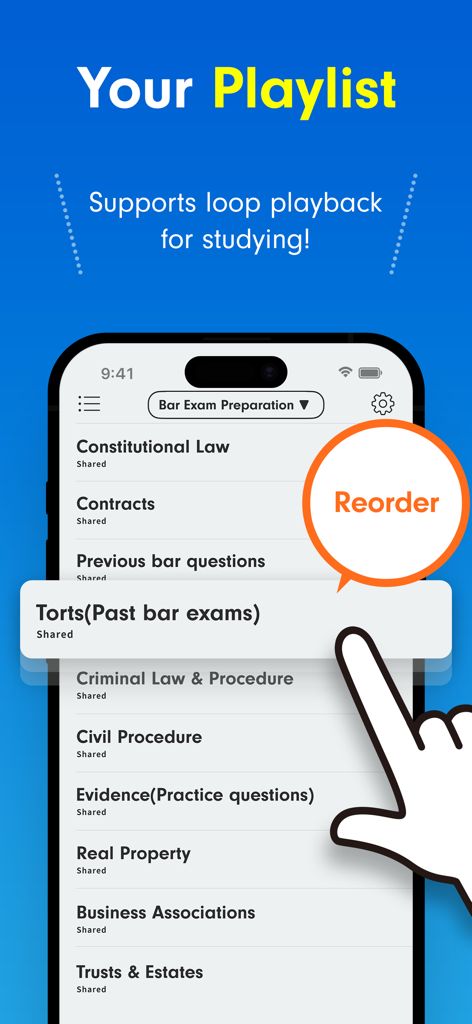
A smartphone showing the Voicepaper app playlist screen with law study materials and a hand demonstrating the reorder feature

A smartphone showing the Voicepaper app playlist screen with law study materials and a hand demonstrating the reorder feature

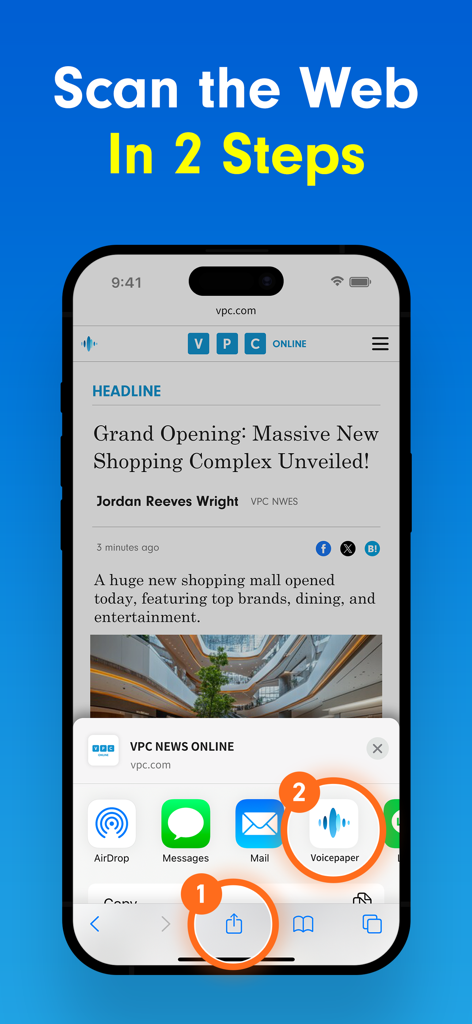
iPhone screen showing a two step process to scan web articles into the Voicepaper app using the iOS share menu

iPhone screen showing a two step process to scan web articles into the Voicepaper app using the iOS share menu

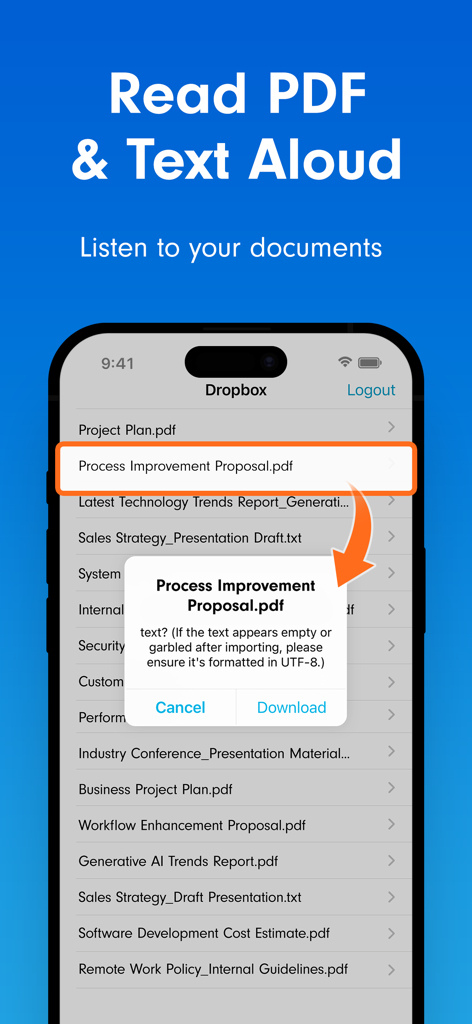
Voicepaper app interface showing a PDF being imported from Dropbox for text to speech playback.

Voicepaper app interface showing a PDF being imported from Dropbox for text to speech playback.

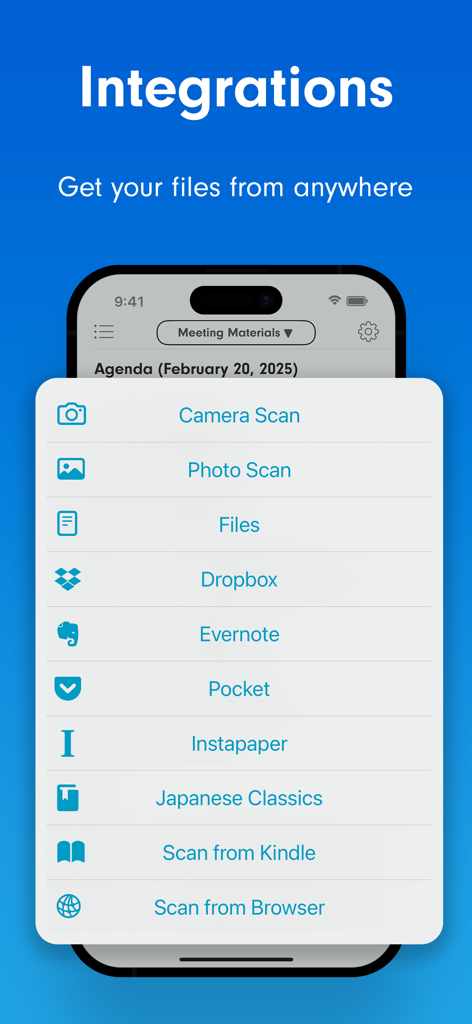
Voicepaper app screen showing file integration options like Dropbox Evernote and Pocket

Voicepaper app screen showing file integration options like Dropbox Evernote and Pocket

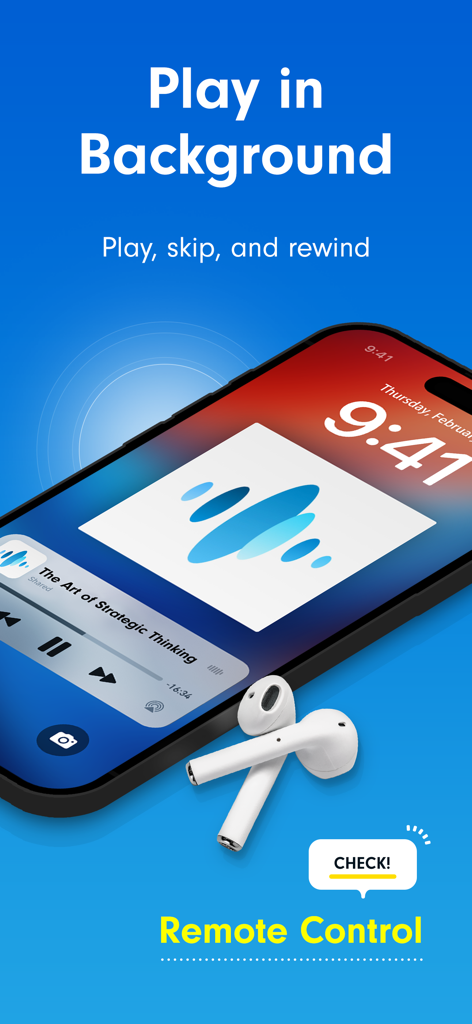
iPhone lock screen showing background playback and remote control controls for Voicepaper text to speech with wireless earbuds.

iPhone lock screen showing background playback and remote control controls for Voicepaper text to speech with wireless earbuds.

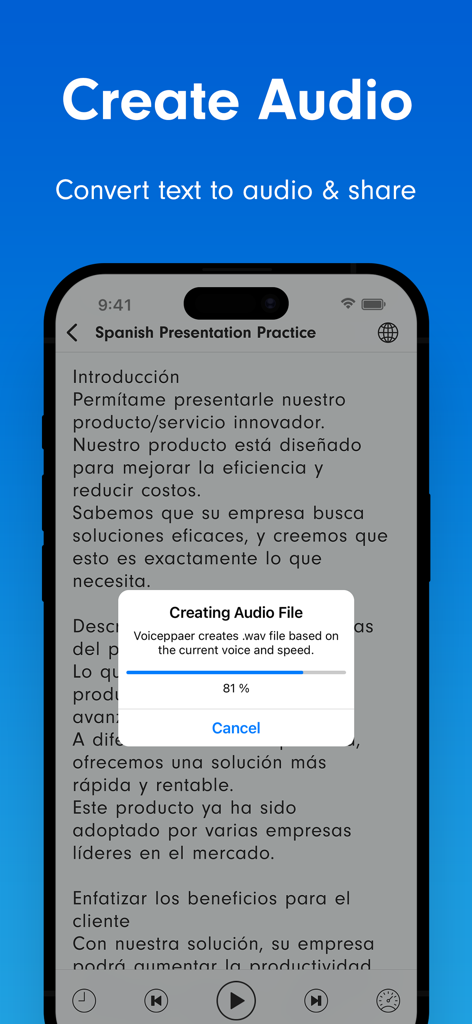
Voicepaper app interface showing a text to audio conversion progress bar for a Spanish presentation

Voicepaper app interface showing a text to audio conversion progress bar for a Spanish presentation

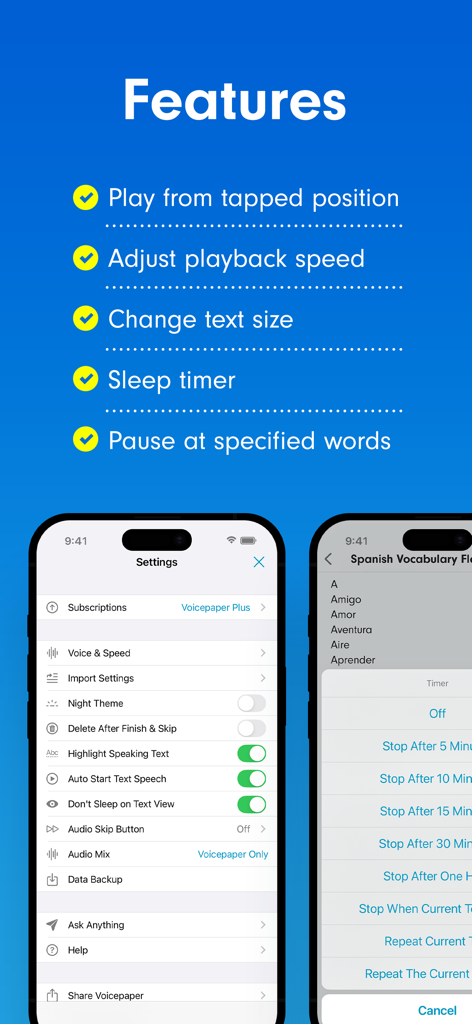
Voicepaper app features list showing playback settings and sleep timer options on mobile interface

Voicepaper app features list showing playback settings and sleep timer options on mobile interface

Turn Your Reading Into Time Saved

The tools that make this app stand out, trusted by 360K+ users.

📸

Scan and Listen Instantly

Turn physical textbooks or screenshots into audio with advanced OCR. Just snap a photo and start listening to your study materials on the go.

High-Speed Productivity

Maximize your efficiency with playback speeds up to 2x. Reclaim your 'dead time' during commutes or chores to power through your reading list.

📥

Seamless Digital Sync

Import directly from iCloud, Dropbox, or Instapaper. Whether it's a PDF, web article, or ePub, your entire library is ready for your ears.

About the app

Everything you need to know about Voicepaper Text to Speech TTS.

Description

Free text-to-speech app with no ads. Scan text from books or web pages and listen instantly with 100+ voices in 25+ languages. Perfect for: • Learners who want to study efficiently Scan textbooks using your camera or screenshots and convert them to text. Use repeat playback for memorization, or create playlists to listen in order. • Readers who want to read more Listen to books and novels during your spare moments. Import PDFs or web articles and absorb information by ear. • Language learners Text is highlighted during playback, so you can read with both your eyes and ears. Even when multiple languages appear in one text, the app automatically switches voices. Main Features ・OCR from camera, images, and screenshots ・Highlight and auto-scroll during playback ・One-tap speed adjustment ・Double-tap to play from any position ・Background playback & remote control Import Text From ・Create or paste text manually ・OCR from camera, images, or screenshots ・Scan web pages via the browser share menu ・Import from Notes apps via sharing ・Dropbox ・Evernote ・iCloud Drive ・Instapaper Supported File Types text, pdf, image, epub, markdown, word (.docx) File App Integration Access via the system “Files” button when these apps are installed: Google Drive, OneDrive, Box, pCloud, Obsidian, Nextcloud, and many others. Playlist Features ・Playlist repeat ・Shuffle playback ・Export playlist as audio files ・Duplicate playlists ・Move texts between playlists Useful Tools ・Edit titles and text ・In-text search ・Loop playback ・Sleep timer ・Adjustable font size ・Bookmarks within text ・Auto-paste copied text ・Auto voice switching based on language detection ・Auto language switching for multilingual text ・Bulk translation of text ・Share text or web links ・Backup and restore data ・Dark Mode support ・Personal Voice support (English / Chinese) Customizable Settings ・Remember playback position on/off ・Pause for a few seconds at chosen symbols ・Play while background music is on ・Set different voices and speeds per language ・Customize pronunciations ・Randomize voice selection ・Replace specific characters upon import ・Auto-sync Instapaper or Evernote at launch Intuitive Controls ・Long-press title to reorder ・Swipe left on title to delete ・Swipe right on title to move to top or another playlist ・Swipe left on playlist to delete, rename, or copy ・Undo accidental deletions Premium Version ・Unlimited listening ・Playback speeds above 1.6× ・Audio-file export Privacy & Terms https://intercom.help/voicepaper-ce4adc785260/articles/12806434-terms-privacy

Latest Version

3.8.3

Size

99.6 MB

First Released

Sep 14, 2017

Turn Your Reading List Into Your Personal Podcast

Join over 360,000 students and professionals reclaiming their time. Download Voicepaper today and transform your documents, web pages, and books into audio—completely ad-free.

Download on App Store
FAQ

Frequently Asked Questions

Everything you need to know about Voicepaper Text to Speech TTS

What is Voicepaper Text to Speech TTS?

Voicepaper Text to Speech TTS is a free application that converts text from books, web pages, and documents into spoken audio. It offers 100+ voices across 25+ languages, providing an ad-free experience.

Is Voicepaper Text to Speech TTS a free application?

Yes, Voicepaper Text to Speech TTS is a free text-to-speech app. It operates without advertisements, ensuring an uninterrupted listening experience for all users.

Can Voicepaper Text to Speech TTS scan physical books?

Yes, Voicepaper Text to Speech TTS scans text from physical books and photos using your device's camera. It supports optical character recognition (OCR) and offers a batch scan feature.

What languages does Voicepaper Text to Speech TTS support?

Voicepaper Text to Speech TTS supports over 25 languages with more than 100 distinct voices. The app automatically switches voices to accommodate multilingual texts during playback.

Does Voicepaper Text to Speech TTS offer background playback?

Yes, Voicepaper Text to Speech TTS supports background playback. Users control audio (play, skip, rewind) via remote controls even when the app is not actively open on screen.

How can I listen to web pages using Voicepaper Text to Speech TTS?

You can listen to web pages by scanning them directly from your browser's share menu. Voicepaper Text to Speech TTS integrates seamlessly, allowing easy import and conversion to speech.

What features does Voicepaper Text to Speech TTS Premium offer?

The Premium Version of Voicepaper Text to Speech TTS includes unlimited listening, playback speeds exceeding 1.6x, and the ability to export converted audio files.

Does Voicepaper Text to Speech TTS highlight text during audio playback?

Yes, Voicepaper Text to Speech TTS highlights the text as it is spoken and auto-scrolls. This feature enhances comprehension and aids in language learning and memorization.

Which file formats can Voicepaper Text to Speech TTS import?

Voicepaper Text to Speech TTS imports text, PDF, image, EPUB, Markdown, and Word (.docx) documents. It converts these various file types into spoken audio.

Does Voicepaper Text to Speech TTS integrate with cloud services?

Yes, Voicepaper Text to Speech TTS integrates with cloud services like Google Drive, OneDrive, Box, Dropbox, and iCloud Drive. Users access files through the system's 'Files' button.

Where is the privacy policy for Voicepaper Text to Speech TTS located?

The official privacy policy for Voicepaper Text to Speech TTS is accessible via the provided link: https://intercom.help/voicepaper-ce4adc785260/articles/12806434-terms-privacy.

Is there a sleep timer function in Voicepaper Text to Speech TTS?

Yes, Voicepaper Text to Speech TTS includes a sleep timer as a useful tool. This allows users to set a duration after which audio playback automatically stops.

Can I change the playback speed in Voicepaper Text to Speech TTS?

Yes, Voicepaper Text to Speech TTS allows one-tap adjustment of playback speed. The Premium Version extends available speeds to above 1.6x.

Can Voicepaper Text to Speech TTS create audio files from text?

Yes, Voicepaper Text to Speech TTS converts text into audio files. The ability to export these audio files is a feature included with the Premium Version.

App information, icons, screenshots, and descriptions displayed on this page are sourced from the Apple App Store and are the property of their respective developers. Download estimates and rankings are based on MWM's proprietary models and may not reflect actual figures. This page is provided for informational and analytical purposes only.

Believe this page infringes your intellectual property? File a dispute