
This page is not an official page of the app or its developer, but an independent editorial publication created for informational and commentary purposes. Unless expressly stated otherwise, neither the app nor its developer is affiliated with, endorsed by, sponsored by, authorized by, or otherwise officially connected with MWM, Apple, Google Play, the app publisher, or the app's developer, and nothing on this page implies that the app was developed using MWM's services. Any trademarks, logos, screenshots, and other content remain the property of their respective owners.


Speechify – Text to Speech PDF
Your documents are dead weight. This app revives them, delivering instant audio command and AI-powered understanding across all your text.
Downloads
25M+User Rating
Total Ratings
783.8KPublisher
Category
ProductivityLocales
40Latest Version
5.0.31Size
427.0 MBFirst Released
Mar 2, 2017Key Analytical Features of Speechify – Text to Speech PDF
An evaluation of core functionalities enhancing learning, productivity, and accessibility through advanced audio and AI assistance.
AI-Powered Content Interaction
The app allows users to interact with their content through AI, asking questions, getting summaries, or being quizzed on material, similar to a personalized tutor.
Universal Text-to-Speech Capability
This tool provides the ability to convert various text formats, including PDFs, web pages, images, and documents, into spoken audio, making content accessible and consumable on the go.
Advanced Voice & Speed Customization
It features over 200 lifelike voices across 60+ languages and allows playback speeds up to 4.5x, enabling efficient learning and personalized listening experiences.
Personalized AI Podcast Creation
Users can generate AI Podcasts on any topic, tailored to specific styles like 'Thoughtful Talk' or 'Lecture,' offering a novel way to consume information.
Voice-to-Text Dictation
The app enables users to dictate text naturally, converting spoken words into written content 5x faster, which is highly beneficial for writing emails, essays, or notes.
Synchronized Text Highlighting
It offers active text highlighting, where words are highlighted in perfect sync with the audio, aiding comprehension and improving information retention for listeners.
Cross-Device Synchronization
The app ensures that users' reading library and progress sync instantly across all devices, including mobile and desktop, providing a seamless and flexible experience.
Integrated Note-Taking & Bookmarks
This tool allows users to take notes and bookmark specific sections within their content, facilitating review and deeper engagement with the material.
Frequently Asked Questions
Everything you need to know about Speechify – Text to Speech PDF
What is Speechify – Voice AI Assistant?
Speechify is a Voice AI Assistant that reads books, PDFs, and articles aloud. It also types as you speak and answers questions instantly, leveraging text-to-speech, voice typing, and AI assistant technology.
How does Speechify help users read faster?
Speechify reads any document, webpage, or book aloud at speeds up to 4.5x faster. This feature, combined with over 200 lifelike voices, allows users to consume content efficiently and read more in less time.
Does Speechify provide human-like reading voices?
Yes, Speechify offers over 200 human-like voices across 60+ languages. It includes official partner voices like Snoop Dogg, MrBeast, and Gwyneth Paltrow for an enhanced and natural listening experience.
Can Speechify convert speech to text for typing?
Yes, Speechify features voice typing dictation. It converts spoken words into text, enabling users to type emails, essays, or prompts directly into any website up to 5 times faster just by talking.
Is Speechify accessible across different devices?
Yes, Speechify supports multiple devices. Your library syncs instantly across iOS, Chrome, desktop, and iPad, allowing you to continue reading and listening seamlessly on any device.
How does the Speechify AI Assistant work?
Speechify functions as an AI Assistant by understanding content on your screen. You can ask questions, request summaries, or ask for quizzes related to articles, documents, or books, receiving instant, context-aware answers.
Can Speechify read text from images or screenshots?
Yes, Speechify includes a 'Screenshot image to audio' feature. You can take a picture or screenshot of any text, and Speechify will instantly read it aloud, converting visual text into audio.
How does Speechify assist students in their studies?
Yes, Speechify significantly helps students. It reads study materials aloud, summarizes long texts, generates quizzes on key ideas, and allows voice typing for essays, enhancing learning and retention.
Can users create podcasts using Speechify?
Yes, Speechify allows you to create AI Podcasts. You can generate podcasts on any topic, choose from various styles like Thoughtful Talk or Storytelling, and share them with others.
Does Speechify offer note-taking and bookmarking features?
Yes, Speechify includes Note Taking & Bookmarks features. You can take notes directly on the content you are reading and add bookmarks to specific sections for easy future reference.
Who founded Speechify and what was the motivation?
Speechify was founded by Cliff Weitzman, who has dyslexia and ADHD. He created Speechify to remove barriers to reading and writing for himself and millions of others with similar challenges.
Can Speechify summarize documents and articles?
Yes, Speechify offers AI summarization. Its AI capabilities process documents and articles to provide instant insights, allowing users to quickly grasp the main takeaways from any text.
How many users currently trust Speechify?
Over 50 million users worldwide trust Speechify. This large user base reflects the app's effectiveness in providing solutions for reading, writing, and information consumption.
Does Speechify highlight text while it reads aloud?
Yes, Speechify features Active Text Highlighting. The text is highlighted and perfectly synced word-for-word with the voice reader, which helps users follow along and improve comprehension and retention.
Where can I find Speechify's privacy policy?
Speechify’s privacy policy outlines how user data is collected, used, and protected. For detailed information, users can review the full policy on the official website via the provided link: `https://speechify.com/privacy/`.
The following screenshots and description are sourced directly from the app's official store listing and are the property of the app developer.
App Store
Screenshots
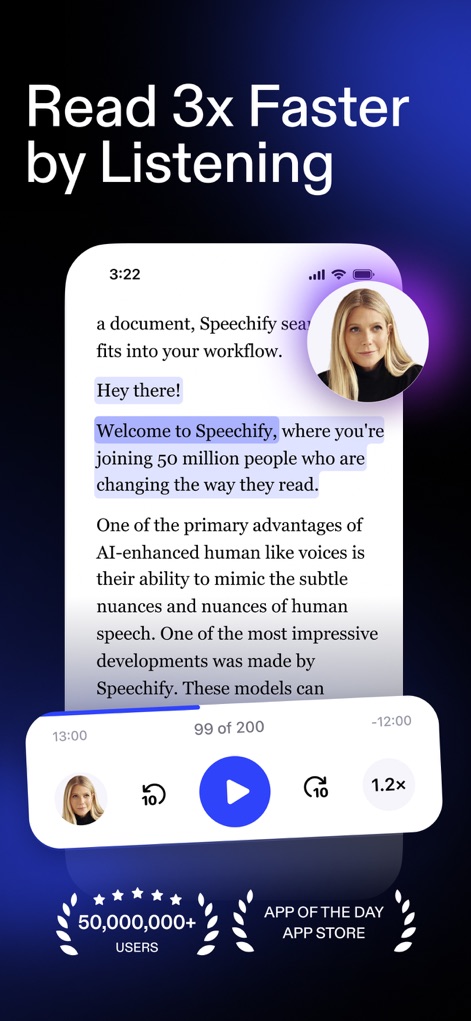
Speed Listening Power
This screenshot illustrates the dynamic text highlighting that syncs with audio playback and clearly displays audio controls like the 1.2x speed adjustment.
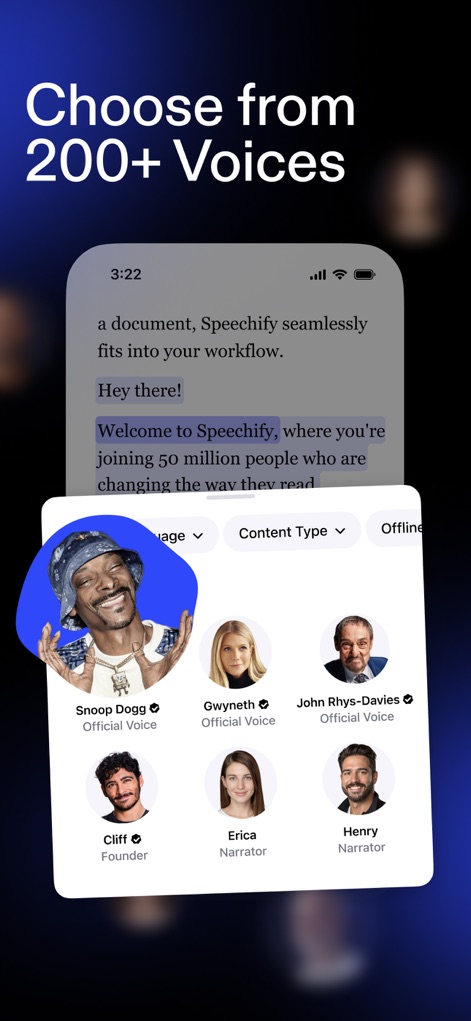
Diverse Voice Selection
Users can explore a rich selection of human-like voices, including official partners like Snoop Dogg and Gwyneth Paltrow, alongside intuitive filters for language and content type.
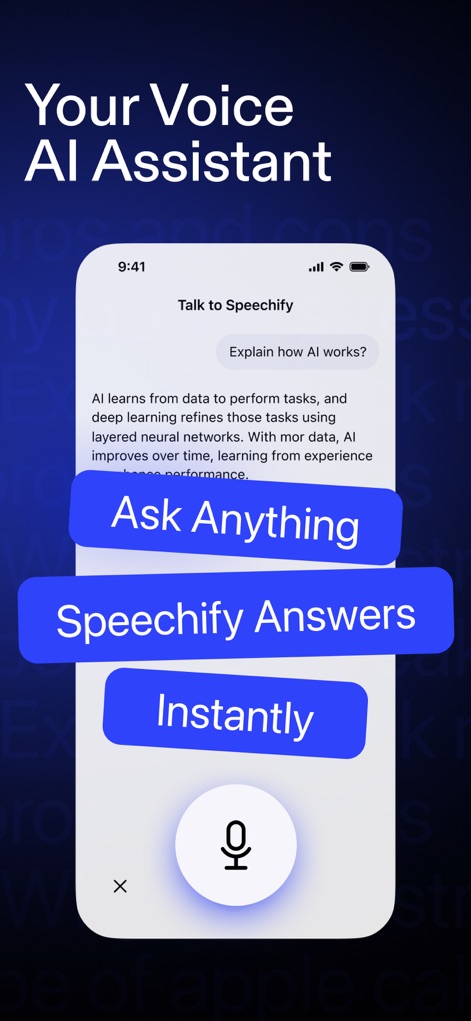
AI Interaction Simplified
This visual demonstrates the AI assistant's ability to answer questions instantly, with clear call-to-action buttons like "Ask Anything" and a prominent microphone icon for voice input.

Scan & Listen
The app transforms physical text into audio by allowing users to scan any page with a camera interface and provides options to select between "1 Page" or "2 Pages" for reading.
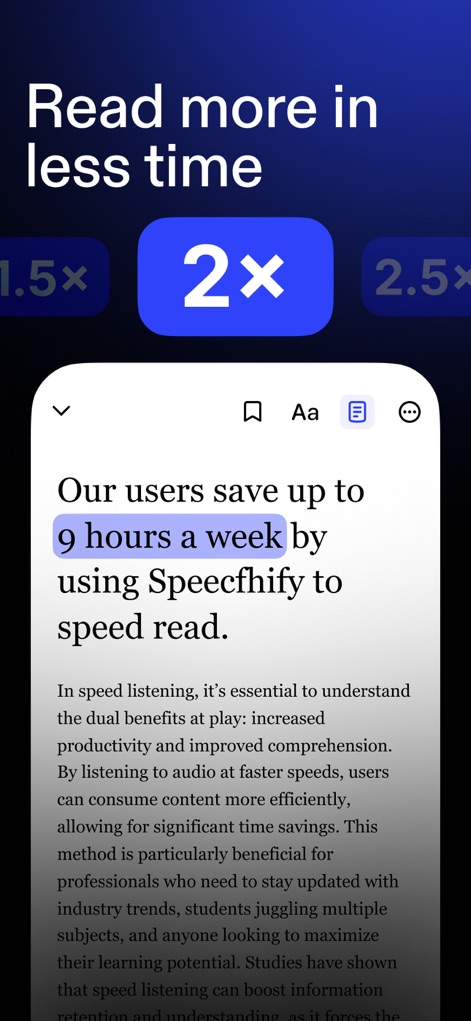
Optimized Reading Speeds
This screenshot highlights the impactful time savings, claiming users "save up to 9 hours a week," and showcases various speed multiplier options such as "1.5x" and "2x" for efficient listening.
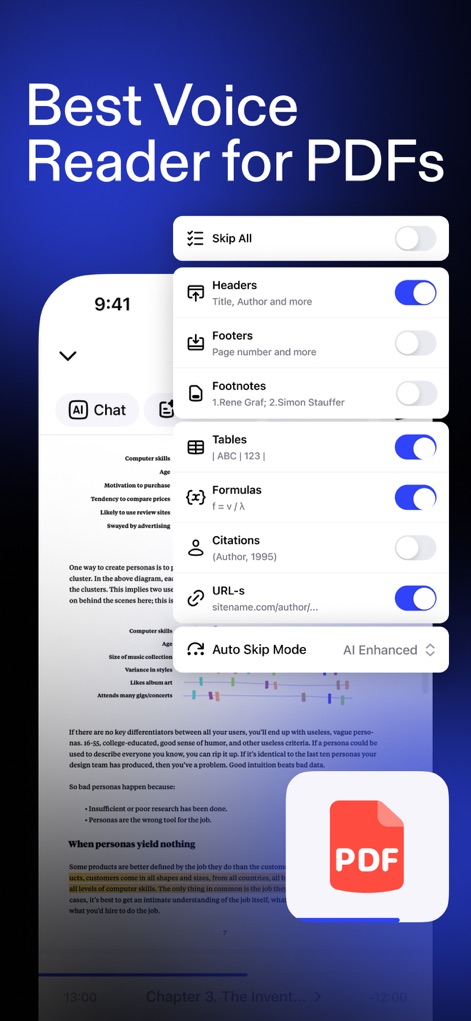
PDF Reading Controls
Users gain granular control over PDF content with toggle options to skip elements like "Headers" and "Footnotes," enhanced by an "AI Enhanced" "Auto Skip Mode" for seamless reading.
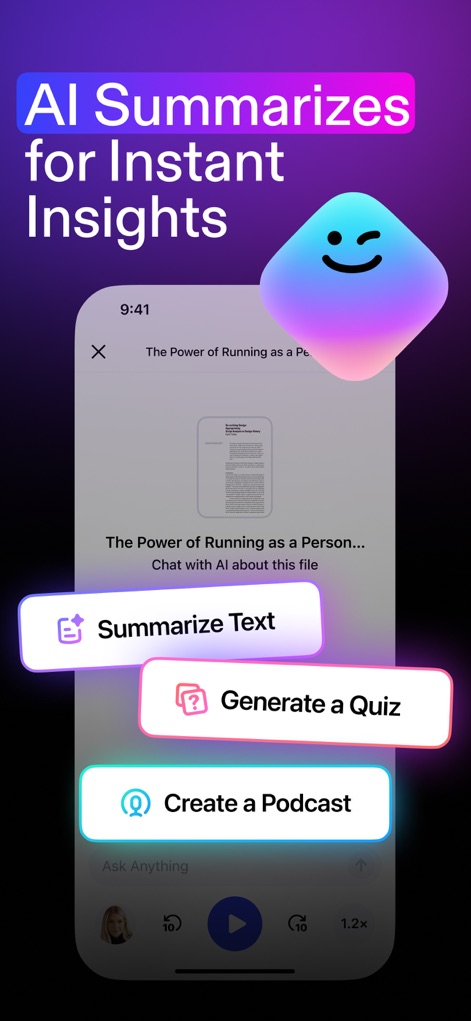
AI-Powered Insights
The app leverages AI to provide instant insights, offering direct actions such as "Summarize Text" and the ability to "Generate a Quiz" from content.
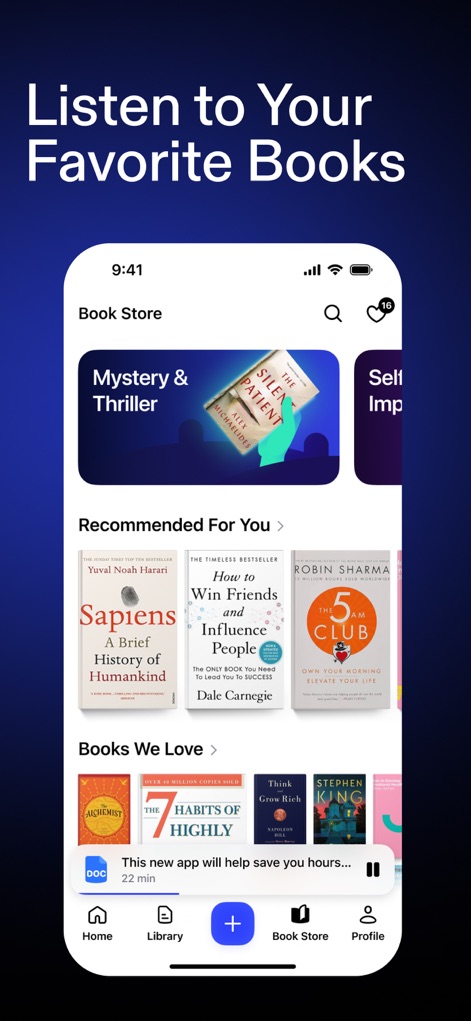
Curated Book Library
This visual presents a well-organized "Book Store" with categorized content like "Mystery & Thriller," alongside personalized "Recommended For You" sections displaying popular book covers.
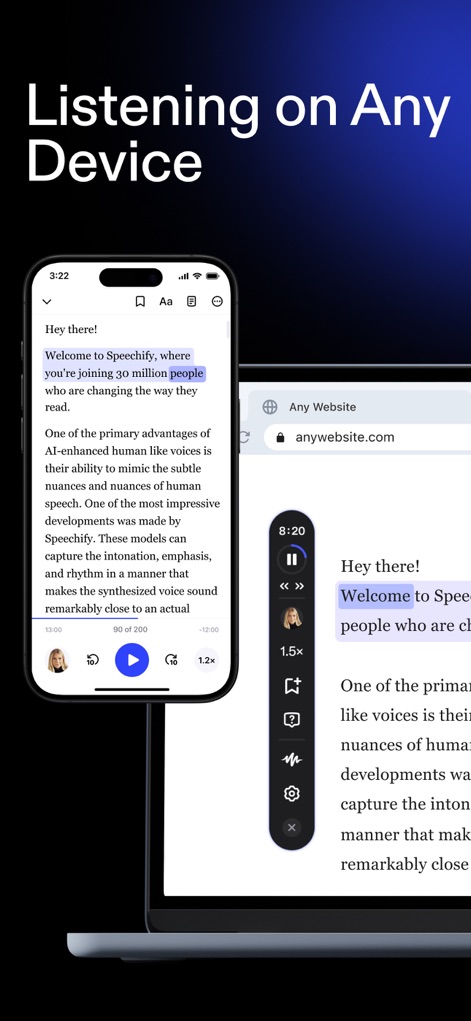
Cross-Device Continuity
The app ensures a seamless experience across devices, demonstrating synchronized playback and active text highlighting simultaneously on both mobile and desktop interfaces.
Description
Download
More Like This
Apps with similar features and user experience

NaturalReader - Text To Speech
NaturalSoft

ElevenReader - Read Text Aloud
Eleven Labs Inc.

Voice Aloud Reader
Marcin Olawski

Peech: Text to Speech Reader
Dopefin Limited

Text to Speech!
Gwyn Durbridge

ListenMe - Text to Speech
SCALEUP YAZILIM HIZMETLERI ANONIM SIRKETI

Readify: AI Natural Read Aloud
New Port LLC

Labs AI : Text to Speech
James Carter

Speak4Me Text to Speech Reader
Bakery Scent S.r.l.
This page is not an official page of the app or its developer, but an independent editorial publication created for informational and commentary purposes. Unless expressly stated otherwise, neither the app nor its developer is affiliated with, endorsed by, sponsored by, authorized by, or otherwise officially connected with MWM, Apple, Google Play, the app publisher, or the app's developer, and nothing on this page implies that the app was developed using MWM's services. Any trademarks, logos, screenshots, and other content remain the property of their respective owners.