Void Widgets - Retro & Minimal
Download on App Store

This page is not an official page of the app or its developer, but an independent editorial publication created for informational and commentary purposes. Unless expressly stated otherwise, neither the app nor its developer is affiliated with, endorsed by, sponsored by, authorized by, or otherwise officially connected with MWM, Apple, Google Play, the app publisher, or the app's developer, and nothing on this page implies that the app was developed using MWM's services. Any trademarks, logos, screenshots, and other content remain the property of their respective owners.


Logo of Void Widgets - Retro & Minimal
Download on App Store

Void Widgets - Retro & Minimal

Join the elite circle of digital curators with exclusive Morse code clocks, dot-matrix displays, and the unique Dayloader progress tracker. Privacy-focused, ad-free, and designed for those who value high-end, retro-futuristic style.

Key Figures

Downloads

900

User Rating

4.4/5

Total Ratings

0

Publisher

Yeasir Arafat

Category

Graphics & Design

Locales

12

Latest Version

1.1.2

Size

8.9 MB

First Released

Dec 3, 2025
Features

Craft Your Digital Identity

Merge iconic retro-tech aesthetics with modern productivity tools. Void Widgets turns your home screen into a curated, high-performance canvas designed for the digital minimalist.

Iconic Retro-Futurism

Ditch generic clocks for exclusive Morse code patterns and dot-matrix displays that give your iPhone a unique, high-end Nothing-inspired aesthetic.

Visual Productivity Hacks

Master your schedule with the Dayloader—a minimalist progress tracker that visualizes your day's completion and simplifies your time-blocking habits.

The following screenshots and description are sourced directly from the app's official store listing and are the property of the app developer.

App Store

Screenshots
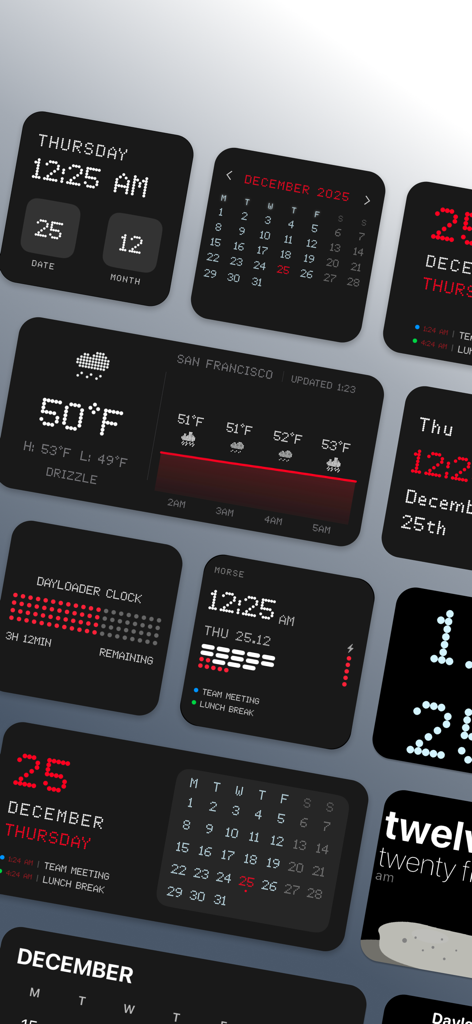
Void Widgets - Retro & Minimal - A collection of dark retro and minimal iOS widgets featuring dot matrix clocks and Morse code displays
A collection of dark retro and minimal iOS widgets featuring dot matrix clocks and Morse code displays

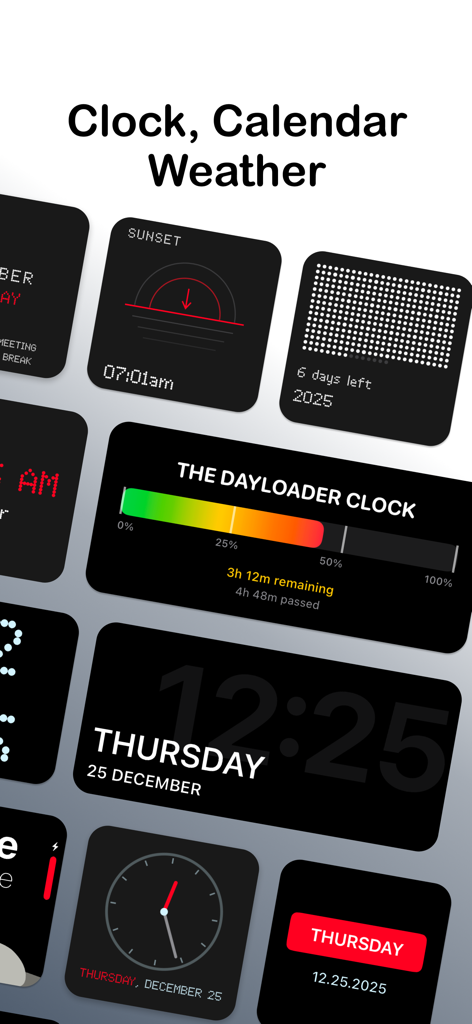
Void Widgets - Retro & Minimal - Variety of retro and minimal iOS widgets including a dayloader progress bar and dot matrix clocks

Variety of retro and minimal iOS widgets including a dayloader progress bar and dot matrix clocks
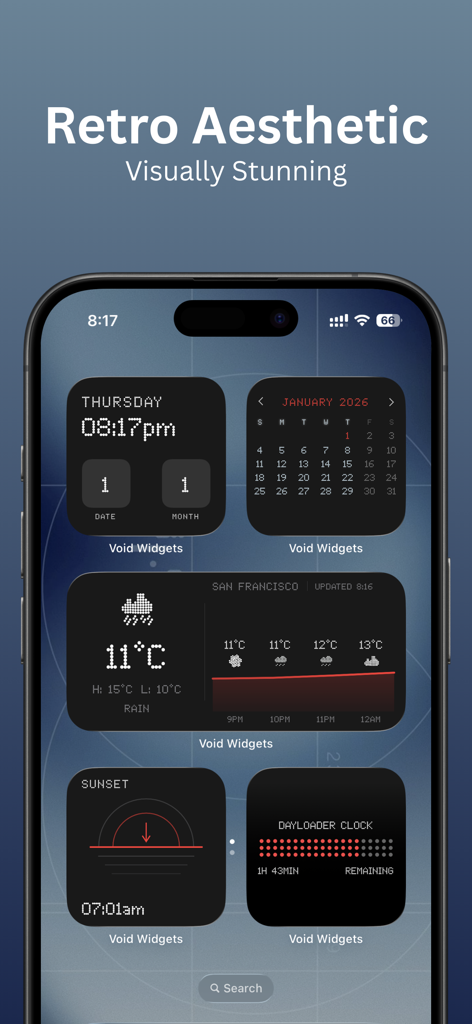
Void Widgets - Retro & Minimal - iPhone home screen displaying various retro minimalist widgets including a dot matrix clock calendar weather and dayloader
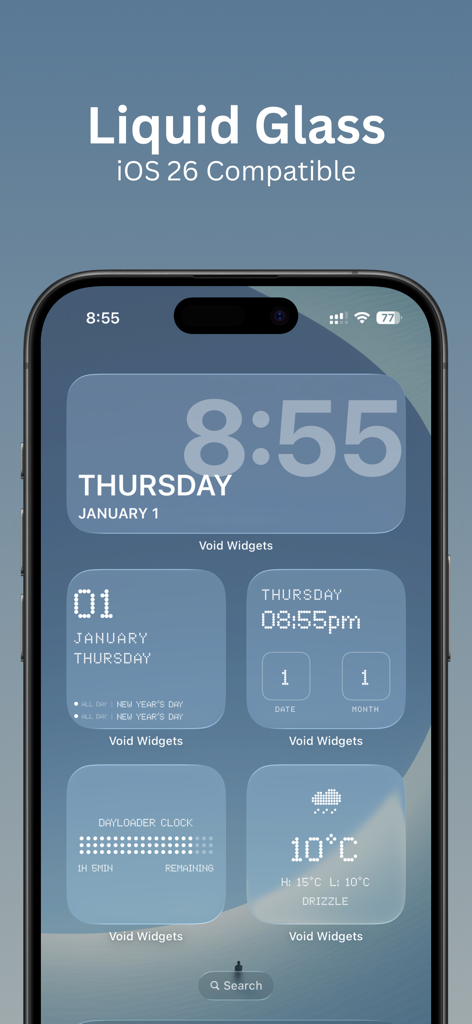
iPhone home screen displaying various retro minimalist widgets including a dot matrix clock calendar weather and dayloader

Void Widgets - Retro & Minimal - iPhone home screen displaying multiple minimal retro widgets including a large clock, calendar, and weather data with a liquid glass aesthetic
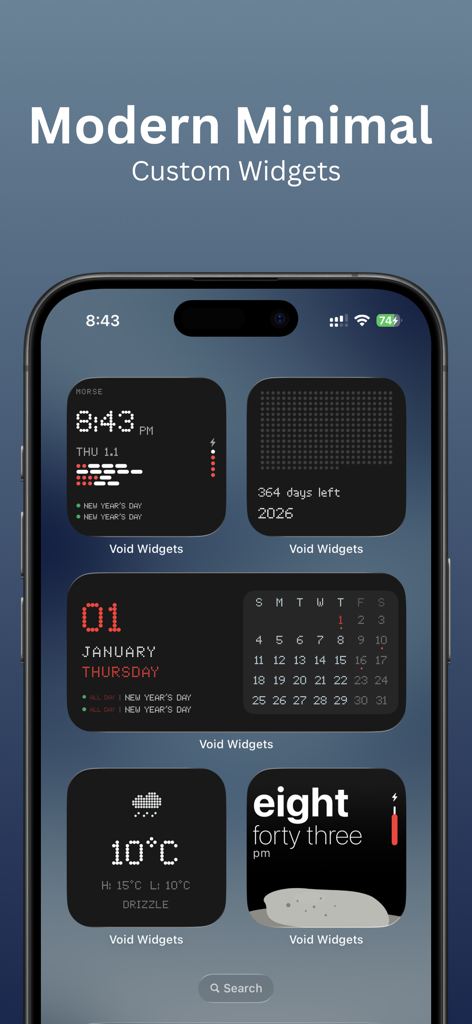
iPhone home screen displaying multiple minimal retro widgets including a large clock, calendar, and weather data with a liquid glass aesthetic

Void Widgets - Retro & Minimal - Modern minimal and retro custom widgets displayed on an iPhone home screen from Void Widgets app
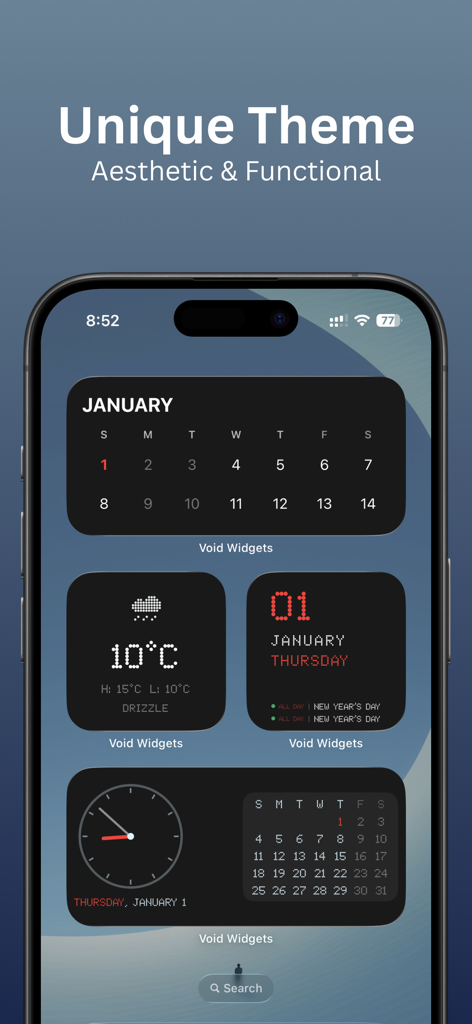
Modern minimal and retro custom widgets displayed on an iPhone home screen from Void Widgets app

Void Widgets - Retro & Minimal - iPhone home screen featuring aesthetic retro and minimal widgets for calendar, weather, and time.

iPhone home screen featuring aesthetic retro and minimal widgets for calendar, weather, and time.
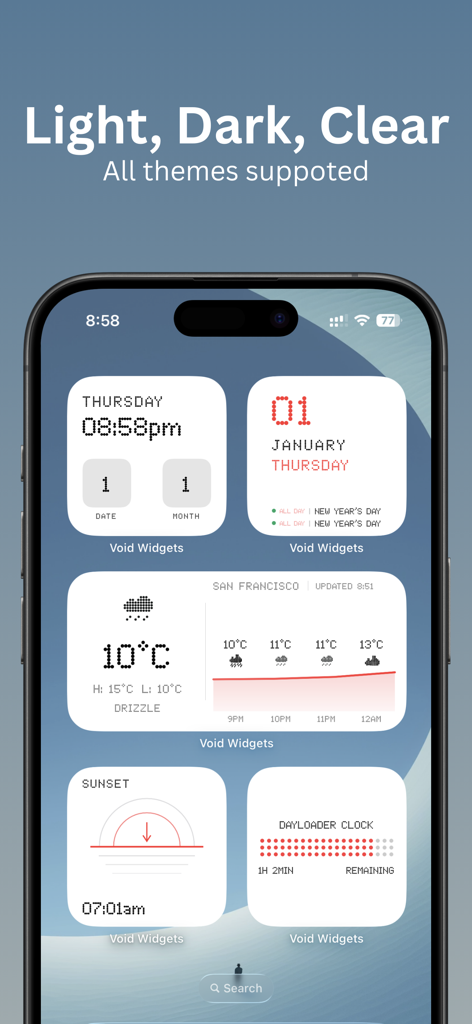
Void Widgets - Retro & Minimal - A collection of retro and minimal iOS widgets from Void Widgets including clock weather and calendar displayed on an iPhone
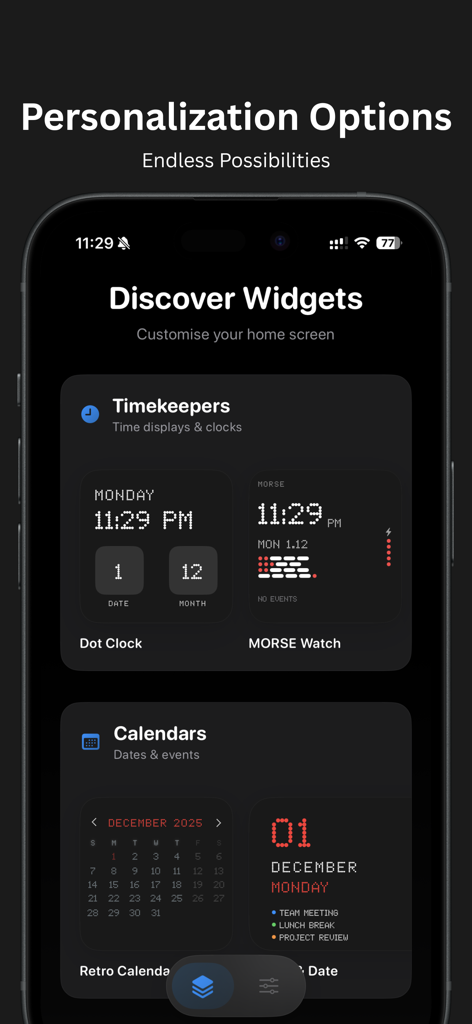
A collection of retro and minimal iOS widgets from Void Widgets including clock weather and calendar displayed on an iPhone

Void Widgets - Retro & Minimal - A collection of retro and minimal iOS widgets featuring dot matrix clocks and pixel art calendars in a dark mode interface

A collection of retro and minimal iOS widgets featuring dot matrix clocks and pixel art calendars in a dark mode interface

Description

Unique Home Screen Widgets with Exclusive Design Styles Void Widgets brings 20+ custom-designed widgets to your iPhone. Morse code clocks, dot matrix displays, retro pixel aesthetics, calendar previews, and weather at a glance. Stand out with widgets you won't find anywhere else. EXCLUSIVE CLOCK DESIGNS - Morse Code Clock: Time displayed in morse patterns with dots and dashes - Dot Matrix Clock - Word Clock: Pebble-inspired time written as text - Dayloader Progress Clock: Visual day completion with color gradients - Retro Digital Clock: Nostalgic LED-style numeric display - Analog Watch Face: Classic circular clock with smooth animations - Minimalist Time Widget: Clean, distraction-free time display SMART CALENDAR WIDGETS - Upcoming Events Preview: See next appointments on home screen - Month Grid View: Full calendar with highlighted current day - Week Strip Calendar: 7-day overview at a glance - Retro Calendar: Pixel-art style month display (Small and Large) - Event Countdown: Days remaining to important dates - Color-coded categories for different calendars - Multiple calendar account support DAYLOADER - DAY PROGRESS TRACKER Unique feature for productivity lovers: - Visual representation of day completion - Customizable time ranges (work hours, study sessions, daily goals) - Color gradient progress (green to yellow to red) - Time remaining counter - Two styles: Progress bar and dot matrix - Perfect for time-blocking enthusiasts WEATHER TAB - Search locations and refresh weather anytime CURRENT WEATHER (SMALL) - Big temperature + condition - Weather icon + daily high/low CURRENT WEATHER (MEDIUM) - Current temperature + condition + daily high/low - Location + last updated time - Next hours forecast with icons + temperatures + mini temp chart SUNSET - Sunset time at a glance - Geometric sunset arc visualization (Nothing OS-inspired) AESTHETIC CATEGORIES - Retro and Pixel Art: Vintage computer-inspired designs with LED style - Minimalist and Modern: Clean layouts with iOS-native design language - Futuristic and Tech: Dot matrix typography with morse code patterns KEY FEATURES - Multiple widget sizes (Small, Medium, Large) - Dark mode optimized - Low battery usage - Instant updates - No ads or tracking - Privacy-focused (zero data collection) - Flexible payment options (monthly subscription or lifetime access) - Offline functionality - Easy customization PERFECT FOR Home screen customizers, productivity enthusiasts, design lovers, retro tech fans, minimalism advocates, calendar power users, and time management fans. PREMIUM WIDGETS Unlock exclusive designs with flexible payment options: - Monthly subscription with free trial period - One-time lifetime purchase available - Retro pixel calendar (large format) - Morse code time display - Analog clock with calendar grid - Dot matrix typography clock - Calendar event preview widget - Dayloader progress variations SIMPLE SETUP - Browse widget gallery - Long-press iPhone home screen - Tap plus button to add widget - Select Void Widgets - Choose size and style - Configure options if needed WHAT MAKES US DIFFERENT - Morse code clock: Only app with morse time display - NDOT 47 typography: Exclusive custom pixel font - Word-based time: Pebble watch-inspired design - Dayloader concept: Visual day completion tracker - Retro pixel aesthetic: Authentic vintage computer style - Calendar event preview: See appointments without opening app - Flexible pricing: Monthly with free trial, or one-time lifetime access USE CASES Replace default widgets, add personality to layouts, glance at calendar events, check weather + sunset time, create themed designs, track productivity visually, and combine widgets for custom dashboards. Compatible with iOS 18+ and optimized for all iPhone models. Download Void Widgets and personalize your iPhone home screen with widget designs you won't find in any other app!

Download

Download on App Store

This page is not an official page of the app or its developer, but an independent editorial publication created for informational and commentary purposes. Unless expressly stated otherwise, neither the app nor its developer is affiliated with, endorsed by, sponsored by, authorized by, or otherwise officially connected with MWM, Apple, Google Play, the app publisher, or the app's developer, and nothing on this page implies that the app was developed using MWM's services. Any trademarks, logos, screenshots, and other content remain the property of their respective owners.