
This page is not an official page of the app or its developer, but an independent editorial publication created for informational and commentary purposes. Unless expressly stated otherwise, neither the app nor its developer is affiliated with, endorsed by, sponsored by, authorized by, or otherwise officially connected with MWM, Apple, Google Play, the app publisher, or the app's developer, and nothing on this page implies that the app was developed using MWM's services. Any trademarks, logos, screenshots, and other content remain the property of their respective owners.


Vont - Text on Videos
Stop the scroll. This app unleashes your video's voice, transforming mundane clips into magnetic messages. It offers powerful typographic control, ensuring every word lands with impact.
Downloads
7.5M+User Rating
Total Ratings
10.6KPublisher
Category
Photo & VideoLocales
4Latest Version
1.6.55Size
65.6 MBFirst Released
Apr 25, 2014An Analytical Overview of Core Features for Content Creators
Key Capabilities: Vont - Text on Videos
Core Text Overlay Functionality
The app provides the fundamental ability to seamlessly add textual overlays to videos, serving as the primary tool for communicating messages and enhancing visual content.
Custom Font Integration
It allows users to install their own .ttf or .otf font files, offering unparalleled branding consistency and creative freedom beyond the built-in selection.
Advanced Text Styling Controls
This tool features extensive options to customize text appearance, including changeable size, color, gradient, stroke color, shadow color, and background color, enabling highly personalized visual effects.
Extensive Font Library
The app provides access to a diverse collection of over 400 fonts, offering a wide array of stylistic choices to suit various creative projects and brand identities.
Precision Typography Adjustments
It allows users to fine-tune text kerning and line spacing, ensuring professional-grade legibility and aesthetic balance for sophisticated visual presentations.
Flexible Text Transformation
This tool features the ability to rotate text, providing flexibility for dynamic visual layouts and creative positioning within video frames.
Frequently Asked Questions
Everything you need to know about Vont - Text on Videos
What is Vont - Text on Videos used for?
Vont is an app for adding text to videos. It provides extensive customization for text appearance, including size, color, gradient, and supports custom font installation.
How many fonts are available in the Vont app?
The Vont app includes over 400 fonts. Users can also install additional custom fonts in .ttf or .otf format to expand their creative options within the application.
Can users install custom fonts in Vont?
Yes, Vont supports custom font installation. Users transfer .ttf or .otf font files via iTunes File Sharing from their computer to the app's "Documents" folder, then restart Vont.
How do I change text color in Vont?
Vont allows changing text color, stroke color, and background color. Users can adjust these using RGB sliders and alpha settings within the app's color customization interface.
Does Vont support curved text?
Yes, Vont supports creating curved text. This feature enables users to apply dynamic and artistic text layouts directly onto their videos for unique visual effects.
What languages does the Vont app support?
Vont supports English (US), Chinese, and Japanese. Users can adjust their iOS device's "iPhone Language" setting in "General" > "Language & Region" to select the preferred Vont language.
Can Vont add text to photos as well as videos?
No, Vont is specifically designed for adding text to videos. For adding text to photos, the developer recommends using the companion Phonto app, which is also available.
What text customization options are available in Vont?
Vont offers extensive text customization, including changeable size, color, gradient, stroke, shadow, and background color. Text is also rotatable with adjustable kerning and line spacing.
The following screenshots and description are sourced directly from the app's official store listing and are the property of the app developer.
App Store
Screenshots

See how the app facilitates creative expression with customizable text overlays and a clear video timeline for precise timing.
Dynamic Text Placement
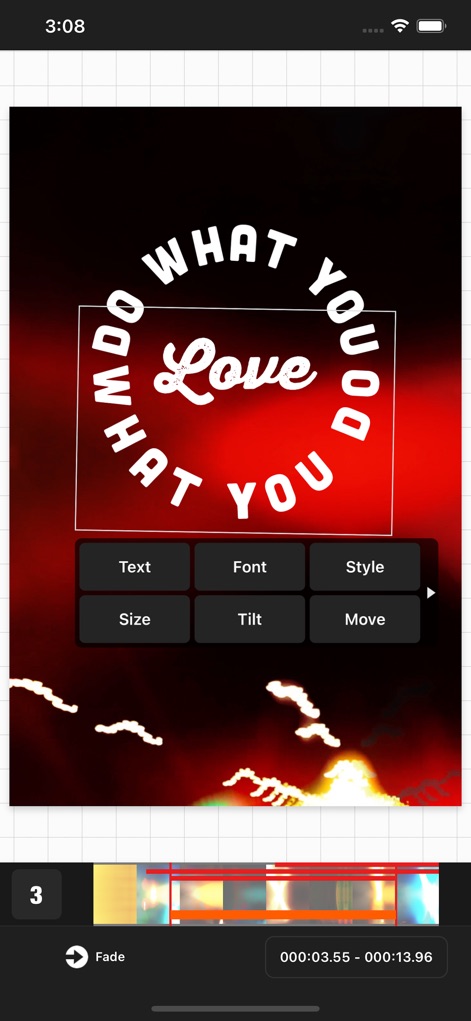
Observe the powerful curved text functionality and accessible editing menu for swift adjustments to design elements.
Intuitive Editing Control

This tool offers precise grid overlays for perfect alignment and supports multi-line text for compelling visual messages.
Compositional Precision
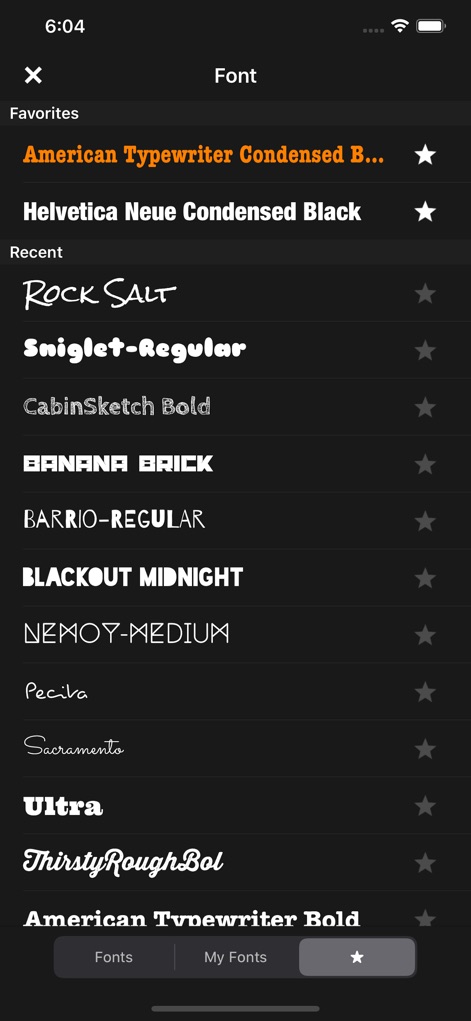
Discover an extensive collection of over 400 available fonts and the convenient favoriting system for quick access to preferred styles.
Vast Font Library
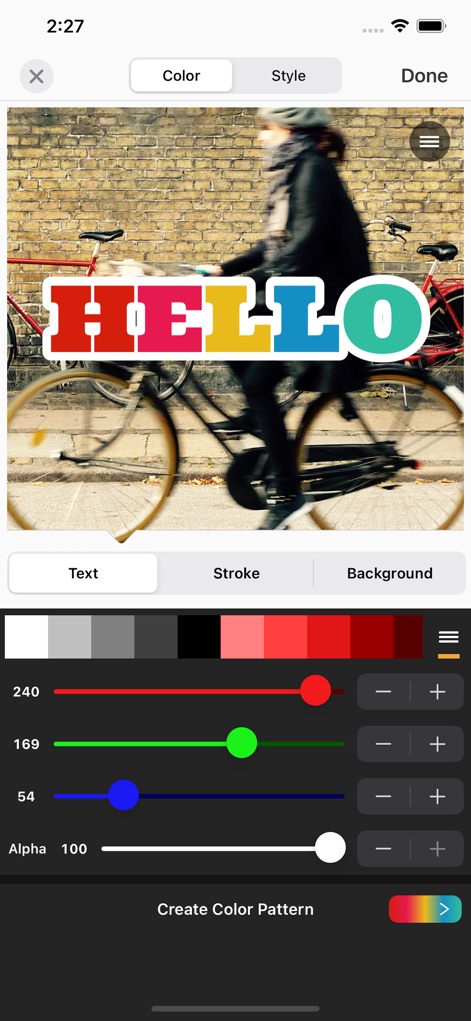
Users can fine-tune text appearance with granular RGB color sliders and dedicated stroke settings for distinct visual effects.
Detailed Color Customization
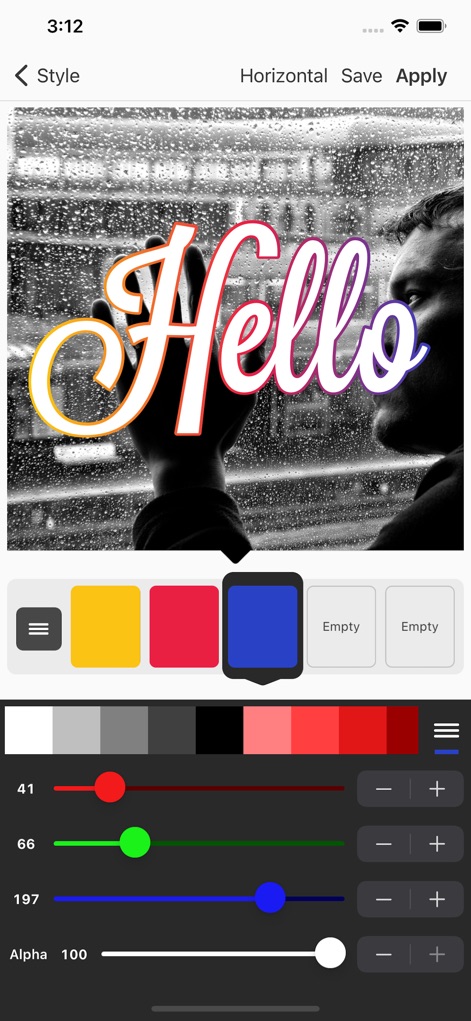
Explore the app's advanced text gradient capabilities and real-time style preview, empowering sophisticated visual design.
Advanced Styling Options
Description
Download
More Like This
Apps with similar features and user experience


This page is not an official page of the app or its developer, but an independent editorial publication created for informational and commentary purposes. Unless expressly stated otherwise, neither the app nor its developer is affiliated with, endorsed by, sponsored by, authorized by, or otherwise officially connected with MWM, Apple, Google Play, the app publisher, or the app's developer, and nothing on this page implies that the app was developed using MWM's services. Any trademarks, logos, screenshots, and other content remain the property of their respective owners.