
This page is not an official page of the app or its developer, but an independent editorial publication created for informational and commentary purposes. Unless expressly stated otherwise, neither the app nor its developer is affiliated with, endorsed by, sponsored by, authorized by, or otherwise officially connected with MWM, Apple, Google Play, the app publisher, or the app's developer, and nothing on this page implies that the app was developed using MWM's services. Any trademarks, logos, screenshots, and other content remain the property of their respective owners.


VPN 360: Super Fast VPN Proxy
The internet watches. VPN 360 offers users the power to reclaim their digital ghost, delivering speed and security without compromise.
Downloads
25M+User Rating
Total Ratings
512.8KPublisher
Category
ProductivityLocales
1Latest Version
3.43.0Size
130.3 MBFirst Released
Jan 21, 2017VPN 360: A Comprehensive Evaluation of Key Capabilities
An analysis of the core features that position VPN 360 as a versatile solution for online privacy, security, and unrestricted internet access across diverse user needs.
No-Log Policy & Robust Privacy
The app ensures users' online activities remain private and untracked, offering complete anonymity by not saving any logs of their usage.
Extensive Global Server Network & High-Speed Performance
This tool provides access to over 1800 ultra-fast VPN proxy servers across more than 125 global locations, enabling unrestricted access to geo-blocked content and high-speed connections for diverse online activities.
Optimized Streaming & Gaming
It allows users to enjoy their favorite video content and HD gaming with enhanced performance, minimizing lag and buffering for an uninterrupted experience.
One-Tap Security & Seamless Connection
The app offers effortless one-tap security, instantly encrypting connections and providing immediate protection, especially on public Wi-Fi networks.
Multi-Device Compatibility
This tool features support for up to 10 devices simultaneously, enabling users to secure their entire digital ecosystem with a single account.
Integrated Malware & Phishing Protection
It provides built-in security features designed to safeguard users against malware and phishing attempts, contributing to a safer browsing experience.
Free Access Option with No Registration
The app offers a free-with-ads option that requires no registration or credit card, allowing budget-conscious users to access basic VPN services and ensure privacy without personal data submission.
24/7 Dedicated Customer Support
It features round-the-clock customer support, ensuring users can receive assistance and resolve any issues promptly.
Frequently Asked Questions
Everything you need to know about VPN 360: Super Fast VPN Proxy
What is VPN 360?
VPN 360 is an unlimited VPN app designed to secure online privacy and security, especially on public Wi-Fi. It provides fast, reliable connections with world-class security to protect user identity and hide IP addresses.
Does VPN 360 protect my online privacy?
Yes, VPN 360 protects online privacy by securing your internet activity and hiding your IP address. It also offers malware and phishing protection to enhance browsing safety.
How does VPN 360 secure my Wi-Fi?
VPN 360 secures Wi-Fi with one-tap security through encrypted VPN protocols. It provides advanced proxy settings to maximize Wi-Fi security for a worry-free experience, protecting against security threats.
Can I use VPN 360 for free?
Yes, VPN 360 offers a free version with ads. This option requires no registration or credit card, and the service maintains complete privacy with no saved logs or email requirements.
What premium features does VPN 360 offer?
VPN 360 Premium includes over 1800 ultra-fast servers across 125+ global locations, speeds up to 1 Gbps, and optimization for video content and HD gaming. It supports up to 10 devices and offers an ad-free experience.
Does VPN 360 keep logs of my activity?
No, the free version of VPN 360 does not save logs or require email. This ensures complete privacy for users who choose the free access option.
How many devices does VPN 360 Premium support?
VPN 360 Premium supports up to 10 devices simultaneously. This multi-device support allows users to secure multiple devices with a single premium subscription.
What VPN protocols does VPN 360 use?
VPN 360 offers multiple connection protocols, including Auto (recommended), Hydra, IKEv2 (IPSec), and Wireguard. Users can select the fastest or most secure protocol for their network.
Can VPN 360 hide my IP address?
Yes, VPN 360 hides your IP address to prevent identity detection and secure online anonymity. This is a core feature for enhancing user privacy.
Does VPN 360 offer customer support?
Yes, VPN 360 provides 24/7 customer support. This ensures users can receive assistance anytime they encounter issues or have questions regarding the service.
How do I connect to VPN 360?
Users connect to VPN 360 with one tap on the app. The interface displays a power button to initiate or disconnect the VPN connection.
Where are VPN 360 servers located?
VPN 360 Premium offers over 1800 servers across more than 125 global locations. This wide distribution provides fast and globally available connections.
The following screenshots and description are sourced directly from the app's official store listing and are the property of the app developer.
App Store
Screenshots
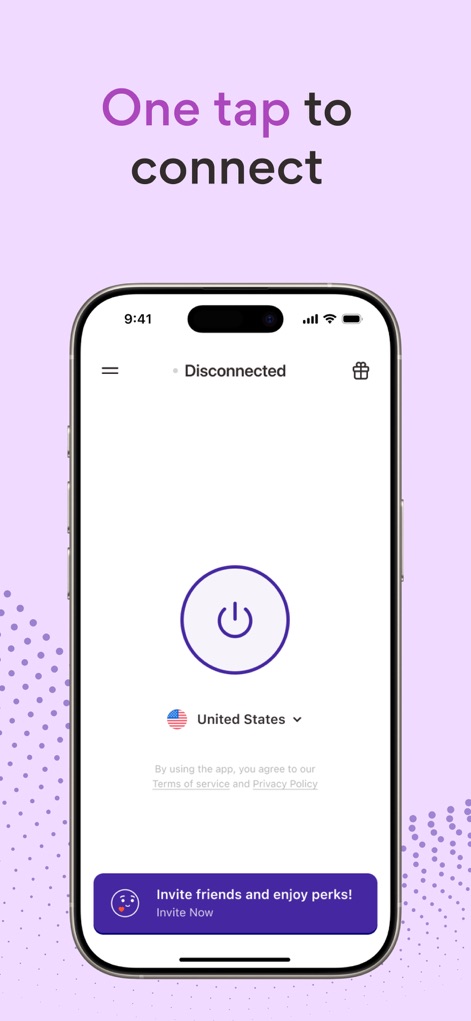
Instant Connection Control
See how this tool features a prominent one-tap connect button and a clear display of the current virtual location for effortless control.
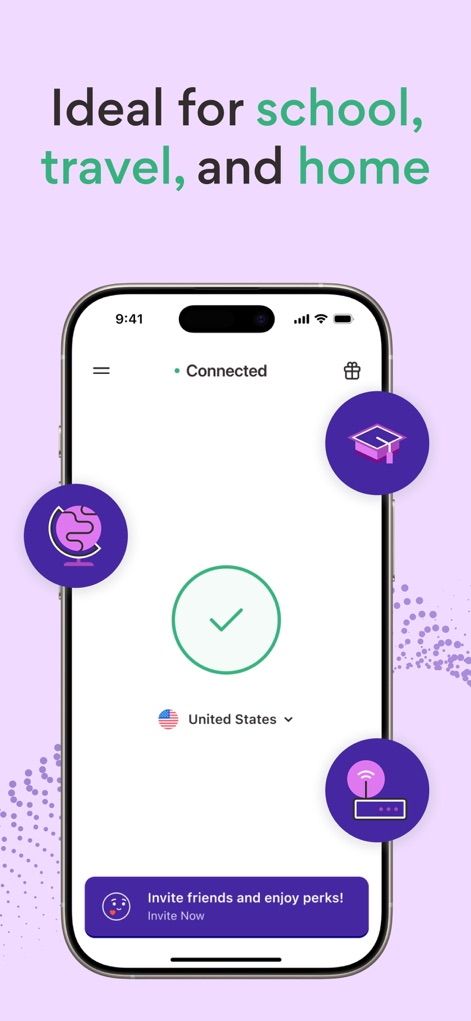
Versatile Use Cases
Discover how the app visually highlights its suitability for diverse environments with icons representing school and travel scenarios alongside a clear 'Connected' status.
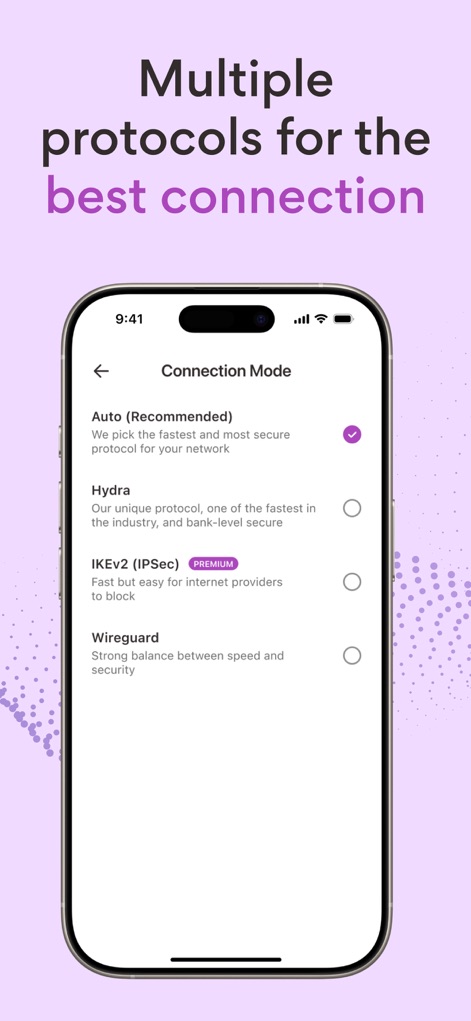
Advanced Protocol Selection
Explore the app's advanced connection mode options, allowing users to choose from various protocols like Hydra and IKEv2 (IPSec) for optimized performance.
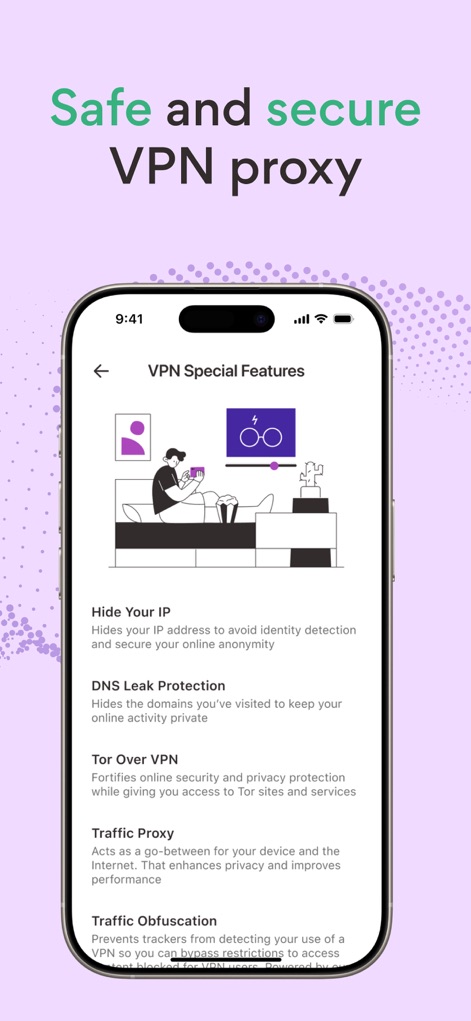
Robust Security Features
Examine the comprehensive 'VPN Special Features' list, detailing robust protections such as Tor Over VPN and DNS Leak Protection for enhanced online anonymity.

Global Server Network
View the extensive 'Virtual location' selection, offering optimized servers for Gaming and Streaming, alongside a global list of countries like the United States and Australia.
Description
Download
More Like This
Apps with similar features and user experience

VPN Hotspot Browser & More
Baris Gungor

VPN Pro - Unlimited Best VPN
Fireworks Technology Inc.

快连VPN
LetsGo Network Incorporated

Cool VPN Pro-Secure Proxy VPN
CTECH GLOBAL PTE LTD

VPN - Top Fast VPN
Free Fast Connect LLC

PlatoVPN Fast:Super VPN Proxy
MogoTech Inc.

VPN - FREE VPN Fast Ⓡ
AITIMING TECH PTE. LTD.

VPN - Nviper小火箭加速器vpn
Sichuan Yunfumeng Technology Co., Ltd

Hola VPN
Hola VPN Ltd
This page is not an official page of the app or its developer, but an independent editorial publication created for informational and commentary purposes. Unless expressly stated otherwise, neither the app nor its developer is affiliated with, endorsed by, sponsored by, authorized by, or otherwise officially connected with MWM, Apple, Google Play, the app publisher, or the app's developer, and nothing on this page implies that the app was developed using MWM's services. Any trademarks, logos, screenshots, and other content remain the property of their respective owners.