
This page is not an official page of the app or its developer, but an independent editorial publication created for informational and commentary purposes. Unless expressly stated otherwise, neither the app nor its developer is affiliated with, endorsed by, sponsored by, authorized by, or otherwise officially connected with MWM, Apple, Google Play, the app publisher, or the app's developer, and nothing on this page implies that the app was developed using MWM's services. Any trademarks, logos, screenshots, and other content remain the property of their respective owners.


VST CoffeeTools PRO for iPhone
Master the art of extraction with the industry-standard software for recipe design and data-driven coffee analysis. Eliminate guesswork using universal brewing control charts, automated yield calculations, and seamless professional workflow management.
Downloads
102K+User Rating
Total Ratings
0Publisher
Category
Food & DrinkLocales
1Latest Version
2.0.9Size
5.3 MBFirst Released
Dec 18, 2015Master the Science of Extraction
The industry-standard analytics suite for professional baristas and roasters who demand mathematical precision in every cup.
Visual Extraction Mapping
Plot TDS and extraction yields on interactive charts to visualize exactly where your brew falls on the SCA standard.
Predictive Recipe Design
Eliminate guesswork with automatic calculations for dose, brew water, and liquid retention across all brewing methods.
Frequently Asked Questions
Everything you need to know about VST CoffeeTools PRO for iPhone
What is VST CoffeeTools PRO for iPhone?
VST CoffeeTools PRO for iPhone is professional software for designing coffee, espresso, cupping, and equipment. It uses a Universal Brewing Control Chart for precise recipe creation and analysis.
What brewing methods does VST CoffeeTools PRO for iPhone support?
VST CoffeeTools PRO for iPhone supports various brewing methods, including drip, auto-drip, infusion, full-immersion, cupping, and espresso. It accommodates all types of brewing processes.
Does VST CoffeeTools PRO for iPhone require a coffee refractometer?
No, VST CoffeeTools PRO for iPhone functions fully both with and without a coffee refractometer. Refractometer measurements can be plotted separately for analysis.
How does VST CoffeeTools PRO for iPhone simplify coffee recipe design?
VST CoffeeTools PRO for iPhone features a simple 2-step design process with direct chart data entry. Users select a point on the chart and specify beverage, brew water, or coffee dose amounts.
Can users share recipes from VST CoffeeTools PRO for iPhone?
Yes, VST CoffeeTools PRO for iPhone allows users to share individual recipes, data, and measurements to and from other versions of VST CoffeeTools. It also supports iTunes File Sharing.
Does VST CoffeeTools PRO for iPhone handle unit conversions?
Yes, VST CoffeeTools PRO for iPhone supports conversions for volume and weight measurements, including U.S. Standard (English) to Metric units in any combination.
What features does the VST Universal Brewing Control Chart include?
The VST Universal Brewing Control Chart supports direct touch-screen input, pan and zoom, auto-scrolling of charts, and reset functions. It provides step-less design points with snap-to-grid increments.
Does VST CoffeeTools PRO for iPhone support custom Region of Interest (ROI) overlays?
Yes, VST CoffeeTools PRO for iPhone optionally provides SCAA, SCAE, and NCA region overlays. Custom User defined ROI is also included separately for all modes.
How does VST CoffeeTools PRO for iPhone manage coffee recipes?
VST CoffeeTools PRO for iPhone maintains a full recipe details database for Coffee, Espresso, and Cupping. Users can sort recipes by Date, Name, and Taste Score.
Does VST CoffeeTools PRO for iPhone offer pre-defined coffee presets?
Yes, VST CoffeeTools PRO for iPhone provides a wide array of presets for home and commercial service in all modes of operation. Users can also define custom presets.
The following screenshots and description are sourced directly from the app's official store listing and are the property of the app developer.
App Store
Screenshots
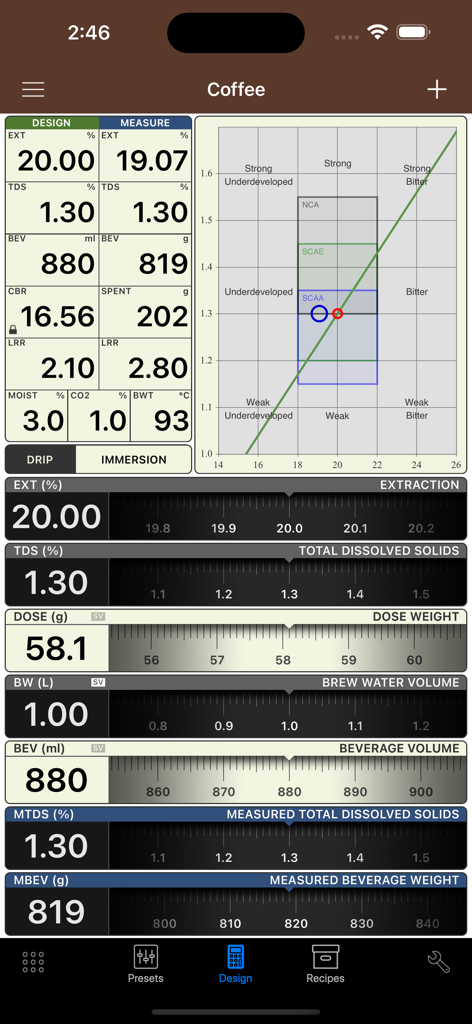
Dashboard showing coffee extraction and brewing control data in VST CoffeeTools PRO
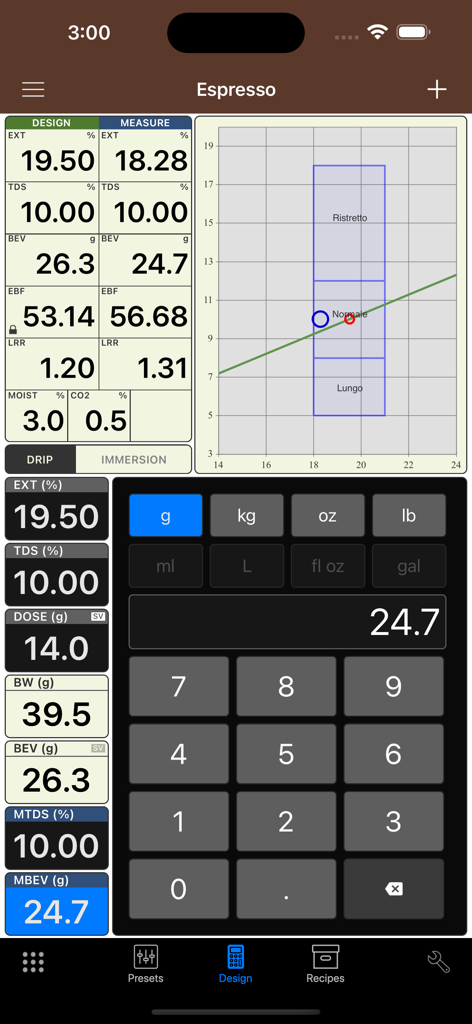
VST CoffeeTools PRO espresso recipe design and brewing control chart screen
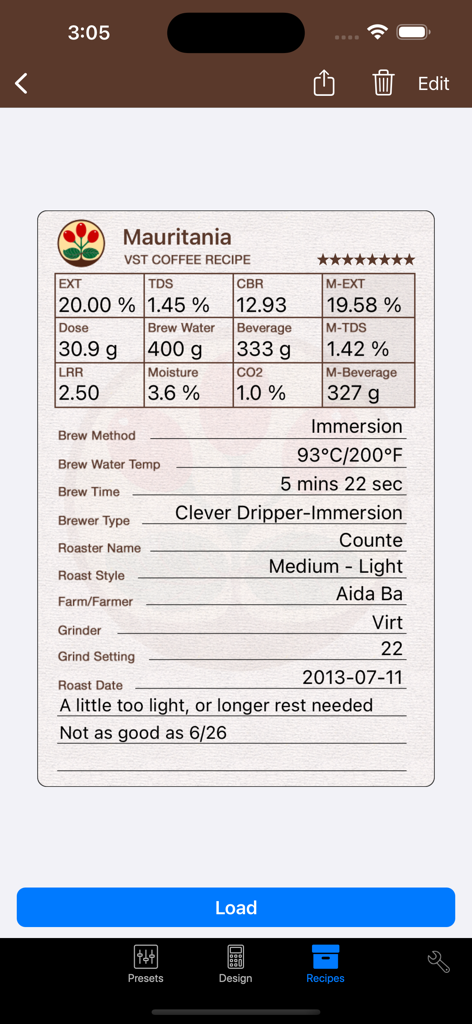
Professional coffee recipe log showing extraction metrics and immersion brew settings
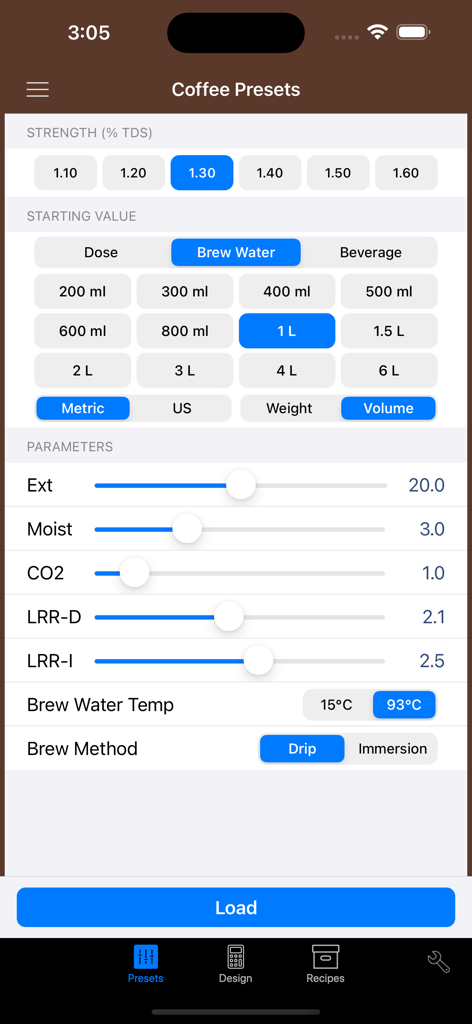
VST CoffeeTools PRO app interface showing coffee presets and brewing parameters including TDS strength and extraction yield
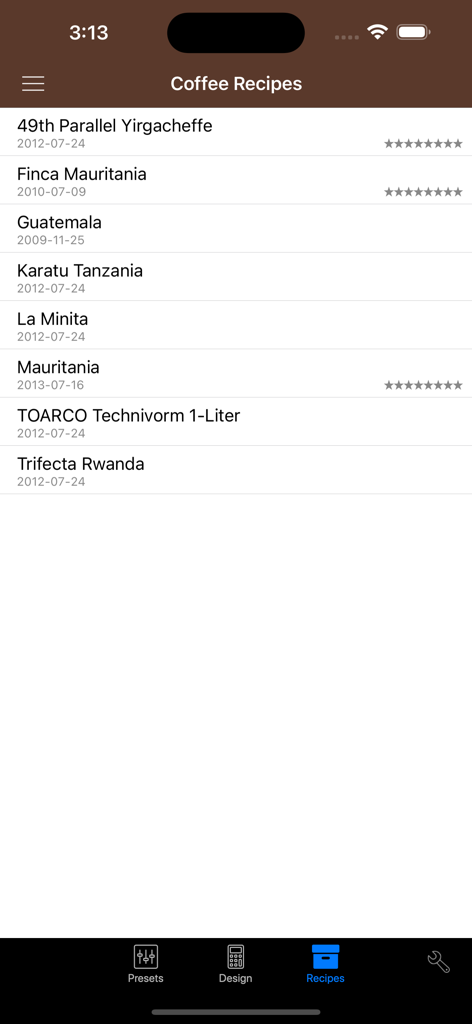
A list of saved coffee recipes within the VST CoffeeTools PRO app showing origin and dates
Description
Download
More Like This
Apps with similar features and user experience

Ooni Pizza Ovens
Ooni Limited

Ricette Bimby
PGP Srl

Filtru: Brew the best coffee
Spirograph Limited

ThermoMaven
Shenzhen Auros Technology Innovation Co., Ltd

Gluten Morgen
Alan Parodi

Sous Vide °Celsius
Jonas Frei

Roastmaster
Rainfrog, Inc.

Loaflo: Sourdough Starter
No Worries Lifestyle, LLC

PizzApp+
Nasuti Francesco Paolo
This page is not an official page of the app or its developer, but an independent editorial publication created for informational and commentary purposes. Unless expressly stated otherwise, neither the app nor its developer is affiliated with, endorsed by, sponsored by, authorized by, or otherwise officially connected with MWM, Apple, Google Play, the app publisher, or the app's developer, and nothing on this page implies that the app was developed using MWM's services. Any trademarks, logos, screenshots, and other content remain the property of their respective owners.