
This page is not an official page of the app or its developer, but an independent editorial publication created for informational and commentary purposes. Unless expressly stated otherwise, neither the app nor its developer is affiliated with, endorsed by, sponsored by, authorized by, or otherwise officially connected with MWM, Apple, Google Play, the app publisher, or the app's developer, and nothing on this page implies that the app was developed using MWM's services. Any trademarks, logos, screenshots, and other content remain the property of their respective owners.

WA Web - Dual Messenger ⁺
Effortlessly manage dual accounts on one device, bridge the iPad gap, and stand out with custom fonts and long screenshots designed for the modern professional.
Downloads
1M+User Rating
Total Ratings
21K+Publisher
Category
Social NetworkingLocales
13Latest Version
1.4.0Size
75.8 MBFirst Released
Jun 3, 2024Master Your Messaging Workflow
An all-in-one utility suite designed for professionals and power users to bridge the gap between personal life and business productivity on any device.
Seamless Dual Accounts
Keep your work and personal life separate but accessible. Manage two accounts on one device or sync your messages to your iPad for a desktop-class experience.
Speedy Reply Shortcuts
Boost your response time with pre-set shortcuts. Perfect for entrepreneurs and side-hustlers who need to provide instant customer support on the go.
Frequently Asked Questions
Everything you need to know about WA Web - Dual Messenger ⁺
What is WA Web - Dual Messenger ⁺?
WA Web - Dual Messenger ⁺ enables simultaneous use of two accounts on one device or one account across multiple devices. Users scan a QR code to log in, simplifying social interactions without frequent logins or logouts.
How can I create a long screenshot with WA Web - Dual Messenger ⁺?
Yes, WA Web - Dual Messenger ⁺ allows users to stitch multiple photos into one seamless long screenshot directly within the app. This feature simplifies sharing extended conversations or images.
Does WA Web - Dual Messenger ⁺ include a QR code generator?
Yes, WA Web - Dual Messenger ⁺ includes a QR code generator. Users quickly generate QR codes for web links within the app and easily share them with friends.
Can I customize chat avatars in WA Web - Dual Messenger ⁺?
Yes, WA Web - Dual Messenger ⁺ allows users to choose from a variety of chat avatars. This feature adds a personal touch to conversations within the application.
Is WA Web - Dual Messenger ⁺ an official WhatsApp tool?
No, WA Web - Dual Messenger ⁺ is an unofficial tool for WhatsApp Messenger. An independent developer created it, and it is not affiliated with WhatsApp Inc.
Does WA Web - Dual Messenger ⁺ offer quick reply options?
Yes, WA Web - Dual Messenger ⁺ offers speedy reply options. Users set up shortcuts for quick replies, which streamlines conversations directly within the application.
Can I use custom fonts in WA Web - Dual Messenger ⁺?
Yes, WA Web - Dual Messenger ⁺ allows users to select from a range of stylish fonts. This feature helps make messages stand out in conversations.
The following screenshots and description are sourced directly from the app's official store listing and are the property of the app developer.
App Store
Screenshots
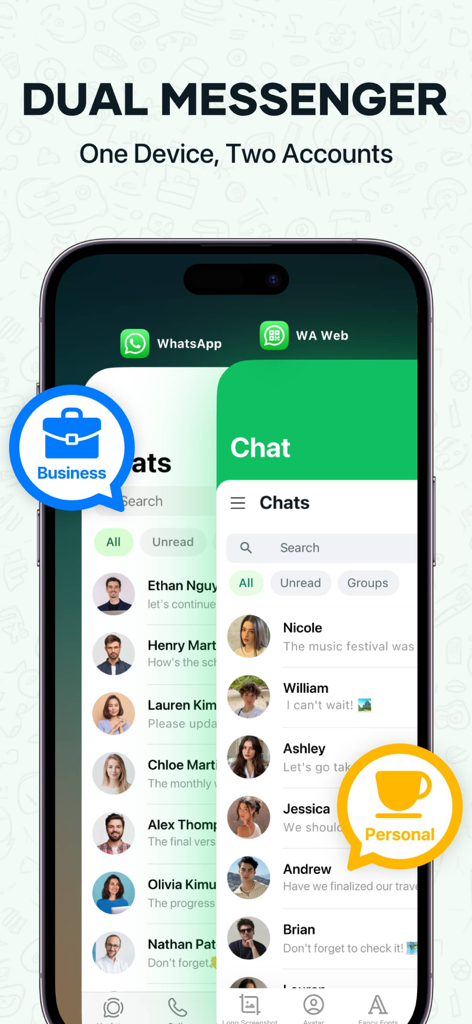
Smartphone interface showing dual messenger accounts for business and personal use on one device
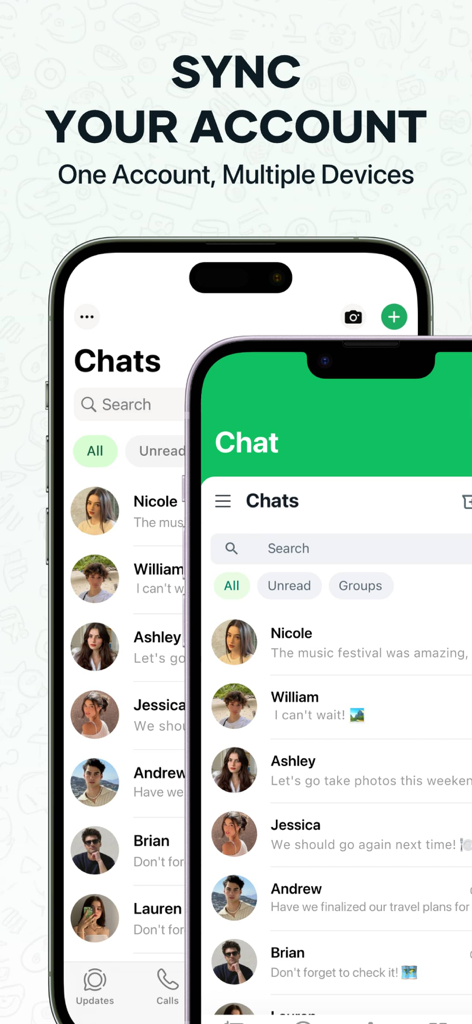
User interface showing WhatsApp account synchronization on multiple mobile devices
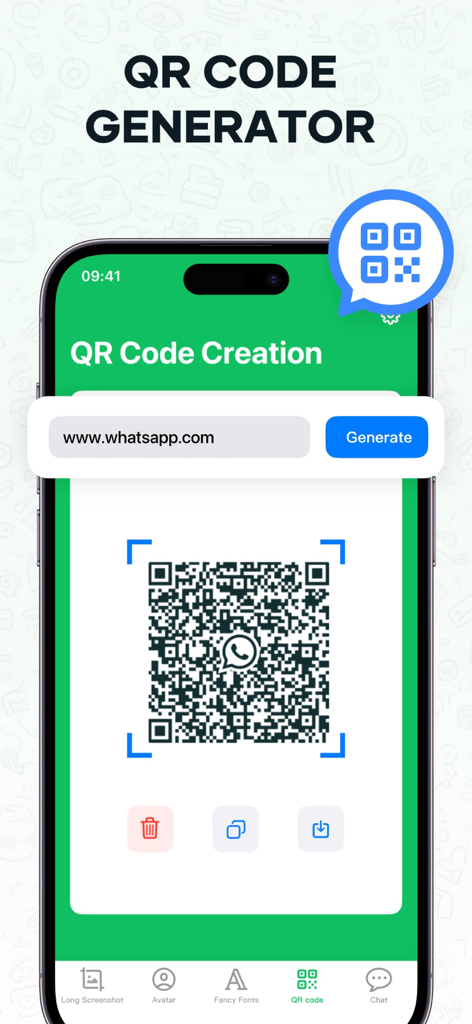
A smartphone showing the QR code generator screen in the WA Web Dual Messenger app
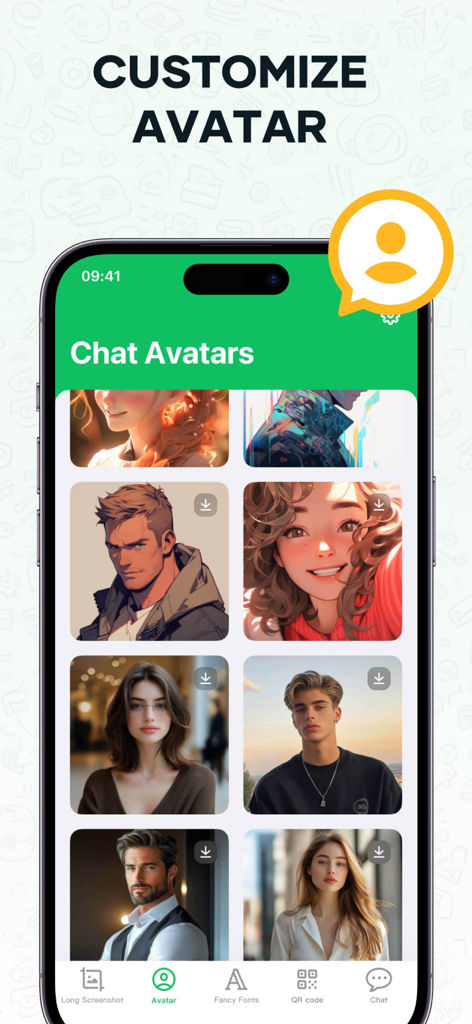
Interface showing a variety of customizable chat avatars in the WA Web Dual Messenger app
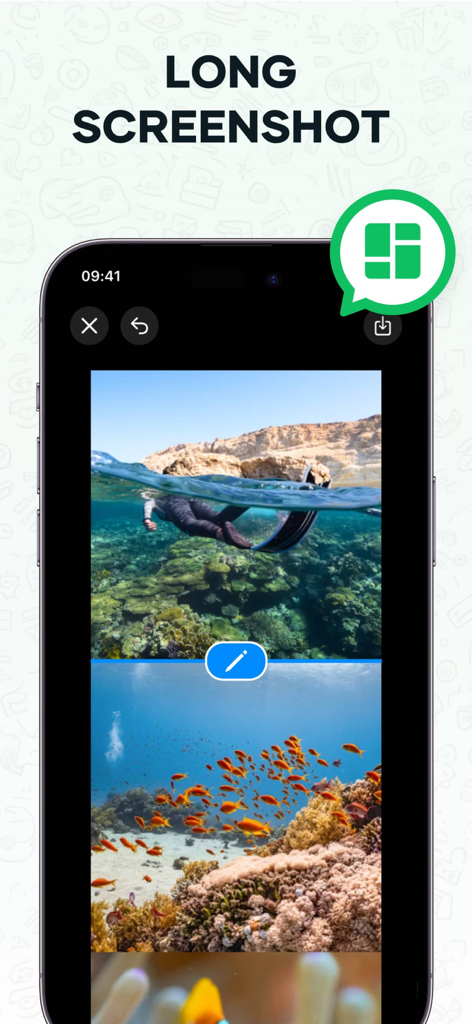
Mobile app interface showing the long screenshot feature stitching multiple underwater photos together
Description
Download
More Like This
Apps with similar features and user experience

Dual Messenger, Whats Web Chat
中华 阳

Parallel Space: Dual Account
Huong Le Thi
WA Web - Dual Chat
碧 郑
Dual Web Chat for WhatsWA
SEAMOBI TECH PTE LTD

Parallel App ~ Dual Accounts
Shobhaben Ukani
Dual Messenger-Duo Web Chatapp
Changsha Liangchao Technology Co., Ltd.

Multiple Accounts: Dual Spaces
Kokila Ukani

Clone App - Multiple Accounts
Siddharth bhadani
Dual Space Lite-Multi Accounts
Ashish Paneliya
This page is not an official page of the app or its developer, but an independent editorial publication created for informational and commentary purposes. Unless expressly stated otherwise, neither the app nor its developer is affiliated with, endorsed by, sponsored by, authorized by, or otherwise officially connected with MWM, Apple, Google Play, the app publisher, or the app's developer, and nothing on this page implies that the app was developed using MWM's services. Any trademarks, logos, screenshots, and other content remain the property of their respective owners.