
This page is not an official page of the app or its developer, but an independent editorial publication created for informational and commentary purposes. Unless expressly stated otherwise, neither the app nor its developer is affiliated with, endorsed by, sponsored by, authorized by, or otherwise officially connected with MWM, Apple, Google Play, the app publisher, or the app's developer, and nothing on this page implies that the app was developed using MWM's services. Any trademarks, logos, screenshots, and other content remain the property of their respective owners.


Wahoo
Transform your training with the ultimate data hub. Seamlessly connect your sensors, control your KICKR, and analyze every metric from heart rate to power zones to reach your next PR.
Downloads
1M+User Rating
Total Ratings
80K+Publisher
Category
Health & FitnessLocales
11Latest Version
6.75.0Size
623.6 MBFirst Released
Sep 21, 2010Precision Tools for the Dedicated Athlete
Transform your device into a professional-grade training laboratory with advanced metric tracking and seamless hardware integration for indoor and outdoor performance.
Unified Sensor Integration
Effortlessly pair Bluetooth sensors to monitor power, cadence, and heart rate, creating a high-performance cockpit for every ride or run.
Targeted Training Zones
Master your intensity with real-time visualizations of your power and heart rate zones, designed for athletes who train with scientific precision.
Frequently Asked Questions
Everything you need to know about Wahoo
What is the Wahoo app?
The Wahoo app transforms your iPhone or iPad into a powerful tool for riding, running, and training. It helps you achieve personalized fitness goals by recording and analyzing various types of workouts.
What types of workouts can the Wahoo app record?
The Wahoo app records workouts for running, cycling, strength training, and other activities. It tracks both indoor and outdoor sessions, including GPS rides, treadmill runs, and cardio workouts.
Does Wahoo app track heart rate and power data?
Yes, the Wahoo app tracks heart rate and power data. It allows users to visualize and manage their training zones for these metrics directly within the application.
Can I connect multiple sensors to the Wahoo app?
Yes, the Wahoo app allows connection of multiple Bluetooth Smart sensors simultaneously. It supports sensors for heart rate, stride rate, cycling power, speed, and cadence data.
Which Wahoo devices can I manage with the app?
The Wahoo app manages various Wahoo devices, including Elemnt, KICKR BIKE, KICKR RUN, HEADWIND, and sensors like TRACKR RADAR and TRACKR HR. It supports discovery, connection, and updates for Wahoo hardware.
How does the Wahoo app simulate indoor rides?
The Wahoo app simulates indoor rides by pairing with KICKR smart bikes and trainers. It controls the smart trainer in various modes, including Passive, Target Power, Simulation, and Resistance.
Can the Wahoo app provide personalized workout recommendations?
Yes, the Wahoo app provides personalized workout recommendations. It generates these recommendations based on your recent training history to guide and optimize your fitness development.
How does the Wahoo app determine calorie burn accuracy?
The Wahoo app determines calorie burn more accurately when paired with a power meter or heart rate monitor. Users can input age, weight, and height for personalized caloric burn calculations.
What apps can Wahoo share workout data with?
Wahoo shares workout data with Adidas Running, Apple Health, Dropbox, Komoot, MapMyFitness, MyFitnessPal, Strava, and TrainingPeaks. It also supports sharing to email and exporting .fit files.
What are the minimum device requirements for the Wahoo app?
The Wahoo app requires an iPhone or iPad device running iOS 16 or newer to function properly.
Does the Wahoo app help identify cycling strengths and weaknesses?
Yes, the Wahoo app helps identify cycling strengths and weaknesses. It analyzes your athlete profile to reveal rider type and suggest areas for performance improvement.
The following screenshots and description are sourced directly from the app's official store listing and are the property of the app developer.
App Store
Screenshots
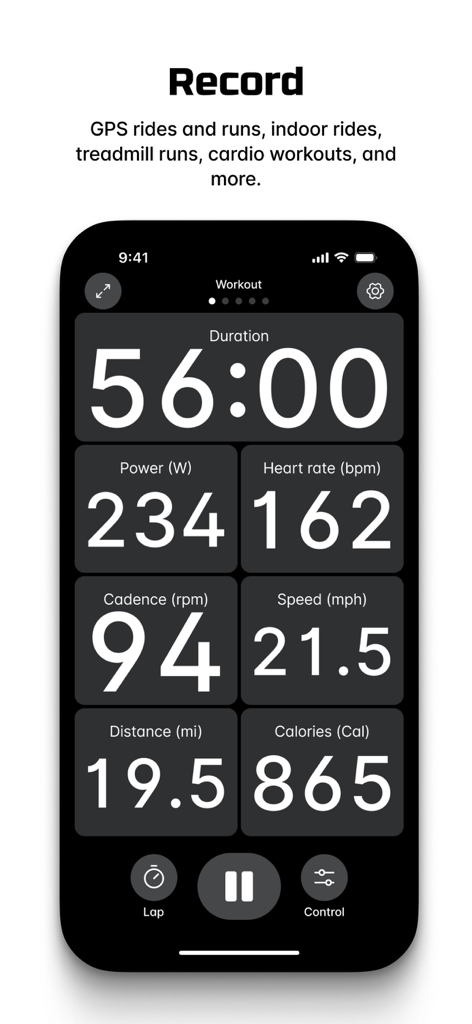
Wahoo fitness app screen recording workout data including heart rate and power metrics
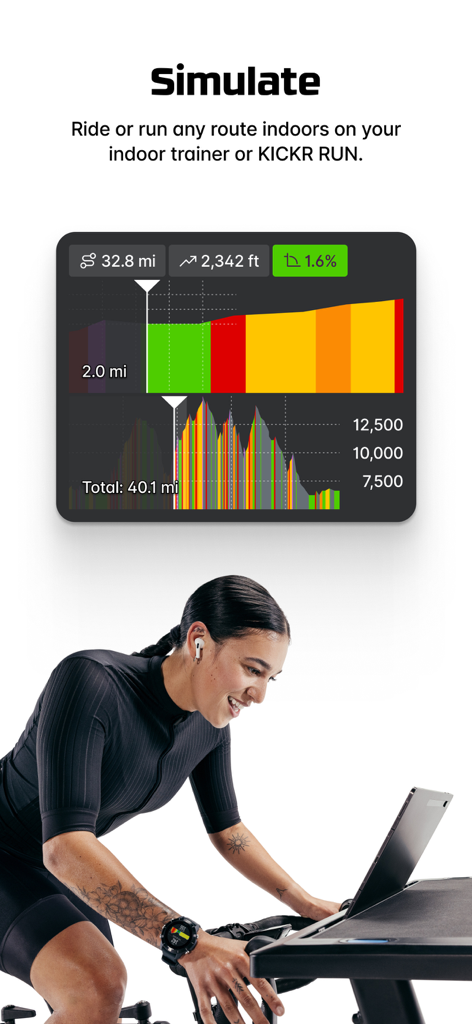
A woman using the Wahoo app on an indoor smart trainer to simulate a cycling route with detailed performance data
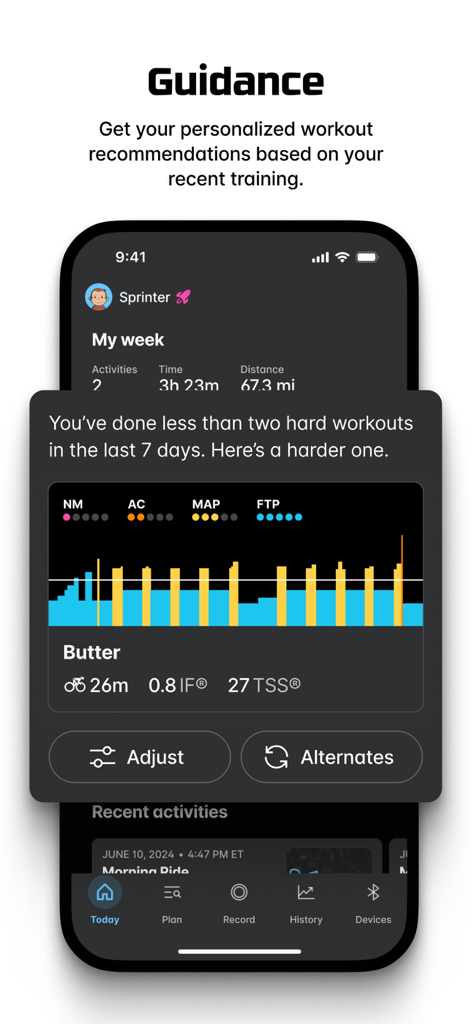
The Wahoo app screen displaying a personalized workout recommendation and training metrics
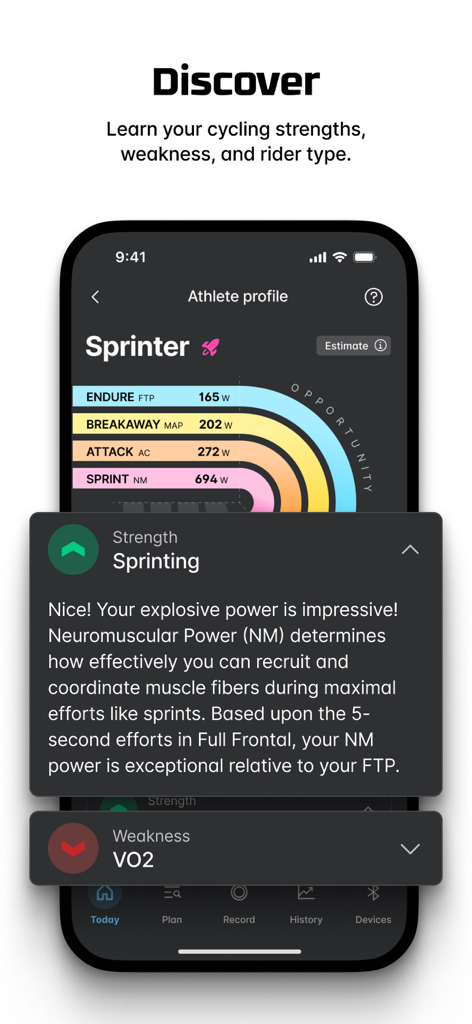
Wahoo app athlete profile screen showing cycling strengths and sprinter rider type categorization with power metrics
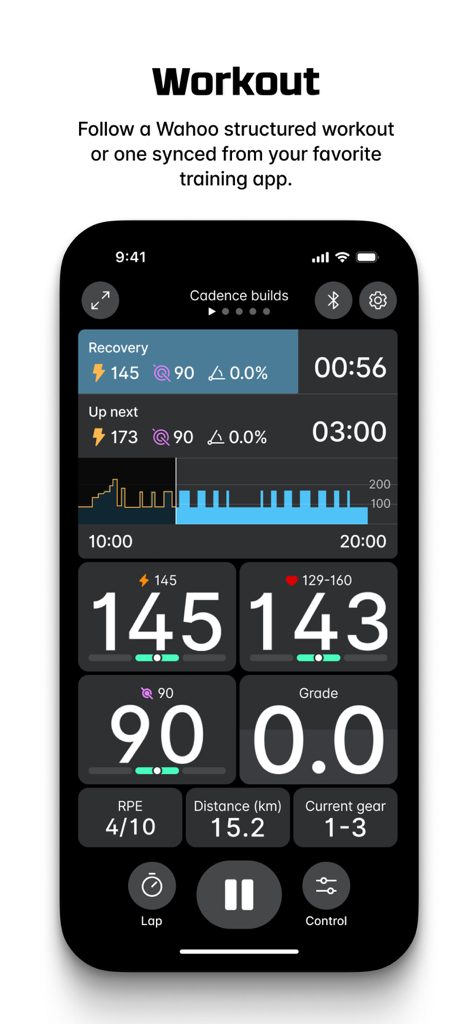
Real-time workout tracking interface in the Wahoo app showing power, heart rate, cadence, and interval progress metrics.
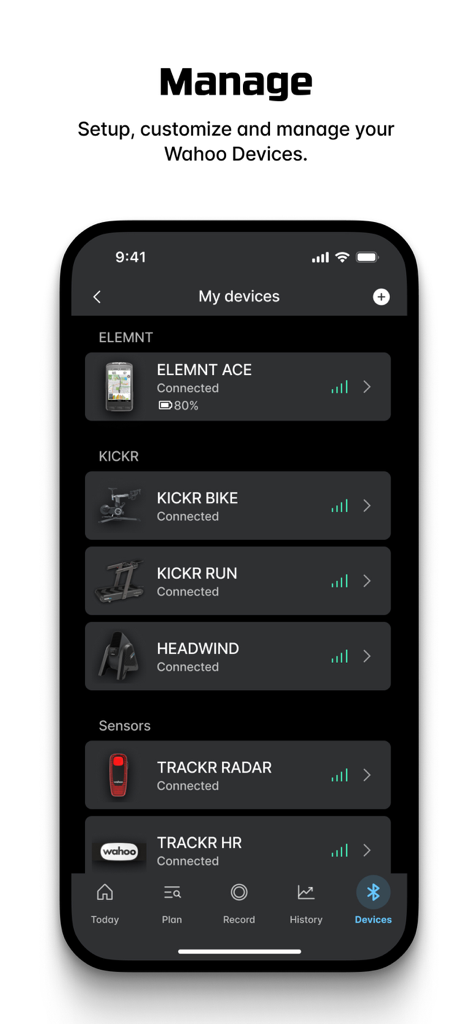
Wahoo app screen displaying a list of connected fitness devices including KICKR bike and ELEMNT bike computer
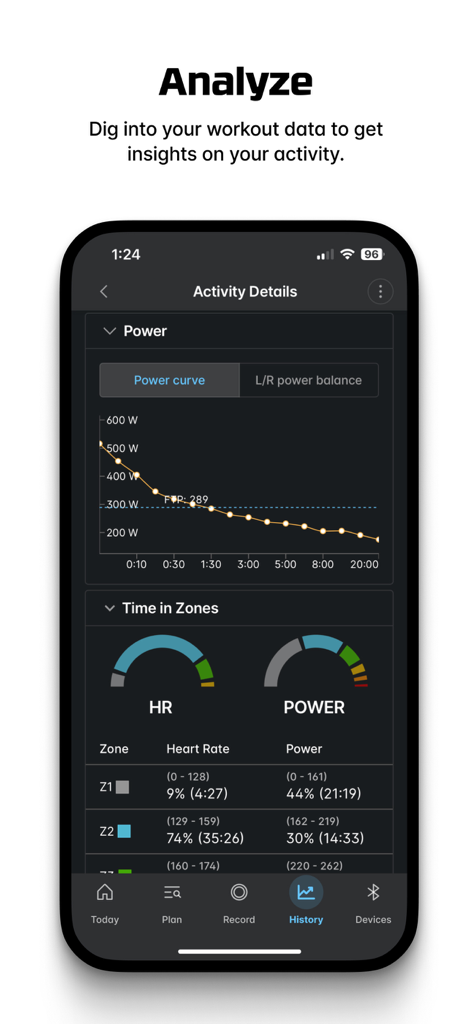
Wahoo app activity details screen showing a power curve graph and heart rate training zones
Description
Download
More Like This
Apps with similar features and user experience

GoodShot - Badminton tracker
GoodShot Technology Co., Ltd

YaoYao - Jump Rope
家浩 汪

TrainerDay - Indoor Cycling
TrainerDay Inc

Arm Care
Fitworks, Inc

HOTWORX
Planet Beach Franchising Corporation

Zwift Companion
Zwift, Inc

Dribbleup - Sports & Fitness
DribbleUp Inc

MOWL: Intelligent Training
Intelligent Training Group ApS

SIG CONNECT
Sig Sauer, Inc.
This page is not an official page of the app or its developer, but an independent editorial publication created for informational and commentary purposes. Unless expressly stated otherwise, neither the app nor its developer is affiliated with, endorsed by, sponsored by, authorized by, or otherwise officially connected with MWM, Apple, Google Play, the app publisher, or the app's developer, and nothing on this page implies that the app was developed using MWM's services. Any trademarks, logos, screenshots, and other content remain the property of their respective owners.