
This page is not an official page of the app or its developer, but an independent editorial publication created for informational and commentary purposes. Unless expressly stated otherwise, neither the app nor its developer is affiliated with, endorsed by, sponsored by, authorized by, or otherwise officially connected with MWM, Apple, Google Play, the app publisher, or the app's developer, and nothing on this page implies that the app was developed using MWM's services. Any trademarks, logos, screenshots, and other content remain the property of their respective owners.


Waygo - Chinese, Japanese, and Korean Translator
Navigate East Asia with confidence. Point your camera to translate menus, signs, and labels into English instantly—no data, Wi-Fi, or VPN required.
Downloads
489K+User Rating
Total Ratings
700Publisher
Category
TravelLocales
1Latest Version
6.17Size
53.7 MBFirst Released
Mar 10, 2012Navigate East Asia Like a Local
Break the language barrier with award-winning visual translation. Waygo turns your camera into a real-time translator for Chinese, Japanese, and Korean—no data required.
100% Offline Reliability
No Wi-Fi? No problem. Translate signs in remote temples or subway stations without expensive roaming fees or worrying about connectivity.
Instant Point-and-Translate
Skip the complex keyboard. Simply hover your camera over menus or street signs to see English translations appear instantly on your screen.
The following screenshots and description are sourced directly from the app's official store listing and are the property of the app developer.
App Store
Screenshots
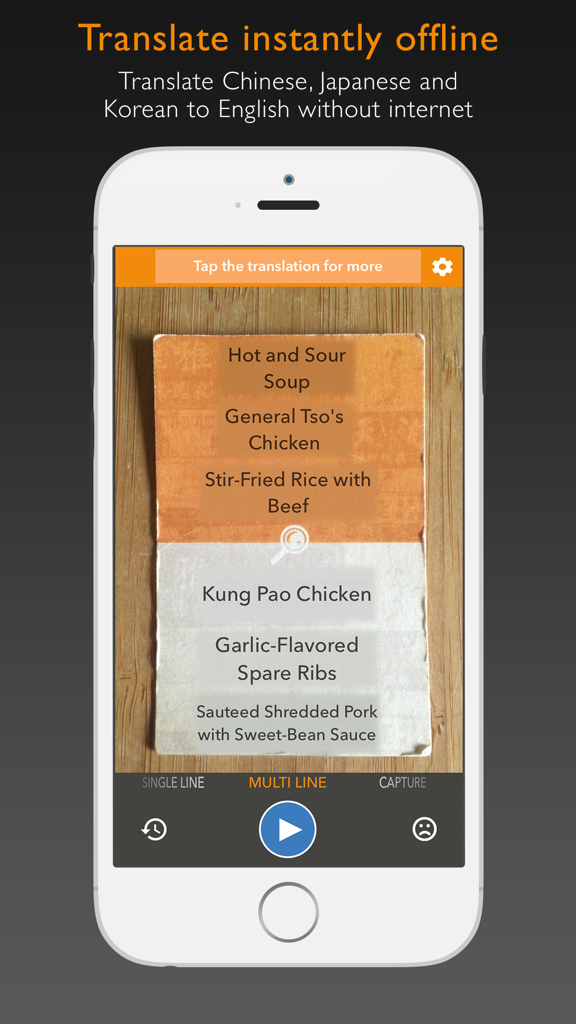
Waygo app using offline camera OCR to translate a printed Chinese menu into English
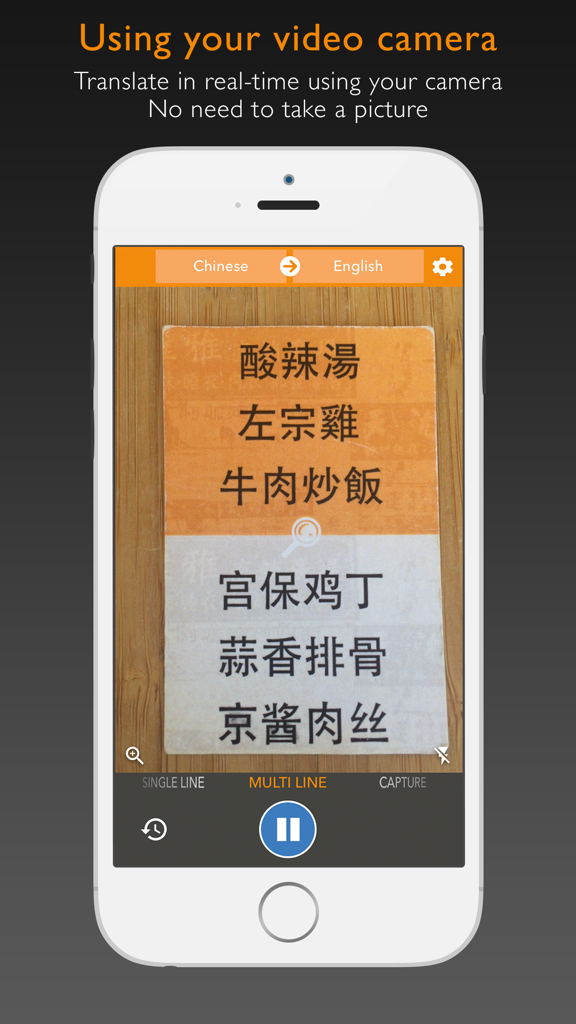
Waygo app translating Chinese characters in real-time using the smartphone camera
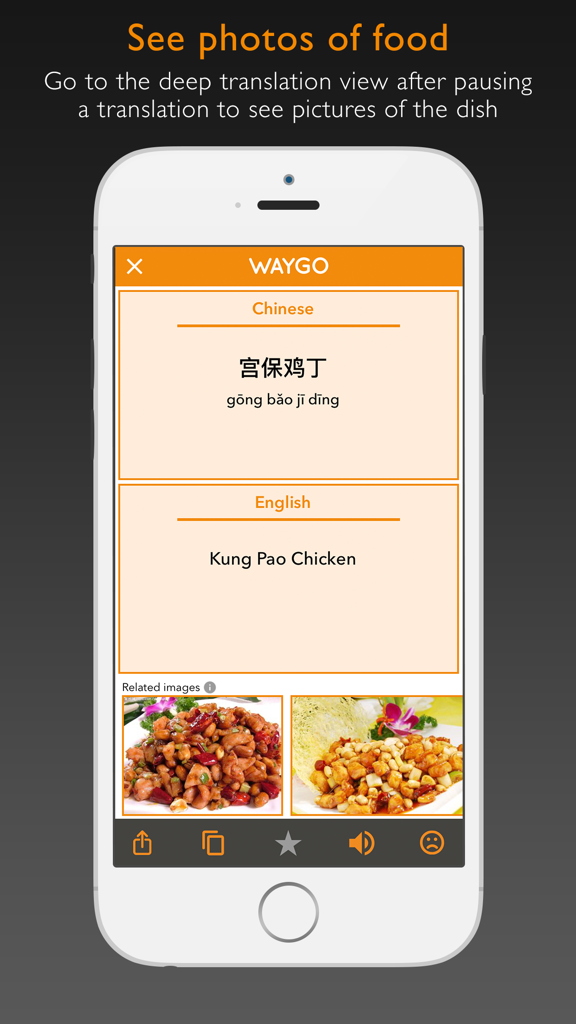
Waygo app interface showing Chinese to English translation of a menu item with related food images.
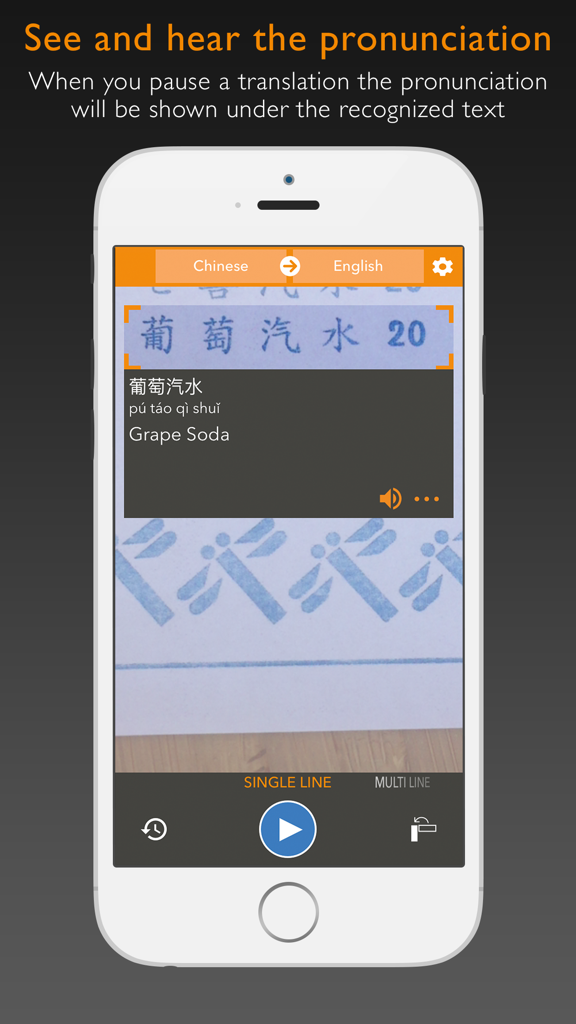
Waygo app interface showing Chinese to English translation for Grape Soda with pinyin pronunciation
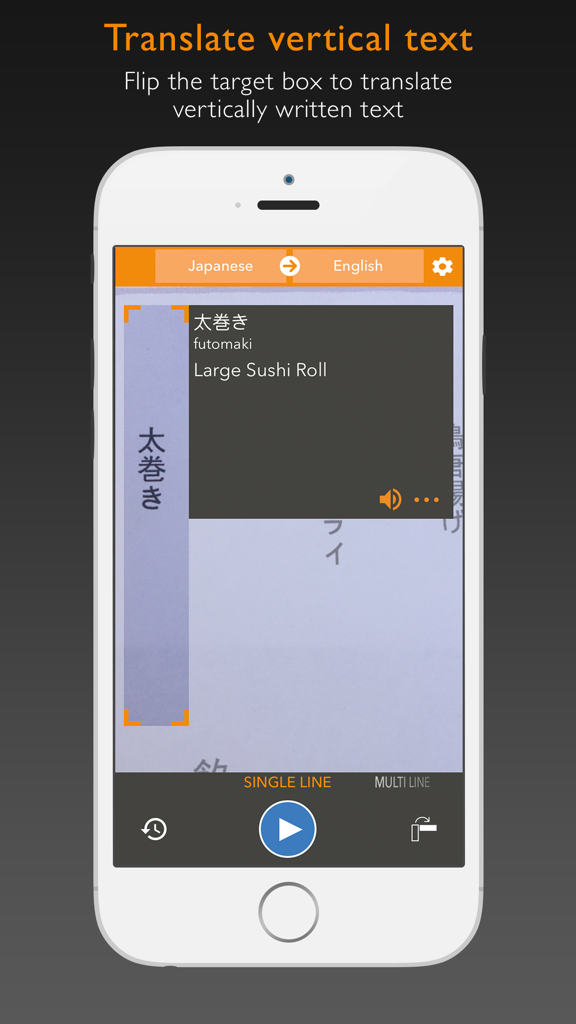
Waygo app screenshot showing vertical Japanese text translation into English for a sushi roll menu item
Description
Download
More Like This
Apps with similar features and user experience

DeepL Translate
DeepL SE

腾讯翻译君-多语言翻译
Tencent Technology (Shenzhen) Company Limited

出国翻译官- 多语言语音翻译聊天交友
Beijing Qicai Muzhi Technology Co.,Ltd.

Translate Voice:Ai Chat
TINY BOLT (HK) CO., LIMITED

GO Translate・AI Translator App
INNOVAPP LLC

翻译全能王-中文日文图片扫描翻译器
Shanghai Baowu Network Technology Co., Ltd.

translation-Global translation
Hebei jiudao network technology co., ltd

Photo Translator: Camera OCR
Son Hoang

Voice Translator : Language +
AmazinPro Technology Solutions And Training Company Limited
This page is not an official page of the app or its developer, but an independent editorial publication created for informational and commentary purposes. Unless expressly stated otherwise, neither the app nor its developer is affiliated with, endorsed by, sponsored by, authorized by, or otherwise officially connected with MWM, Apple, Google Play, the app publisher, or the app's developer, and nothing on this page implies that the app was developed using MWM's services. Any trademarks, logos, screenshots, and other content remain the property of their respective owners.