Waypointer - GPS Compass
Download on App Store

This page is not an official page of the app or its developer, but an independent editorial publication created for informational and commentary purposes. Unless expressly stated otherwise, neither the app nor its developer is affiliated with, endorsed by, sponsored by, authorized by, or otherwise officially connected with MWM, Apple, Google Play, the app publisher, or the app's developer, and nothing on this page implies that the app was developed using MWM's services. Any trademarks, logos, screenshots, and other content remain the property of their respective owners.


Logo of Waypointer - GPS Compass
Download on App Store

Waypointer - GPS Compass

From hidden hiking trails to crowded parking lots, find your way with precision. No cell signal required, battery-efficient, and strictly private navigation for every adventure.

Key Figures

Downloads

0

User Rating

1.0/5

Total Ratings

0

Publisher

Madras Automation Concepts Private Limited

Category

Navigation

Locales

1

Latest Version

1.0.0

Size

6.1 MB

First Released

Dec 3, 2025
Features

Navigate with Confidence, Anywhere

Waypointer is a distraction-free GPS tool built for reliability. Get precise directional guidance that works offline, saves your battery, and keeps your data private.

Reliable Off-Grid Navigation

No cell signal? No problem. Navigate back to trailheads or campsites using your phone's sensors—completely offline and map-free.

One-Arrow Simplicity

Skip the complex maps. Our large directional arrow and live distance updates guide you straight to your saved waypoints with zero clutter.

The following screenshots and description are sourced directly from the app's official store listing and are the property of the app developer.

App Store

Screenshots
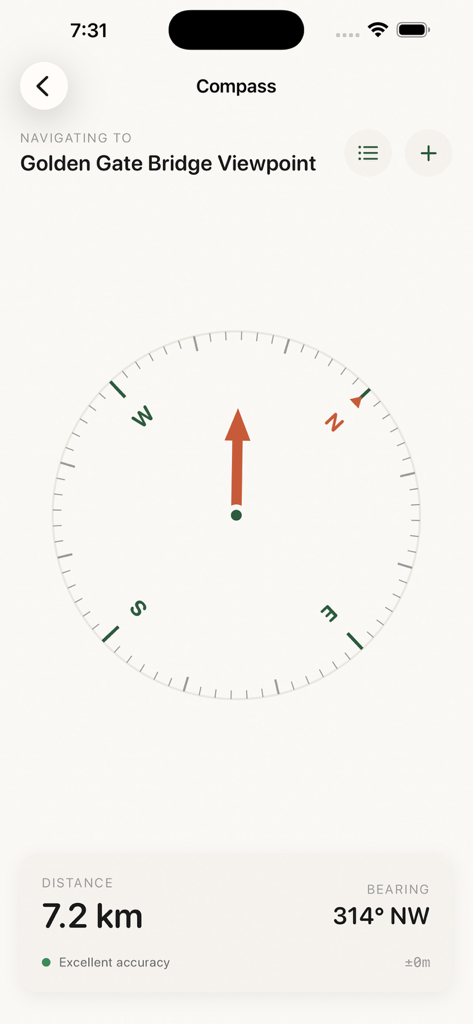
Waypointer - GPS Compass - Waypointer GPS compass interface showing navigation arrow, distance, and bearing to Golden Gate Bridge Viewpoint
Waypointer GPS compass interface showing navigation arrow, distance, and bearing to Golden Gate Bridge Viewpoint

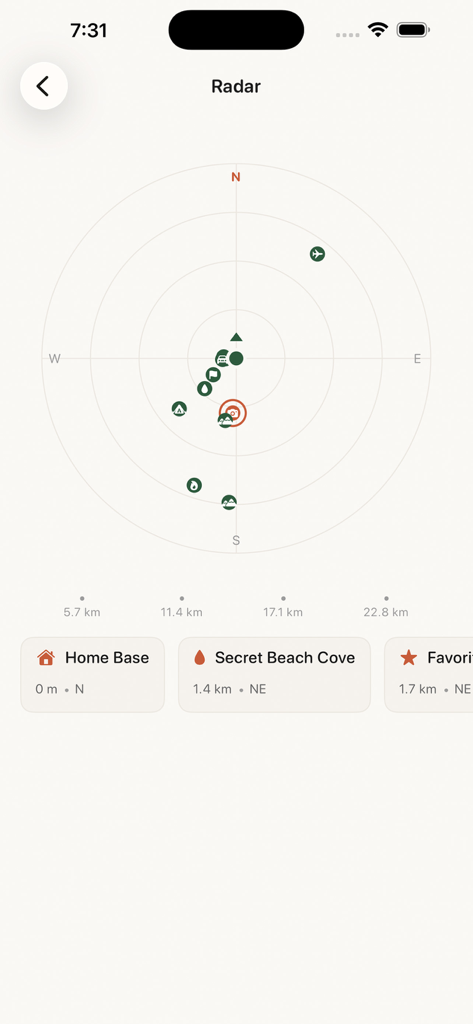
Waypointer - GPS Compass - Waypointer app radar screen displaying saved waypoint locations and distances
Waypointer app radar screen displaying saved waypoint locations and distances

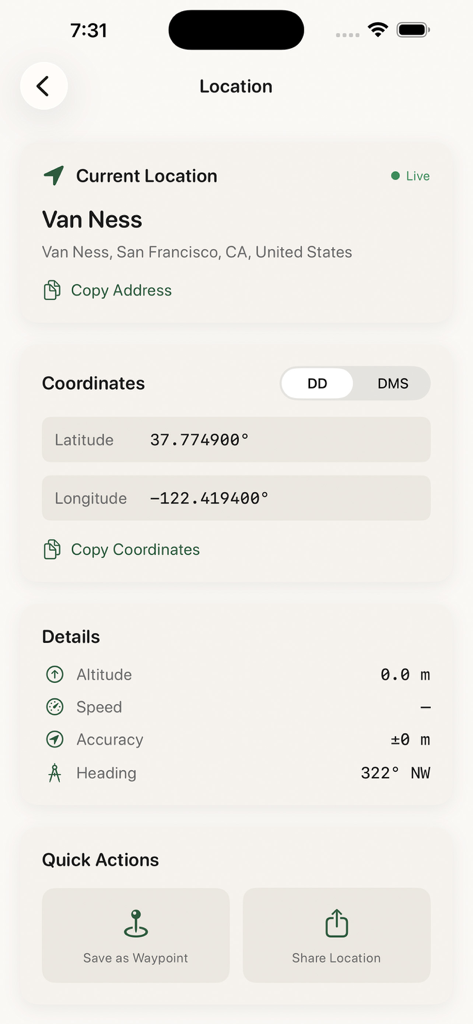
Waypointer - GPS Compass - Screen displaying current GPS coordinates and location details in the Waypointer app.
Screen displaying current GPS coordinates and location details in the Waypointer app.

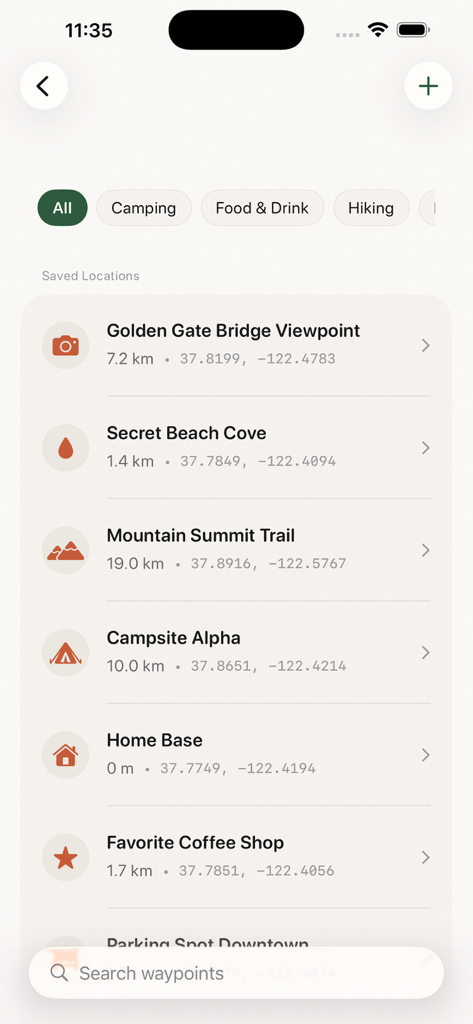
Waypointer - GPS Compass - A list of saved locations in the Waypointer app showing waypoint names distances and GPS coordinates
A list of saved locations in the Waypointer app showing waypoint names distances and GPS coordinates

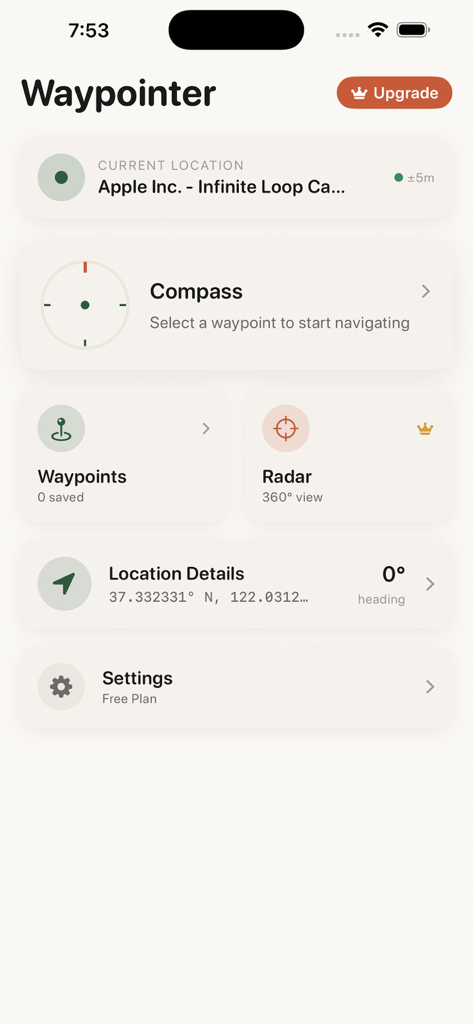
Waypointer - GPS Compass - Main dashboard of the Waypointer app displaying navigation tools like compass waypoints and radar

Main dashboard of the Waypointer app displaying navigation tools like compass waypoints and radar
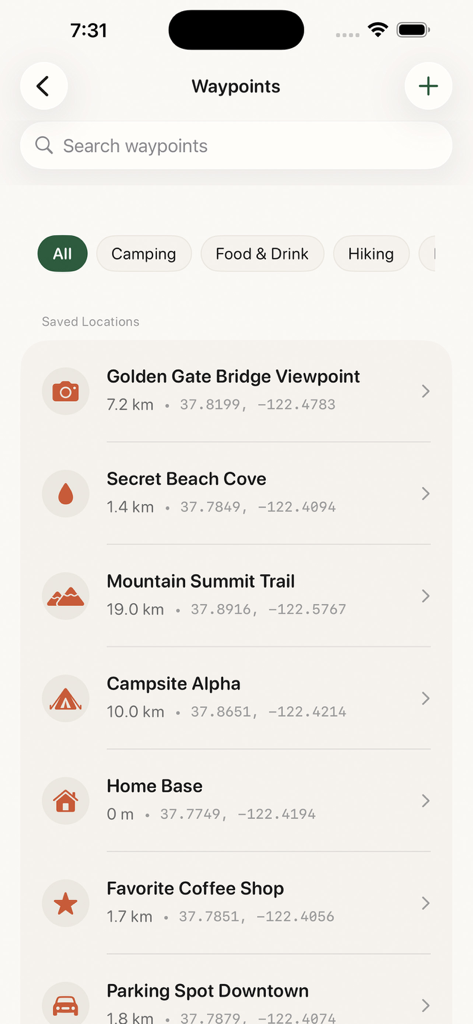
Waypointer - GPS Compass - A list of saved locations in the Waypointer GPS app showing trailheads, campsites, and city landmarks with distances and coordinates.

A list of saved locations in the Waypointer GPS app showing trailheads, campsites, and city landmarks with distances and coordinates.

Description

Waypointer is your reliable compass and waypoint navigation companion. Save any location and navigate back to it using a precision compass that works completely offline. Whether you are hiking in the wilderness, trying to find your parked car, marking a camping spot, or saving a favorite fishing location, Waypointer guides you there with clear directional arrows and distance information. KEY FEATURES Precision Compass - True north and magnetic north readings - Real-time heading display with degree accuracy - Smooth compass animation that responds instantly to movement - Works without internet connection Waypoint Management - Save unlimited locations as waypoints with Premium - Add custom names and icons to each waypoint - Organize waypoints into categories - Import and export waypoints for backup and sharing Directional Navigation - Large directional arrow points toward your destination - Live distance updates as you move - Bearing information in degrees and cardinal directions - Simple interface that is easy to read while moving Radar View (Premium) - See all waypoints around you on an interactive radar display - Quickly identify the closest locations - Visual representation of waypoint positions relative to your heading Location Details - View your current coordinates in multiple formats - Decimal degrees and degrees minutes seconds display - Copy coordinates to share with others - Reverse geocoding shows your current address PERFECT FOR Outdoor Adventures - Mark trailheads and return points while hiking - Save camping spots and water sources - Navigate back to your vehicle after exploring - Mark hunting stands and fishing spots Everyday Use - Never forget where you parked your car - Save meeting points and event locations - Mark points of interest while traveling - Create a personal location database Professional Use - Survey and fieldwork location marking - Site documentation with coordinates - Location data export in standard formats WHY CHOOSE WAYPOINTER Simple and Focused Unlike complex mapping apps, Waypointer does one thing exceptionally well. Point you toward your saved locations with a clear, easy-to-read compass interface. Works Offline No cell signal required. Once you save a waypoint, you can navigate to it anywhere using only your phone sensors and GPS. Battery Efficient Optimized to use minimal battery while providing accurate navigation guidance. Privacy Focused Your location data stays on your device. We do not track or store your waypoints on external servers. SUBSCRIPTION OPTIONS Free Version - Save up to 5 waypoints - Full compass functionality - Basic navigation features Premium Subscription - Unlimited waypoints - Radar view - Custom waypoint icons - Category organization - Export and import functionality - Priority support Premium is available as weekly, monthly, or yearly subscription. Payment will be charged to your Apple ID account at confirmation of purchase. Subscription automatically renews unless canceled at least 24 hours before the end of the current period. You can manage and cancel subscriptions in your Account Settings on the App Store. Terms of Service: https://www.apple.com/legal/internet-services/itunes/dev/stdeula/ Download Waypointer today and never lose your way again.

Download

Download on App Store

This page is not an official page of the app or its developer, but an independent editorial publication created for informational and commentary purposes. Unless expressly stated otherwise, neither the app nor its developer is affiliated with, endorsed by, sponsored by, authorized by, or otherwise officially connected with MWM, Apple, Google Play, the app publisher, or the app's developer, and nothing on this page implies that the app was developed using MWM's services. Any trademarks, logos, screenshots, and other content remain the property of their respective owners.








