
This page is not an official page of the app or its developer, but an independent editorial publication created for informational and commentary purposes. Unless expressly stated otherwise, neither the app nor its developer is affiliated with, endorsed by, sponsored by, authorized by, or otherwise officially connected with MWM, Apple, Google Play, the app publisher, or the app's developer, and nothing on this page implies that the app was developed using MWM's services. Any trademarks, logos, screenshots, and other content remain the property of their respective owners.


Weather and Climate Tracker
Stop squinting at small fonts. Experience a familiar, high-contrast weather forecast with large text designed for maximum clarity on your iPhone and iPad.
Downloads
753K+User Rating
Total Ratings
16K+Publisher
Category
WeatherLocales
11Latest Version
3.1Size
340.1 MBFirst Released
Dec 9, 2020Clearer Weather for Easier Living
Stop squinting at tiny icons and cluttered data. Our tracker is built for maximum visibility and ease of use on every screen you own.
Large & High-Contrast
Read every detail clearly without needing your glasses, thanks to bold text and high-visibility colors designed for comfort.
Same Look on Every Screen
Switch between your iPhone and iPad with a consistent, familiar layout that works exactly the same way on all your devices.
Frequently Asked Questions
Everything you need to know about Weather and Climate Tracker
Can Weather and Climate Tracker be used on multiple devices?
Yes, Weather and Climate Tracker offers a familiar interface across all your devices, including phones and tablets. This allows for a consistent user experience.
Does Weather and Climate Tracker offer accessibility features like high contrast?
Yes, Weather and Climate Tracker features high contrast and large text details. This design makes the app accessible and easy to read for all users.
Does Weather and Climate Tracker support different measurement units?
Yes, Weather and Climate Tracker accommodates users from various countries by supporting different measurement units. This feature addresses specific regional needs.
What weather information does Weather and Climate Tracker provide?
Weather and Climate Tracker provides current temperature, "feels like" temperature, atmospheric pressure, and wind speed and direction. It also shows a weather description.
Does Weather and Climate Tracker offer hourly and daily weather forecasts?
Yes, Weather and Climate Tracker provides both hourly forecasts for the coming hours and a detailed daily forecast for the week ahead. This helps users plan accurately.
Does Weather and Climate Tracker display weather warnings?
Yes, Weather and Climate Tracker displays important weather warnings and advisories. For example, it shows "Yellow Thunderstorm Warning" or "Small Craft Advisory."
Can I see weather on a map with Weather and Climate Tracker?
Yes, Weather and Climate Tracker allows users to see weather conditions on a map. This feature provides a visual overview of nearby weather patterns.
Does Weather and Climate Tracker support Live Activities and Lock Screen widgets?
Yes, Weather and Climate Tracker supports Live Activities and Lock Screen widgets. These features display real-time weather updates directly on your lock screen for extreme weather.
Can Weather and Climate Tracker display weather for multiple cities on home screen widgets?
Yes, Weather and Climate Tracker allows users to display weather for several cities simultaneously using various home screen widgets. This provides quick access to different locations.
How do I track multiple favorite cities in Weather and Climate Tracker?
Weather and Climate Tracker allows you to track all your favorite cities. Users can add and view a list of cities, each displaying its current weather conditions.
Where can I find the privacy policy for Weather and Climate Tracker?
The privacy policy for Weather and Climate Tracker is available at https://appstea.com/legal/privacy-policy/. This document outlines data handling practices.
Where are the Terms of Use for Weather and Climate Tracker located?
The Terms of Use for Weather and Climate Tracker are accessible at https://appstea.com/legal/terms-of-use/. This document details the conditions for using the application.
The following screenshots and description are sourced directly from the app's official store listing and are the property of the app developer.
App Store
Screenshots
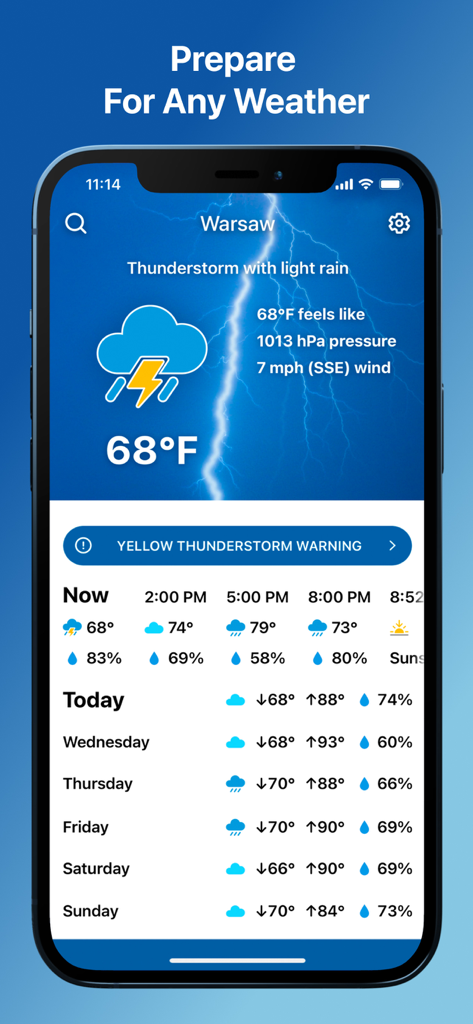
Weather app interface on iPhone with high contrast large text showing a thunderstorm warning and a weekly forecast.
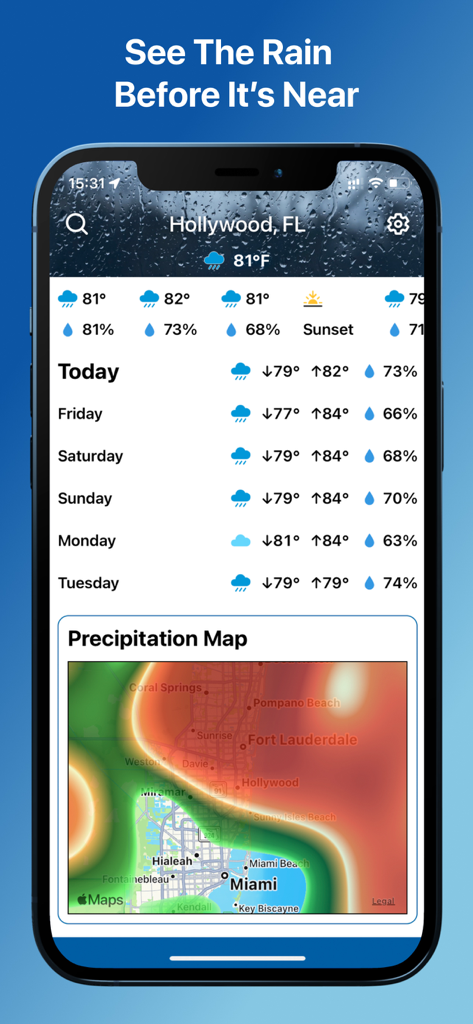
Weather app screen showing a daily forecast list and a colorful precipitation radar map of Florida
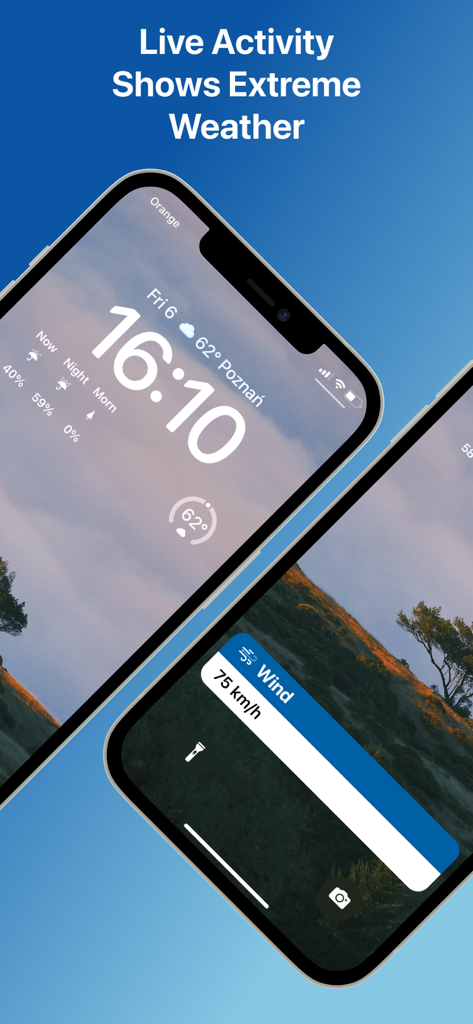
iPhone lock screen displaying a high contrast live activity notification for extreme wind speed
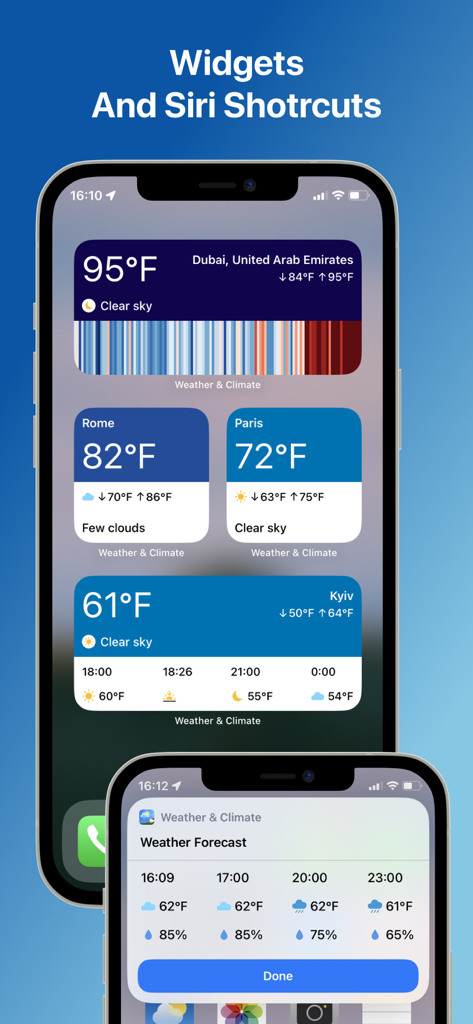
iPhone home screen displaying high-contrast weather widgets and Siri shortcuts with large text for multiple cities.
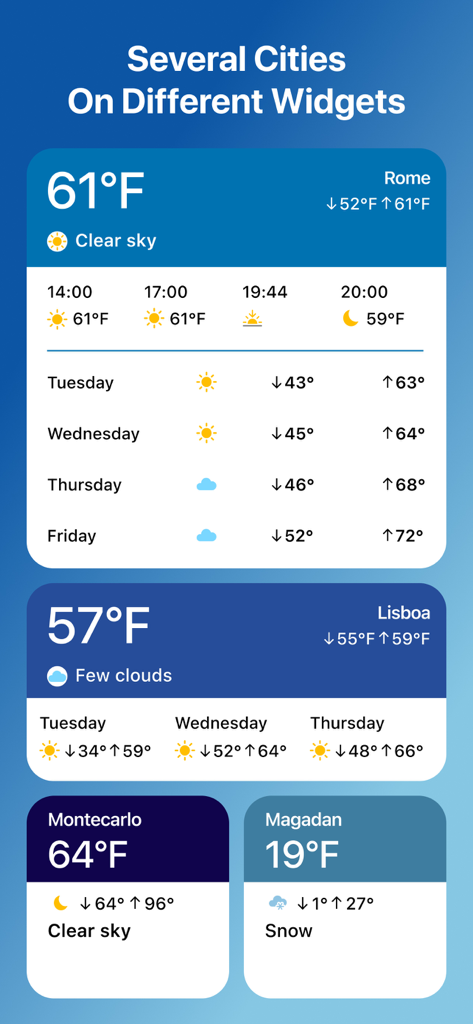
Several weather widgets showing temperature and forecasts for different cities with large easy to read text
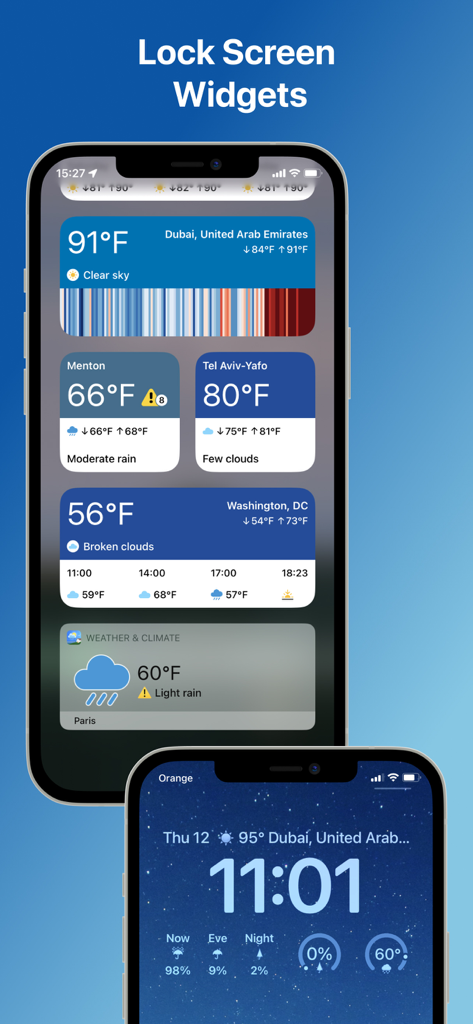
IPhone screens showing weather widgets and climate data with large high contrast text
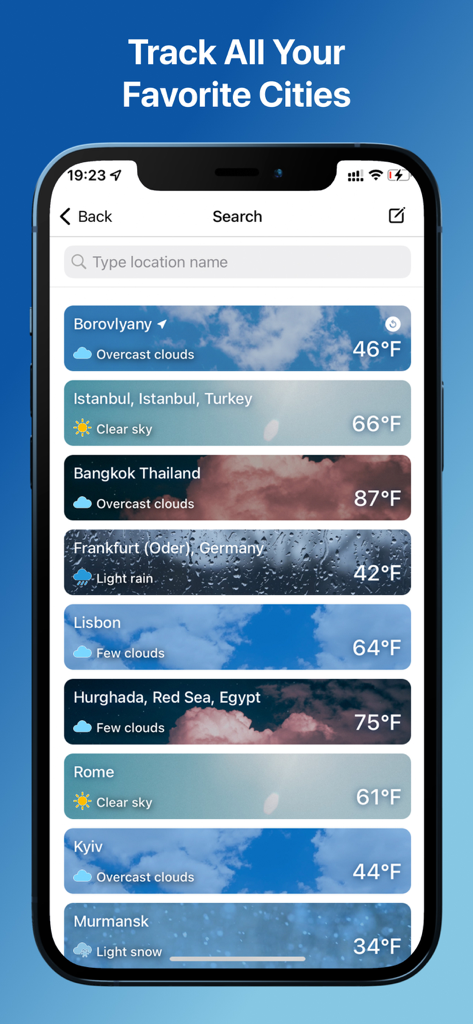
A smartphone screen displaying a list of favorite cities with current temperatures and weather conditions in the Weather and Climate Tracker app.
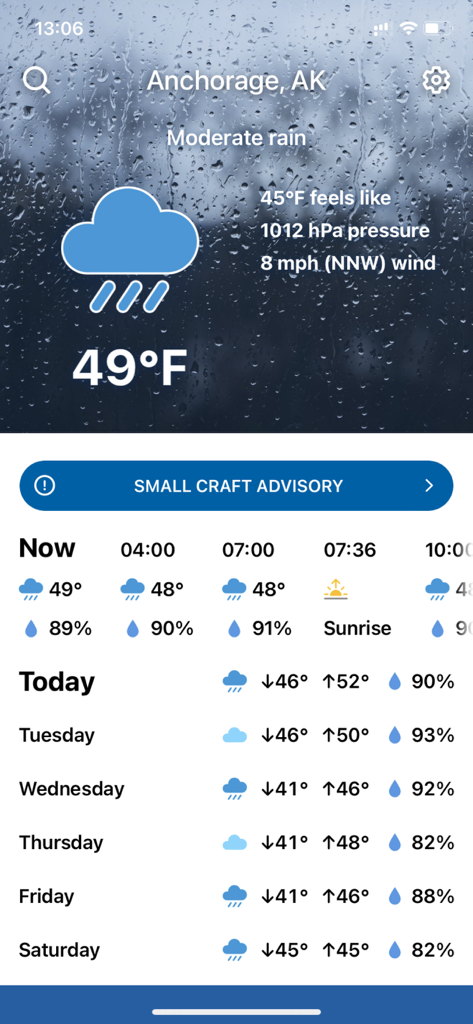
Weather app screen showing Anchorage rainfall forecast with large high contrast text and a small craft advisory alert.
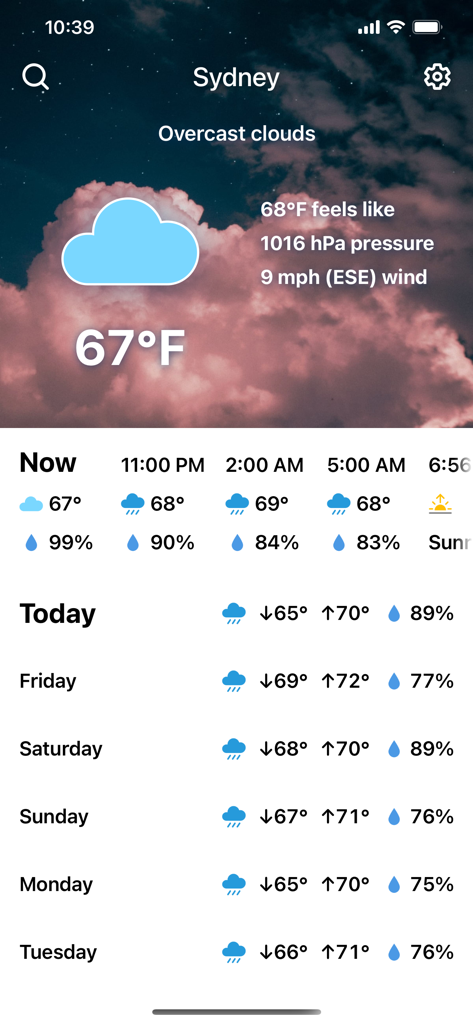
Weather and Climate Tracker app showing a clear forecast for Sydney with high contrast and large text.
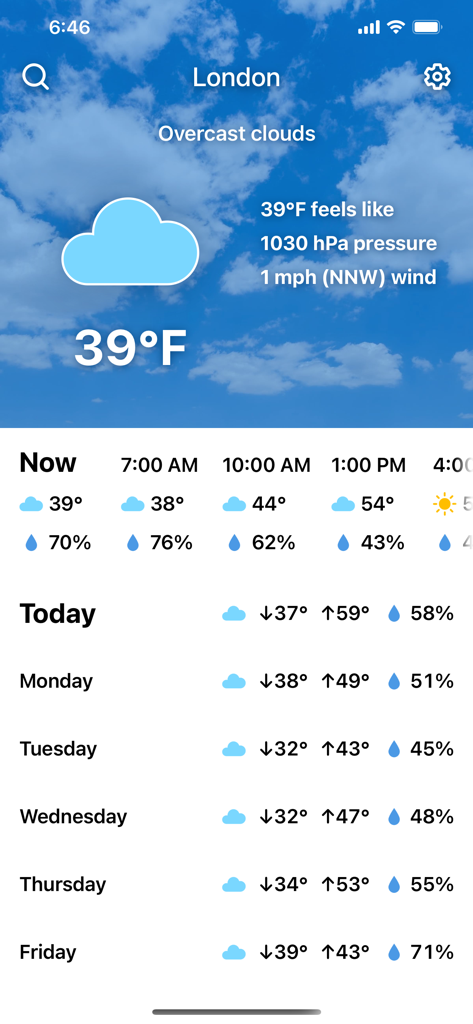
Screenshot of Weather and Climate Tracker showing current weather in London with high contrast text and 5 day forecast.
Description
Download
More Like This
Apps with similar features and user experience





This page is not an official page of the app or its developer, but an independent editorial publication created for informational and commentary purposes. Unless expressly stated otherwise, neither the app nor its developer is affiliated with, endorsed by, sponsored by, authorized by, or otherwise officially connected with MWM, Apple, Google Play, the app publisher, or the app's developer, and nothing on this page implies that the app was developed using MWM's services. Any trademarks, logos, screenshots, and other content remain the property of their respective owners.