Weight BMI Fat Log Feeltracker
Download on App Store

This page is not an official page of the app or its developer, but an independent editorial publication created for informational and commentary purposes. Unless expressly stated otherwise, neither the app nor its developer is affiliated with, endorsed by, sponsored by, authorized by, or otherwise officially connected with MWM, Apple, Google Play, the app publisher, or the app's developer, and nothing on this page implies that the app was developed using MWM's services. Any trademarks, logos, screenshots, and other content remain the property of their respective owners.


Logo of Weight BMI Fat Log Feeltracker
Download on App Store

Weight BMI Fat Log Feeltracker

Stop manual entry and start seeing results. Use AI-powered scanning for your scale and meals, get personalized coaching insights, and keep your data 100% private with no account required.

Key Figures

Downloads

4K+

User Rating

4.7/5

Total Ratings

500

Publisher

Custom Arts Ltd

Category

Health & Fitness

Locales

31

Latest Version

2.72.25

Size

30.7 MB

First Released

Dec 11, 2015
Features

Effortless Progress, Intelligent Insights

Stop manual logging and start understanding. Feeltracker uses AI scanning and deep data analysis to guide your health journey while keeping your data 100% private.

Scan, Don't Type

Instantly log weight from your scale and analyze nutritional data from your meals using just your camera. No manual entry required.

Your AI Health Detective

Discover hidden patterns in your weight fluctuations and receive personalized coaching through AI-powered chat and voice summaries.

The following screenshots and description are sourced directly from the app's official store listing and are the property of the app developer.

App Store

Screenshots
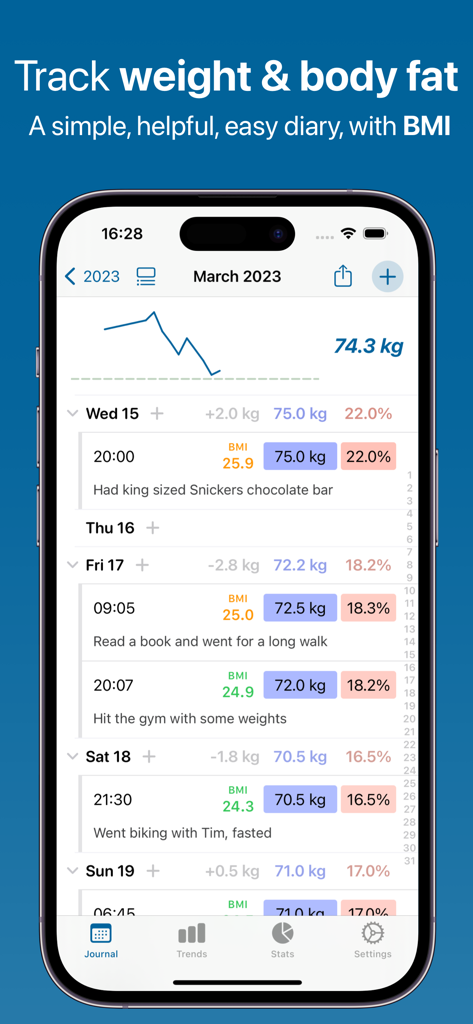
Weight BMI Fat Log Feeltracker - Feeltracker mobile app journal screen displaying daily weight, BMI, and body fat percentage logs with a progress chart
Feeltracker mobile app journal screen displaying daily weight, BMI, and body fat percentage logs with a progress chart

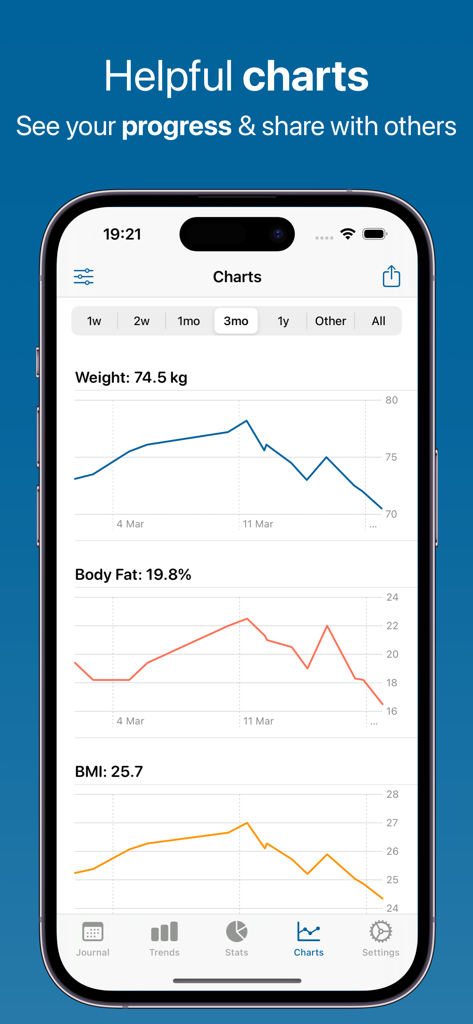
Weight BMI Fat Log Feeltracker - Feeltracker app screen showing weight body fat and BMI progress charts
Feeltracker app screen showing weight body fat and BMI progress charts

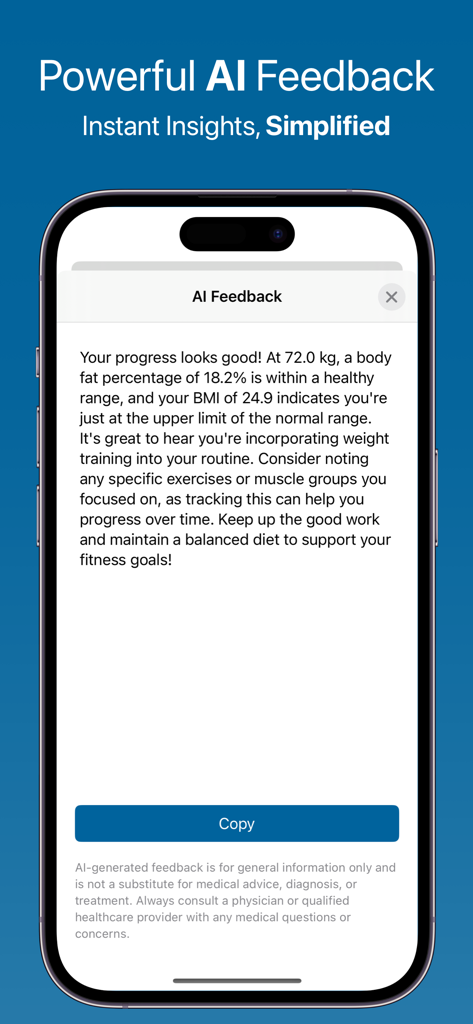
Weight BMI Fat Log Feeltracker - Smartphone screen displaying personalized AI health feedback and BMI insights in the Feeltracker app.
Smartphone screen displaying personalized AI health feedback and BMI insights in the Feeltracker app.

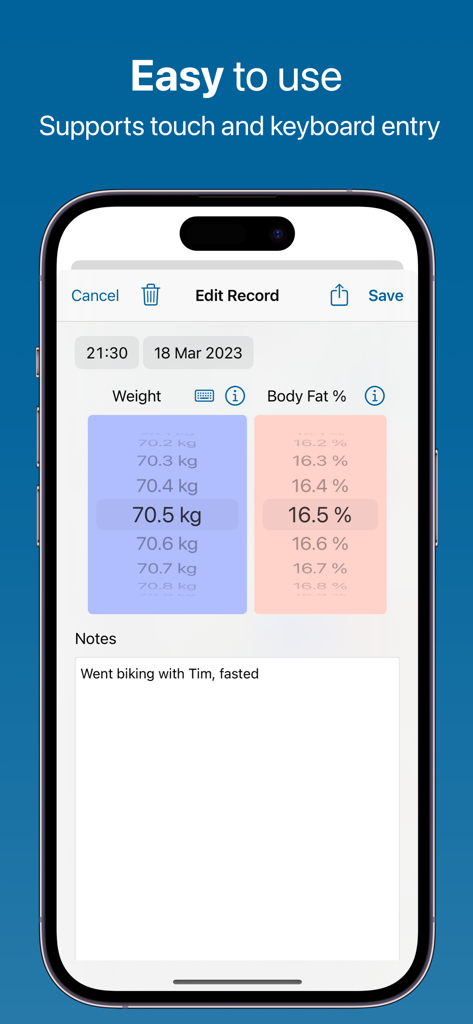
Weight BMI Fat Log Feeltracker - Interface of Feeltracker app for manual entry of weight and body fat percentage with touch scroll wheels and notes
Interface of Feeltracker app for manual entry of weight and body fat percentage with touch scroll wheels and notes

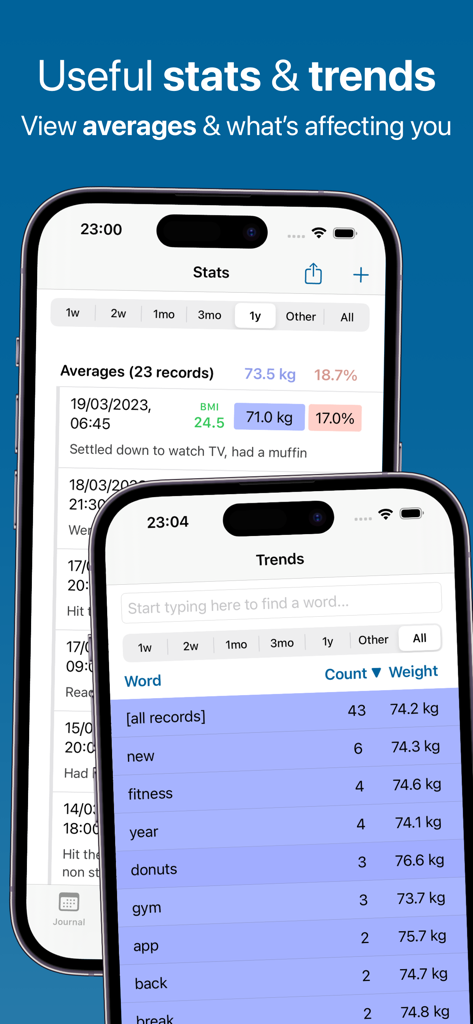
Weight BMI Fat Log Feeltracker - Interface showing weight logs and trend analysis with word pattern correlation in the Feeltracker app
Interface showing weight logs and trend analysis with word pattern correlation in the Feeltracker app

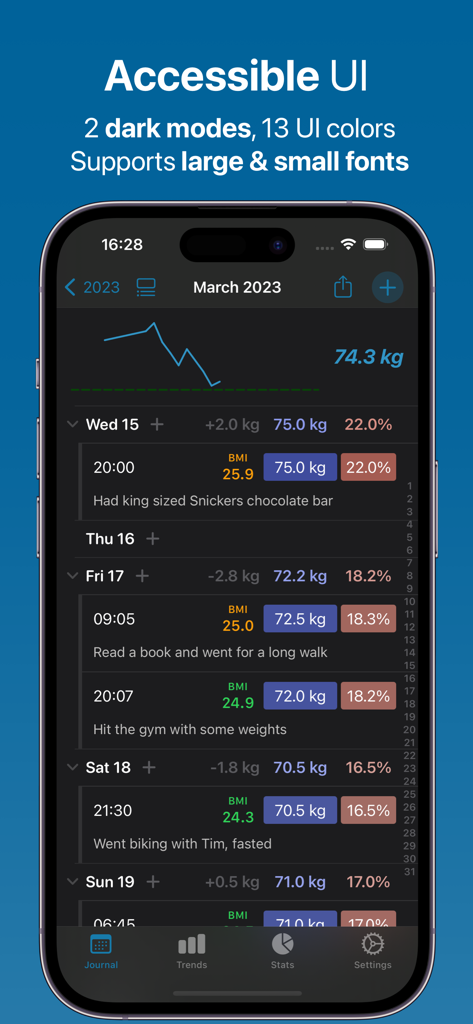
Weight BMI Fat Log Feeltracker - Feeltracker app showing accessible journal interface with weight and BMI logs in dark mode.
Feeltracker app showing accessible journal interface with weight and BMI logs in dark mode.

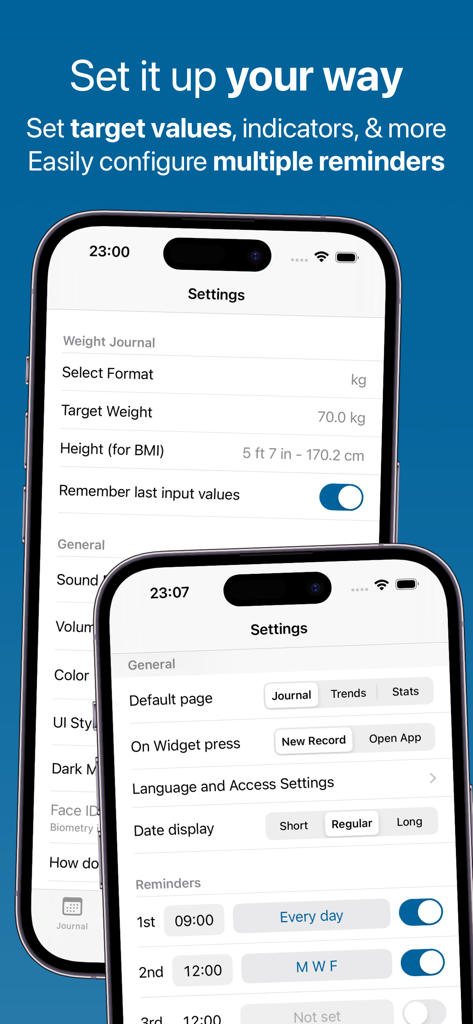
Weight BMI Fat Log Feeltracker - Two iPhone screens showing the settings menu and reminder configuration for the Feeltracker health app.
Two iPhone screens showing the settings menu and reminder configuration for the Feeltracker health app.

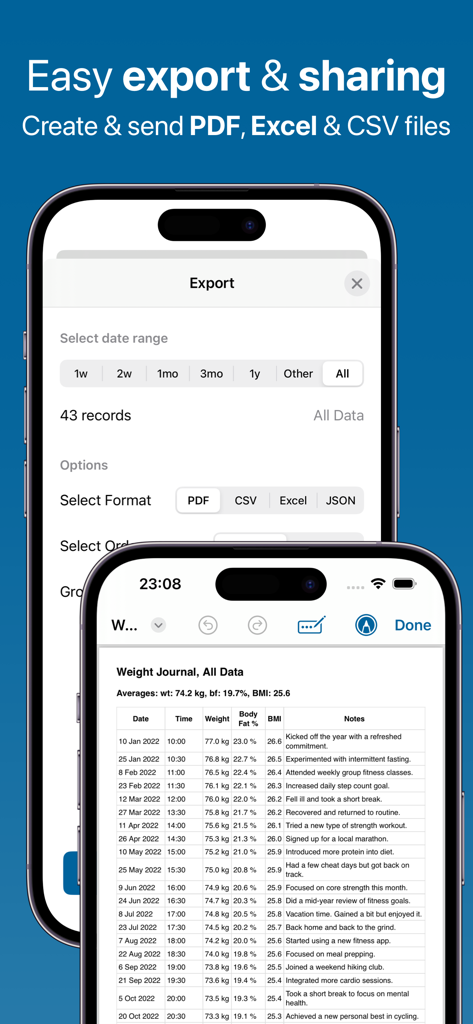
Weight BMI Fat Log Feeltracker - Feeltracker app interface for exporting weight and BMI health reports in PDF and Excel formats.
Feeltracker app interface for exporting weight and BMI health reports in PDF and Excel formats.

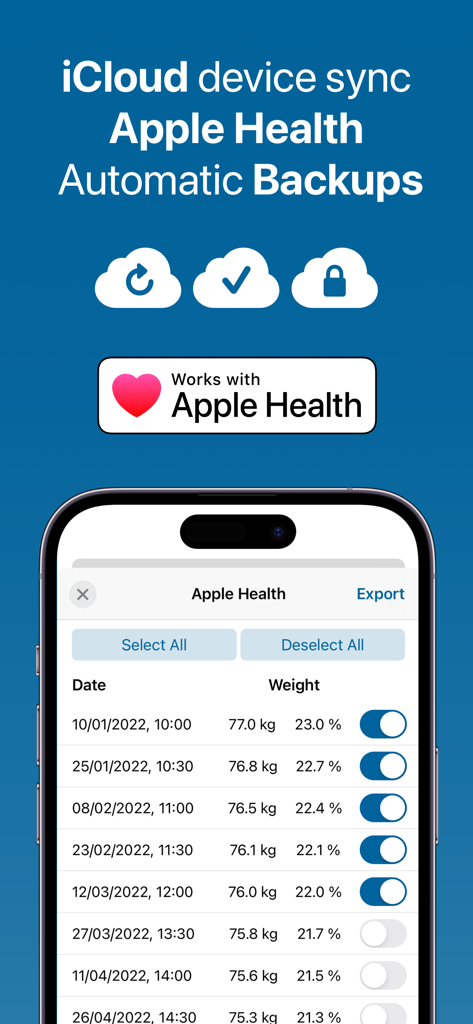
Weight BMI Fat Log Feeltracker - Feeltracker app screen highlighting Apple Health integration and automatic iCloud device sync
Feeltracker app screen highlighting Apple Health integration and automatic iCloud device sync

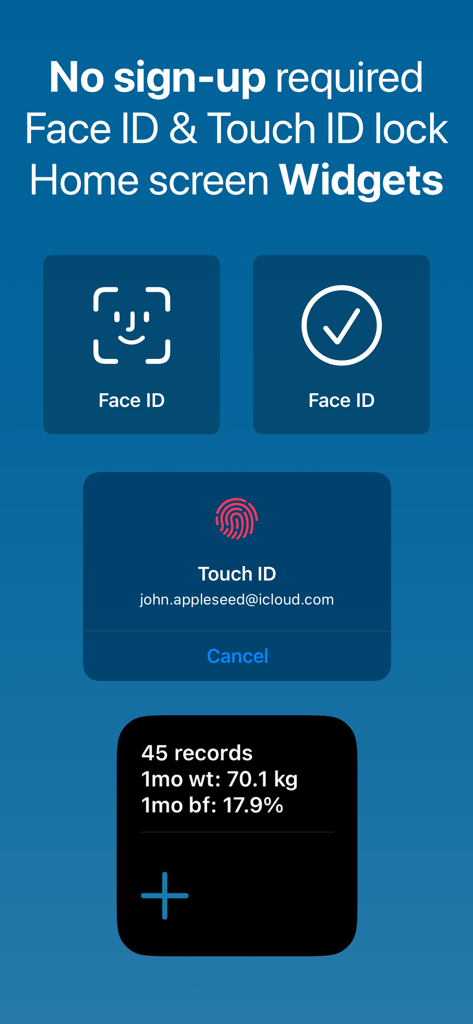
Weight BMI Fat Log Feeltracker - App screenshot showcasing privacy features including Face ID and Touch ID lock plus home screen weight tracking widgets.

App screenshot showcasing privacy features including Face ID and Touch ID lock plus home screen weight tracking widgets.

Description

Feeltracker: Rated 4.8 with 20K reviews • Trusted by 50,000+ users monthly • 96% satisfaction Scan your scale AND your food with your camera—no manual entry needed. Feeltracker WT uses AI-powered scanning and personalized chat and voice coaching to turn weight tracking from a chore into an effortless journey toward your health goals. Whether you're losing weight, gaining muscle, or maintaining your ideal body composition, get intelligent insights that actually help you succeed. COMPLETE WEIGHT MANAGEMENT: • Track weight, body fat percentage, and BMI calculations • Scan your scale with your camera for instant, accurate entry • Scan food to get instant nutritional analysis with calories, protein, carbs, and fat • AI-powered scanning technology for effortless weight and nutrition logging • Log multiple daily measurements for accuracy • Set and monitor progress toward your goal weight • Attach photos to entries to document your journey • Record notes about diet, exercise, and lifestyle factors • AI chat and voice feedback to guide your weight management journey • AI-powered insights for sustainable weight management • Automatic unit conversion (lbs/kg, in/cm) YOUR PRIVACY, RESPECTED: • No account required—start tracking immediately • Face ID/Touch ID protection for your personal data • Automatic iCloud sync keeps your progress safe • Export data anytime in PDF, CSV, Excel, or JSON formats DESIGNED FOR SUCCESS: • Beautiful Liquid Glass design with translucent, fluid visual effects • Eye-friendly Dark Mode for comfortable tracking throughout your day • Quick-entry widgets for easy weight logging • Smart reminders for consistent tracking habits • Integration with Apple Health for complete wellness view • Track progress toward your target weight goal UNDERSTAND YOUR JOURNEY: • Powerful trends show weight changes over time • Interactive charts—tap any point to view detailed measurements instantly • Weekly and monthly averages smooth out fluctuations • Track body fat percentage alongside weight changes • Identify patterns linked to diet and exercise • Generate detailed reports for healthcare providers AI-POWERED FEATURES: • Ask a Question: Get instant answers about your weight data • Chat: Have interactive conversations about your fitness journey • Voice Summary: Listen to audio summaries of your weight trends • Meal Planner: Get a personalized weekly meal plan based on your goals • Exercise Planner: Get a personalized workout routine for your needs • Pattern Detective: Discover hidden correlations affecting your weight • Goal Assistant: Get personalized, achievable weight management goals • Doctor Summary: Generate professional summaries for healthcare visits • Tailored Health Report: Create a comprehensive fitness document • Deep Research Report: In-depth analysis of your weight patterns • Personalized Quiz: Test your knowledge about nutrition and fitness • Make Me Laugh: Lighten your day with personalized humor • Calm Me Down: Relaxing AI-guided breathing for stress reduction FREE WITH PREMIUM OPTIONS: • All core tracking features completely free • Upgrade to Premium for extended AI features and 10x daily AI quota • Premium users unlock advanced AI analysis tools • Affordable pricing for your long-term health journey Feeltracker is trusted by over 50,000 users monthly across our suite of health tracking apps. Whether you're on a weight loss journey, building muscle, managing medical conditions, or maintaining your health, Feeltracker WT provides the tools and insights you need to succeed. Your health transformation starts today. Download Feeltracker WT and take control of your wellness journey with confidence. Privacy Policy: https://feeltracker.com/privacy.html Terms of Use: https://feeltracker.com/terms.html

Download

Download on App Store

This page is not an official page of the app or its developer, but an independent editorial publication created for informational and commentary purposes. Unless expressly stated otherwise, neither the app nor its developer is affiliated with, endorsed by, sponsored by, authorized by, or otherwise officially connected with MWM, Apple, Google Play, the app publisher, or the app's developer, and nothing on this page implies that the app was developed using MWM's services. Any trademarks, logos, screenshots, and other content remain the property of their respective owners.








