Whiteboard - Infinity Canvas

Whiteboard - Infinity Canvas


Download on App Store
Logo of Whiteboard - Infinity Canvas

Whiteboard - Infinity Canvas: Simplicity to the Extreme for Visual Thinkers

The minimalist, ultra-fast workspace for students and professionals. Sketch, teach, and prototype on an infinite canvas designed for total focus and zero friction.

Publisher

Endless AI LLC

Category

Productivity

Downloads

3M+

User Rating

4.4/5

Total Ratings

6K+

Locales

33

Simplicity in Action

Discover the interface used by 3M+ users.
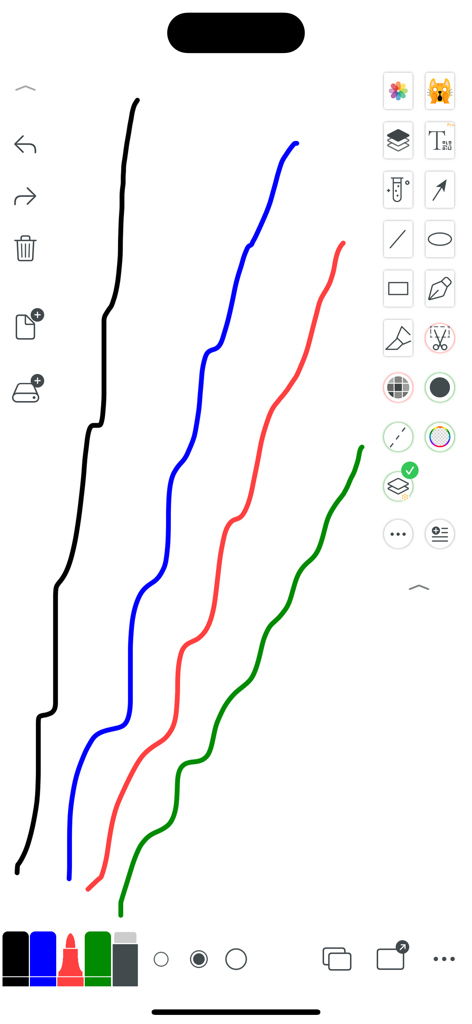
Digital whiteboard interface showing colorful hand drawn lines and minimalist drawing tools

Digital whiteboard interface showing colorful hand drawn lines and minimalist drawing tools

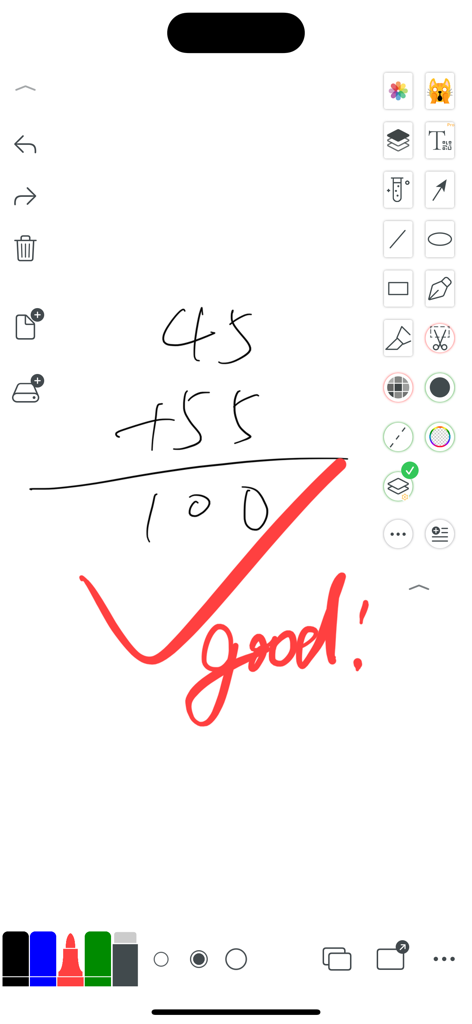
Digital whiteboard app interface showing a handwritten math addition and a red checkmark with the word good

Digital whiteboard app interface showing a handwritten math addition and a red checkmark with the word good

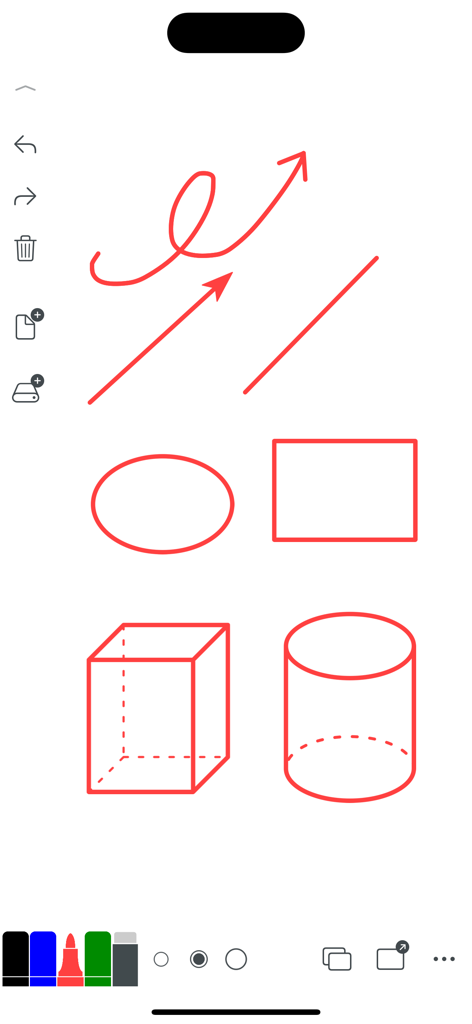
Digital whiteboard interface showing hand-drawn geometric shapes and arrows in red ink.

Digital whiteboard interface showing hand-drawn geometric shapes and arrows in red ink.

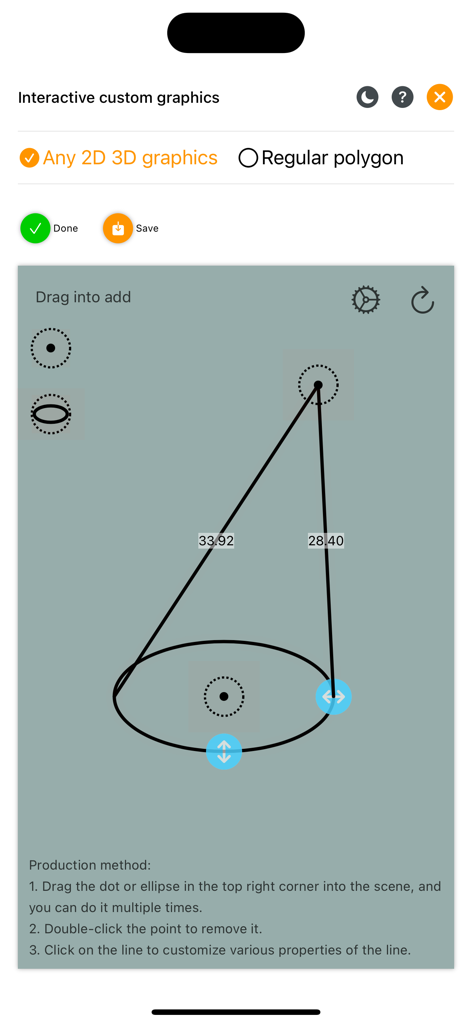
The Whiteboard app interface showing an interactive tool for creating custom 2D and 3D geometric graphics

The Whiteboard app interface showing an interactive tool for creating custom 2D and 3D geometric graphics

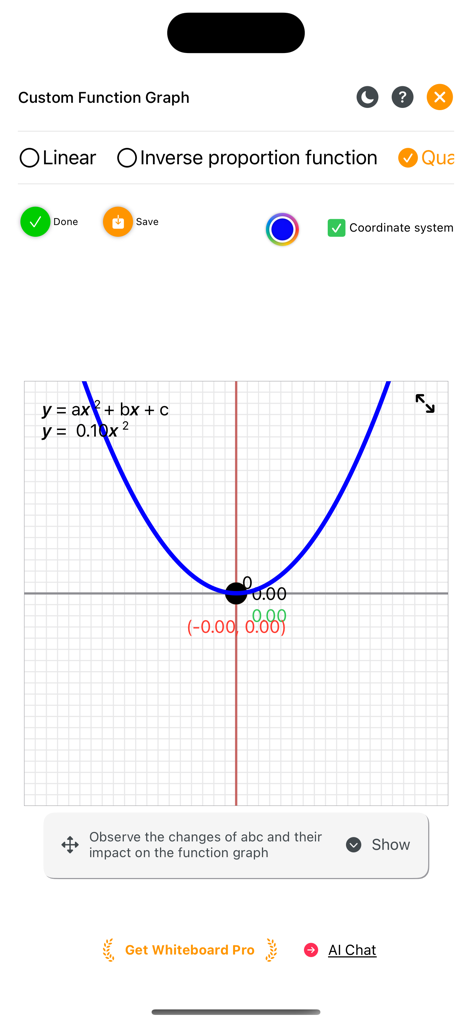
A blue quadratic function parabola on a coordinate grid within the Whiteboard app interface

A blue quadratic function parabola on a coordinate grid within the Whiteboard app interface

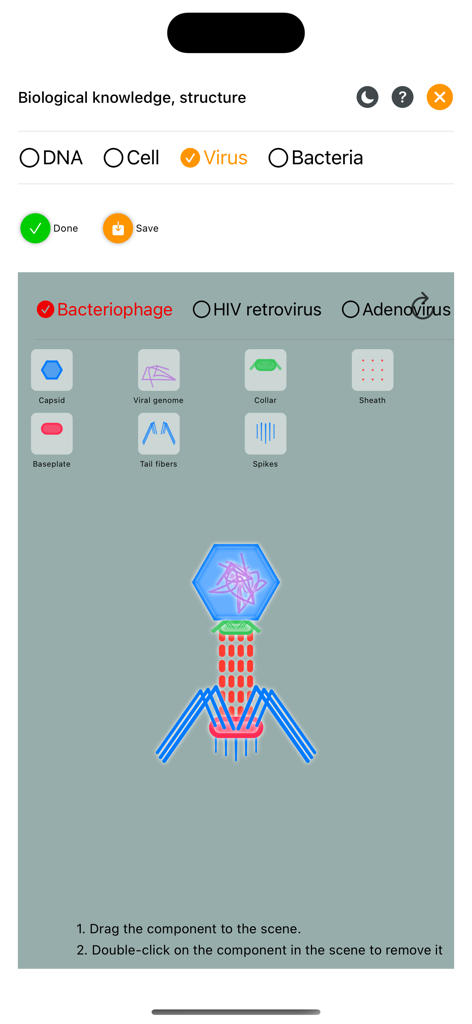
Educational biology diagram of a bacteriophage virus in the Whiteboard app

Educational biology diagram of a bacteriophage virus in the Whiteboard app

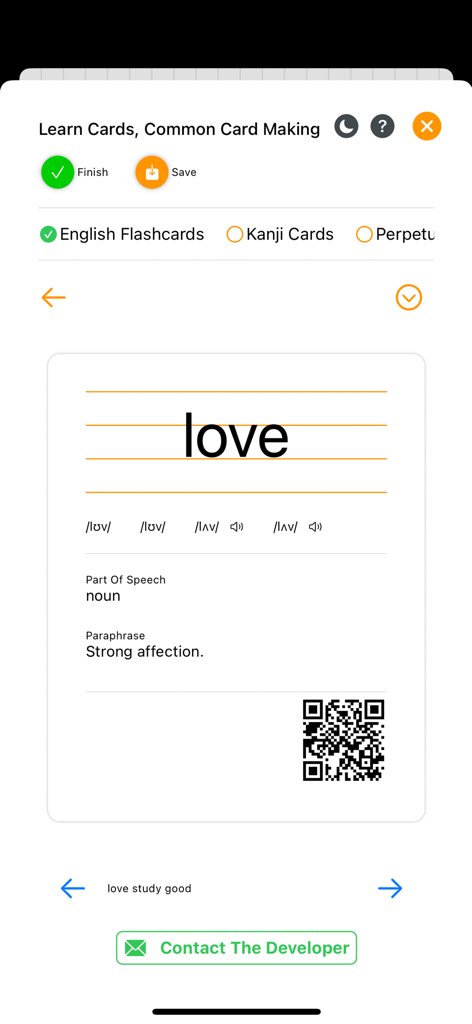
Interface for creating an English language study flashcard with phonetic symbols and word definition

Interface for creating an English language study flashcard with phonetic symbols and word definition

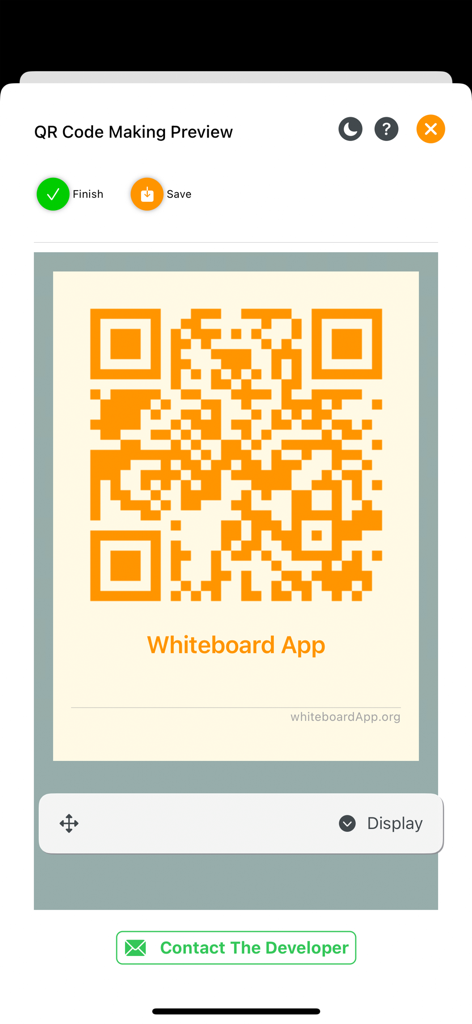
A preview screen showing a generated orange QR code for the Whiteboard App with options to finish or save

A preview screen showing a generated orange QR code for the Whiteboard App with options to finish or save

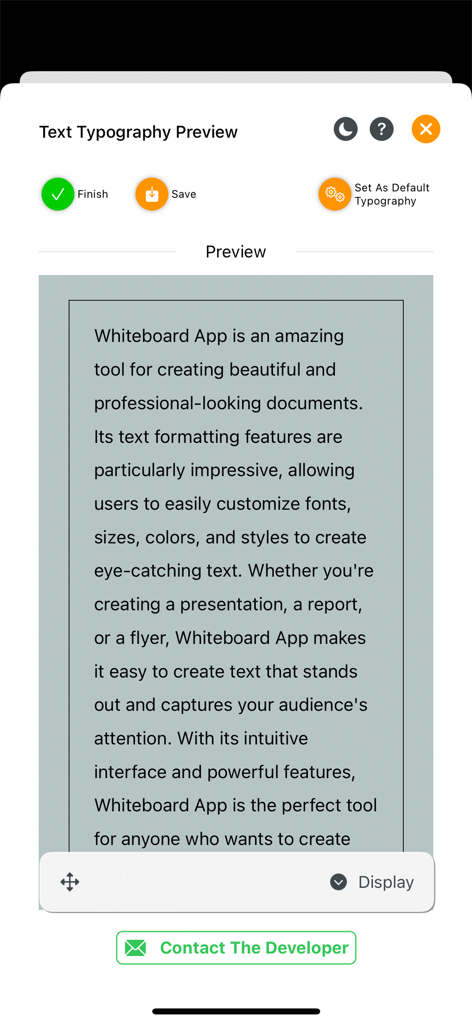
Text typography preview screen in the Whiteboard app showing text formatting and style options.

Text typography preview screen in the Whiteboard app showing text formatting and style options.

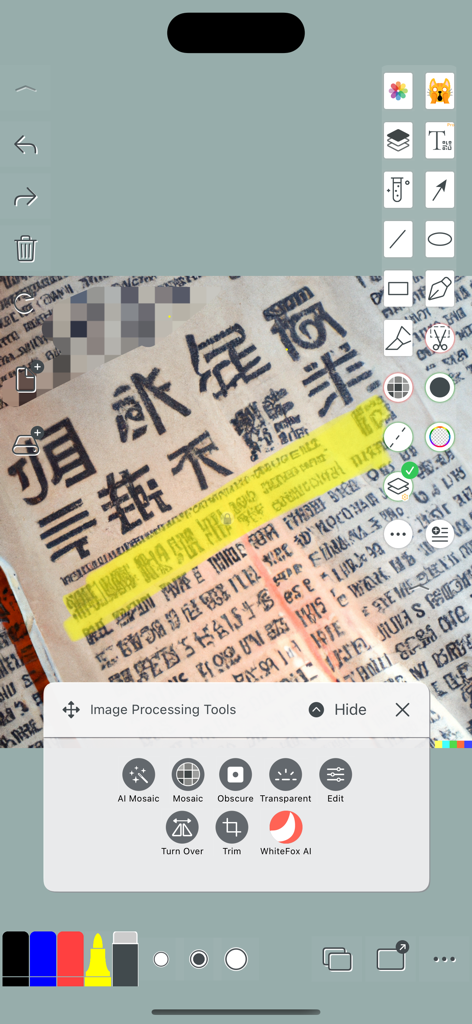
Interface of the Whiteboard app showing image processing tools like mosaic and trim over an annotated document.

Interface of the Whiteboard app showing image processing tools like mosaic and trim over an annotated document.

Master Your Ideas with Total Freedom

The tools that make this app stand out, trusted by 3M+ users.

♾️

Limitless Infinite Canvas

Break free from page borders with a boundary-less workspace that allows your creativity to flow without interruption.

📄

Pro-Grade PDF Handling

Import and annotate documents with hundreds of pages instantly—engineered to be lag-free for students and researchers.

Distraction-Free Minimalism

Focus on deep work with a 'simplicity to the extreme' interface that opens instantly and stays out of your way.

About the app

Everything you need to know about Whiteboard - Infinity Canvas.

Description

The Whiteboard App always adheres to the concept of "simplicity to the extreme" and "Nothing more Nothing less". Despite offering many small tools, its interface remains simple and user-friendly. This app is suitable for various scenarios, including teaching, creativity, meeting presentations, prototype design, and learning drafts, among others. It provides users with a variety of universally applicable paper formats, objects, and prototype designs to choose from. It also offers instant drawing of geometric shapes, making teaching, creativity, and on-site communication more convenient. Additionally, it can be used for students' homework drafts, doodling, note-taking, temporary notepads, word dictation, and math problems, among other purposes. Users highly praise its simple and easy-to-use button layout and tool exit mechanism. The app offers two forms of creating new files, allowing users to choose the one that suits them best: - The first form is a multi-page file (Pages), where each page serves as a canvas with size limitations, similar to a PDF file. This makes it easy to organize knowledge. - The second form is a free-form file (Free Form), where a file consists of one infinitely large canvas without boundaries. This allows for unlimited creativity. The app also supports direct import of PDF files, even large files with hundreds or thousands of pages, without crashing. It opens instantly. Features: - Small storage space - Simple operation - Clean interface - Quick startup - Rich functionality Welcome to download and experience the Whiteboard App as soon as possible! Contact information: - Twitter: chenlidongorg - Threads: chenlidongorg - WeChat: ichenlidong - Email: chenlidong@gmail.com - Official website: whiteboardapp.org End-User License Agreement (EULA): http://whiteboardapp.org/TermsofUse Privacy Policy: http://whiteboardapp.org/fsaf-88bdbc6b

Latest Version

56

Size

93.2 MB

First Released

Jan 28, 2012

Ready to Think Without Boundaries?

Join over 3 million visual thinkers who have embraced simplicity. Download now to experience the infinite canvas that opens instantly and never limits your creativity.

Download on App Store
FAQ

Frequently Asked Questions

Everything you need to know about Whiteboard - Infinity Canvas

What is Whiteboard - Infinity Canvas?

Whiteboard - Infinity Canvas is an app designed for teaching, creativity, and presentations. It features a simple interface, offering tools for drawing, note-taking, and problem-solving, with options for multi-page or infinitely large canvases for unlimited creativity.

What file formats does the Whiteboard App support for creation?

The Whiteboard App supports creating two file forms: multi-page files (Pages) with size limitations, similar to PDFs, for organizing knowledge; and free-form files (Free Form) featuring an infinitely large, boundaryless canvas for unlimited creativity.

Can Whiteboard - Infinity Canvas import PDF files?

Yes, Whiteboard - Infinity Canvas supports direct import of PDF files. It opens even large PDFs with hundreds or thousands of pages instantly and without crashing, integrating them seamlessly into your workspace.

Does the Whiteboard App allow drawing geometric shapes?

Yes, the Whiteboard App provides instant drawing of geometric shapes. It includes tools for basic shapes like lines, ovals, and rectangles, as well as complex 2D and 3D graphics, enhancing teaching and design communication.

Can I graph mathematical functions in Whiteboard - Infinity Canvas?

Yes, Whiteboard - Infinity Canvas allows users to graph mathematical functions. It supports linear, inverse proportion, and quadratic functions, displaying custom function graphs with a coordinate system for educational or analytical purposes.

Does Whiteboard - Infinity Canvas offer tools for biological education?

Yes, Whiteboard - Infinity Canvas includes tools for biological education. It provides interactive models for concepts like DNA, cells, viruses, and bacteria, allowing users to explore their structures and components.

Is it possible to create flashcards within the Whiteboard App?

Yes, users can create learn cards, including English Flashcards, with the Whiteboard App. This feature supports common card-making functionalities, aiding in study and knowledge retention.

How do I contact the developers of Whiteboard - Infinity Canvas?

You can contact the developers of Whiteboard - Infinity Canvas via email at chenlidong@gmail.com, or through their social media channels on Twitter and Threads as @chenlidongorg.

Where is the privacy policy for Whiteboard - Infinity Canvas located?

The Privacy Policy for Whiteboard - Infinity Canvas is available on the official website. You can find it directly at whiteboardapp.org/fsaf-88bdbc6b, ensuring transparency regarding data handling.

Does the Whiteboard App provide image processing tools?

Yes, the Whiteboard App offers various image processing tools. These include options like AI Mosaic, Mosaic, Obscure, Transparent, Edit, Turn Over, Trim, and WhiteFox AI for manipulating images within the canvas.

App information, icons, screenshots, and descriptions displayed on this page are sourced from the Apple App Store and are the property of their respective developers. Download estimates and rankings are based on MWM's proprietary models and may not reflect actual figures. This page is provided for informational and analytical purposes only.

Believe this page infringes your intellectual property? File a dispute