
This page is not an official page of the app or its developer, but an independent editorial publication created for informational and commentary purposes. Unless expressly stated otherwise, neither the app nor its developer is affiliated with, endorsed by, sponsored by, authorized by, or otherwise officially connected with MWM, Apple, Google Play, the app publisher, or the app's developer, and nothing on this page implies that the app was developed using MWM's services. Any trademarks, logos, screenshots, and other content remain the property of their respective owners.


MindSpace - Mind Map
The minimalist workspace to capture fleeting inspiration and organize your knowledge seamlessly across Mac, iPad, and iPhone.
Downloads
339K+User Rating
Total Ratings
1K+Publisher
Category
ProductivityLocales
20Latest Version
1.8.4Size
31.8 MBFirst Released
Sep 18, 2021Master Your Mental Clarity
MindSpace helps you bridge the gap between fleeting inspiration and professional execution. Whether you are building a 'second brain' or mapping out a project, do it faster and more beautifully on all your Apple devices.
Seamless Apple Ecosystem
Brainstorm on your iPhone during a commute, refine on your iPad, and finalize on your Mac. Experience true cross-platform continuity designed for the power user.
Instant Idea Capture
Don't let genius escape. Quickly build your 'castle of knowledge' with intuitive gestures, minimalist themes, and visual hierarchies that keep you focused on the content.
Frequently Asked Questions
Everything you need to know about MindSpace - Mind Map
What is MindSpace - Mind Map?
MindSpace is an application designed for quickly creating and editing concise mind maps. Users can edit maps on Mac, iPad, and iPhone, then export them as pictures or PDFs for sharing in study and work.
What features does MindSpace offer for organizing ideas?
MindSpace helps organize ideas by allowing users to adjust information structure, distinguish elements with different colors, formats, and stickers. It also provides built-in exquisite themes for one-click styling.
Can MindSpace help capture sudden inspirations?
Yes, MindSpace allows users to quickly add fleeting inspirations directly into their mind maps. This feature helps integrate new ideas efficiently into the user's overall knowledge structure.
Does MindSpace support data export?
Yes, MindSpace supports exporting mind maps. Users can export their creations as pictures or PDF files at any time. This functionality facilitates easy sharing for study and work purposes.
Is my data secure in MindSpace?
Yes, MindSpace ensures data security. The app uses a document editor model, which means user data is stored privately and belongs exclusively to the user, not to MindSpace servers.
What are the subscription options for MindSpace?
MindSpace offers both monthly and annual subscription models for users. The most current pricing details are displayed within the MindSpace purchase window before payment is confirmed.
How does MindSpace handle subscription renewals?
MindSpace subscriptions automatically renew unless the auto-renewal feature is turned off. Users must disable auto-renewal at least 24 hours before the current subscription period ends to prevent charges.
Can I get a refund for a MindSpace subscription?
No, current MindSpace subscription fees are not refundable. Users must cancel the service themselves before the end of any free trial period to avoid incurring charges.
How can I cancel my MindSpace subscription?
To cancel a MindSpace subscription, users access system settings, tap their Apple ID, then Subscriptions. From there, select "MindSpace" and proceed to cancel the subscription.
What customization options does MindSpace offer for mind map appearance?
MindSpace provides customization options including various colors, formats, stickers, and built-in exquisite themes. Users can also adjust path type, thickness, and color in custom details. Dark mode is also available.
What platforms does MindSpace support for editing mind maps?
MindSpace allows users to edit mind maps on Mac, iPad, and iPhone. This multi-platform support provides flexibility for managing and updating mind maps across various Apple devices.
Does MindSpace offer an outline view for mind maps?
Yes, MindSpace provides an outline list view. This feature allows users to see their mind map content structured as a textual outline, complementing the visual representation.
The following screenshots and description are sourced directly from the app's official store listing and are the property of the app developer.
App Store
Screenshots

A colorful mind map on a purple background showcasing structured ideas and organization features

Mind map interface in MindSpace app showcasing features like privacy and intuitive design
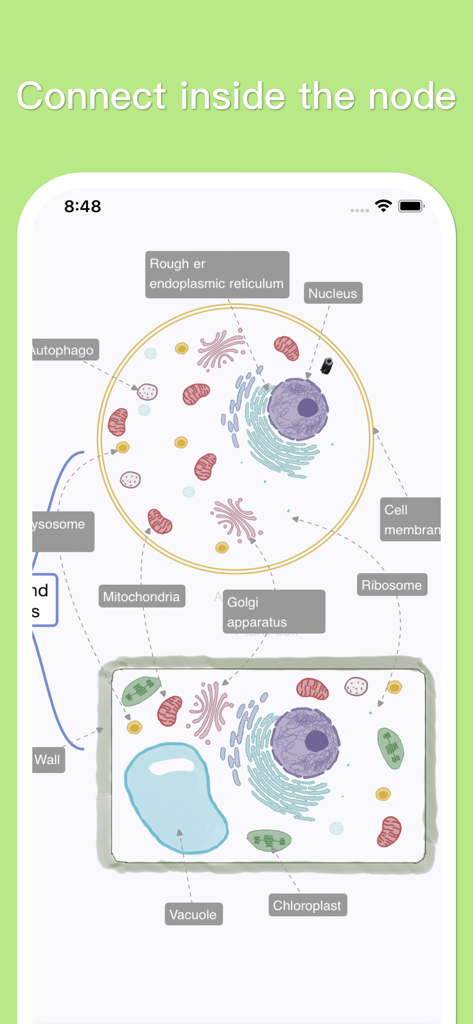
A detailed mind map illustrating biological cell structure with labeled organelles for educational study
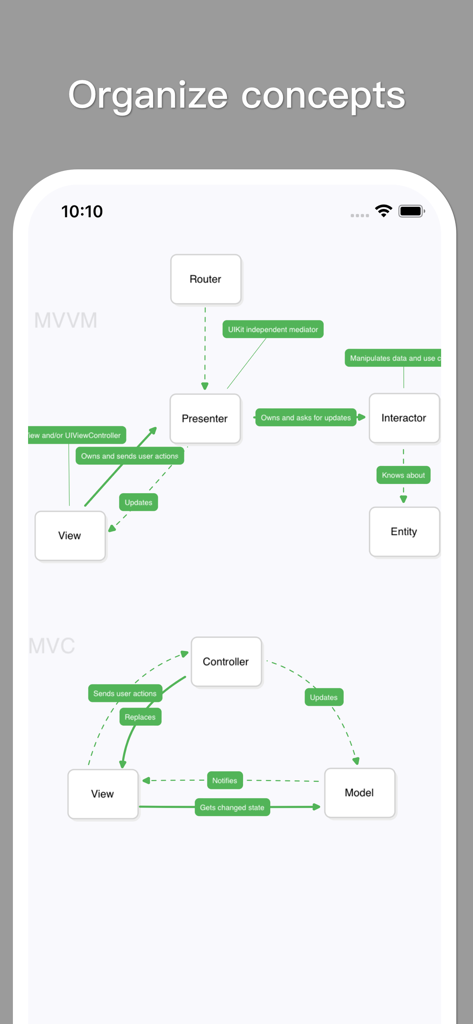
A minimalist mind map diagram in the MindSpace app illustrating MVVM and MVC software architecture concepts.
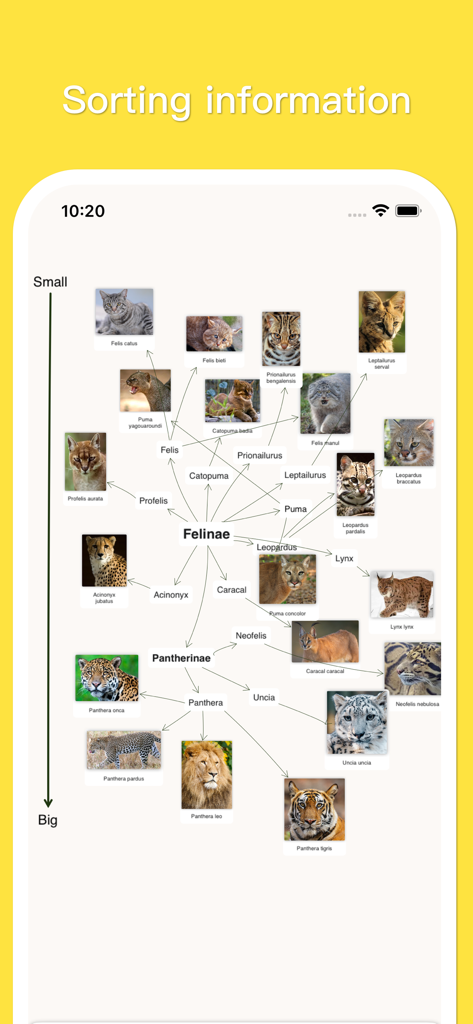
A visual mind map in MindSpace showing feline species classified by size with photos and taxonomic names
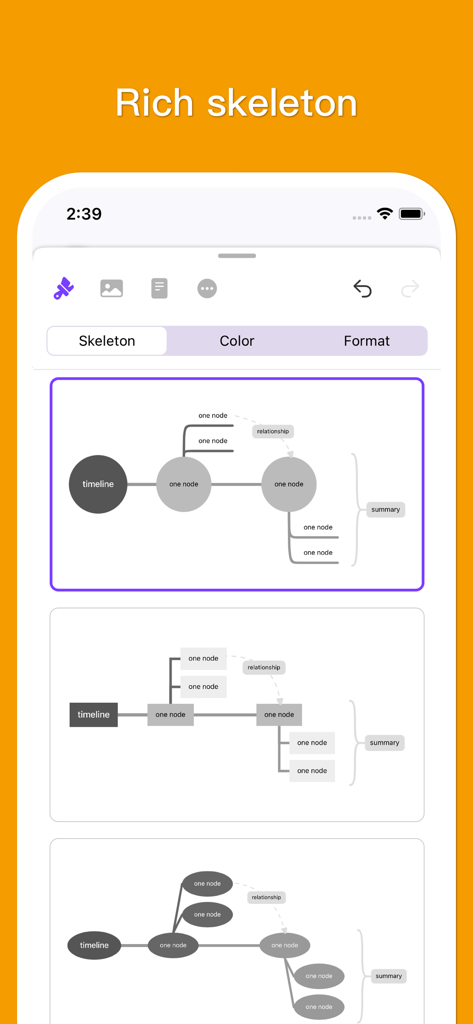
A selection of different mind map skeleton layouts and structures in the MindSpace app
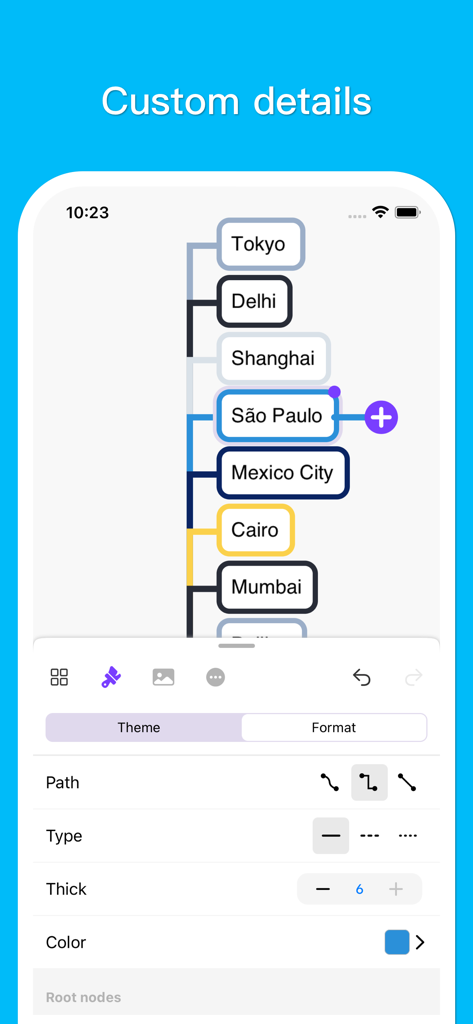
Mobile app interface showing customization options for a mind map with world cities including Tokyo and Sao Paulo.
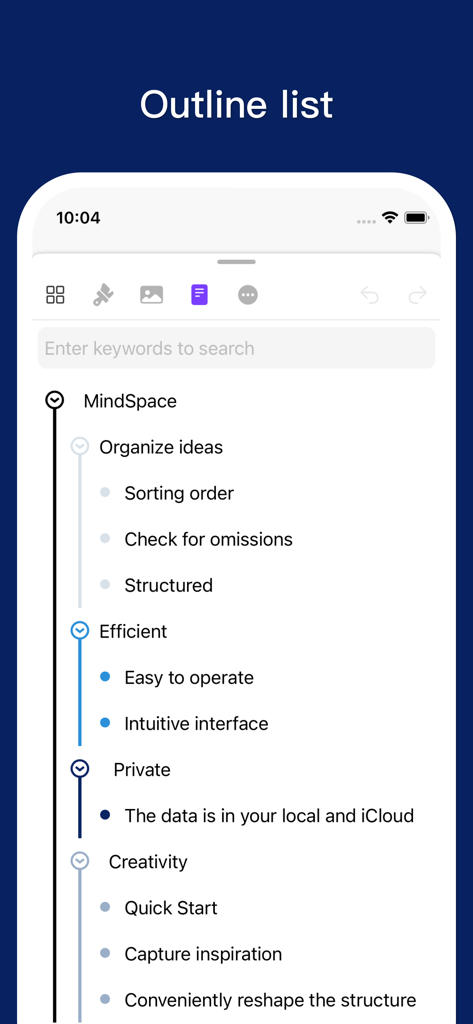
A vertical outline list interface in the MindSpace app showcasing organized thoughts and features
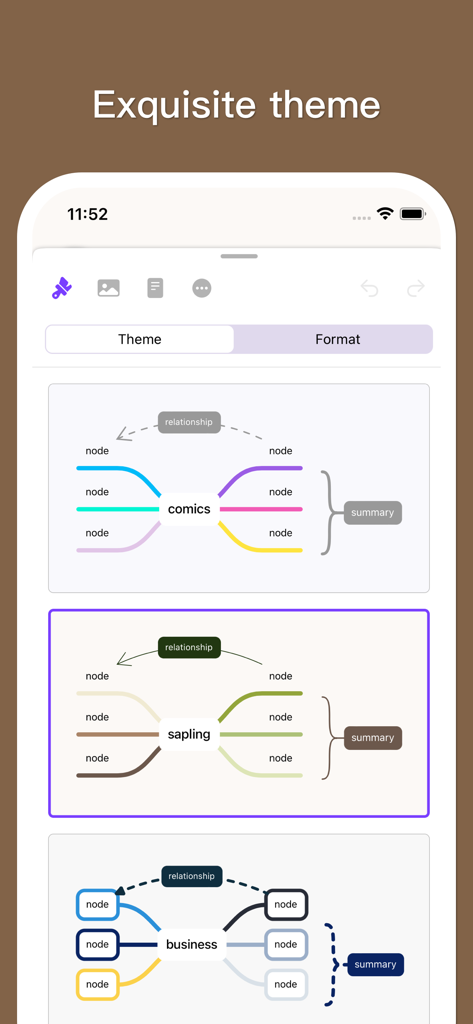
Interface of MindSpace app showcasing multiple mind map theme options including comics and business styles
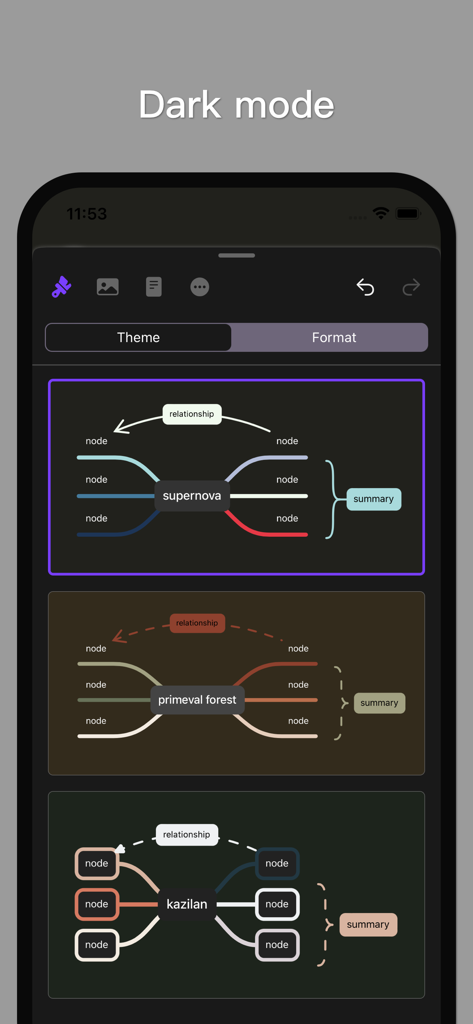
MindSpace app interface displaying various mind map themes in dark mode.
Description
Download
More Like This
Apps with similar features and user experience

Penned: Private Notes
Edwing H Santos Mena

MindLine Mind Map
Shenzhen Brown Bear Technology Co., LTD

MindNode: Mind Map & Outline
IdeasOnCanvas GmbH

Post-it®
3M Company

SimpleMind Pro - Mind Mapping
xpt Software & Consulting B.V.

Ayoa MindMaps for Kids
OpenGenius Limited

TouchMind-handwritten mind map
红霞 鲁

Mind Map Maker - Mindomo
Expert Software Applications Srl

Inkflow Plus Visual Notebook
Qrayon, LLC
This page is not an official page of the app or its developer, but an independent editorial publication created for informational and commentary purposes. Unless expressly stated otherwise, neither the app nor its developer is affiliated with, endorsed by, sponsored by, authorized by, or otherwise officially connected with MWM, Apple, Google Play, the app publisher, or the app's developer, and nothing on this page implies that the app was developed using MWM's services. Any trademarks, logos, screenshots, and other content remain the property of their respective owners.