WilCo - Pilot Aviation Weather
Download on App Store

This page is not an official page of the app or its developer, but an independent editorial publication created for informational and commentary purposes. Unless expressly stated otherwise, neither the app nor its developer is affiliated with, endorsed by, sponsored by, authorized by, or otherwise officially connected with MWM, Apple, Google Play, the app publisher, or the app's developer, and nothing on this page implies that the app was developed using MWM's services. Any trademarks, logos, screenshots, and other content remain the property of their respective owners.


Logo of WilCo - Pilot Aviation Weather
Download on App Store

WilCo - Pilot Aviation Weather

Master the skies with decoded METARs, 3D airport visualizations, and professional-grade flight tools. Designed by pilots to elevate situational awareness for students, private aviators, and flight sim enthusiasts.

Key Figures

Downloads

31K+

User Rating

4.6/5

Total Ratings

0

Publisher

Muammer SAHINGIRAY

Category

Weather

Locales

10

Latest Version

2.6.18

Size

48.8 MB

First Released

Feb 3, 2021
Features

Master Your Flight with Professional Precision

WilCo streamlines your pre-flight routine by consolidating decoded weather, 3D situational awareness, and critical performance tools into one intuitive digital flight bag.

Decoded Weather & NOTAMs

No more manual decoding. Access plain-English METAR, TAF, and NOTAM reports with integrated wind vector analysis for your specific runway.

3D Airport Situational Awareness

Explore your destination before you fly. Use the 3D map to preview approaches and surround-view terrain to increase safety and confidence.

The following screenshots and description are sourced directly from the app's official store listing and are the property of the app developer.

App Store

Screenshots
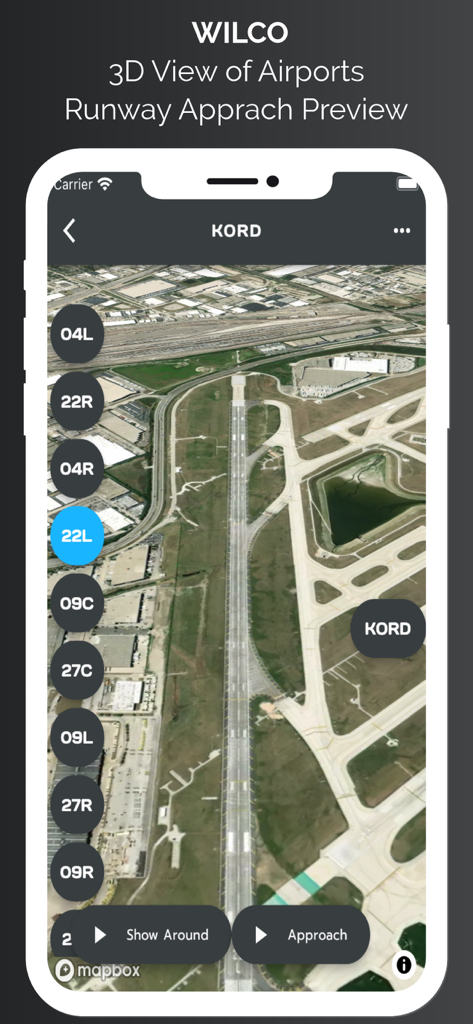
WilCo - Pilot Aviation Weather - 3D satellite view of Chicago O Hare airport runway approach preview in the WilCo aviation app.
3D satellite view of Chicago O Hare airport runway approach preview in the WilCo aviation app.

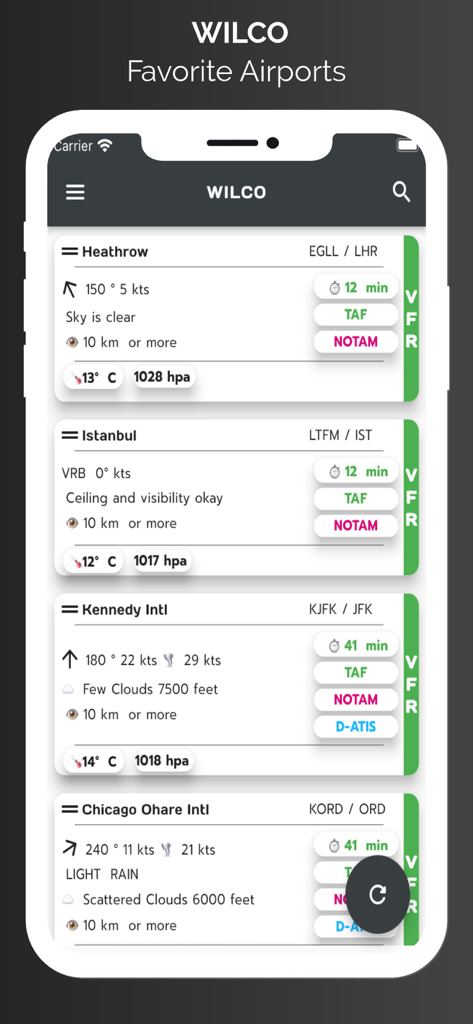
WilCo - Pilot Aviation Weather - WilCo app screen showing a list of favorite airports with decoded weather data including wind speed, visibility, and sky conditions.
WilCo app screen showing a list of favorite airports with decoded weather data including wind speed, visibility, and sky conditions.

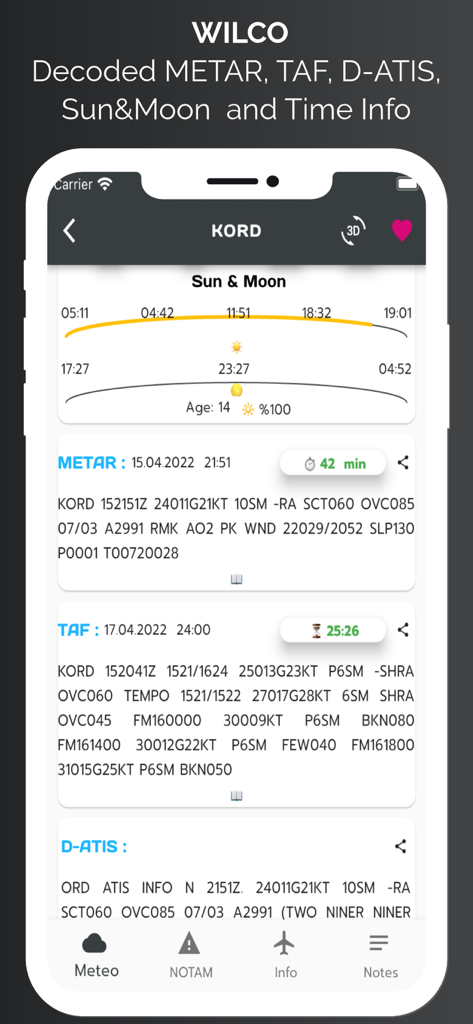
WilCo - Pilot Aviation Weather - WilCo app interface showing aviation weather data including METAR, TAF, D-ATIS and sun and moon times for Chicago OHare airport.
WilCo app interface showing aviation weather data including METAR, TAF, D-ATIS and sun and moon times for Chicago OHare airport.

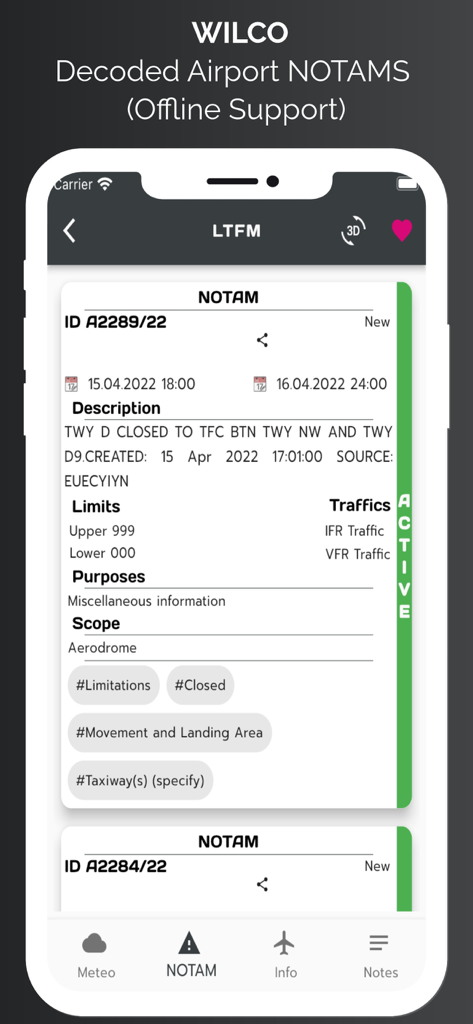
WilCo - Pilot Aviation Weather - Smartphone screen displaying decoded airport NOTAM information in the WilCo aviation app
Smartphone screen displaying decoded airport NOTAM information in the WilCo aviation app

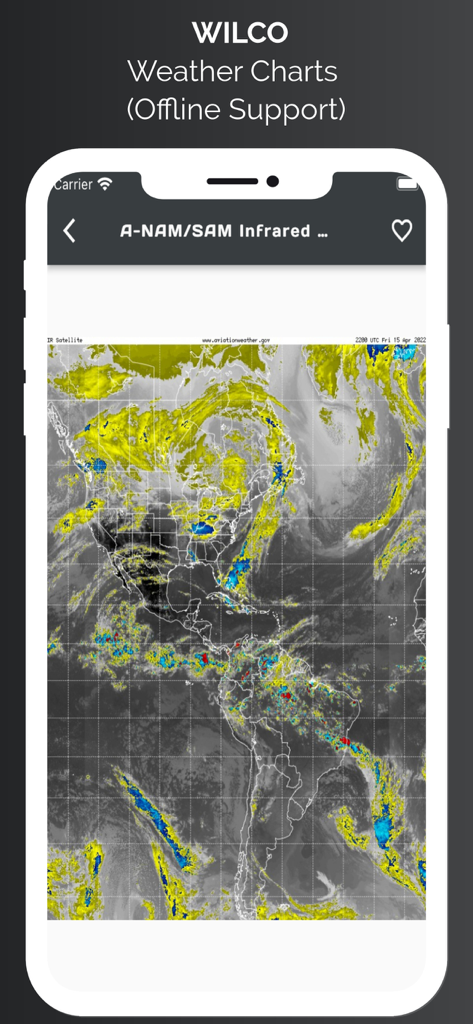
WilCo - Pilot Aviation Weather - WilCo app showing an infrared satellite weather chart of North and South America with offline support
WilCo app showing an infrared satellite weather chart of North and South America with offline support

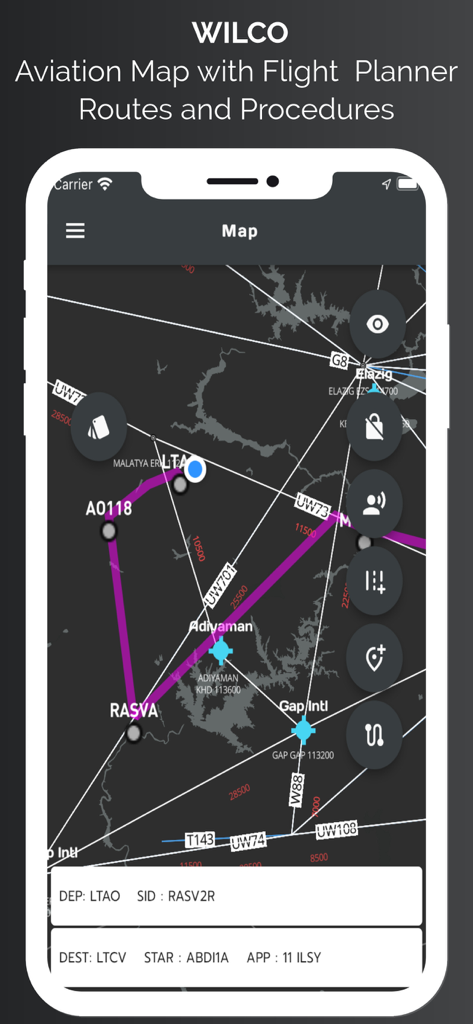
WilCo - Pilot Aviation Weather - WilCo app aviation map interface showing flight routes waypoints and procedures
WilCo app aviation map interface showing flight routes waypoints and procedures

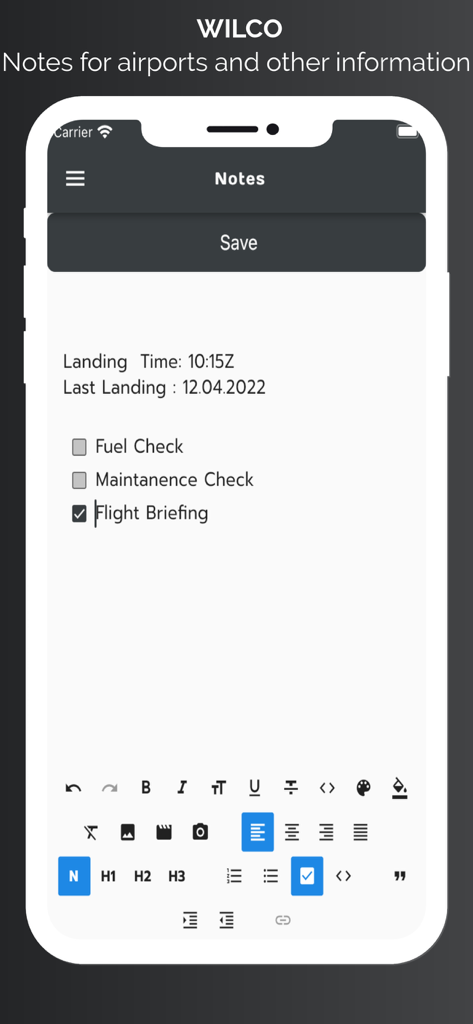
WilCo - Pilot Aviation Weather - WilCo aviation app screen showing pilot notes for airports and a flight briefing checklist
WilCo aviation app screen showing pilot notes for airports and a flight briefing checklist

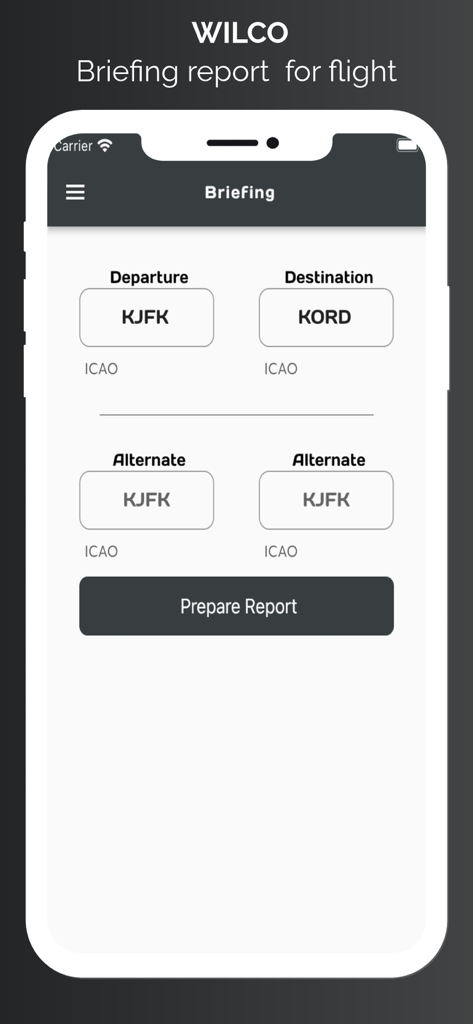
WilCo - Pilot Aviation Weather - The briefing report page in the WilCo app where pilots enter departure and destination airport ICAO codes.
The briefing report page in the WilCo app where pilots enter departure and destination airport ICAO codes.

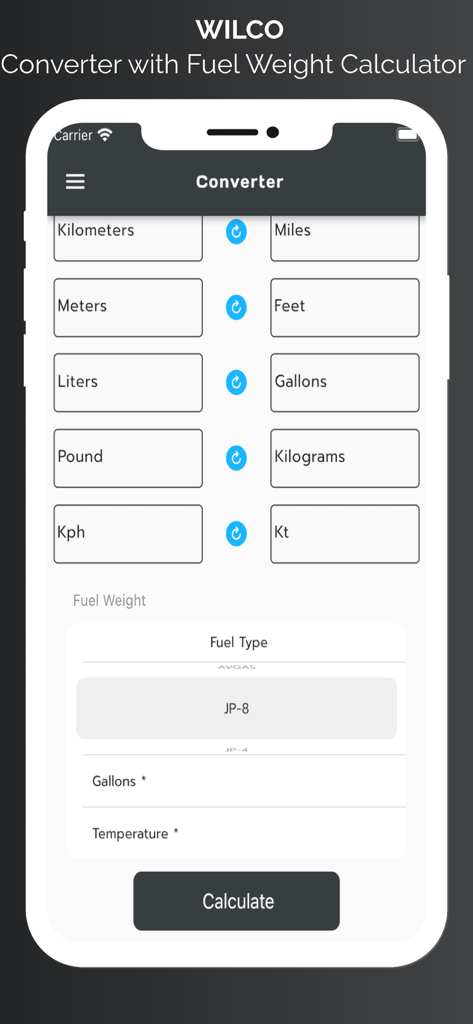
WilCo - Pilot Aviation Weather - WilCo app unit converter and fuel weight calculator interface for pilots

WilCo app unit converter and fuel weight calculator interface for pilots

Description

Wilco is designed and created by pilots. But this information does not supersedes any official data. United States airport charts are available for offline usage. All airports procedures are available in airport data section. Wilco provides lots of aviation specific information. To start with, you may search an airport from database and add it to favorites for offline usage of the data. Wilco provides : METAR, TAF, D-ATIS(for provided US Aiports), NOTAM, Time zone and Sun and Moon rise and set times, procedures for airports. runway information, frequencies of airport, and personal notes section. METAR, TAF and NOTAM data are decoded for easy readiness. You can easily share these reports too. METAR wind data is split into vectors according to runway heading and displayed on weather page. User can take notes for airports. With the latest update we have started to provide a 3D map for airport. With this service you can view preview approach for specific runway. Also you may request "Show Around" to view surrounding area. Map style is also can be changed according to user needs. Aviation map shows airports, waypoints, airways, nav aids. With advanced features of the map page user can see live coordinates of current location, speed and altitude information. User can see real time track, on map and save this track to see it later. User can select departure and arrival airport and user may select appropriate procedures for SID, STAR, or approach. These procedures are NOT FOR REAL NAVIGATION. NEVER EVER USE IN REAL NAVIGATION. This tool provides approximately calculated flight distance and provides situational awareness. User can add airways and waypoints too for your route. App style layer also can be changed for user needs. App provides weather charts for aviation specific usage. These charts include significant weather, winds aloft, satellite view with options. You can add any charts to favorites for future and offline usage. Briefing page provides METAR, TAF data for airports which are 25 nm range of your flight. Also departure and arrival airport runway data, and NOTAM data provided in briefing. You can save this briefing report and print it. Wilco has a converter for aviation calculations and provides holding entry calculations and gives you instructions. Wilco also has a Weight and Balance page for your aircraft. Save Aircraft with Basic Empty Weight and Basic Moment and add custom stations to your aircraft. Provides sustainable Weight and Balance calculation. Wilco has a Flight Computer to calculate Climb, Cruise and Descend time, speed and durations with fuel consumption. Wind vector, Ground speed, True Air Speed, Calibrated Air Speed and lots of other calculations you may need. Also with flight tools section you can calculate VDP, Wind Runway calculator,Feet Per minute Calculator. Have a Safe Flight. ** SUBSCRIPTIONS The following features are enabled with a valid subscription : - Decoded METAR/TAF and NOTAM data -Airport 3D View -Aviation Map - D-ATIS (For US airports only) -Waether Charts -Weight & Balance -ICAO Flight Plan Form -Holding Calulator -Runway Info -Aiports and general notes section -Converter and more -United States Airport Charts Free Trials for 7 days. The subscription varies in time periods (1 month, 12 months). Auto-renewal may be turned off at any time by going to your account settings. A payment will be charged to your iTunes account at the end of the free trial period. Your iTunes account will be charged for renewal within 24 hours prior to the end of the current period. No commitment - you can cancel any time. Pleas read the full “Terms of Use” at: Terms of use: https://pages.flycricket.io/wilco-0/terms.html Privacy policy :https://pages.flycricket.io/wilco-0/privacy.html Important Notice: Never use for critical Flight Planning purposes. It may use only for educational purposes. Always refer your validated resources for flight planning.

Download

Download on App Store

This page is not an official page of the app or its developer, but an independent editorial publication created for informational and commentary purposes. Unless expressly stated otherwise, neither the app nor its developer is affiliated with, endorsed by, sponsored by, authorized by, or otherwise officially connected with MWM, Apple, Google Play, the app publisher, or the app's developer, and nothing on this page implies that the app was developed using MWM's services. Any trademarks, logos, screenshots, and other content remain the property of their respective owners.








