
This page is not an official page of the app or its developer, but an independent editorial publication created for informational and commentary purposes. Unless expressly stated otherwise, neither the app nor its developer is affiliated with, endorsed by, sponsored by, authorized by, or otherwise officially connected with MWM, Apple, Google Play, the app publisher, or the app's developer, and nothing on this page implies that the app was developed using MWM's services. Any trademarks, logos, screenshots, and other content remain the property of their respective owners.


Wingstop
No more menu-maze. This app hands users total control over their Wingstop order, delivering precision and speed.
Downloads
12.5M+User Rating
Total Ratings
1.4MPublisher
Category
Food & DrinkLocales
1Latest Version
2026.03.2Size
198.9 MBFirst Released
Aug 8, 2011Evaluating key features for efficiency, customization, and user convenience in fast-casual ordering.
Wingstop App: Core Functionality Analysis
Flexible Ordering & Fulfillment
The app provides the convenience of placing orders for immediate pickup or delivery, or scheduling them up to seven days in advance, enhancing user control over their meal times.
Comprehensive Menu Customization
The app provides extensive options to customize orders, including selecting wings, tenders, sandwiches, sides, and dips, ensuring every meal meets individual taste preferences and dietary needs.
Account Management & Express Reordering
This tool features personalized account capabilities, allowing users to save preferred locations, delivery addresses, payment methods, and easily reorder from past purchases, streamlining the ordering process.
Diverse Payment Options
It allows users to complete transactions using a variety of methods including Apple Pay, PayPal, Venmo, and credit cards, ensuring a convenient and secure checkout experience.
Frequently Asked Questions
Everything you need to know about Wingstop
What can I order through the Wingstop app?
The Wingstop app allows users to build custom orders including wings, crispy tenders, chicken sandwiches, and various sides and dips. It brings iconic flavors directly to your device.
Can I order for pickup or delivery with the Wingstop app?
Yes, the Wingstop app supports ordering for both pickup and delivery. Users can choose to place an order immediately or schedule it up to seven days in advance.
What payment methods does the Wingstop app accept?
The Wingstop app accepts multiple payment methods, including Apple Pay, PayPal, Venmo, and credit cards. It also supports gift cards and offers an option to pay in the restaurant.
Does the Wingstop app allow me to save my favorite locations and addresses?
Yes, the Wingstop app allows users to save their favorite Wingstop locations and delivery addresses. This feature requires creating an account within the app.
Is ordering functionality in the Wingstop app available outside of the U.S.?
No, the ordering functionality within the Wingstop app is exclusively available for U.S. residents only. Users outside the U.S. cannot place orders through the app.
Can I customize my order in the Wingstop app?
Yes, the Wingstop app enables full order customization. Users can choose from various flavors, adjust wing quantities, and select multiple sides for their meals, like seasoned fries or veggie sticks.
How do I find a Wingstop location near me using the app?
The Wingstop app provides functionality to find nearby locations. Users can search by zip code or city/state, view them on a map, and get directions or store information.
The following screenshots and description are sourced directly from the app's official store listing and are the property of the app developer.
App Store
Screenshots
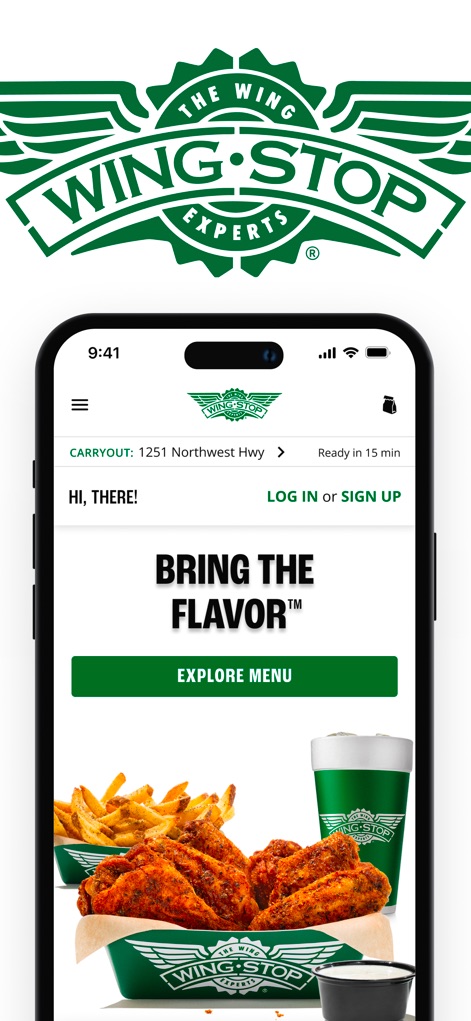
The app opens with a vibrant home screen displaying a "BRING THE FLAVOR" tagline and a captivating image of wings and fries, inviting users to explore the menu.
Flavorful App Welcome
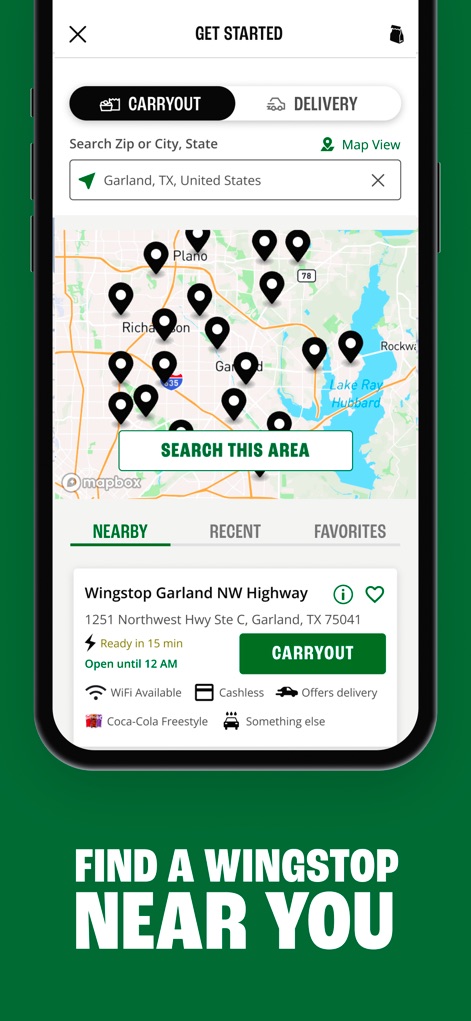
Users can efficiently find the closest Wingstop using the interactive map feature and filter by "CARRYOUT" or "DELIVERY" preferences for convenience.
Nearby Store Locator
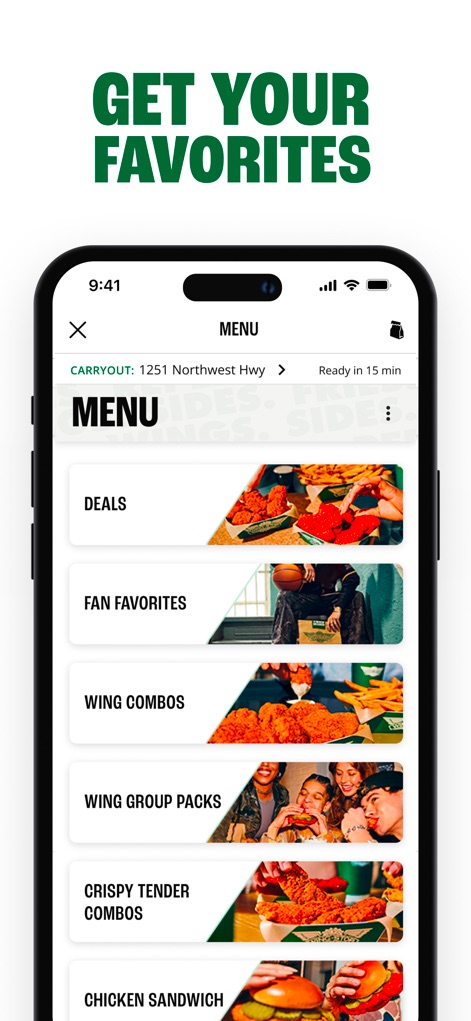
The menu is expertly structured into clear categories such as "FAN FAVORITES" and "WING COMBOS," each visually represented to streamline the ordering process.
Intuitive Menu Navigation
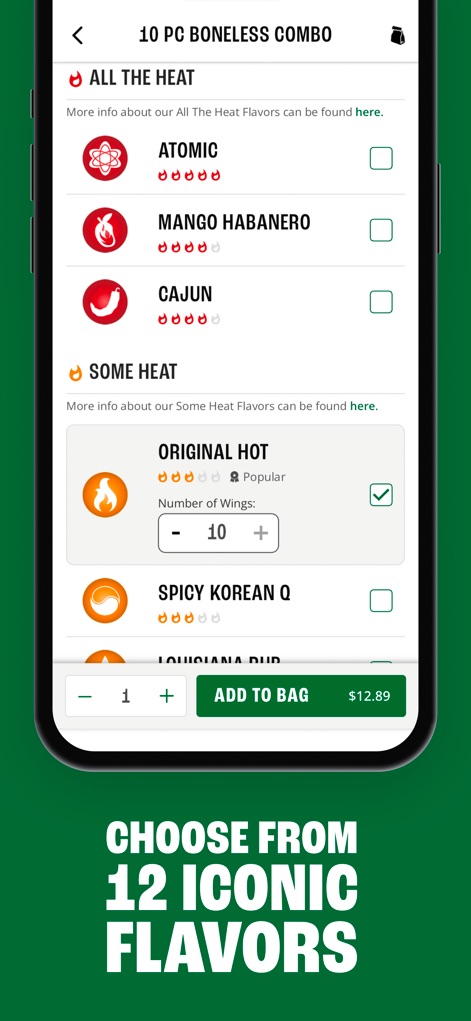
This screen highlights the extensive flavor selection, allowing users to choose from options like "ATOMIC" and "SPICY KOREAN Q," and customize wing quantities.
Explore Signature Flavors
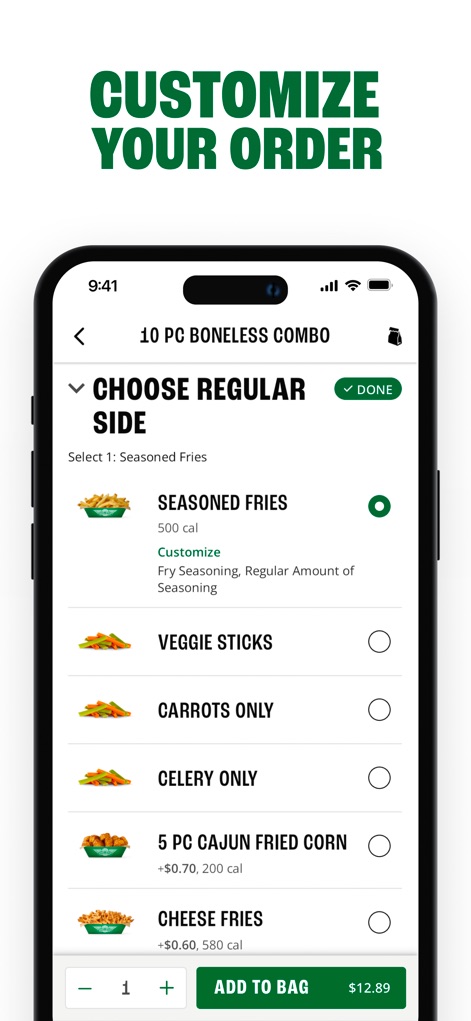
The app provides detailed customization options for sides like "SEASONED FRIES" and "VEGGIE STICKS," ensuring users can tailor their order precisely to their preferences.
Personalize Your Meal
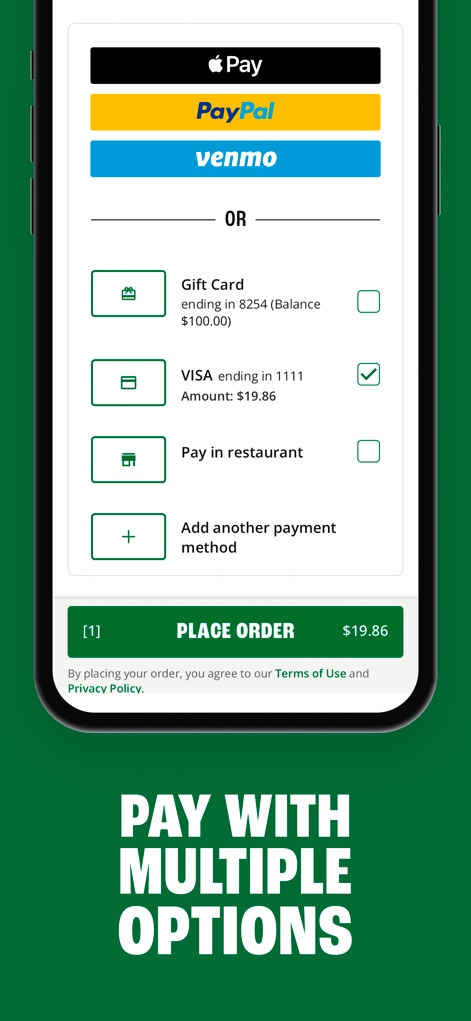
Users are presented with a variety of secure payment methods, including digital wallets like "Apple Pay" and "PayPal," alongside traditional credit card and in-restaurant payment options.
Secure Payment Choices
Description
Download
More Like This
Apps with similar features and user experience

BAHROMA – рестораны и бонусы
FAST SOFT, OOO

麦当劳McDonald's - 到店取餐 麦咖啡 麦乐送
McDonald's (China) Co., Ltd.

McDonald's
McDonalds USA LLC
Chick-fil-A
Chick-fil-A, Inc.

Little Caesars Pizza
Little Caesar Enterprises, Inc.

Starbucks
Starbucks Coffee Company

Domino's Pizza USA
Domino's Pizza LLC

Subway®
Doctors Associates Inc

McDonald's Offers and Delivery
ARCOS DORADOS ARGENTINA S.A.
This page is not an official page of the app or its developer, but an independent editorial publication created for informational and commentary purposes. Unless expressly stated otherwise, neither the app nor its developer is affiliated with, endorsed by, sponsored by, authorized by, or otherwise officially connected with MWM, Apple, Google Play, the app publisher, or the app's developer, and nothing on this page implies that the app was developed using MWM's services. Any trademarks, logos, screenshots, and other content remain the property of their respective owners.