WinRAR - RAR archives

WinRAR - RAR archives


Download on App Store
Logo of WinRAR - RAR archives

WinRAR - RAR archives: Desktop-Class File Compression for Mobile

Master your mobile workflow with the most trusted name in file management. Extract 30+ formats, create secure archives with AES-256 encryption, and organize your files like a pro.

Publisher

Anand Naidu

Category

Productivity

Downloads

125K+

User Rating

4.5/5

Total Ratings

800

Locales

17

A Glimpse Inside the Power

Discover the interface used by 125K+ users.
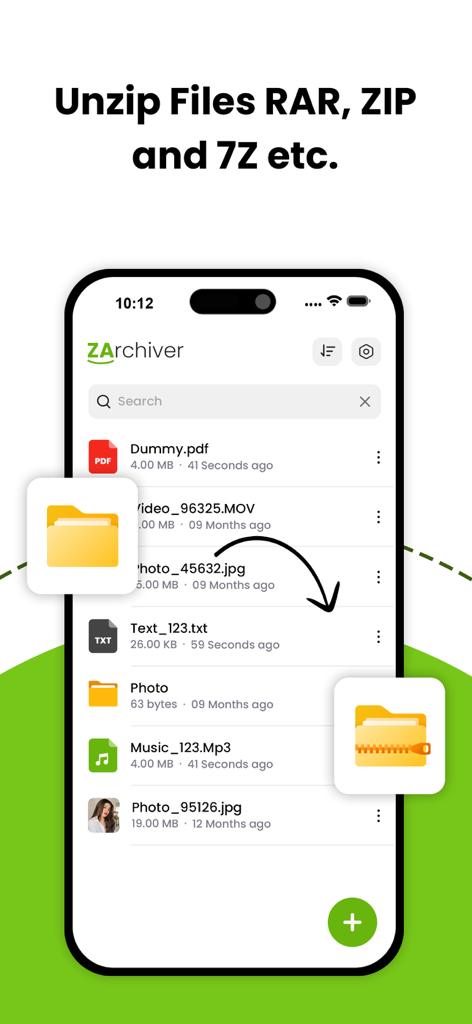
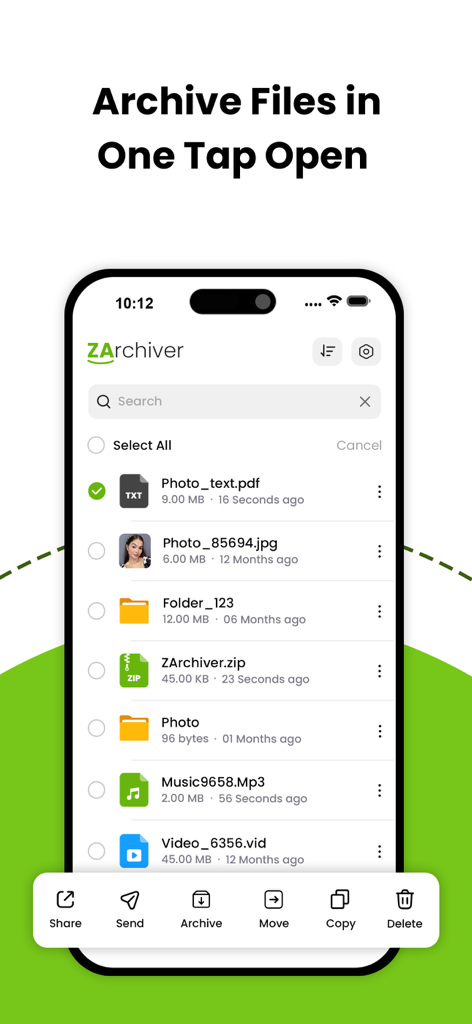
WinRAR app interface for unzipping files in various formats like RAR and ZIP

WinRAR app interface for unzipping files in various formats like RAR and ZIP

WinRAR app interface on iPhone showing a list of files and archive options

WinRAR app interface on iPhone showing a list of files and archive options

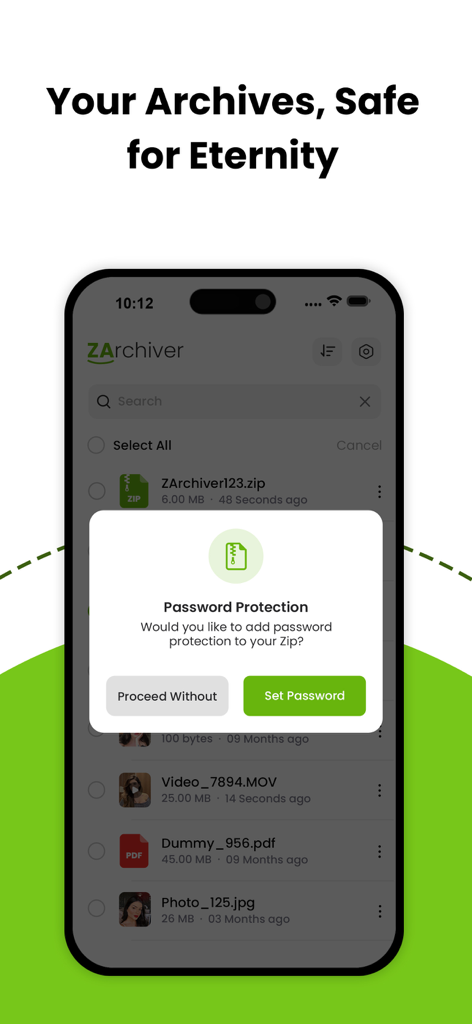
WinRAR app interface displaying a password protection prompt for a ZIP archive on an iPhone

WinRAR app interface displaying a password protection prompt for a ZIP archive on an iPhone

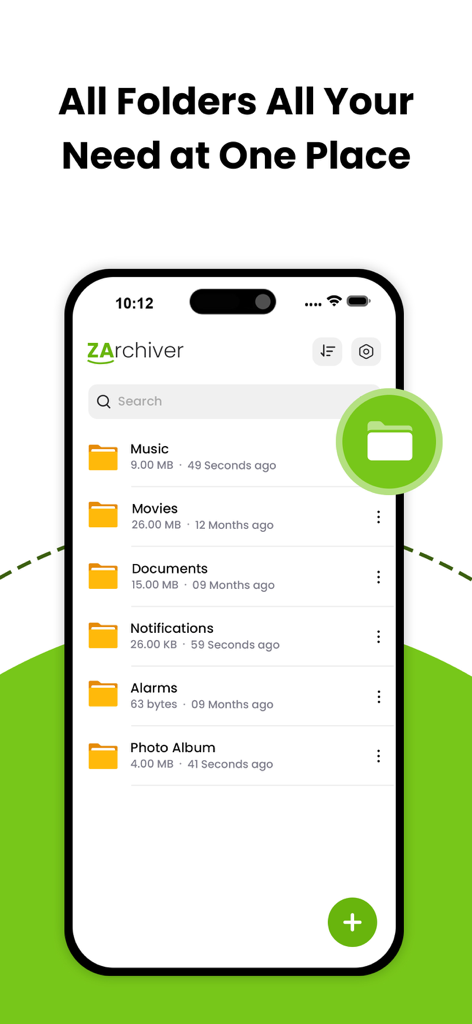
WinRAR app screen showing multiple organized file folders on an iPhone

WinRAR app screen showing multiple organized file folders on an iPhone

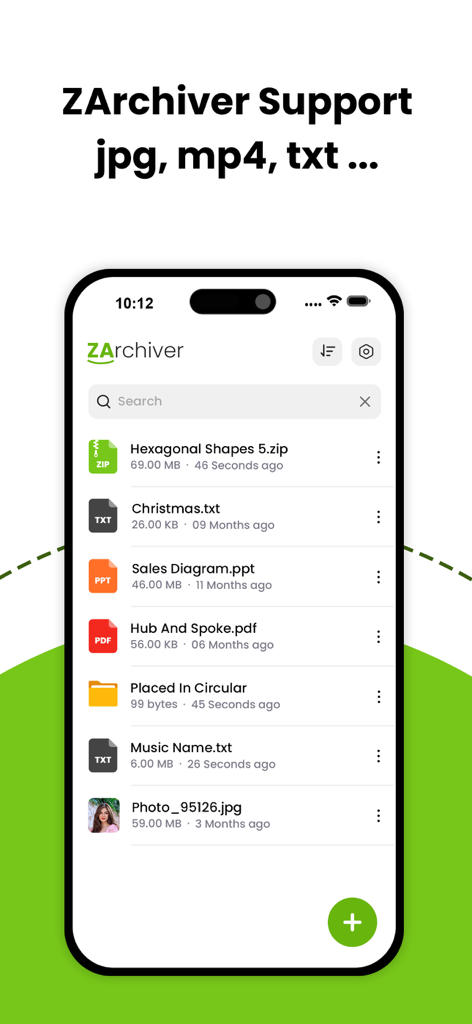
WinRAR mobile app interface showing a list of managed files including zip, pdf, ppt, and jpg formats.

WinRAR mobile app interface showing a list of managed files including zip, pdf, ppt, and jpg formats.

Power Through Your Digital Workspace

The tools that make this app stand out, trusted by 125K+ users.

📦

Universal Format Support

Bridge the gap between mobile and desktop. Effortlessly extract RAR, 7Z, TAR, and over 30 other formats, ensuring you can open any file a colleague or client sends your way.

🛡️

Pro-Grade Data Security

Protect sensitive contracts and personal documents with AES-256 encryption. Password-protect your archives to ensure your data stays private when sharing via email or cloud storage.

High-Speed Batch Actions

Maximize your productivity by compressing or extracting multiple files simultaneously. Our optimized engine handles large datasets quickly without draining your battery or slowing down your device.

Review Analysis

Insights from user reviews.

Sentiment Score

17%
Negative

Summary

This app receives overwhelmingly negative feedback, reflected in a very low overall sentiment score. The most frequent complaints revolve around excessive and intrusive advertisements, which many users find make the app impossible to use. A significant number of users also report that the app fails to deliver on core archiving features, specifically the inability to create or extract RAR/7zip files, and frequently crashes or doesn't open files. Additionally, a recurring issue for Chinese users is the offensive display of the South Korean flag for Chinese language settings, causing widespread dissatisfaction, although a small number of users acknowledge that the app does provide basic archiving functionality.

Common Themes

Excessive Advertisements(8)
App Instability/Errors(7)
Missing RAR/7zip Support(6)
Incorrect Flag Display(6)
Poor User Experience(4)
Core Archiving Functionality(2)
General Satisfaction(2)
Overall App Performance(1)

About the app

Everything you need to know about WinRAR - RAR archives.

Description

Effortless File Compression & Extraction on Your Phone Unlock the full potential of file management with The Zip Archiver, your go-to app for compressing, extracting, and managing files on the go. With a sleek and intuitive interface, the app is designed to make file handling fast, secure, and incredibly easy. ◆ Key Features: - Compress Files Efficiently: Create ZIP, RAR, or 7Z archives to reduce file sizes and save space on your device or for easy sharing. Customize compression levels to suit your needs. - Extract with Ease: Extract files from ZIP, RAR, 7Z, TAR, GZ, and many other archive formats. Preview content before extraction and extract only the files you need. - Decompress with Ease: Decompress the following archive types: 7z (7zip), zip, rar, rar5, bzip2, gzip, XZ, iso, tar, arj, cab, lzh, lha, lzma, xar, tgz, tbz, Z, deb, rpm, zipx, mtz, chm, dmg, cpio, cramfs, img (fat, ntfs, ubf), wim, ecm, lzip, zst (zstd), egg, alz; - Secure Your Files: Protect your archives with strong passwords using AES-256 encryption. Keep sensitive data safe while sharing or storing. - File Management Made Simple: Organize, rename, delete, and move files directly within the app. Seamlessly browse your local storage and manage files like a pro. - Batch Operations: Save time by compressing or extracting multiple files simultaneously. The app handles large operations without slowing down your device. - Preview and Share Files: View documents, images, and other file types directly within the app before extraction. Easily share compressed files via email, messaging apps, or AirDrop. - Support for Multiple Languages: Enjoy the app in your preferred language with multi-language support for a global user base. ◆ Why Choose The Zip Archiver? - Lightweight and fast performance - Optimized for iOS devices, including iPhone and iPad - User-friendly design for both beginners and advanced users - Regular updates with new features and format support ◆ Who Is It For? Whether you’re a student, professional, or casual user, The Zip Archiver is perfect for anyone who needs a reliable tool to manage archives, save space, and securely share files. Get unlimited access to all premium features of The Zip Archiver Pro by Subscribe Monthly The Zip Archiver Pro at $1.99 and Yearly Pro at $9.99 to use ads free versions of the premium app which can cancel anytime • Privacy Policy: https://sites.google.com/view/anandnaidu-pp • Terms of Service: https://sites.google.com/view/anandnaidu-tou Download The Zip Archiver today and take control of your file management like never before!

Latest Version

1.4

Size

31.4 MB

First Released

Jan 22, 2025

Take the Power of WinRAR Anywhere

Join 125,000+ professionals and power users who extract, compress, and secure their files with ease. Download the ultimate file manager for iOS today.

Download on App Store
FAQ

Frequently Asked Questions

Everything you need to know about WinRAR - RAR archives

How to compress files using The Zip Archiver?

The Zip Archiver compresses files efficiently into ZIP, RAR, or 7Z archives. Users can customize compression levels to reduce file sizes and save space on their device.

What archive formats can The Zip Archiver extract and decompress?

The Zip Archiver extracts files from ZIP, RAR, 7Z, TAR, GZ, bzip2, gzip, XZ, ISO, ARJ, CAB, LZH, LHA, LZMA, XAR, TGZ, TBZ, Z, DEB, RPM, ZIPX, MTZ, CHM, DMG, CPIO, CRAMFS, IMG, WIM, ECM, LZIP, ZST, EGG, and ALZ formats.

Does The Zip Archiver support password protection for archives?

Yes, The Zip Archiver secures files with strong passwords using AES-256 encryption. Users can protect sensitive data while sharing or storing archives.

Can users manage files directly within The Zip Archiver app?

Yes, The Zip Archiver allows users to organize, rename, delete, and move files directly within the app. It provides seamless browsing of local storage for file management.

What are the subscription options for The Zip Archiver Pro?

The Zip Archiver Pro offers a Monthly subscription at $1.99 and a Yearly subscription at $9.99. These subscriptions provide ads-free access to premium features.

Is The Zip Archiver optimized for iOS devices?

Yes, The Zip Archiver is optimized for iOS devices, including both iPhone and iPad. It offers lightweight and fast performance tailored for Apple's ecosystem.

Can files be previewed before extraction in The Zip Archiver?

Yes, The Zip Archiver allows users to view documents, images, and other file types directly within the app before extraction. This enables selective extraction.

Does The Zip Archiver support batch operations for file compression and extraction?

Yes, The Zip Archiver supports batch operations, enabling users to compress or extract multiple files simultaneously. The app handles large operations efficiently.

Where can I find the privacy policy for The Zip Archiver?

The privacy policy for The Zip Archiver is available at https://sites.google.com/view/anandnaidu-pp. This link details how user data is handled by the application.

What types of files can ZArchiver display or support?

ZArchiver supports displaying and managing various file types, including .zip, .txt, .ppt, .pdf, and .jpg, directly within the application for user convenience.

App information, icons, screenshots, and descriptions displayed on this page are sourced from the Apple App Store and are the property of their respective developers. Download estimates and rankings are based on MWM's proprietary models and may not reflect actual figures. This page is provided for informational and analytical purposes only.

Believe this page infringes your intellectual property? File a dispute