
This page is not an official page of the app or its developer, but an independent editorial publication created for informational and commentary purposes. Unless expressly stated otherwise, neither the app nor its developer is affiliated with, endorsed by, sponsored by, authorized by, or otherwise officially connected with MWM, Apple, Google Play, the app publisher, or the app's developer, and nothing on this page implies that the app was developed using MWM's services. Any trademarks, logos, screenshots, and other content remain the property of their respective owners.


Zip & RAR File Extractor
Complexity, demystified. This app grants total command over your digital chaos, turning file management into a streamlined process.
Downloads
12.5M+User Rating
Total Ratings
166.2KPublisher
Category
UtilitiesLocales
20Latest Version
7.3Size
97.3 MBFirst Released
Dec 13, 2013An analysis of key functionalities catering to tech-savvy professionals managing diverse digital assets on iOS.
Key Features: Zip & RAR File Extractor
Extensive Cloud & Network File Management
The app offers robust file management capabilities, including seamless import/export from various cloud services (iCloud, Dropbox, Google Drive), network protocols (FTP, SMB, WebDAV), and direct access via the iOS Files app, ensuring universal file accessibility.
Advanced PDF Management
It provides robust PDF management features, allowing users to scan, convert, edit (markup, fill forms, merge), and password-protect PDF documents, crucial for comprehensive document handling.
Comprehensive Archive Extraction
It allows users to quickly and securely unpack a wide range of compressed file formats, including password-protected ZIP, RAR, and 7Z archives, ensuring access to diverse digital content.
Universal File Viewer & Media Player
This tool provides a comprehensive universal file viewer and media player, allowing users to instantly access and preview a wide array of document, image, audio, and video formats directly within the application.
Secure Archive Creation
The app enables the creation of new ZIP and 7Z archives, offering password protection and AES encryption to secure sensitive data and efficiently bundle multiple files for sharing or storage.
App Security with Biometric Lock
It provides enhanced security features, allowing users to protect the application and its contents with Passcode, Touch ID, or Face ID, safeguarding sensitive documents and media on their device.
Multimedia Conversion & Editing
The app includes extensive multimedia tools for converting various video and audio formats, trimming, compressing media, and editing audio tags, supporting diverse content preparation needs.
Integrated AI Tools (OCR & Translation)
This tool features advanced AI capabilities, including Optical Character Recognition for extracting text from images and multilingual translation, enhancing productivity for document analysis and international communication.
Frequently Asked Questions
Everything you need to know about Zip & RAR File Extractor
How does Zip & RAR File Extractor open compressed files?
Zip & RAR File Extractor easily opens compressed files on iOS. It extracts ZIP, RAR, and 7Z archives, supporting both plain and AES password protection for ZIP files, and password support for RAR and 7Z.
Can users create secure ZIP files with Zip & RAR File Extractor?
Yes, users can create secure ZIP files with Zip & RAR File Extractor. The app supports creating ZIP files with or without password and AES encryption, and combines multiple files and folders into one archive.
What AI tools are included in Zip & RAR File Extractor?
Zip & RAR File Extractor includes AI tools for Advanced OCR, which accurately extracts text from images. It also offers Multilingual Translation, instantly translating text into over 40 languages.
Does Zip & RAR File Extractor offer PDF editing capabilities?
Yes, Zip & RAR File Extractor offers PDF editing capabilities. Users can markup, fill forms, add or remove pages, merge PDFs, and protect PDFs with a password directly within the app.
Can Zip & RAR File Extractor convert video and audio formats?
Yes, Zip & RAR File Extractor can convert various video formats like MP4 and MOV, and audio formats such as MP3 and M4A. It also includes tools for trimming and compressing videos.
Which cloud services does Zip & RAR File Extractor integrate with?
Zip & RAR File Extractor integrates with popular cloud services including iCloud, Dropbox, Google Drive, OneDrive, and Box. Users can import and export files directly from these platforms.
How does Zip & RAR File Extractor secure user files?
Zip & RAR File Extractor secures user files by allowing app locking with Passcode, Touch ID, or Face ID. This feature keeps sensitive documents and media private and safe within the application.
How do subscriptions work for Zip & RAR File Extractor?
Zip & RAR File Extractor subscriptions charge payment to your iTunes account upon confirmation. They renew automatically unless turned off at least 24 hours before the current period ends via iTunes settings.
What archive formats does Zip & RAR File Extractor support for extraction?
Zip & RAR File Extractor supports extracting multiple archive formats including ZIP, RAR, 7Z, TAR, and GZIP. It also handles password-protected ZIP, RAR, and 7Z files.
What types of files can Zip & RAR File Extractor view?
Zip & RAR File Extractor functions as a versatile file viewer, supporting music, video, and photo formats. It also reads PDFs, EPUBs, and various document types like DOC, DOCX, XLS, and PPT.
The following screenshots and description are sourced directly from the app's official store listing and are the property of the app developer.
App Store
Screenshots
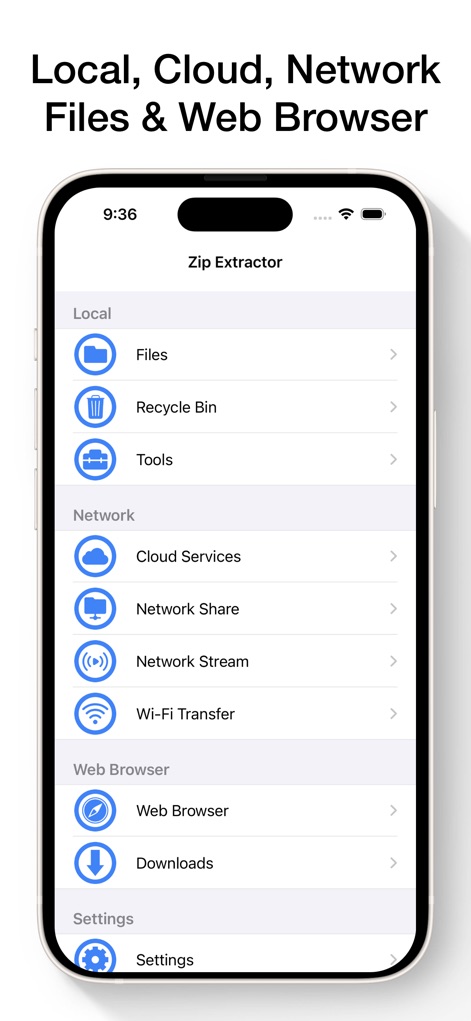
See how the app integrates local device storage and various network connections like Cloud Services and Web Browser for comprehensive file management.
Unified File Access
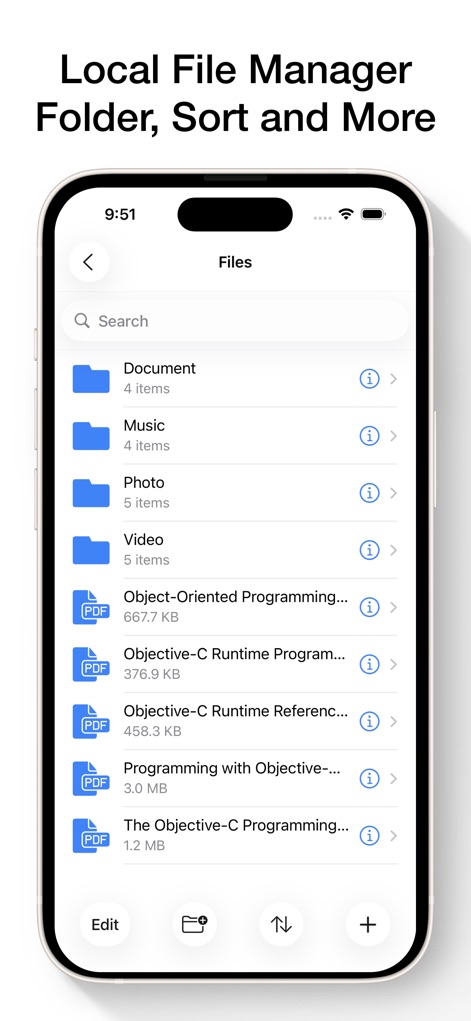
This tool provides a clear file directory with categorized folders and intuitive options to 'Sort' and add new items, enhancing organization.
Intuitive File Explorer
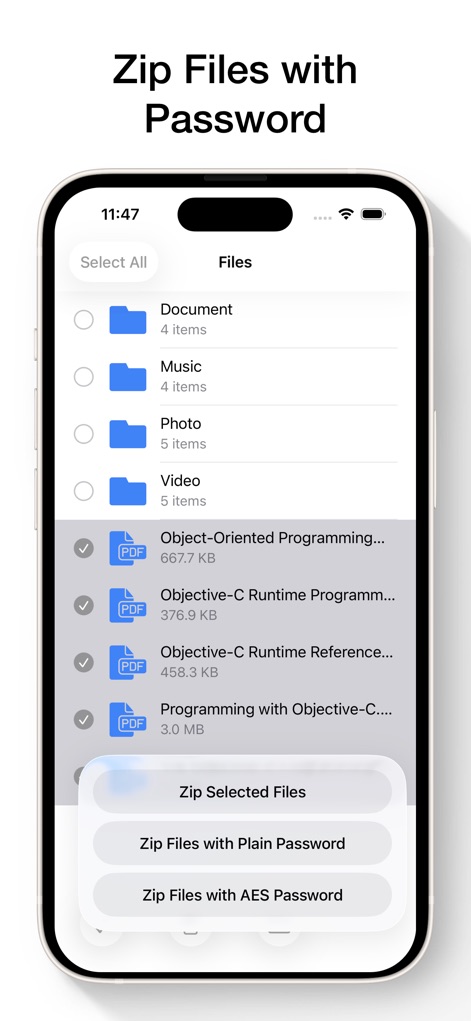
Users can easily create secure archives by selecting multiple files and choosing between 'Plain Password' or robust 'AES Password' encryption.
Secure Archiving Options

The app offers a suite of document management features, including 'Scan Document' and various 'PDF Edit' capabilities for robust handling.
Comprehensive Document Suite
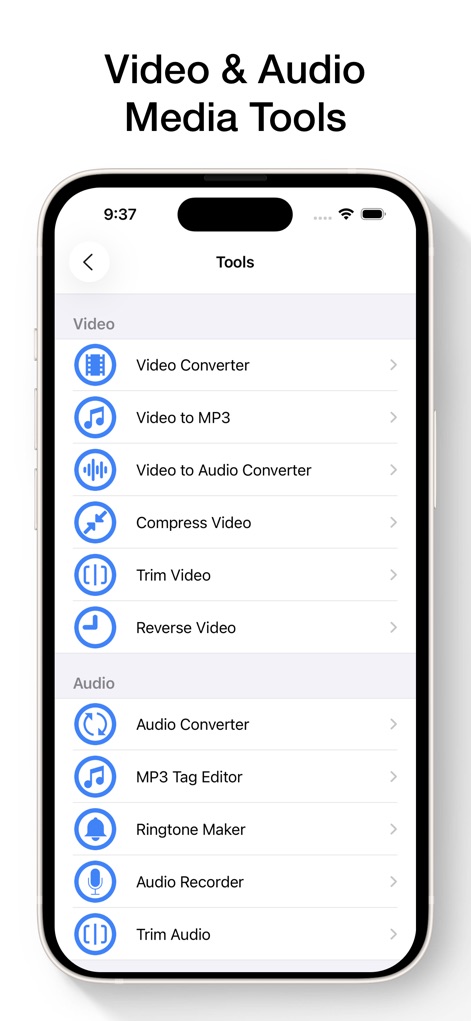
This tool provides extensive media functionalities such as a powerful 'Video Converter' and a versatile 'Audio Recorder', catering to diverse media needs.
Advanced Media Processing
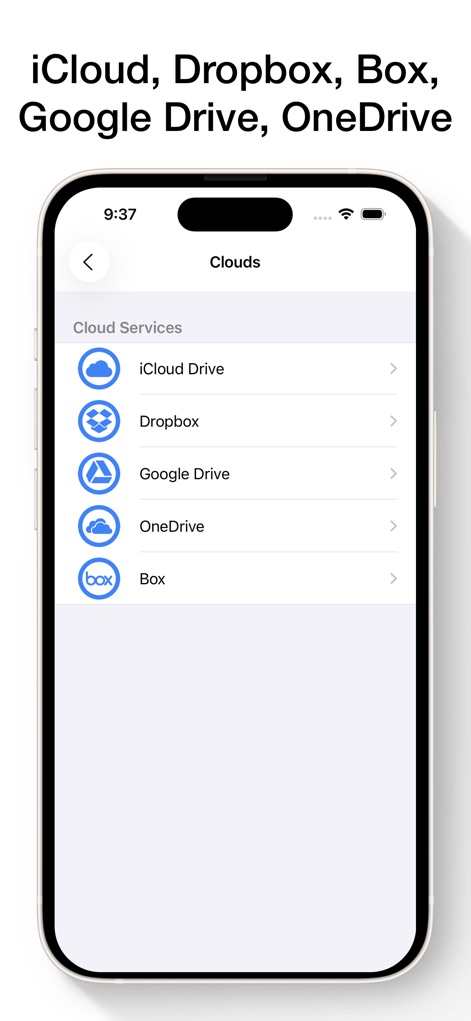
The app ensures broad accessibility by directly integrating with major cloud storage providers like 'iCloud Drive' and 'Dropbox' for effortless file access.
Seamless Cloud Integration
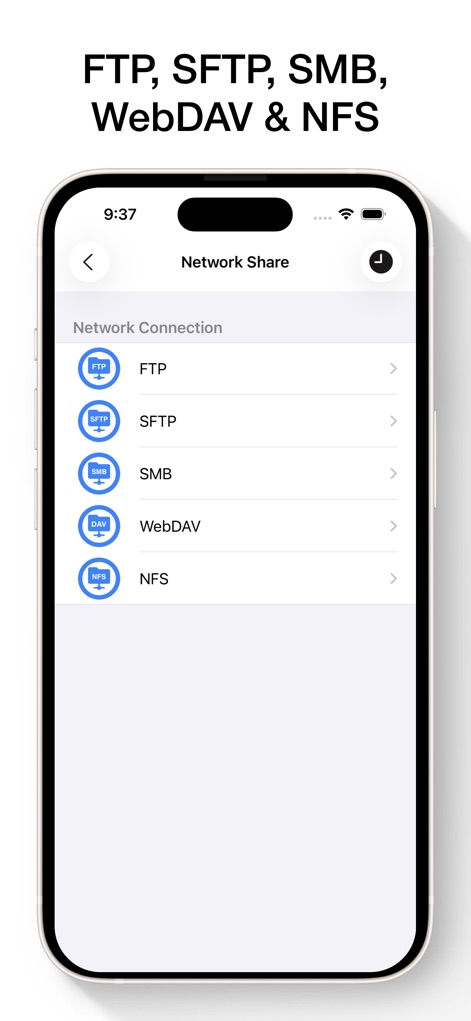
For professional environments, the app supports various network protocols including 'FTP' and 'SMB', allowing secure and flexible file transfers.
Robust Network Connectivity
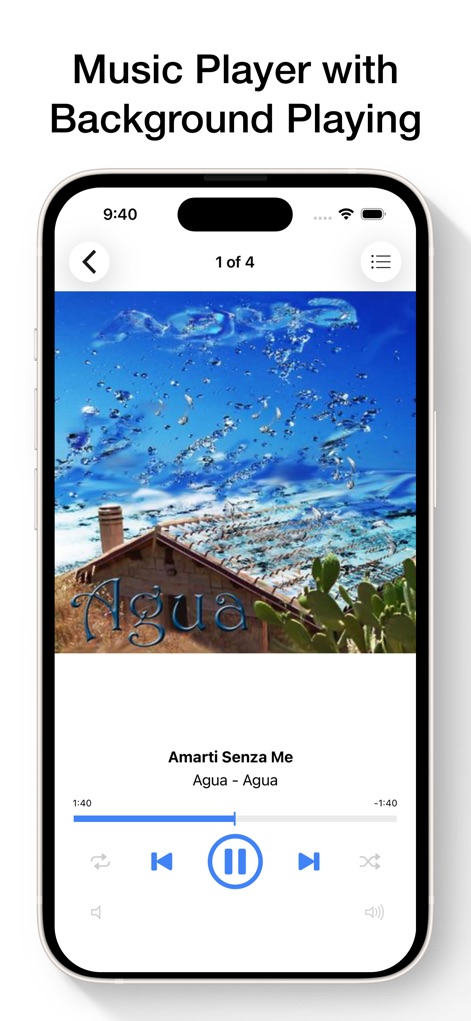
Users can enjoy an integrated music experience with clear playback controls and essential features like song 'progress bar' and 'repeat/shuffle' options.
Integrated Media Playback
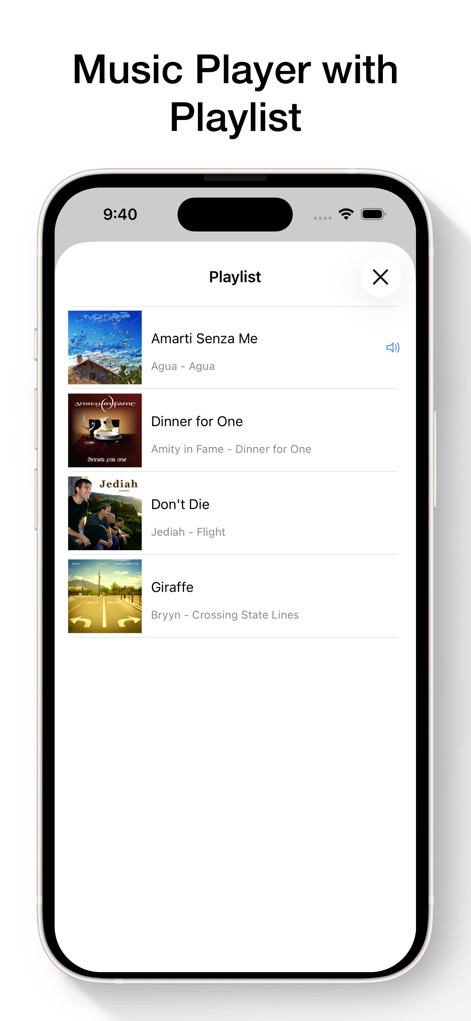
The app enhances audio management by offering a dedicated 'Playlist' view, allowing users to easily browse and select tracks with associated 'album art'.
Organized Audio Experience
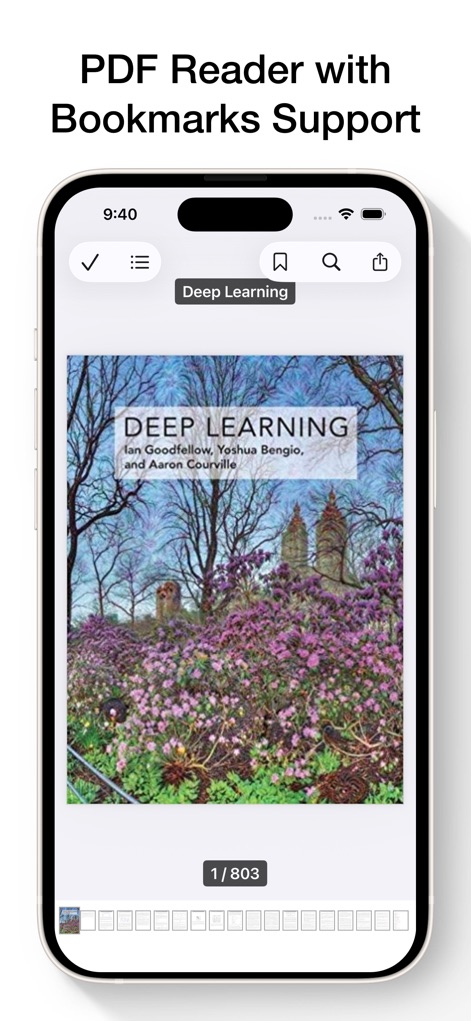
This tool provides an advanced PDF reader featuring 'Bookmarks Support' for easy navigation and a visual 'page navigation bar' for quick scanning.
Enhanced PDF Reading
Description
Download
More Like This
Apps with similar features and user experience

Unzip – ZIP RAR 7Z Extractor
Little Sweet Technology Co., Ltd.

Unzip - zip,rar,7z file opener
书勇 贾

iZip – Zip Unzip Unrar
ComcSoft Corporation

Zip, RAR, 7z File Extractor
FANGZHOU INTERACTIVE TECHNOLOGY CO., LIMITED

ZArchiver: UnZip, UnRar, 7Z
TIMON SOFTWARE SOLUTIONS COMPANY LIMITED

iRAR - zip,rar,7z file opener
书敏 贾

Zip & RAR & 7z File Extractor
琳 胡

MT管理器
瑞 胡

iZip Pro -Zip Unzip Unrar Tool
ComcSoft Corporation
This page is not an official page of the app or its developer, but an independent editorial publication created for informational and commentary purposes. Unless expressly stated otherwise, neither the app nor its developer is affiliated with, endorsed by, sponsored by, authorized by, or otherwise officially connected with MWM, Apple, Google Play, the app publisher, or the app's developer, and nothing on this page implies that the app was developed using MWM's services. Any trademarks, logos, screenshots, and other content remain the property of their respective owners.