
This page is not an official page of the app or its developer, but an independent editorial publication created for informational and commentary purposes. Unless expressly stated otherwise, neither the app nor its developer is affiliated with, endorsed by, sponsored by, authorized by, or otherwise officially connected with MWM, Apple, Google Play, the app publisher, or the app's developer, and nothing on this page implies that the app was developed using MWM's services. Any trademarks, logos, screenshots, and other content remain the property of their respective owners.


Zip, RAR, 7z File Extractor
Stop wrestling with file formats. This app hands users absolute control over their digital archives.
Downloads
250k+User Rating
Total Ratings
1.2KPublisher
Category
ProductivityLocales
21Latest Version
1.2.5Size
51.2 MBFirst Released
Dec 3, 2024An evaluation of core functionalities for efficient mobile file management.
Key Features Analysis: Zip, RAR, 7z File Extractor
Multi-Format Archiving
The app provides extensive compatibility for compressing and decompressing files across a wide range of formats, including ZIP, RAR, and 7Z, enabling efficient handling of diverse archives.
Password Protection
It allows users to safeguard sensitive files with password protection, ensuring enhanced privacy and security for their digital documents.
Comprehensive File Management
This tool features robust capabilities for organizing files, including options to move, copy, delete, and rename, helping users maintain an orderly device.
Smart Decompression
The app automatically identifies and decompresses various compressed files, instantly restoring them without manual format selection, thus streamlining the user experience.
Offline Functionality
It enables users to compress and decompress files anytime, anywhere, without requiring an internet connection, which is ideal for mobile and travel scenarios.
Rapid Processing
This tool utilizes advanced compression algorithms to significantly improve compression and decompression speeds, saving users valuable time.
Intuitive User Interface
The app offers a user-centered design with an intuitive interface, making it easy for both beginners and experienced users to manage files efficiently.
Advanced Document Utilities
The app offers advanced document utilities such as PDF merging and secure, encrypted compression records, catering to comprehensive document management needs.
Frequently Asked Questions
Everything you need to know about Zip, RAR, 7z File Extractor
What is ExZip and what does it do?
ExZip is a file compression and decompression tool designed to help users free up storage space, speed up file transfers, and securely archive important data on iOS devices. It offers powerful file management capabilities.
What file formats does the ExZip app support?
ExZip supports a wide range of formats for compression and decompression, including ZIP, RAR, 7Z, Lzh, ZIPX, TAR, GZIP, BZIP, TGZ, TBZ, ISO, DEB, CAB, CBZ, CBR, JAR, RPM, GZ, ACE, AES, MSI, and more.
Does ExZip offer automatic file decompression?
Yes, ExZip features Smart Decompression. This allows the app to automatically identify and decompress various compressed files, restoring them to their original state instantly without requiring manual format selection.
Can I password-protect my files using the ExZip app?
Yes, ExZip provides password protection for sensitive files. This core feature enhances privacy and security, allowing users to encrypt compressed packages and protect their data.
Does ExZip work without an internet connection?
Yes, ExZip offers offline capability. Users can compress and decompress files anytime, anywhere, without needing an internet connection, making it suitable for travel and mobile work.
What file management features does ExZip provide?
ExZip includes comprehensive file management tools. These allow users to move, copy, delete, and rename options, which helps keep their device organized and facilitates efficient file handling.
Is ExZip compatible with the latest iOS on iPhone?
ExZip is fully compatible with the latest iOS versions on iPhone. This ensures optimal performance and seamless integration with the most current Apple mobile operating systems.
What exclusive features does an ExZip subscription offer?
An ExZip subscription unlocks additional features including encrypted compression records, multi-format compression/decompression, file recovery from the Recycle Bin, PDF merging, and TXT document editing.
What features are available in ExZip without a subscription?
Without an ExZip subscription, users can still access basic file compression and decompression, image to PDF conversion, and text to PDF conversion features.
How do I manage or cancel my ExZip subscription?
You can manage and cancel your ExZip subscription at any time. Navigate to Settings → Apple ID → Subscriptions on your iOS device to control your subscription.
Does ExZip support document conversion features?
Yes, ExZip supports various document conversions. It provides functionalities like converting images to PDF, converting text to PDF, and merging multiple PDF documents.
Can I play multimedia files within ExZip?
Yes, ExZip supports multimedia playback. The application allows users to view and play various multimedia files directly within its interface.
How does ExZip achieve fast compression and decompression speeds?
ExZip ensures lightning-fast processing speeds by utilizing advanced compression algorithms. This technology significantly improves both compression and decompression times, saving users valuable time.
The following screenshots and description are sourced directly from the app's official store listing and are the property of the app developer.
App Store
Screenshots
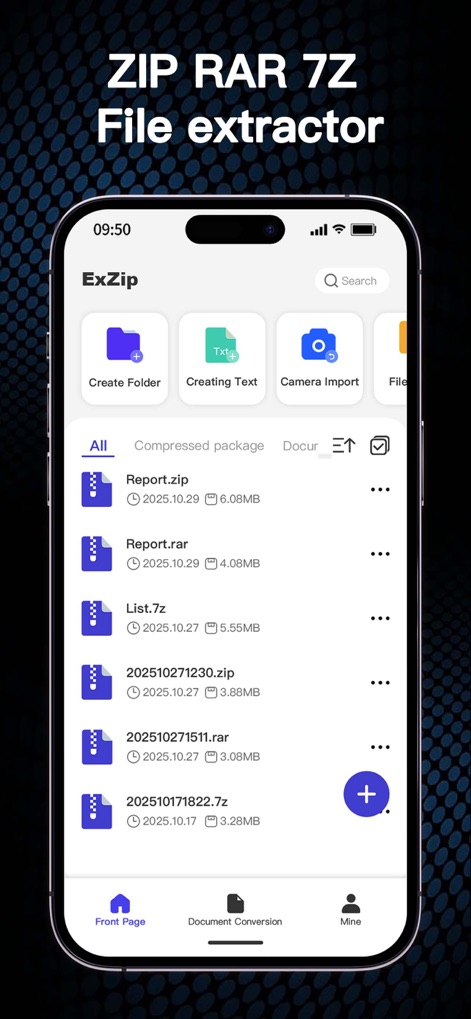
See how the app neatly organizes various compressed files like '.zip' and '.rar', alongside intuitive navigation tabs for efficient management.
Seamless File Access
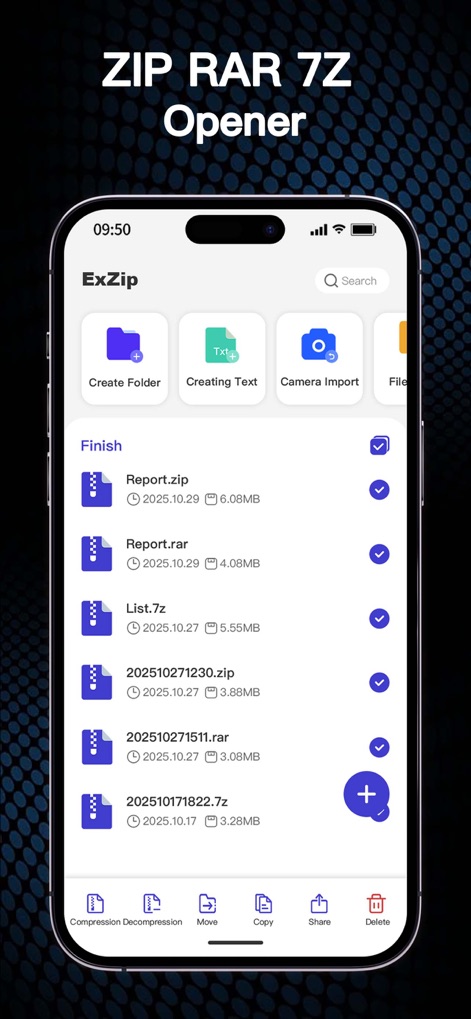
Users can effortlessly select multiple files using the prominent checkboxes and utilize the robust bottom action bar for compression, decompression, and deletion.
Effortless File Handling
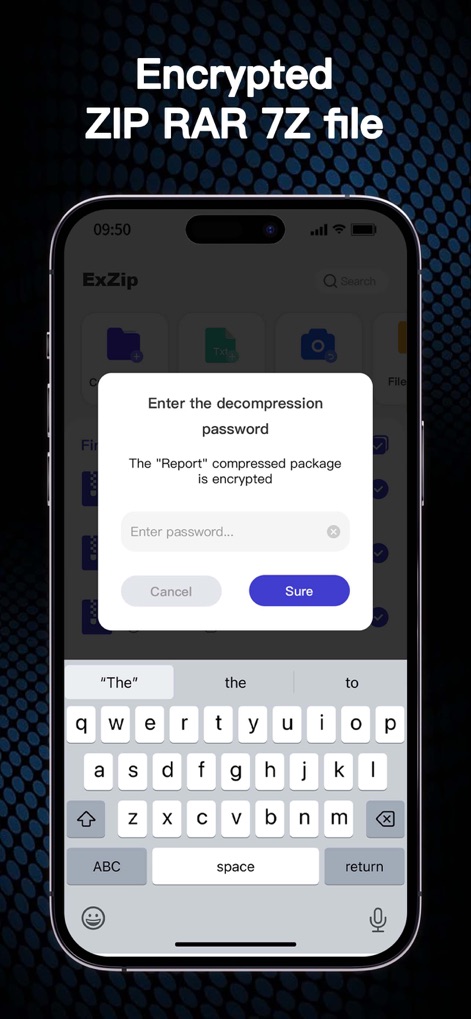
This tool provides robust security with a clear password prompt for encrypted archives and a fully integrated virtual keyboard for secure entry.
Secure File Access
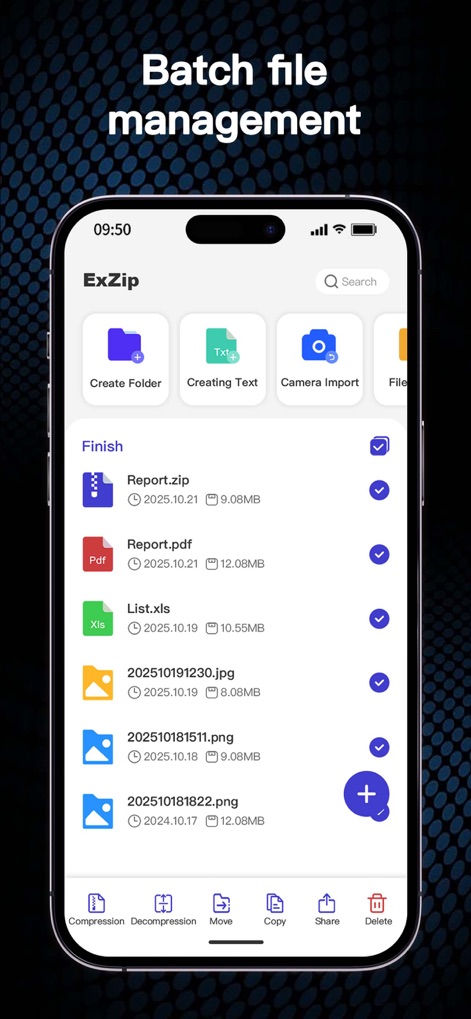
Observe the app's capability to manage diverse file types, from 'PDF' documents to 'JPG' images, all with convenient batch selection checkboxes.
Versatile File Organization

The app seamlessly integrates multimedia playback, allowing users to preview videos with a clear play button and a dynamic progress bar for easy navigation.
Integrated Media Player
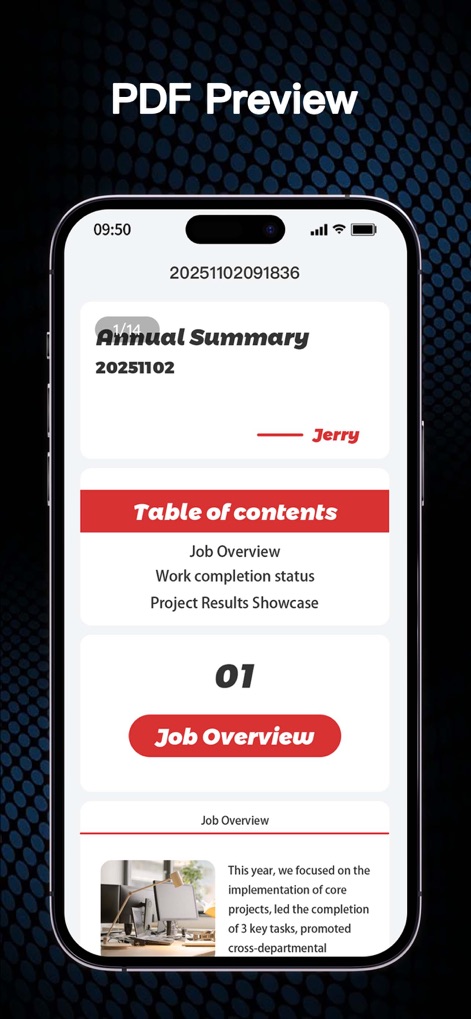
Experience the app's detailed PDF preview, presenting structured content with a clear 'Table of contents' and embedded images for comprehensive viewing.
Advanced Document Viewer
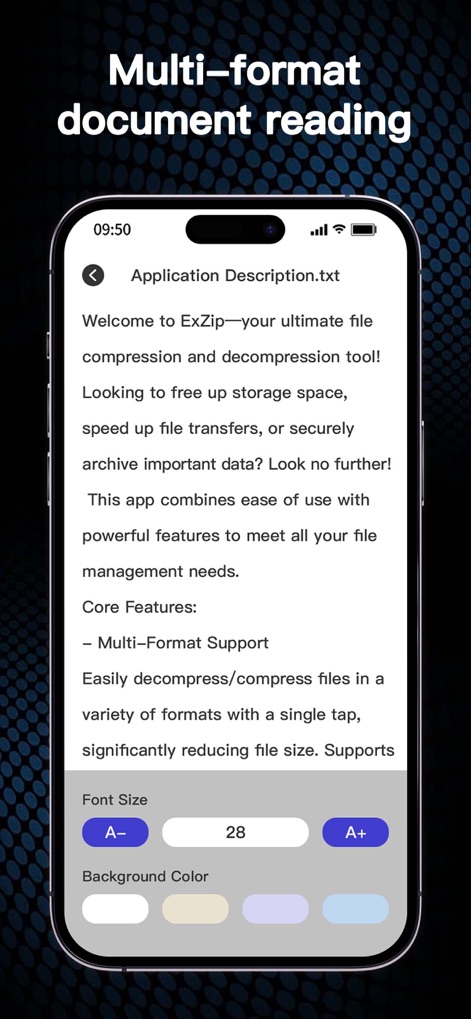
This tool offers a flexible text reading experience, featuring easy font size adjustments and multiple background color options for personalized comfort.
Customizable Text Reader
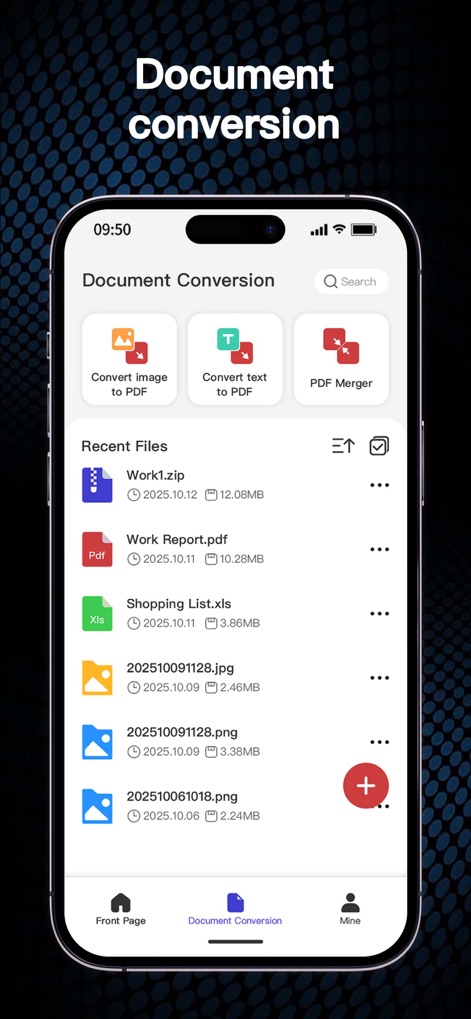
Discover the app's robust document conversion features, including 'Convert image to PDF' and 'PDF Merger' options, alongside a clear list of recent files.
Powerful Conversion Tools
Description
Download
More Like This
Apps with similar features and user experience

Unzip – ZIP RAR 7Z Extractor
Little Sweet Technology Co., Ltd.

Unzip - zip,rar,7z file opener
书勇 贾

Zip & RAR File Extractor
PENGHUI ZHAO

iZip – Zip Unzip Unrar
ComcSoft Corporation

ZArchiver: UnZip, UnRar, 7Z
TIMON SOFTWARE SOLUTIONS COMPANY LIMITED

iRAR - zip,rar,7z file opener
书敏 贾

Zip & RAR & 7z File Extractor
琳 胡

MT管理器
瑞 胡

iZip Pro -Zip Unzip Unrar Tool
ComcSoft Corporation
This page is not an official page of the app or its developer, but an independent editorial publication created for informational and commentary purposes. Unless expressly stated otherwise, neither the app nor its developer is affiliated with, endorsed by, sponsored by, authorized by, or otherwise officially connected with MWM, Apple, Google Play, the app publisher, or the app's developer, and nothing on this page implies that the app was developed using MWM's services. Any trademarks, logos, screenshots, and other content remain the property of their respective owners.