Winter OPS
Winter OPS
Download on App Store

This page is not an official page of the app or its developer, but an independent editorial publication created for informational and commentary purposes. Unless expressly stated otherwise, neither the app nor its developer is affiliated with, endorsed by, sponsored by, authorized by, or otherwise officially connected with MWM, Apple, Google Play, the app publisher, or the app's developer, and nothing on this page implies that the app was developed using MWM's services. Any trademarks, logos, screenshots, and other content remain the property of their respective owners.


Logo of Winter OPS
Download on App Store

Winter OPS

Ensure flight safety with 2025-2026 FAA, EASA, and Transport Canada guidelines. Calculate precise HOT, decode SNOWTAMs instantly, and set critical expiry alarms on your EFB.

Key Figures

Downloads

18K+

User Rating

5.0/5

Total Ratings

0

Publisher

Mr. Apps GmbH

Category

Weather

Locales

1

Latest Version

4.6.1

Size

56.3 MB

First Released

Jan 10, 2012
Features

Aviation-Grade Precision for Winter Operations

Eliminate guesswork and ensure FAA compliance with real-time holdover calculations and SNOWTAM decoding designed for the modern cockpit.

Automated Holdover Timers

Calculate HOT instantly based on specific fluid types and weather conditions, with built-in alerts to notify you before safety limits expire.

Instant SNOWTAM Decoding

Bypass manual translation with a decoder that converts complex Global Reporting Format (GRF) strings into clear, actionable data.

The following screenshots and description are sourced directly from the app's official store listing and are the property of the app developer.

App Store

Screenshots
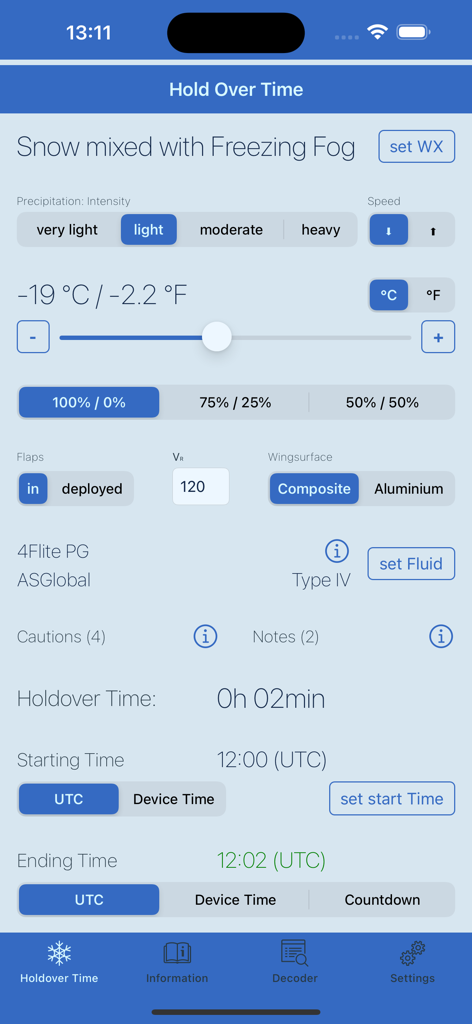
Winter OPS - Winter OPS mobile app interface showing a holdover time calculation for aircraft de-icing
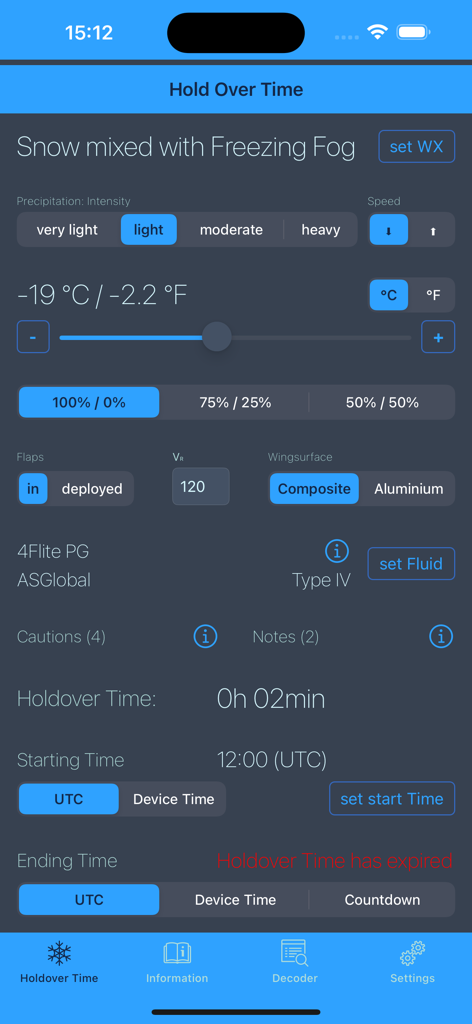
Winter OPS mobile app interface showing a holdover time calculation for aircraft de-icing

Winter OPS - Winter OPS aviation app interface displaying a de-icing holdover time calculation with snow and freezing fog conditions
Winter OPS aviation app interface displaying a de-icing holdover time calculation with snow and freezing fog conditions

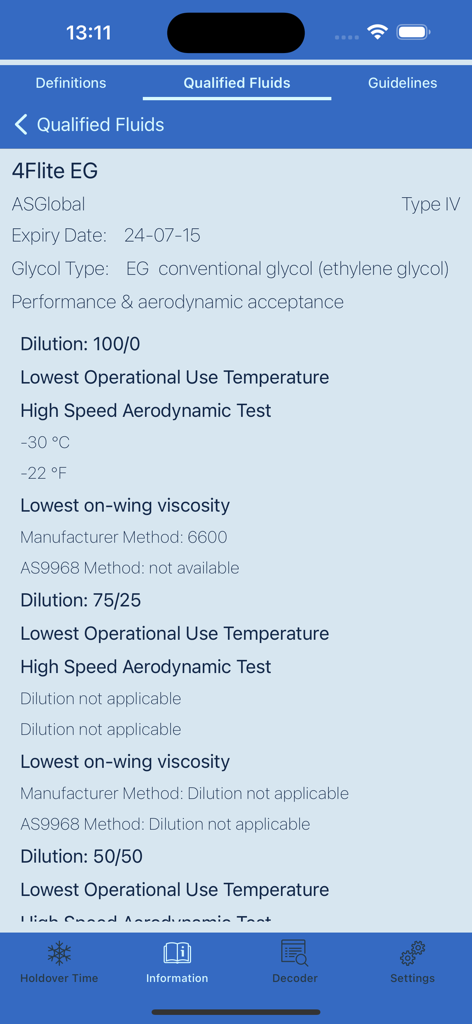
Winter OPS - Technical specifications for Type IV aviation de-icing fluid in the Winter OPS app
Technical specifications for Type IV aviation de-icing fluid in the Winter OPS app

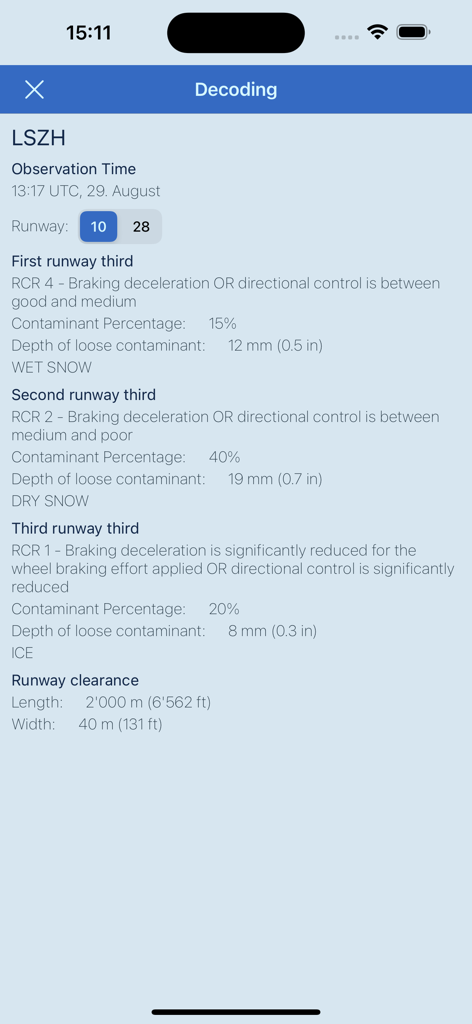
Winter OPS - Winter OPS app interface displaying decoded SNOWTAM data and runway condition reports
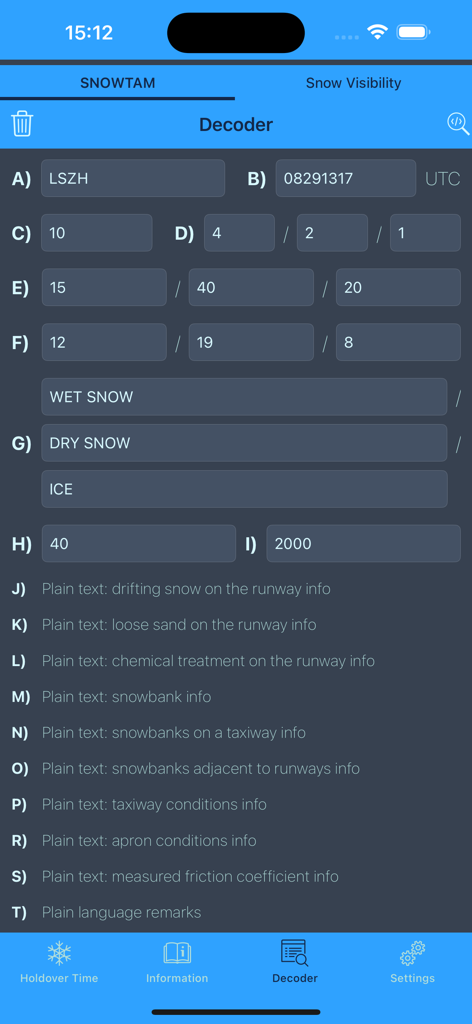
Winter OPS app interface displaying decoded SNOWTAM data and runway condition reports

Winter OPS - The SNOWTAM decoder screen of the Winter OPS aviation app in dark mode showing various airport runway condition input fields
The SNOWTAM decoder screen of the Winter OPS aviation app in dark mode showing various airport runway condition input fields

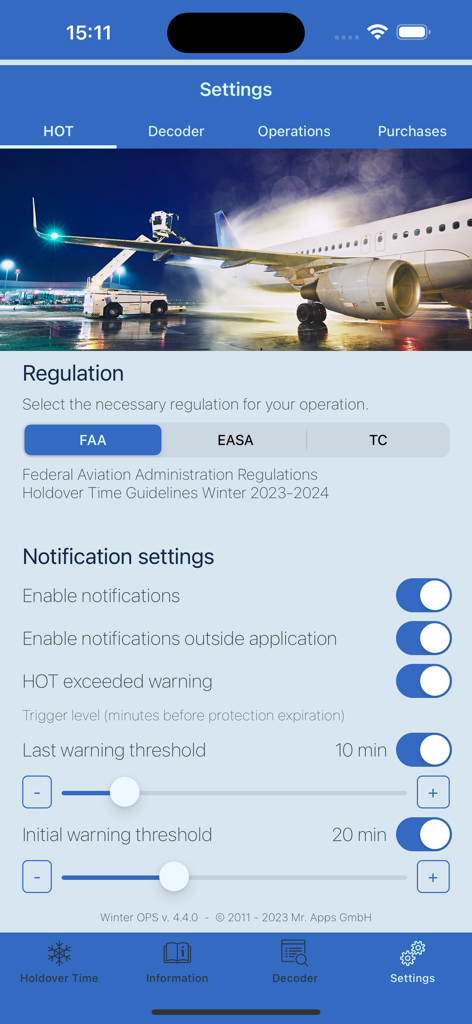
Winter OPS - Settings screen of the Winter OPS app showing aviation regulation selection and de-icing holdover time notification thresholds.

Settings screen of the Winter OPS app showing aviation regulation selection and de-icing holdover time notification thresholds.

Description

Winter OPS is an Application for De-/Anti-Icing & SNOWTAM Decoding. The data is based on the FAA, EASA and Transport Canada Holdover Time Guidelines for Winter 2025-2026 and are available through yearly subscriptions. Degree-specific Hold Overtimes are available if your operation allow their usage. According to the EASA Safety Information Bulletin SIB 2017-11 the FAA Holdover Time Guidelines are to be used instead of the previous AEA Guidelines. With Winter OPS you can not only easily find your hold over time, but also set an alarm to warn the approaching expiry of the HOT. With just one glance you get an overview what HOT other fluids would have, then choose the required or sprayed fluid to get your HOT. Find useful information such as qualified fluids, weather definitions, anti/de-icing definitions & application guidelines. Dark mode is supported and helps you not to ruin your night vision. Change the settings to meet your requirements. Terms of Use are available on: https://www.mr-apps.ch/wops/termsandconditions.html ********************************** Features: • FAA / EASA / Tranport Canada • Weather condition selection • Weather intensity selection • Flapsettings • Wingsurface • Precipitation Speed • Rotation Speed • Temperature setting (Slider / Buttons / °C / °F) • Fluid / Water Mixture selection • Fluid selection (incl. overview of all fluid HOTs) • HOT Display • Start Time settings (UTC / Device Time) • End Time settings (UTC / Device Time / Countdown) • Application Guidelines (1-Step / 2-Step / all Fluids / all Temperatures) • Qualified Fluids (lists the fluid names included by FAA or TC) • Weather Definitions • De-/Anti-Icing Terms & Definitions • E-Mail De-/Anti-Icing Information to OPS • Light & Dark Color Scheme (iOS 13+) • Warning Levels (Initial Warning / Last Warning / Expiry) • Individual Notification Settings • SNOWTAM Decode with Global Reporting Format • Snow Intensity / Visibility Decoder • iPad supports both orientations / iPhone only portrait. ********************************** If you find any mistakes in the program, please contact us at info@mr-apps.ch, we will then rectify the error immediately. We are also happy to integrate user requested new features. Some more Information you can find on our website: www.mr-apps.ch If you require a template for integration into your Winter OPS Guide, please contact me at info@mr-apps.ch, I will then send you the documentation. ********************************** NOTE: This Application reflects general recommendations only and local airworthiness agencies’ rulemaking and guidance as well as aircraft manufacturers’ documentation must always be followed. As individual icing situations or aeroplane types/models may require special procedures, this application can never replace the responsibility of the aeroplane operator’s judgement. The responsibility for the correct de-icing/anti-icing of aeroplanes always stays with the operator of the aeroplane. Although great care has been taken by the developer, errors or misprints can occur for which neither the developer nor the FAA/TC (information source) can be held liable. The developer or the FAA/TC (information source) do not accept liability for any damage, personal injury, death or any other negative effect that may result from the use of the information contained in this application as a whole or parts thereof. Anybody or any organisation using this application and the information contained therein does so at its own risk and responsibility and must check, among other things, for last update available.

Download

Download on App Store

This page is not an official page of the app or its developer, but an independent editorial publication created for informational and commentary purposes. Unless expressly stated otherwise, neither the app nor its developer is affiliated with, endorsed by, sponsored by, authorized by, or otherwise officially connected with MWM, Apple, Google Play, the app publisher, or the app's developer, and nothing on this page implies that the app was developed using MWM's services. Any trademarks, logos, screenshots, and other content remain the property of their respective owners.