WinZip Pro: zip, unzip & rar

WinZip Pro: zip, unzip & rar


Download on App Store
Logo of WinZip Pro: zip, unzip & rar

WinZip Pro: Desktop-Class File Power on Your iPhone and iPad

The world’s #1 utility to zip, unzip, and encrypt any file. Connect all your cloud accounts to manage archives and share large documents with professional-grade security.

Publisher

WinZip Computing LLC

Category

Utilities

Downloads

517K+

User Rating

3.4/5

Total Ratings

1K+

Locales

6

File Mastery at a Glance

Discover the interface used by 517K+ users.
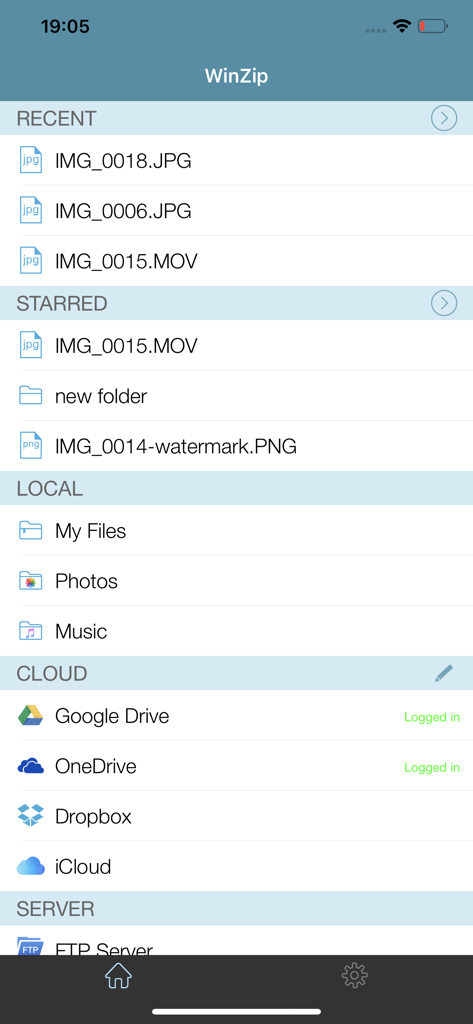
WinZip Pro app interface showing recent files and cloud storage integration on iPhone

WinZip Pro app interface showing recent files and cloud storage integration on iPhone

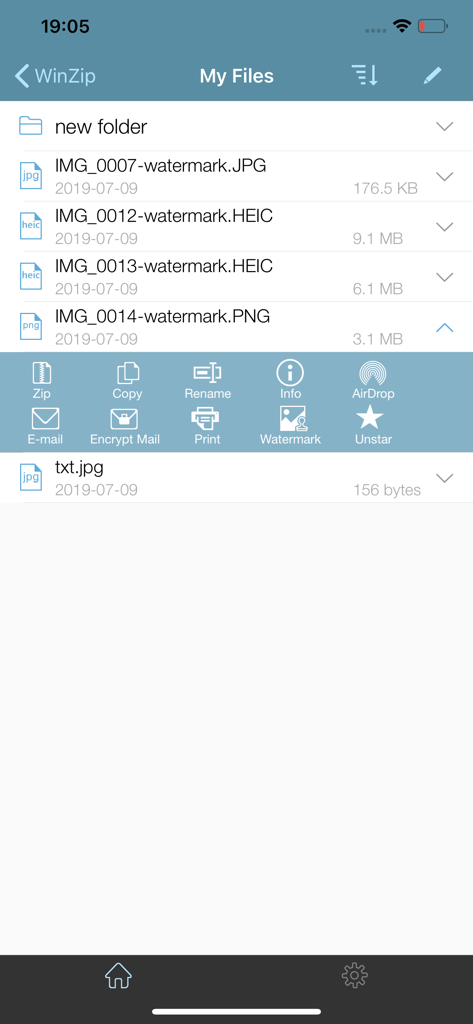
WinZip Pro iOS app interface showing a list of image files and a menu with options to zip, copy, rename, and encrypt files

WinZip Pro iOS app interface showing a list of image files and a menu with options to zip, copy, rename, and encrypt files

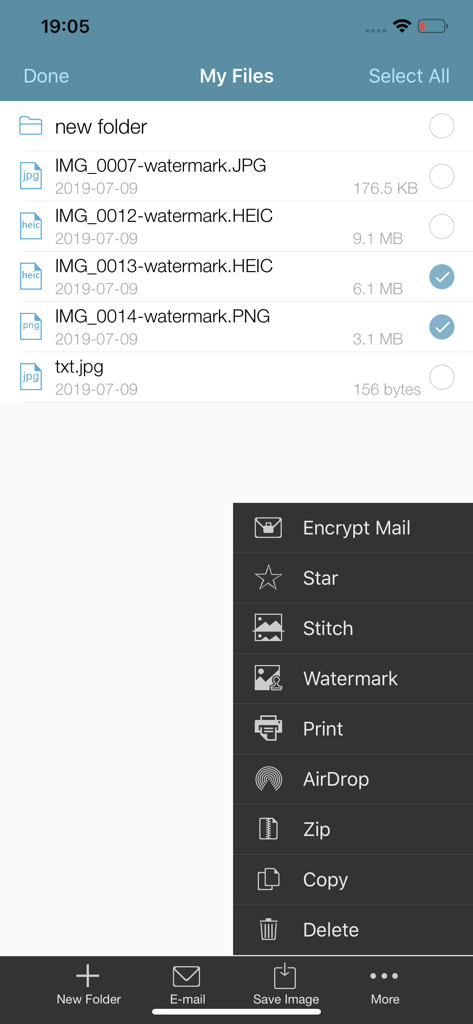
WinZip Pro app interface showing a file list and a menu with options to encrypt zip and watermark files

WinZip Pro app interface showing a file list and a menu with options to encrypt zip and watermark files

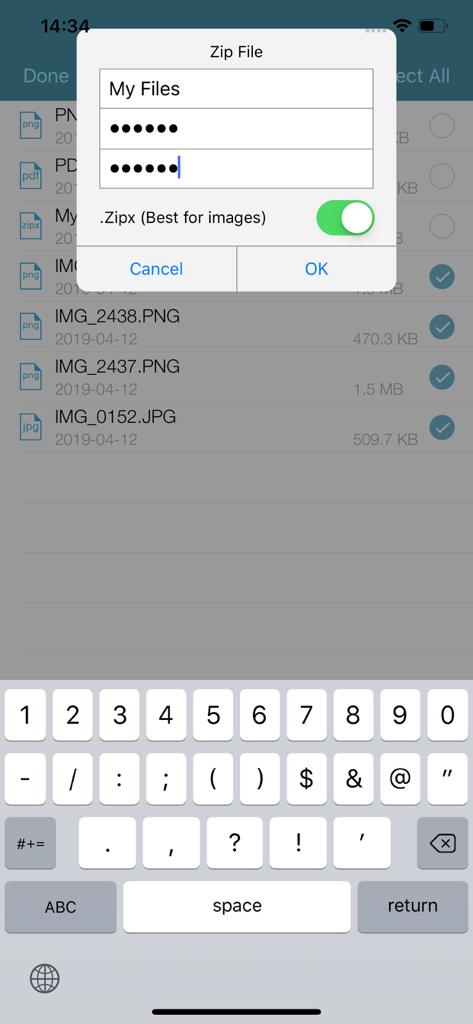
Creating a password protected and encrypted zip file in the WinZip Pro mobile app

Creating a password protected and encrypted zip file in the WinZip Pro mobile app

WinZip Pro iOS app interface showing social media sharing options for a photo of a red rose

WinZip Pro iOS app interface showing social media sharing options for a photo of a red rose

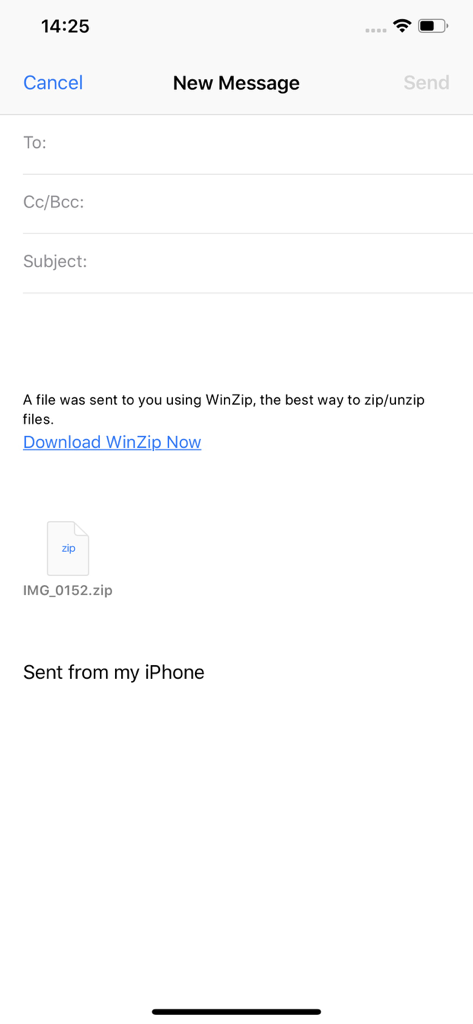
A new email draft on iPhone showing a zip file attachment sent via WinZip Pro

A new email draft on iPhone showing a zip file attachment sent via WinZip Pro

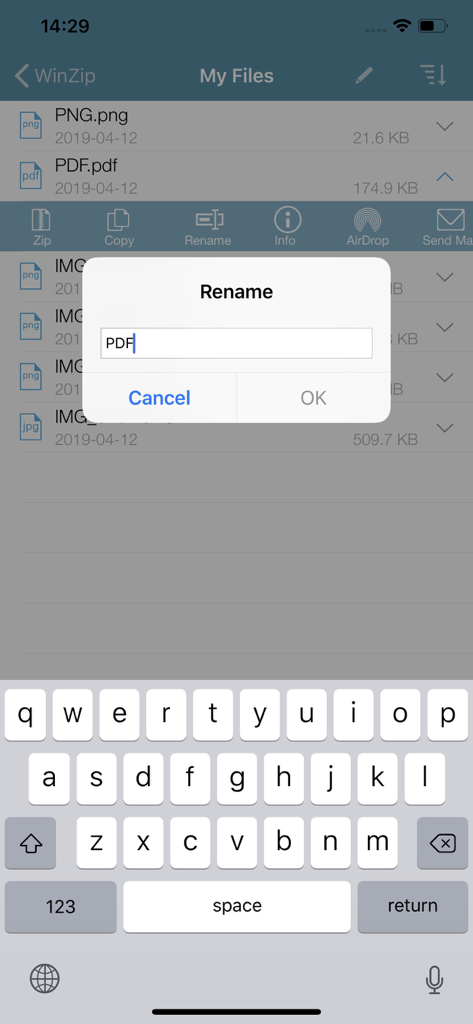
A screenshot of the WinZip Pro app on iPhone showing a rename file dialog box over a list of documents with the mobile keyboard active.

A screenshot of the WinZip Pro app on iPhone showing a rename file dialog box over a list of documents with the mobile keyboard active.

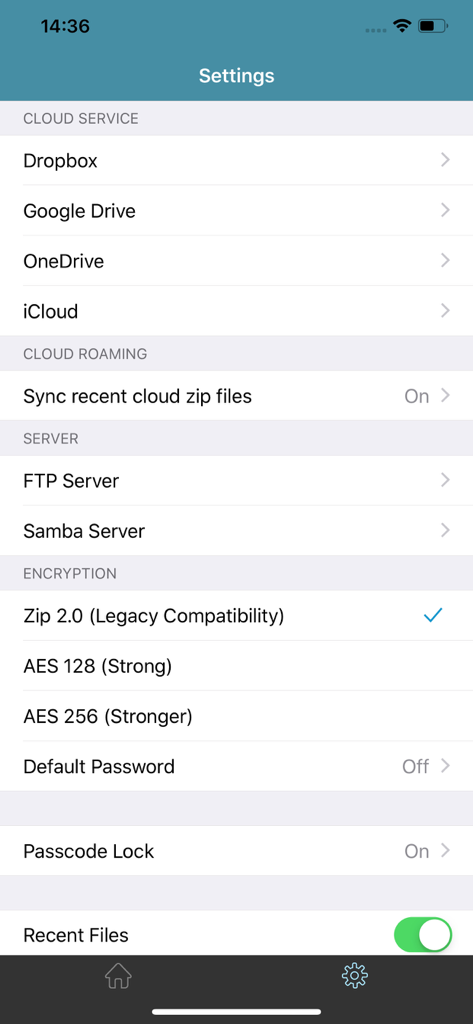
WinZip Pro settings screen showing cloud services and encryption options

WinZip Pro settings screen showing cloud services and encryption options

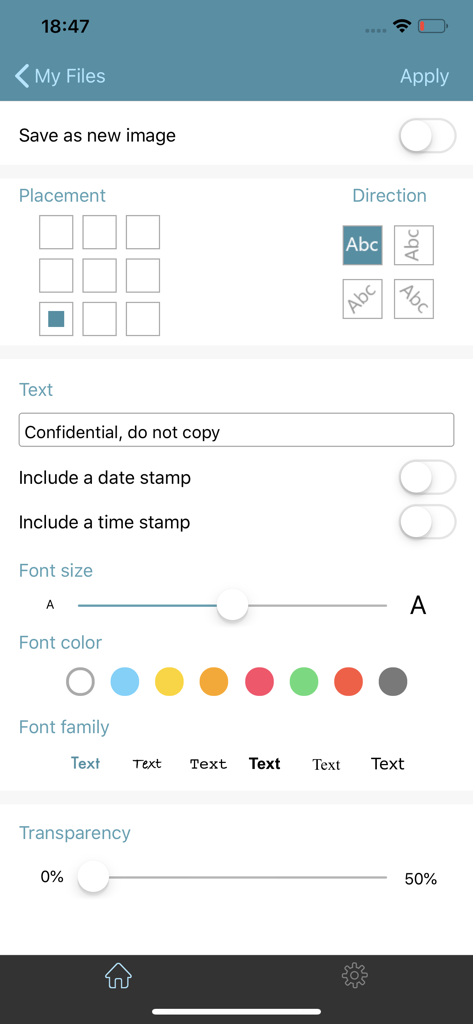
Interface for adding custom watermarks and text overlays in WinZip Pro

Interface for adding custom watermarks and text overlays in WinZip Pro

Desktop Power for Your Mobile Workflow

The tools that make this app stand out, trusted by 517K+ users.

☁️

Seamless Cloud Integration

Connect directly to Dropbox, Google Drive, and iCloud. Zip and move files across different cloud storages to keep your digital workspace organized.

🔓

Universal File Extraction

Instantly open and view Zip, RAR, 7z, and Zipx archives. Say goodbye to 'unsupported format' errors when handling professional email attachments.

🔒

Bank-Grade Encryption

Secure sensitive documents with powerful 128- or 256-bit AES encryption. Protect your data before you share it across the cloud or via AirDrop.

Review Analysis

Insights from user reviews.

Sentiment Score

29%
Negative

Summary

The WinZip app receives mixed to largely negative feedback from users. While some appreciate its core functionality as a "Best ZIP App" and its compression capabilities, many users express significant frustration due to a perceived lack of updates for the premium version compared to the free one. Common complaints include an outdated and problematic user interface, frequent crashes, and difficulties with basic features like unzipping certain file types or integrating with cloud services and local file systems. Users also report issues with password protection and accessing local storage on iOS devices.

Common Themes

Core Functionality(7)
Brand Reputation(4)
Customer Support(2)
Usefulness(2)
Recommendability(2)
Password Protection(1)

About the app

Everything you need to know about WinZip Pro: zip, unzip & rar.

Description

Get the world’s #1 zip file opener utility on iOS! Create Zip and Zipx files, extract files, encrypt, open Zip, Zipx, 7z, RAR or LHA files, send large files by email, share to Dropbox, Google Drive, OneDrive, iCloud, Twitter or Facebook. The reviews are unanimous! “Trying to open zip files a zip file on your mobile phone? Good luck -- unless you happen to have this handy tool installed. It launches directly from your inbox to give you a look inside those pesky file packages. “ - Mashable CNET (download.com) gives WinZip for iOS a 5 star rating, saying ""We love apps that are simple and straightforward to use. WinZip definitely fits that description. We recommend it for all users."" If you frequently use your iOS device to send and receive documents and large image files, you'll find a friend in the new WinZip app for iPhones and iPads. The full version costs $5, but it's worth the investment, according to CIO.com blogger James A. Martin. From AppPicker: ""Why not sink a few dollars into this fantastic full version of WinZip for your iPhone and iPad!"" WinZip makes it easy to handle major compressed types of files on your iPhone, iPad or iPod Touch! Whether you receive a Zip, Zipx, 7z, RAR or LHA file as an email attachment, or want to extract download and view the contents of a Zip, Zipx, 7z, RAR or LHA file from the web, just “Open with WinZip”. Sharing files is safe and simple too, with direct integration with Dropbox, Google Drive, OneDrive and iCloud, and support for AirDrop. Now you can: • Connect directly to your Dropbox, Google Drive, OneDrive and iCloud accounts to zip, unzip and share files • Zip your cloud storage files, unzip files to your accounts, and create and save .zip and .zipx files to your accounts • Send or copy links to your files in your cloud storage accounts • Copy files from your cloud storage accounts and save them on your device • Unzip major compressed file types, including .ZIP, .Zipx, .RAR, .7z and LHA with just a tap • Choose Zip or Zipx format to compress and email large files, photos and videos with ease • Zip and share photos and videos from your Camera Roll • Use WinZip to access music files on your device and save them to your cloud accounts • Send files to other iOS users with integrated support for AirDrop • Protect your files before you save and share with powerful 128- or 256-bit AES encryption • Open and save email attachments to your connected cloud storage accounts or My Documents folder on your iPhone or iPad • Easily view all images in a Zip file with the enhanced image viewer • Browse your Photo Album and easily multi-select, zip and share photo collections • Share photos in your zip files to Facebook and Twitter • Download or upload files from/to WinZip through iTunes/iTools • Unzip and view most common file types, including: .doc, .docx, .xls, .xlsx, .ppt, .pptx, .pages (including new iWork 13), .numbers (including new iWork 13), .key, .rtf, .pdf, .jpg, .png, .bmp, .gif, .tif, and more View any of the following types of files within your Zip or RAR file: • Word documents (.doc, .docx) • Excel spreadsheets (.xls, .xlsx) • PowerPoint presentations (.ppt, .pptx) • PDF files (.pdf) • Photos and images (.jpg, .jpeg, .png, .bmp, .gif, .tif, .tiff, .heic) • Text files (.txt, .ini, .inf, .bat, .js, .log, .xml, .css, .java, .cs, .h, .m, .cpp, .c, .sql) • Web documents (.htm, .html, .jsp, .asp) • Rich Text Format documents (.rtf) • Keynote presentations (.key) • Numbers spreadsheets (.numbers) • Pages documents (.pages) • Media files (.m4a, .mp3, .wav, .mp4, .mov)

Latest Version

6.3.1

Size

52.2 MB

First Released

Aug 7, 2013

Desktop-Class File Management in Your Pocket

Join over 500,000 professionals using WinZip Pro to securely manage, compress, and share files across all your cloud accounts.

Download on App Store

App information, icons, screenshots, and descriptions displayed on this page are sourced from the Apple App Store and are the property of their respective developers. Download estimates and rankings are based on MWM's proprietary models and may not reflect actual figures. This page is provided for informational and analytical purposes only.

Believe this page infringes your intellectual property? File a dispute