
This page is not an official page of the app or its developer, but an independent editorial publication created for informational and commentary purposes. Unless expressly stated otherwise, neither the app nor its developer is affiliated with, endorsed by, sponsored by, authorized by, or otherwise officially connected with MWM, Apple, Google Play, the app publisher, or the app's developer, and nothing on this page implies that the app was developed using MWM's services. Any trademarks, logos, screenshots, and other content remain the property of their respective owners.


Wispr Flow: AI Voice Keyboard
Stop typing, start flowing. This app unlocks a new gear for written communication.
Downloads
1M+User Rating
Total Ratings
13.7KPublisher
Category
ProductivityLocales
1Latest Version
1.52Size
237.4 MBFirst Released
May 21, 2025An evaluation highlighting key capabilities and their impact on professional productivity and communication.
Wispr Flow: AI Voice Keyboard - Core Feature Analysis
Universal AI Voice Dictation
The app provides a powerful AI voice keyboard and speech-to-text functionality that works across a wide range of applications (e.g., Slack, Email, ChatGPT), instantly converting spoken words into polished text. This boosts productivity by streamlining communication and document creation in various platforms.
Intelligent Text Refinement
This tool automatically refines spoken input by removing filler words, correcting fumbles, and improving phrasing, ensuring the output is always polished, fluent, and sounds natural, mirroring the user's intended tone. This saves significant editing time and ensures professional communication.
Contextual Formatting & Tone Adaptation
The app features a voice-first keyboard that intelligently adapts the tone and formatting of dictated text to suit different applications and communication types, such as emails or text messages, ensuring appropriate presentation.
4x Faster Text Input
It significantly enhances productivity by allowing users to dictate text up to four times faster than traditional typing, thereby optimizing workflow and saving valuable time for busy professionals and students.
Instant Idea Capture & Sync
The app facilitates instant idea capture via a quick shortcut, with automatic synchronization to desktop applications, ensuring seamless continuity and access to notes across all user devices.
Personalized Lingo Dictionary
It allows users to personalize the dictation experience by adding custom names, acronyms, and phrases to a personal dictionary, ensuring accurate transcription of specialized terminology specific to their industry or studies.
Extensive Multilingual Support
It offers extensive multilingual support, enabling users to dictate in over 100 languages, which is highly beneficial for international professionals, students, and global communication, broadening its utility.
Discreet Whisper Dictation
This tool enables discreet dictation through a whisper mode, allowing users to capture thoughts and messages quietly without disturbing colleagues, classmates, or others in shared environments, enhancing flexibility and privacy.
Frequently Asked Questions
Everything you need to know about Wispr Flow: AI Voice Keyboard
What is Wispr Flow: AI Voice Keyboard?
Wispr Flow is an AI voice keyboard and speech-to-text application. It converts spoken words into polished, formatted writing within any app, enabling users to write 4x faster than traditional typing.
Which applications does Wispr Flow support for voice-to-text?
Wispr Flow supports voice-to-text in any application, including popular ones like Slack, Messages, Email, WhatsApp, ChatGPT, Notion, and Docs. It functions as a versatile voice-first keyboard.
How does Wispr Flow ensure polished writing from speech?
Wispr Flow uses AI to polish spoken input, producing output that requires no edits. It removes filler words, corrects autocorrect fumbles, and handles formatting and punctuation automatically for fluent writing.
Can Wispr Flow learn personalized vocabulary?
Yes, Wispr Flow features a personal dictionary. Users add custom names, acronyms, and phrases, allowing the app to learn and accurately transcribe their unique terminology and lingo.
Is Wispr Flow free to use, or does it have a subscription?
Wispr Flow is free to use with a weekly word limit. For unlimited dictation and advanced features, users can upgrade to the Pro version.
What languages does Wispr Flow support for dictation?
Wispr Flow supports over 100 languages for dictation. This extensive language support ensures broad accessibility and usability for a global audience.
How can I capture notes quickly with Wispr Flow?
Wispr Flow provides a quick capture notes shortcut to save ideas instantly. These captured notes also sync seamlessly with the Wispr Flow desktop applications on Mac and Windows.
Can Wispr Flow be used for quiet dictation?
Yes, Wispr Flow offers a 'Whisper to it' feature. This allows users to dictate quietly without disturbing others nearby, providing discretion in various environments.
Does Wispr Flow sync with desktop applications?
Yes, Wispr Flow syncs with its desktop applications on both Mac and Windows. This feature allows for seamless continuity and access to captured notes across devices.
The following screenshots and description are sourced directly from the app's official store listing and are the property of the app developer.
App Store
Screenshots
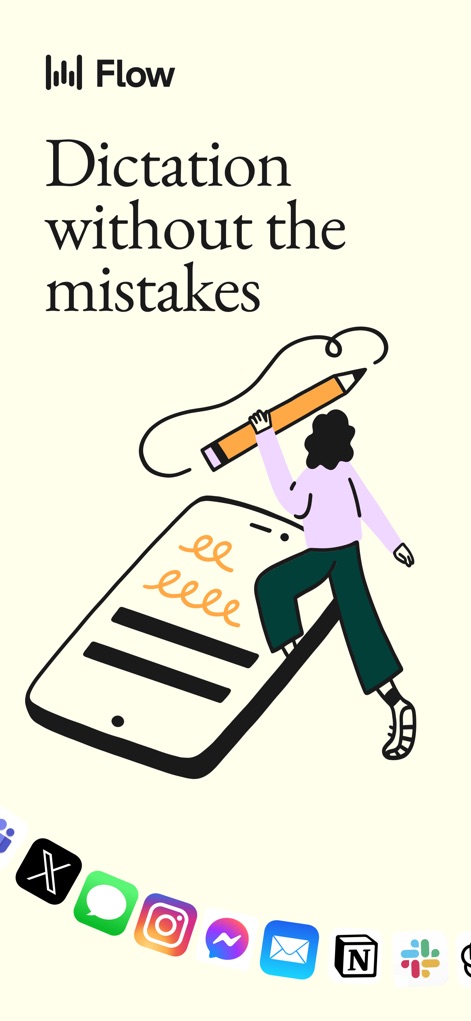
This visual demonstrates the app's capability to integrate directly into various communication platforms, like Messages and Email, enabling users to dictate content effortlessly across their favorite apps.
Seamless App Integration
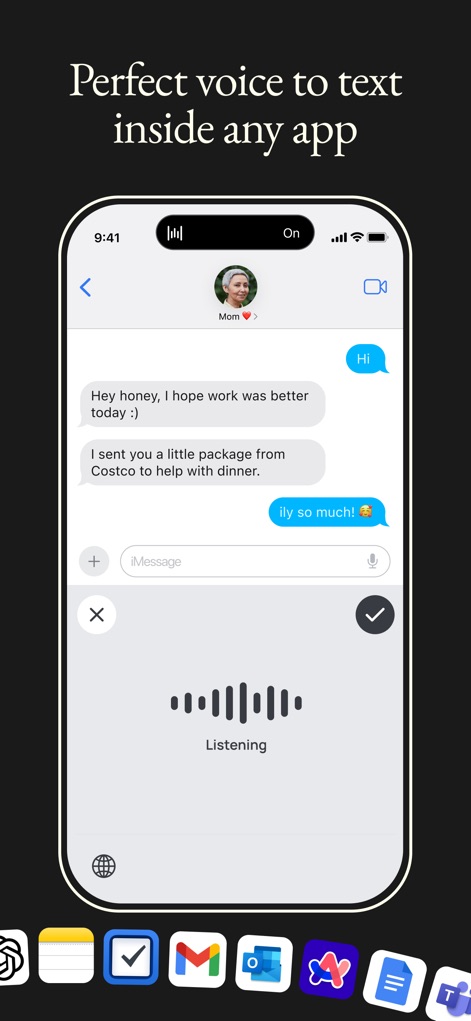
Observe how Wispr Flow transforms spoken words into text within messaging apps, showcasing the live "Listening" interface and seamless text input into the iMessage field.
Real-time Dictation

This screenshot highlights the app's advanced AI, delivering polished, ready-to-send content within an email composition screen, complete with automatic punctuation and structured paragraphs.
Polished AI Output
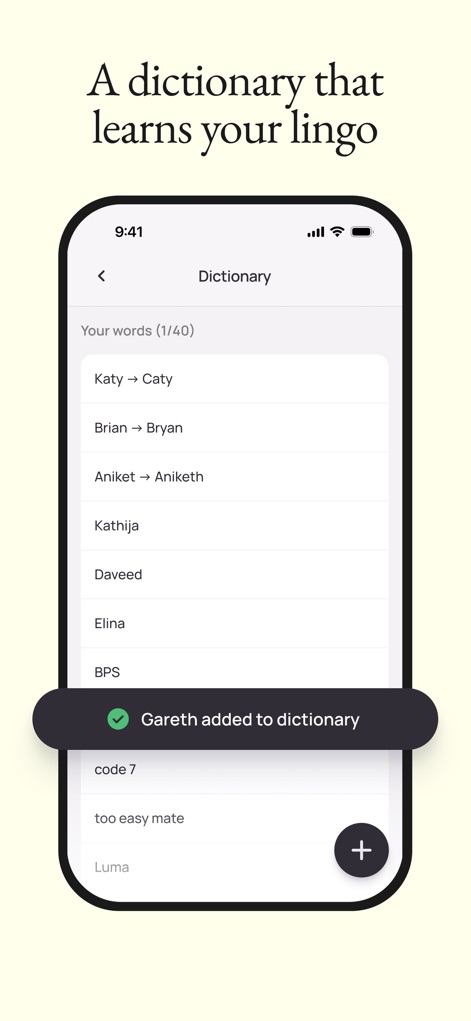
Discover the power of the app's personal dictionary feature, allowing users to customize spellings like "Katy -> Caty" and instantly add new phrases like "Gareth added to dictionary" for enhanced accuracy.
Personalized Vocabulary
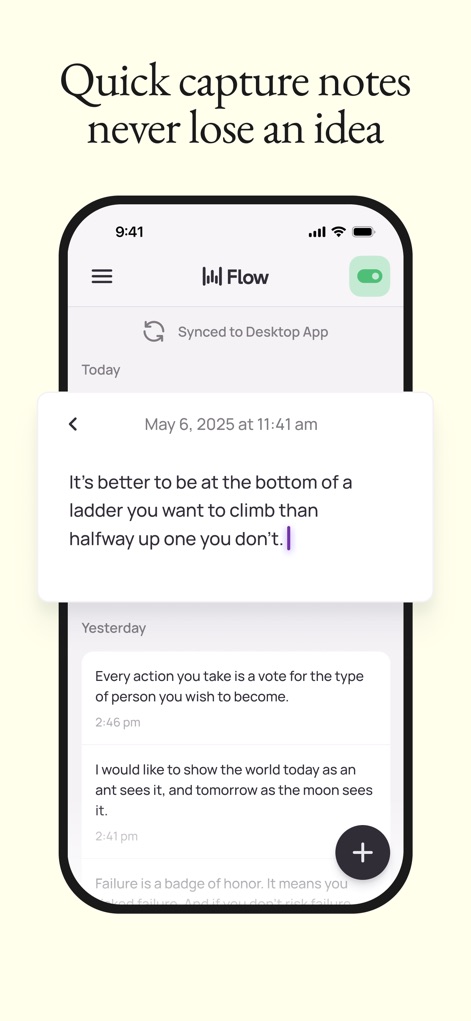
Examine how the app enables quick note capture, displaying a chronological list of saved ideas and the "Synched to Desktop App" status for cross-device consistency.
Instant Idea Capture
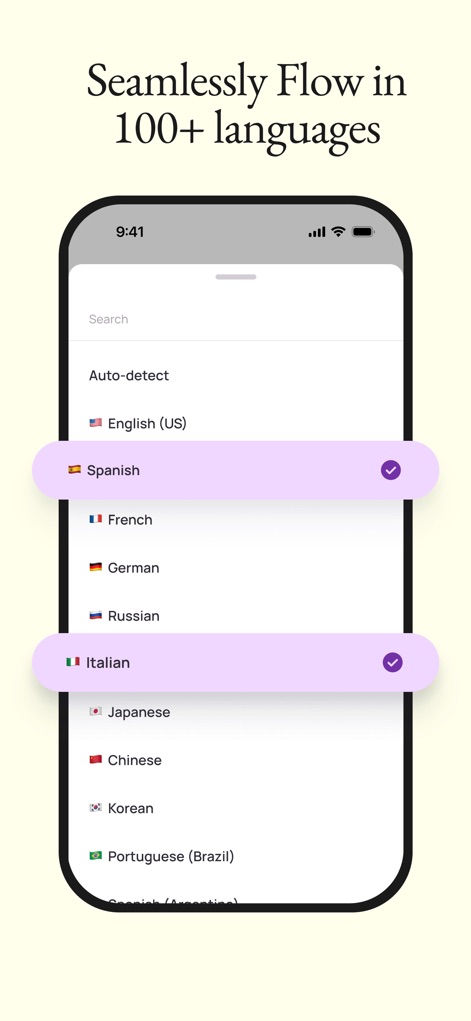
This visual demonstrates the app's extensive language support, allowing users to select from over 100 languages, as shown by the selectable list of global languages with checkmark indicators.
Multilingual Support
Description
Download
More Like This
Apps with similar features and user experience

Freed - AI Scribe & Assistant
Freed Inc

Mugen Transcribe: Voice Notes
Haruki Kurosawa
Speech To Text: AI Note Taker
LYKOV STUDIO LTD

Voice Dictation Pro
Quanticapps

Voice Assist Pro
Quanticapps Ltd

Voice Dictation for Pages
Quanticapps

Dragon Anywhere
Nuance Communications
QuickVoice2Text Email (PRO Recorder)
nFinity Inc
Whisper Memos - Speech to text
Median Tech, s.r.o.
This page is not an official page of the app or its developer, but an independent editorial publication created for informational and commentary purposes. Unless expressly stated otherwise, neither the app nor its developer is affiliated with, endorsed by, sponsored by, authorized by, or otherwise officially connected with MWM, Apple, Google Play, the app publisher, or the app's developer, and nothing on this page implies that the app was developed using MWM's services. Any trademarks, logos, screenshots, and other content remain the property of their respective owners.