Woodpecker - Language Learning
Download on App Store

This page is not an official page of the app or its developer, but an independent editorial publication created for informational and commentary purposes. Unless expressly stated otherwise, neither the app nor its developer is affiliated with, endorsed by, sponsored by, authorized by, or otherwise officially connected with MWM, Apple, Google Play, the app publisher, or the app's developer, and nothing on this page implies that the app was developed using MWM's services. Any trademarks, logos, screenshots, and other content remain the property of their respective owners.


Logo of Woodpecker - Language Learning
Download on App Store

Woodpecker - Language Learning

Break through the intermediate plateau by turning your favorite YouTube and Netflix videos into interactive lessons. Tap any word in the subtitles for instant definitions and learn like a native speaker.

Key Figures

Downloads

89K+

User Rating

4.8/5

Total Ratings

1K+

Publisher

Woodpecker Learning Limited

Category

Education

Locales

10

Latest Version

4.1.1

Size

175.5 MB

First Released

Jun 8, 2016
Features

Master Real-World Fluency Through Immersion

Break through the intermediate plateau by turning native YouTube and Netflix content into interactive language lessons tailored to your level.

Instant Tap-to-Translate

Get real-time definitions for any word or idiom within the subtitles. No more pausing or switching to a dictionary app.

Stream Your Favorites

Learn with authentic content you actually enjoy. Use our interactive tools on YouTube and Netflix to master native slang and accents.

The following screenshots and description are sourced directly from the app's official store listing and are the property of the app developer.

App Store

Screenshots
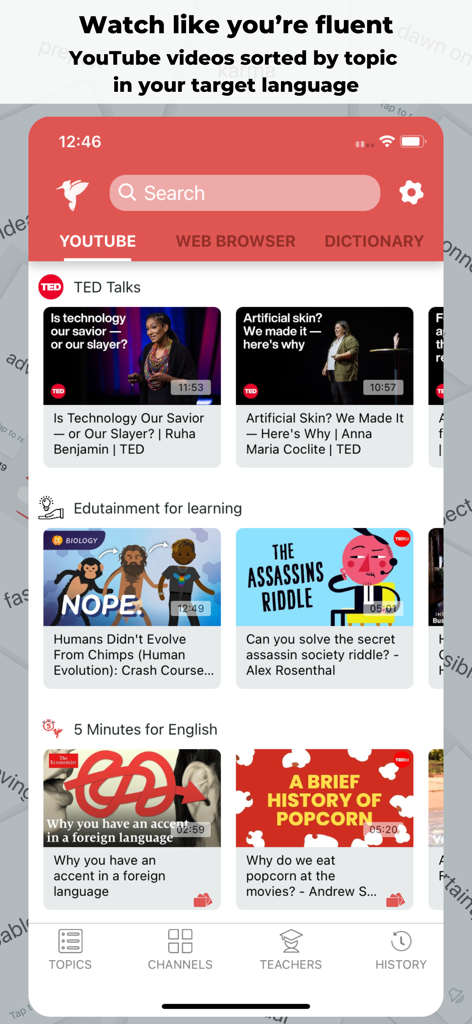
Woodpecker - Language Learning - Woodpecker app interface showing YouTube videos sorted by topics like TED Talks and edutainment for language learners.
Woodpecker app interface showing YouTube videos sorted by topics like TED Talks and edutainment for language learners.

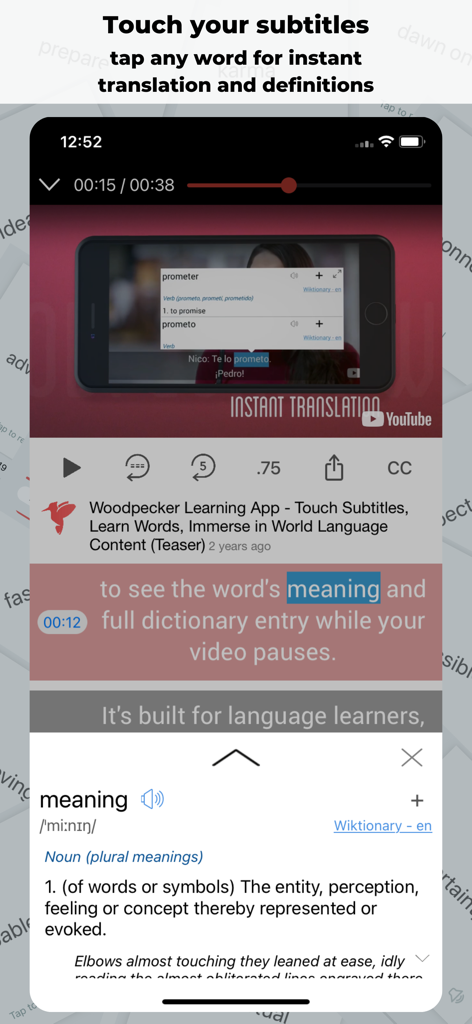
Woodpecker - Language Learning - Instant dictionary definition in Woodpecker app by tapping video subtitles
Instant dictionary definition in Woodpecker app by tapping video subtitles

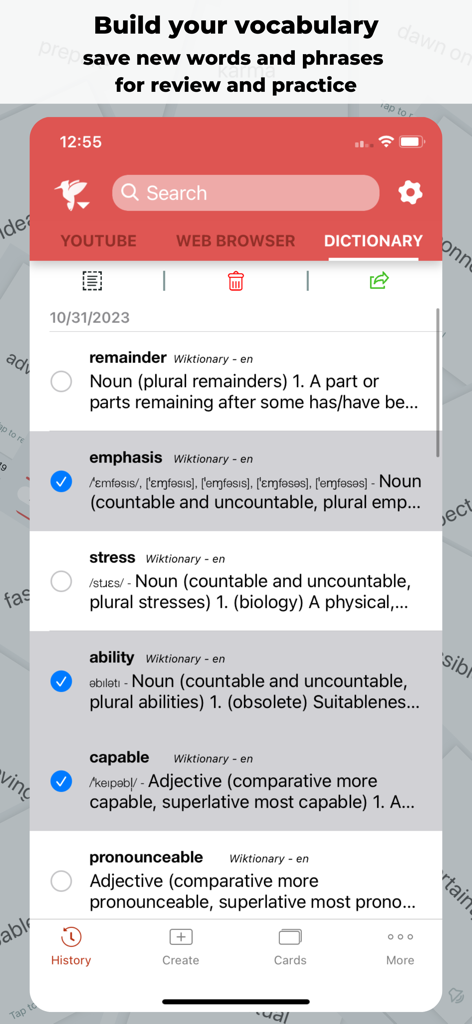
Woodpecker - Language Learning - Woodpecker app interface displaying a personal dictionary history with definitions of saved words for language learning review
Woodpecker app interface displaying a personal dictionary history with definitions of saved words for language learning review

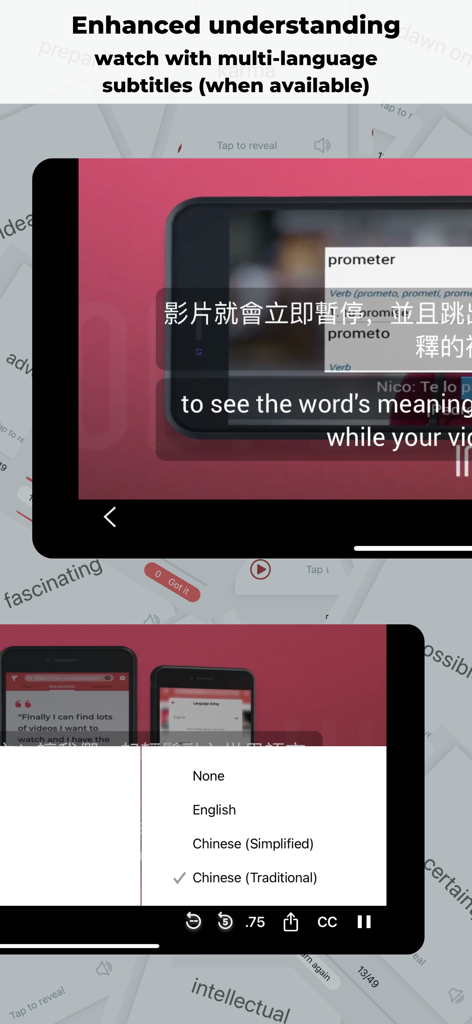
Woodpecker - Language Learning - Bilingual subtitles and instant word lookup in the Woodpecker language learning app
Bilingual subtitles and instant word lookup in the Woodpecker language learning app

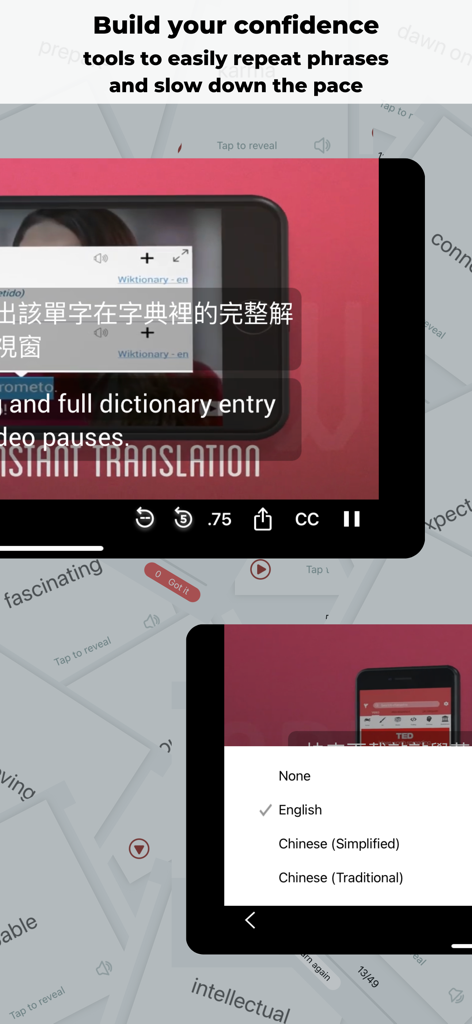
Woodpecker - Language Learning - Interface of Woodpecker app showing a video with translation popup and subtitle language options
Interface of Woodpecker app showing a video with translation popup and subtitle language options

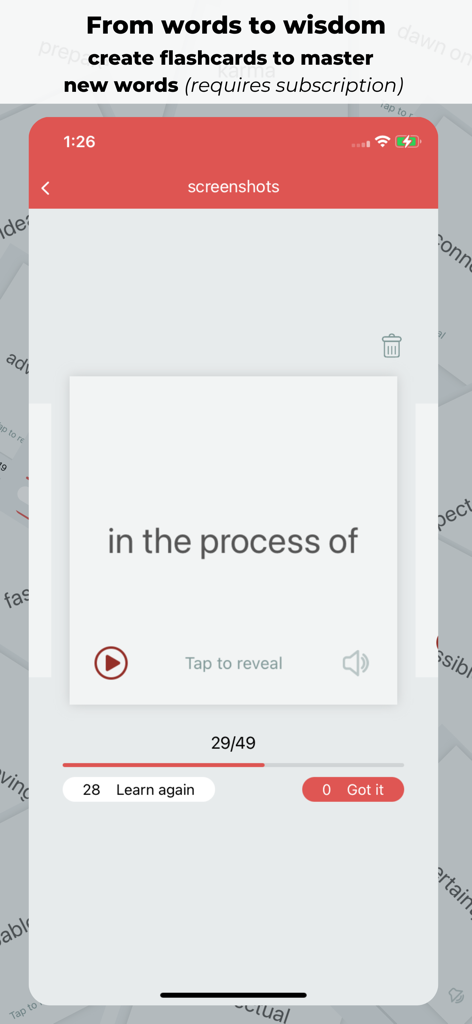
Woodpecker - Language Learning - Woodpecker app flashcards feature for mastering new vocabulary.
Woodpecker app flashcards feature for mastering new vocabulary.

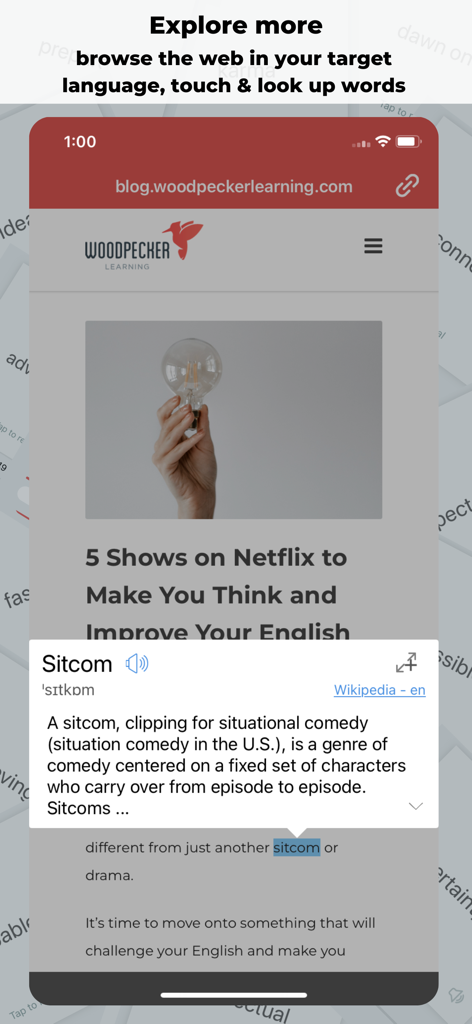
Woodpecker - Language Learning - Woodpecker app showing an in-app web browser with an instant dictionary definition for the word sitcom.
Woodpecker app showing an in-app web browser with an instant dictionary definition for the word sitcom.

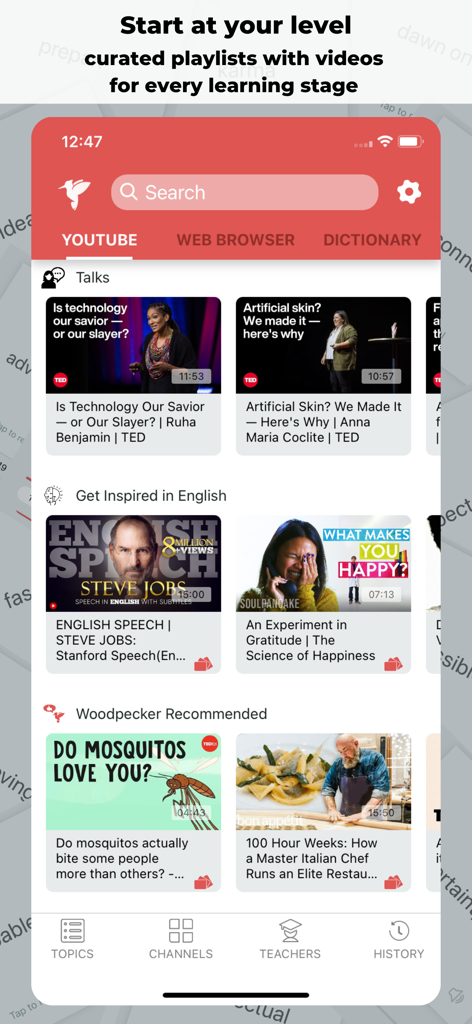
Woodpecker - Language Learning - The Woodpecker app interface showcasing curated YouTube playlists for different language learning levels.
The Woodpecker app interface showcasing curated YouTube playlists for different language learning levels.

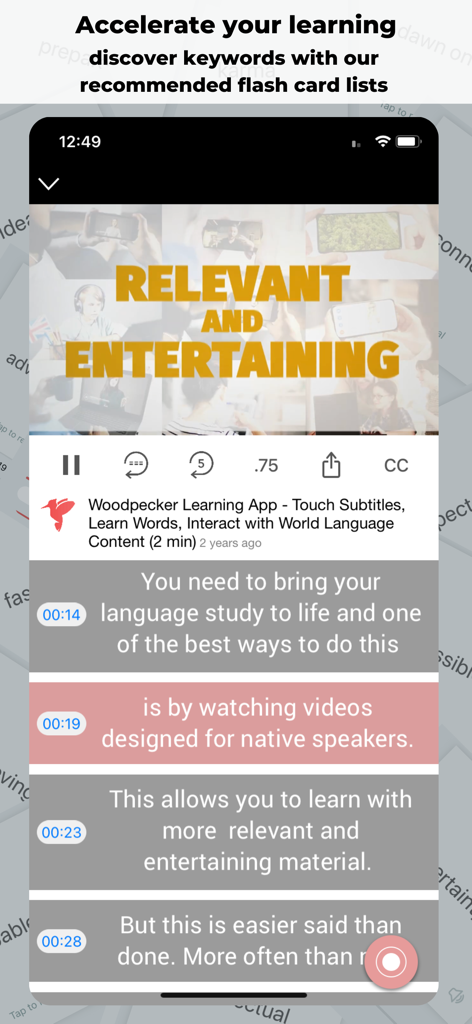
Woodpecker - Language Learning - Woodpecker app interface showing a video player with synchronized interactive subtitles.

Woodpecker app interface showing a video player with synchronized interactive subtitles.

Description

Watch and understand thousands of videos in Spanish, French, German, Chinese, Vietnamese, or English. When you don’t know a word, simply touch it in the subtitles. Use Woodpecker tools on any subtitled video on Youtube and all videos on Netflix (with a Netflix account and when using Woodpecker on an iPad). Touch any word, see its meaning, and easily save it to your history for review. Woodpecker’s bilingual dictionaries are free to use, work offline, and have no ads. Move on from your textbooks. Immerse and understand videos, shows, and movies meant for native speakers from around the world. Choose your target language: Immerse in Spanish, French, German, Chinese, Vietnamese, or English. Discover videos: Woodpecker filters Youtube to show you only videos in your target language with accurate subtitles. Browse videos by category, from popular channels, or made by popular Youtube teachers. Quickly find videos created for native speakers. Watch and improve your language skills. Watch with confidence. Woodpecker tools let you: + Touch any word to look it up while watching + Save any word or phrase to your word history + Touch a timestamp to jump to that section or rehear a phrase easily + Jump back 5 seconds if you missed something in a video + Touch to hear a phrase in the video repeated again and again + Slow down a video to 75% speed + Add multiple subtitle streams (when available) to follow along in your own language + Browse popular news sites in your target language, touch any word to look it up Subscribe to Woodpecker Tools to unlock unlimited web browsing, saved word exports, and flash cards! Make and practice your language skills with flash cards you make from words you saved! Try free today for 7 days. Build confidence with Woodpecker: • Discover videos in the language you’re learning. Explore by topic, channel name, or view videos by popular teachers on Youtube • Woodpecker filters Youtube to show only the videos in the language you’re learning • Have a Netflix account? Subscribe to the Unlimited Player in Woodpecker on your iPad to watch your favorite shows on Netflix. Touch any word in the subtitles to see its meaning and use Woodpecker Tools when you watch Netflix. • Perfect for intermediate to advanced learners, gain confidence as you watch something you love • Touch any word to see its meaning while your video pauses; Woodpecker automatically identifies proper names, popular expressions, idioms, and phrases • See all the words and expressions you’ve looked up in your word history; review them and practice with pronunciations • Browse popular news sites in the language you’re learning with the Woodpecker web browser, touch any word to see its meaning • Upgrade the app with tools to export your word history and browse any web page and create flash cards for review from your saved word history. • Watch videos with two subtitle streams (when available) to follow along in English as well as your target language • Dive deeper in a definition, expand the popup and touch any word in a definition to see its meaning • Browse the Teacher Section to see videos by popular Youtube teachers in your target language • Find all the videos you’ve watched in the video history section (data stored locally on your device) • Woodpecker’s bilingual dictionaries support: English speakers learning French, Mandarin, Spanish, German, and Vietnamese. And also support speakers of Chinese, French, German, Japanese, Portuguese, Russian, Spanish and Vietnamese learning English. • Touch any timestamp in the subtitles to rehear a phrase or jump to that phrase in a video • Discover content easily and dive into what you want to watch without the restrictions of a lesson plan • Improve your language skills while watching Youtube and Netflix with Woodpecker Start watching videos made for native speakers by native speakers. Immerse confidently in Spanish, French, German, Chinese, Vietnamese, or English. Try Woodpecker today!

Download

Download on App Store

This page is not an official page of the app or its developer, but an independent editorial publication created for informational and commentary purposes. Unless expressly stated otherwise, neither the app nor its developer is affiliated with, endorsed by, sponsored by, authorized by, or otherwise officially connected with MWM, Apple, Google Play, the app publisher, or the app's developer, and nothing on this page implies that the app was developed using MWM's services. Any trademarks, logos, screenshots, and other content remain the property of their respective owners.








